We remain fully operational. Our teams are working around the clock to ensure your deliveries continue safely.

Descargar la aplicación


Servicios al cliente
Sobre nosotros
Copyright © 2025 Desertcart Holdings Limited
Descargar la aplicación

📦 Store More, Stress Less!
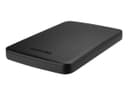
The TOSHIBA Canvio Basics 1TB Portable Hard Drive is a sleek, compact storage solution designed for professionals on the go. With USB 3.0 connectivity, it offers fast data transfer speeds and a generous 1TB capacity, making it perfect for storing large files. Its durable design includes shock protection features, ensuring your data remains safe. Plus, with a simple plug-and-play setup, you can start using it right out of the box. Backed by a 1-Year Limited Warranty, this hard drive is the reliable choice for your storage needs.


| ASIN | B00N2S6ZUQ |
| Additional Features | Portable USB 3.0 Storage, Shock Sensor, and Warranty |
| Best Sellers Rank | #354 in External Hard Drives |
| Brand | TOSHIBA |
| Cache Memory Installed Size | 8 |
| Color | Black |
| Compatible Devices | Desktop |
| Connectivity Technology | USB |
| Customer Package Type | Standard Packaging |
| Customer Reviews | 4.7 4.7 out of 5 stars (5,105) |
| Data Transfer Rate | 5000 Megabits Per Second |
| Digital Storage Capacity | 1 TB |
| Form Factor | Portable |
| Global Trade Identification Number | 00022265793602, 00222657936024 |
| Hard Disk Average Latency | 14 Milliseconds |
| Hard Disk Description | Portable |
| Hard Disk Form Factor | 2.5 Inches |
| Hard Disk Interface | USB 3.0 |
| Hard Disk Rotational Speed | 5400 RPM |
| Hard-Drive Size | 1 TB |
| Hardware Connectivity | USB 3.0 |
| Installation Type | Plug In |
| Item Weight | 8 ounces |
| Manufacturer | Toshiba |
| Model Name | Canvio Basics |
| Model Number | HDTB310XK3AA |
| Number of Items | 1 |
| Read Speed | 0.63 Gigabytes Per Second |
| UPC | 804904112162 801947291670 022265793602 222657936024 804067308761 889028053867 012305135677 809394594221 808112947677 |
| Unit Count | 1.0 Count |
D**Y
Fast, Quiet Drive with Good Hardware at a Great Price
This is a great portable hard drive from a Toshiba, who in my experience have always produced some of the highest quality electronics. If I am in the market for any new devices, I will always check to see if there are options provided by Toshiba. The hard drive is about the size of a small slice of toast and about an equivalent thickness. The exterior is made of a hard plastic shell and there is one blue activity light above the USB plug that will be lit when running and blink when transferring data. The drive does not require any external power source and will start up as soon as it is plugged into a USB port. The provided cable runs at USB 3.0 speeds and is approximately 12 in long. The drive vibrates very gently, which is to be expected since this is still a physical HD - you would never notice it with the drive on your desk, I only happened to feel it while the drive was resting on my knee while I used it with my laptop. There are also four soft plastic feet on the bottom of the device to prevent slippage. As other reviewers have noted, the drive will shut itself off after a period of inactivity, which is great for the longevity of the device and I have not experienced any slowdown whatsoever when spinning it back up. The capacity out of the box for the HD is approximately 936 GB. The only point to note would be that this is drive is billed - correctly, in my opinion - as an external HD rather than a portable HD. Some other drives are designed to be taken around with the user and have additional design features that protect the drive from drops and jolts which are not provided in this product. You can still certainly take this device on the road, but use extra caution because I am unsure if this drive would survive and still function after a drop from hand level onto a hard surface. For the price and features, I am happy to keep it on my desk and be able to take it on the go in a pinch!
C**R
MAC compatible, easy peasy
PERFECT! I was looking for a MAC time machine backup drive and noticed the external drives labeled as MAC were $10 - $15 more. I then read the Q&A on this drive and someone gave the most perfect instructions: "right out of the box it's not Mac ready, but the solution is real easy. You go to Utilities and open up Disk Utility. With the drive plugged in, select it and go to the Erase tab and there should be a drop down menu with Format. Select Mac OS and click erase and after that's done, the drive should be formatted for Mac and you can save to your heart's content." I might only add where to find Disk Utility in case you didn't know ... in finder go to the applications folder and in that folder is utilities and in that folder is disk utility. I did just as the person in Q&A said and the second it was done reformatting a box came up asking if I wanted to use this drive as a time machine backup drive. I said yes, and within 107 seconds I was done. Color me impressed! We got the 1tb drive because we have a 1tb 21.5" iMac from Nov 2013. I hope this helps someone. I will update this review later as to longevity of the drive. UPDATE: May 6, 2018 7 months later and this little backup drive does what it should do. We have never needed to utilize the files it stores, but it is nice to know the files are there. I periodically check to make sure my Mac is recording on this drive and it functions perfectly as a time machine drive.
J**S
Excellent quality hard drive!
I love this thing! I use it on my Mid-2012 MacBook Pro and it works like a charm! I mainly use it to store my photos as a backup, but I also store raw footage from my Vlogs. I like that it is USB 3! I'm able to transfer files from my computer to the hard drive really quickly. It isn't an SSD drive, but it's still pretty darn fast. It is built tough and has taken a beating but keeps on ticking! I've had this hard drive for over a year and it works just as good as it did the first day I got it. You will not be disappointed in this hard drive. The only complaint I have is with the cable connector. It will come out of the drive rather easily. It isn't a problem for me as I always keep it flat on the table so it won't move, but it's not that secure of a connection at the hard drive. Now since I'm on a MacBook at the drive come out of the box formatted in NTSF (readable by Microsoft computers), you will have to go to your disk manager and format the hard drive to what your Mac would be able to read. I have 2 partitions on my hard drive (Mac OS and FAT 32). My MacBook would ask if I wanted to use the hard drive as a Time Capsule but I haven't done so yet. Overall, I am really satisfied with the hard drive. It's small which makes it convenient to travel with. You will enjoy it as much as I have.
G**W
Excellet drive for the Xbox One!
The Toshiba Canvio Basics 1TB Portable Hard Drive is an excellent drive for what I needed it for, which was to add extra storage to my Xbox One. The footprint on this drive is nice and compact. Small enough to actually sit it right on top of my Xbox One with no issues what so ever. It took all of about 5 minutes to plug in the drive and format it through the Xbox One and I was up and running with an extra 1TB of space. (931.5GB to be exact). Pros Super compact Plug and play Doesn't require a power cable other than the USB cable USB 3.0 (faster load times than my internal Xbox One drive by a little bit) Good price Options for larger drives available Cons N/A for this review Overall if you are looking to add extra storage to your Xbox One at a great price, this is the drive for you. I give this a 5 stars! Luke @ Galaxy Tech Review
C**O
Cumpre perfeitamente o objetivo.
)**)
Great! Has lasted years now.
S**Y
Muito bom e chegou bem antes do previsto. Compacto, cabe muita coisa mesmo. Design super fino e fácil de usar.
M**T
best portable Hard drive on the market. I hate WD drives as they write files and thumbs etc on your disc. took me 3 hours once to clean up my files. I have had my first one I bought elsewhere for years now and this is my second as a back up..... it's nice it only 1 usb 3.0 connection and the power is built into that wire...... handy and super fast data transfer
A**A
Ótimo HD.
Trustpilot
Hace 1 mes
Hace 1 mes