



🚀 Upgrade your storage game with speed and style!
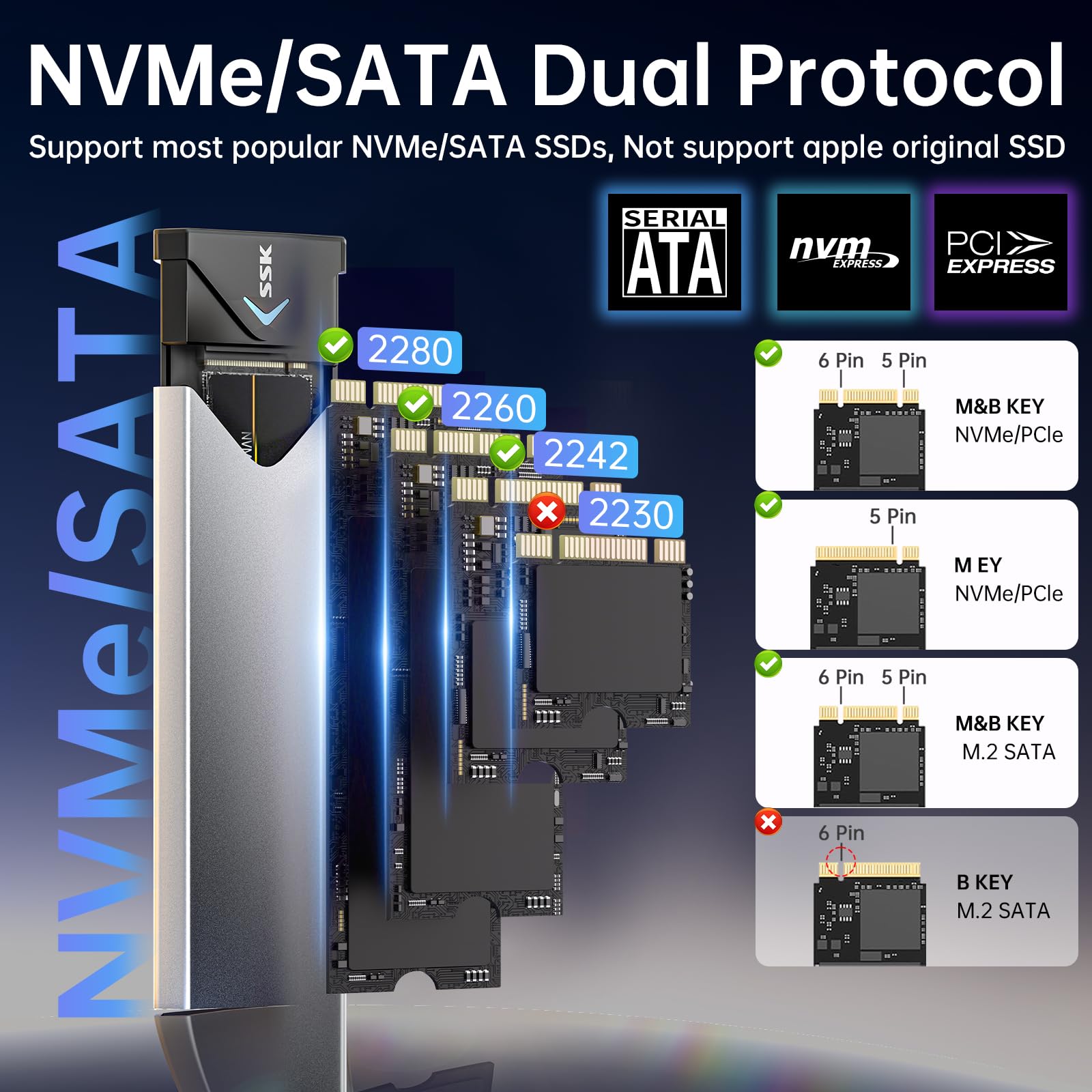
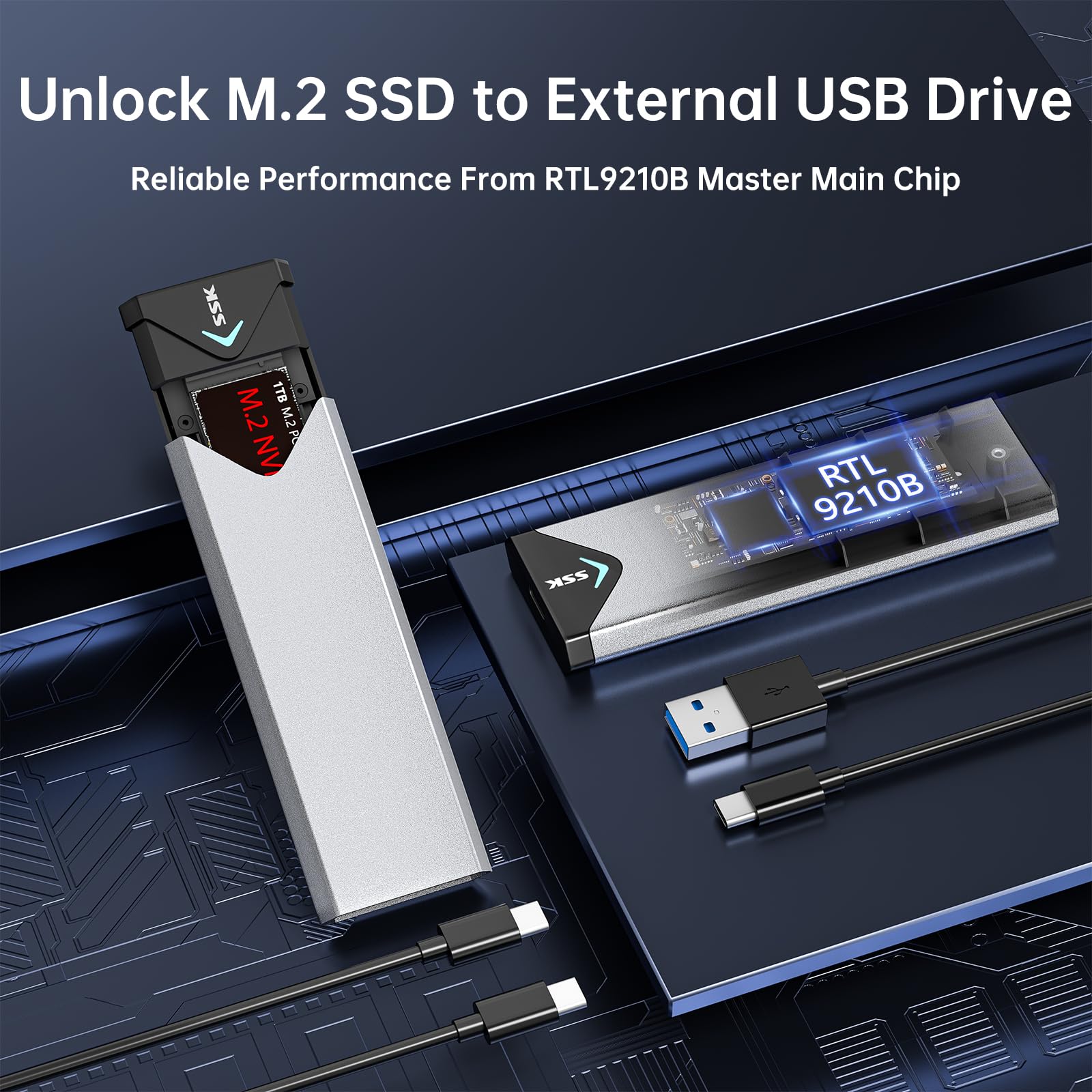
The SHE-C325 is a sleek aluminum M.2 SSD enclosure supporting NVMe PCIe and SATA drives (2242/2260/2280). Featuring USB 3.2 Gen 2 (10Gbps) connectivity, it enables ultra-fast data transfers. Its robust aluminum shell with thermal pads ensures efficient heat dissipation, extending SSD lifespan. Compatible with multiple OS platforms and including all necessary accessories, it offers a plug-and-play, portable solution for professionals seeking high-performance external storage.


| ASIN | B07MNFH1PX |
| Best Sellers Rank | 13,453 in Computers & Accessories ( See Top 100 in Computers & Accessories ) 58 in Enclosures |
| Box Contents | 10Gbps USB-A Cable, 10Gbps USB-C Cable, Installation Pack, Thermal Pad |
| Brand | SSK |
| Brand Name | SSK |
| Colour | Gray |
| Compatible Devices | Laptop |
| Country of Origin | China |
| Customer Reviews | 4.5 out of 5 stars 20,958 Reviews |
| Data Transfer Rate | 10 Gigabytes Per Second |
| Enclosure Material | Aluminium |
| Hardware Interface | USB 3.0 |
| Hardware Platform | Universal |
| Hardware interface | USB 3.0 |
| Hardware platform | Universal |
| Item Dimensions L x W x H | 11.5L x 3.9W x 1.1H centimetres |
| Item Weight | 0.1 Kilograms |
| Item height | 11 millimetres |
| Manufacturer | SSK Corporation |
| Material | Aluminium |
| Memory Storage Capacity | 4 TB |
| Product dimensions | 11.5L x 3.9W x 1.1H centimetres |
| Supported Devices Quantity | 1 |
| The Standard Size of the Hard Drive or the Bay the Hard Drive Is Compatible With (in inches) | 2280 Millimetres |
D**N
Fast, robust, easy install - what's not to like?
I'd decided that I wanted to use M.2 SSD devices as part of my travelling toolkit for server builds/software installation, so was looking for a suitable caddy. I particularly wanted a solid case; on the basis of reviews I went for this one, and it doesn't disappoint on that score. In short, I'm very happy that I went down this route, especially after the surprise I got described further down in the review! I was quite impressed with first one, so I've now purchased two more of these enclosures over the last 6 months or so - another one for me and one for a family member who does a lot of video work. They're easy to put together, everything you need is in the package including a screwdriver, a thermal pad (important!) for your NVMe device and two short USB cables (USB-A to USB-C and USB-C to USB-C). The small screws (2 needed) are slightly fiddly to fit if you have chubby fingers like me, but nothing unusual there. It takes about 5 minutes including unpacking to get it ready to go. I use Samsung 970 EVO Plus (256G and 1TB) devices in the caddies. The performance I thought was pretty darn good compared with the USB3 flash drives I used before, worth the 'upgrade' to NVMe. For mid to large file transfers I see typically 300MB/s+ even using Windows copy - see the first pic. But then I upgraded my home desktop PC, fitting NVMe devices alongside a Crucial BX500 SSD. Hmm... The first file transfers were pretty much the same, around 300MB/s+ from the SSK to the Crucial SSD. But then I did a copy from the SSK caddy to one of the internal NMVe devices... oh, my...! In the second pic, you'll see the rate at 1.8GB/s (actually it was faster initially), which is probably close to the USB 3.2 max. I'd forgotten that the transfer rate for SATA SSDs was probably the limiter... What this tells you is that the controller in the caddy has properly implemented NVMe and USB 3.2 Gen 2. One thing you will want to watch for. The NVMe drives run pretty hot, more so than USB flash drives, so it's a good idea to make sure they're in free air when you use them. The thermal pad applied to the device and the aluminium body help to get the heat away, which will help the life of the device; just be aware that yes, it really does get that warm!
E**C
House the M.2 well
Our 15 years old laptop finally gave in but the M.2 hard drive still functions well, although only 256GB, it's fast storage that we could reuse. After comparing various options on Amazon, I pulled the trigger on this one, mainly because the compatibility with various M.2 sizes as well as the disk is screwed onto the case which is more secure in my mind. The car works very well. First of all, it feels very solid in hand. There is no rattling, as if the disk is integrated with the case. The speed is sufficient for casual data transfer. We only used the usb-c cable. The only downside is the case could get quite warm after a prolonged transfer, but with the size and the price, no complaint.
M**.
Excellent SSD enclosure works with NVMe and SATA III m.2 2280 SSDs
Very pleasing, multi format SSD enclosure. I've tested with a 1tb NVMe SSD - getting around 500mb/s write for one transfer and two files writing at 400+mb/s simultaneously on USB 3.0 from my Asus laptop (reading from its internal SSD). So it is fair to say that 500 to 900 mb/s are achievable. I also tested a 512gb SATA III drive, and was able to write to it at 350mb/s (I didn't try simultaneous writes) Compared to other USB devices using this enclosure and an SSD are a breath of fresh air compared to the paltry 10-150 mb/s I was getting with other USB devices (10m on USB data keys and 150m (max) on external USB HDD.) Unless you are looking for GB/S this is a really nice bit of kit..... but it is a bit fiddly to put an SSD in as it uses a couple of tiny screws. However the screwdriver IS MAGNETIC which really helps. Happy I bought it, I will be shocked if anyone else is disappointed.
S**I
Recommend
Good , like it , can solved the problem,
T**U
Why you should get this SSK SSD enclosure if you have an M.2 SSD lying around
I was impressed by the quality and performance of this product, and I would recommend it to anyone looking for a reliable and easy-to-use SSD adapter. The enclosure is made of aluminum alloy, which gives it a sturdy and elegant feel. It is also very slim and lightweight, making it portable and convenient to carry around. The package includes two thermal pads, two USB cables (Type-C and Type-A), and a screwdriver. The installation was very simple and straightforward, as I just had to insert the SSD into the slot, secure it with the screw, and attach the thermal pad. The enclosure supports both NVMe and SATA M.2 SSDs of various sizes (2242/2260/2280), which makes it versatile and compatible with different models. It also supports USB 3.2 Gen 2 (10 Gbps) interface, which enables fast data transfer speeds up to 1000 MB/s. I tested the speed using CrystalDiskMark, and I got around 950 MB/s for both read and write, which is very impressive for an external drive. The enclosure also supports UASP and Trim protocols, which can improve the efficiency and lifespan of the SSD. The enclosure has a blue LED indicator that shows the data transfer status, which is useful and clear. It also has a good heat dissipation system, as the aluminum case acts as a heat sink, and the thermal pad helps to reduce the temperature of the SSD. I did not notice any overheating or throttling issues during my usage. The only minor drawbacks I found with this product are that it does not come with a protective case or pouch, which would be nice to have for extra protection. Also, the USB-C cable is quite short (about 20 cm), which might be inconvenient for some users who need more flexibility or distance. Overall, I am very satisfied with this SSK SSD enclosure, as it offers a great solution for converting an M.2 SSD into an external drive. It is fast, reliable, easy to use, and well-designed. It is also reasonably priced for its quality and performance. Pros: -Supports both NVMe and SATA M.2 SSDs of various sizes -Supports USB 3.2 Gen 2 interface with fast data transfer speeds -Supports UASP and Trim protocols -Easy to install and use -Sleek and sturdy aluminum alloy case -Good heat dissipation system -Blue LED indicator Cons: -Does not come with a protective case or pouch -USB-C cable is quite short Reasons to buy: -If you want to use your old or spare M.2 SSD as an external drive -If you need a fast and reliable SSD adapter for backup or data transfer -If you prefer a sleek and sturdy design Reasons to avoid: -If you need a longer USB-C cable -If you want a protective case or pouch included
A**R
great enclosure
easy to install ssd and comes with a thermal pad to dissipate the heat through the aluminium case. Comes with high speed USB C to A and USB C to C cables for data transfer. Also has a blue indicator light for activity which some may find useful. Highly recommended this enclosure!
P**Y
Excellent value : works with Windows & Android, HDD/SSD management apps, SATA & NVME PCIe SSDs
SUMMARY: The enclosure worked straight out of the box. I used the unit with both a SATA and an NVME PCIe SSD. Both were recognised and accessible from my Windows machine as a USB storage called SSK Storage.. I also plugged it into my android tablet and it was recognised Both of my favourite HDD and SSD management apps (Aomei and Paragon) were able to see the SSD I have not experienced a problem with overheating or the enclosure becoming hotter than expected. This enclosure provides a nice hand sized unit which can be handled and put down after use without worrying about damage to the SSD or connecting lead VALUE: This is exceptionally good value and I will most probably purchase again MY NEED: 1) I needed a M2 socket that I could use to clone an NVME PCIe SSD with an on-board SSD 2) I had a SATA M2 SDD which I wanted to use as an external drive So the fact that this works with SATA and NVME SSDs was an advantage. PACKAGING: Packed in a cardboard box and wrapped in a white plastic bag gives the impression of a premium product CONSTRUCTION: I am impressed with the make quality. The outer case is aluminium and robust. The inner frame is plastic and also robust. Some have suggested that there are design flaws - I see no flaws. The unit is well made and the spring loaded carrier means that the SSD is pushed up against the metal of the case so aiding heat transfer. Some have commented that the leads are too short. The leads are adequately long for my use. Longer and they would clutter the bench. Also, I take the view that I am buying an SSD M2 enclosure not a set of leads. The leads are thicker than many of my other USB leads and seemingly well made. You get one USB C – USB C lead which is 20 cm long and one USB C to USB A lead which is 26 cm long. The USB A lead is colour coded as USB 3 INSTALLING THE SSD: Installing the SSD is fiddly if you have big fingers. It is easy to drop and mislay the screw and spacer if you are not careful. This means that the enclosure is not suited for regular swapping out of SSD's. For me this is not a problem. Spares screws and spacers are provided. When installing an SSD you need to take care that the spacer is placed the correct way up. Put it upside down and the unit will not slide back in to the case as it should. I found that it was easier to slide the carrier into its case when fitted with a short SDD rather than a long SSD. When a long SSD is fitted I needed to slide it in with some care to ensure that top the the SSD did not foul on the case and that the bottom of the carrier did not foul. I found that when a long SSD was in the enclosure the spring pressure was sufficient to stop the outer case sliding off and as such the small fixing screw was not needed. With a short SSD the case was looser and the small fixing screw was needed. If I was intending to fix a long SSD in the unit and leave it there I would use the small fixing screw. TYPE OF SSD and OS: I used the unit with both a SATA and an NVME PCIe SSD. Both were recognised and accessible from my Windows machine. I tried it in two different computers; a desktop and an HP Prodesk mini PC. I also plugged it into my android tablet and it was recognised BUT I was not able to access the stored files as, at the time, the SSD was formatted in NTFS not the FAT 32 needed by the Android tablet. USAGE WITH APPS: The enclosure worked straight out of the box. When in use a blue light indicates that the unit is operating. When plugged into the computer it is recognised by Windows as a USB storage called SSK Storage. Both of my favourite HDD and SSD management apps (Aomei and Paragon) were able to see the SSD storage device and format and manage both a SATA and NVME PCIe SDD device. The free version of HDD/SDD monitoring app "Hard Disk Sentinel" was also able to see the SSD and access and show some status and performance data Some have claimed the enclosure does not work with the SSD status reporting apps provided by some SSD suppliers (eg Samsung, Kingston etc) do not recognise the SSD in the carrier. I am not sure that this is a valid criticism. I would not expect a manufactures SSD status app which is typically built to work under very limited conditions and with very limited range of devices (own brand!) would necessarily interface with its SSD when installed in a third party piece of hardware such as this. Both my SSD and HDD management apps and "Hard Disk Sentinel" worked with the enclosure BE WARNED; Initially when I put the NVME PCIe SDD in the enc;losure Windows did not see it because it had not been set up with a partition and formatted or given a drive letter. But I had no problem formatting both my SATA and NVME PCIe SSD's whilst in the enclosure using my HDD and SSD management apps. If Windows etc does not see the M2 storage check that it has been partitioned, formatted, and given a drive letter - and also formatted correctly for the OS (eg NTFS or FAT etc) HEAT: I have not experienced a problem with overheating or the enclosure becoming hotter than expected. The enclose does get warm but no more than what I have experienced with USB and external HDD drives. Some have commented that the thermal conducting pad and aluminium case are thin. I cannot see that this is valid criticism or matters given the laws of physics/thermodynamics. The thermal conducing pad is to ease the heat flow from the device to the metal case. How well it does this depends on its heat conduction properties and not on its thickness. Albeit a thicker pad might even impede the transfer of heat to the case - compare the thickness of thermal paste needed to move heat from the CPU to its heat sink. The enclosure radiates heat into the environment and keeps the device cool. A thicker aluminium will not make it cool any more efficiently. The ability of the enclosure (like any heat sink) to cool depends on its surface area not on the thickness of material. The larger the surface area the more efficient the cooling process (heat sinks have fins of some type). The enclosure does not have fins but does have a much greater surface area than a naked M2 SSD so should be more effective at radiating heat into the environment than a naked M2. But it is obvious that an M2 SSD will not cool as effectively when inside the enclose as compared to when installed inside a PC or laptop which has the advantage of a FLOW of AIR through it from a fan. So my guess is that when an M2 SSD is in the enclosure it will be cooler than a naked M2 outside of the enclosure (in still air) but both will be warmer than an M2 SSD inside a PC or laptop when AIR is BLOWN over it – of course if air does not blown over the M2 when inside a PC or laptop it will probably get hotter.
C**N
My first NVMe drive assembly - lesson learned - great drive - buy one 'cos your worth it
Well this kit is well made but inserting the drive is a bit fiddly - probably down to me as it was my first drive of this type and I didn't want to apply too much pressure to engage the drive in its connector. I assembled it and slide it into its housing - with a worrying sound akin to fingernails scraping a blackboard! That should have told my something. But eager to try it I ignored it. I connected it to my laptop - HORROR it was not recognised! Thinking that noise was probably a signal all was not well I disassembled it and re-mounted the NVMe drive in the connector. This time I saw the board edge sit properly in the groove of the screwed retainer, with the drive sitting parallel to the drive connector. Slide it back in - no scraping this time - ET VOILA! drive recognised no problems. The housing looks well made and is attractively finished and withstood multiple assembly/disassembly as I used it to cloned drives for upgrading laptop drives. Using the USB-C connector it took 6mins 20 secs to clone a 250Gb NVMe drive onto my 500Gb drive - nice, smooth, and easy.
Trustpilot
Hace 1 semana
Hace 1 mes



