We remain fully operational. Our teams are working around the clock to ensure your deliveries continue safely.

Descargar la aplicación


Servicios al cliente
Sobre nosotros
Copyright © 2025 Desertcart Holdings Limited
Descargar la aplicación

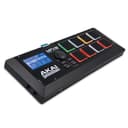

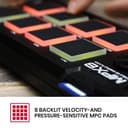
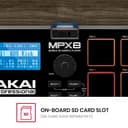
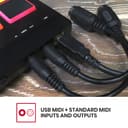
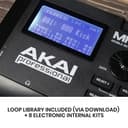
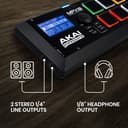
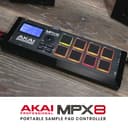
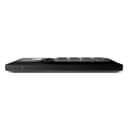

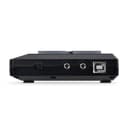
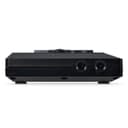
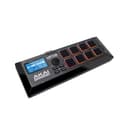
🎶 Unlock your sonic playground with Akai MPX8 — where pro beats meet pocket-sized power!
The Akai Professional MPX8 is a compact, portable sample pad controller featuring eight velocity- and pressure-sensitive pads, SD/SDHC sample playback, and comprehensive MIDI connectivity. Designed for musicians and producers seeking hands-on control, it offers onboard tuning and reverb effects, USB power, and compatibility with PC and Mac sample editors. Ideal for live performance and studio production, the MPX8 combines professional-grade features with affordability and ease of use.


| ASIN | B00BDFQCXA |
| Additional Features | Backlit Drum Pad, Digital Display, Portable, Programmable, Touch Sensitive Pad |
| Best Sellers Rank | #16,334 in Musical Instruments ( See Top 100 in Musical Instruments ) #70 in Computer Recording MIDI Controllers |
| Brand Name | Akai Professional |
| Color | Black |
| Compatible Devices | Laptop |
| Connectivity Technology | USB |
| Connector Type | USB |
| Control Method | Touch |
| Control Type | MIDI |
| Customer Reviews | 3.8 3.8 out of 5 stars (1,074) |
| Global Trade Identification Number | 00694318014936 |
| Hardware Interface | USB |
| Hardware Platform | USB-MIDI generic/standard |
| Human Interface Input | Buttons |
| Included Components | USB Cable, User Manual, Warranty Card |
| Instrument | Drum |
| Instrument Key | Any |
| Item Dimensions D x W x H | 4.06"D x 11.61"W x 1.2"H |
| Item Weight | 0.45 Kilograms |
| Manufacturer | inMusic Brands Inc. |
| Material Type | Durable High-Grade Plastic |
| Mixer Channel Quantity | 10 |
| Model Name | MPX8 |
| Model Number | MPX8X110 |
| Model Year | 2013 |
| Noise Control | None |
| Platform | Mac |
| Product Style | Compact |
| Size | 8 pad |
| Supported Software | Ableton Live |
| Total USB 2.0 Ports | 1 |
| Total USB Ports | 1 |
| UPC | 644535532263 694318014936 |
| Unit Count | 1.0 Count |
| Warranty Description | 1 year, parts & labor. |
C**.
Great basic drum sampler for the price
Great basic MIDI controller and sampler for home studio and live applications. I use mine at home for basic beat production/finger drumming, for which it works great. The pad sensitivity is a bit hard to get used to, but nothing ridiculous. The drummer in my band uses it on stage, with a drum pad MIDI controller triggering samples on the Akai. It works great for this as well, and allowed us to add samples and electronic drum sounds to our live set without adding a laptop or more expensive drum module to our live rig. There is quite a bit of negativity surrounding this sampler, but I think it's misplaced. The comparable 8 pad MIDI controller (no on-board samples) from Akai is $60, so the sampler portion that everyone seems to have issues with is really only $40. Yes it's limited to 16-bit mono WAV files, loads large samples slowly, and has a somewhat clunky interface. But if you need more flexibility and better performance, you should be looking at something like an Electribe or MPC. That simply doesn't exist in this price range.
Z**H
Easy to use, simple to set up.
This is a great, affordable alternative to many different sample pads on the market. The velocity sensors have a great response rate, there aren’t a lot of frills, and it’s pretty simple to set up. It’s a little clunky to edit with the dial, and the software is pretty buggy with being prone to crashing. But you can’t beat the price, and having a sampler that I don’t need any additional equipment (other than a speaker) is more than a fair trade off.
E**Y
Great value and performance
Excellent beginner sample player. There isn't really anything else at this price range that lets you load your own sounds onto a card and output to a speaker or you can use it as a simple midi controller. I saw some complaining reviews about having difficulty loading sounds but everything is laid out in the instructions and it's very easy to do so they just didn't bother following them. If you genuinely can't figure them out that's a you issue because there's nothing really easier out there.
O**D
MPX8 does NOT accept AKIA Loops written to removable SDHC card
After 3 long AKAI tech support troubleshooting calls over 3 days, following correctly all instructed steps and reconfirming all repeatedly, AKAI LOOPs attempted added via External SDHC card cannot be read or played. Card is good and AKAI additional WAV file LOOPs from its website confirmed as successfully written on this removable card via reading same card on MAC computer's card reader and playing those additional loops via iTunes on the computer. But the MPX8 will NOT recognize any of them written on that card when it is reinserted in the device (as directed). Device can Select " LOC - CARD " instead of just being limited to its pre-loaded INTernal memory (168) LOOPs, but MPX8's display only shows " WAV: <error>. Tech Support recommended Firmware Update (to AKAI V 1.1.01) and walked me through that procedure to assure proper steps, but MPX8 would also NOT recognize/read or accept any Firmware Update. Tech Support was vigilant, patient and thorough... but could NOT resolve this issue that limits use of the MPX8 ONLY to the limited pre-loaded LOOPs. Therefore, it does not function as advertised and I must return it.
B**O
Es muy versátil. Una herramienta impecable. Aunque a veces dio error y es engorroso cargar los samples, para el precio está bien.
R**D
Loading SDHC CARD Samples for a KIT takes way too long and then starts all over again when changing KITS
The Good: A well made product. Inexpensive Sample pads are very responsive Menu is very easy to read and use once you read the manual Editor software is very easy to use after you download it from akaipro.com It sounds very good Built in MIDI IN/OUT via 2 DIN connectors The Bad: Loading SDHC Samples for a KIT takes way too long and then starts all over again when changing KITS. Even after updating the firmware in order to play Stereo Samples it only recognizes some 32GB SDHC’s It can only load 30mb of SDHC DATA per PAD and must dump and reload DATA when changing KITS You must download and install the firmware update using a compatible SDHC card. In all, If you don’t mind updating the firmware, and downloading the software editor. If you can wait for SD Card samples to load when changing KITS and do not need more that 30mb of sampling at a time per pad. This is a very good unit for the price.
C**Y
Straight forward easy ready to go mpc anywhere on the go..
J**A
J’ai pris ce drumpad pour mon compagnon et il adore !!!!! Parfait pour faire de la musique, les touches sont agréables
P**O
I put off buying this for a long time, mainly due to reviews here and elsewhere online. After watching a product demonstration on YouTube I decided to buy and I am very glad that I did. This is an excellent piece of kit that does exactly what I needed. I was looking for a stand-alone sample pad that did not need to connect to a laptop and would fit straight into my existing keyboard rig. The MPX16 ticks those boxes, resting neatly on one of my keyboards on its non-slip rubber feet. The menu system is so intuitive that within a few minutes of unboxing I had figured out most of the functions without referring to the manual. The pads themselves are robust and dynamic, responding well to velocity and colour-coded to indicate in play, sample assigned etc. Within a couple of hours the MPX16 was part of my set-up and I was using it live; it's that easy to use. I need it to trigger phrases so I won't say much about the internal sounds; they seem OK but most of them (like the hip hop kits) won't be of any use to me. I want to address some of the comments in other reviews. There have been a number of comments about how difficult people found it to load samples, not knowing what format they should be in. The user manual on page 9 makes it pretty clear which formats are acceptable so before the product arrived I had prepared my samples in Audacity (if you're working with samples and you don't have Audacity, you should download it immediately). It was a simple task to drag and drop my samples onto my correctly-formatted card (also page 9) and the MPX16 picked them up immediately. If you want to use the MPX16 as the card reader, the instructions on page 12 are quite clear on how to do this. Alternatively, you can download the converter from the Akai site. I have seen a number of comments that the maximum capacity of samples that can be loaded into a kit at any time is 30MB - in fact, it's 48MB (page 9 again!). Most of the problems encountered by other reviewers would have been avoided if they'd read the manual! However, it is true that each kit takes a while to load from the card. I have one kit containing 38MB of samples and it takes about 2.5 minutes to load. Having said that, if you arranged your set and your kits appropriately, you could still probably get away with it. Again, use Audacity to optimise your samples to make them as lean as possible. I haven't tried sampling on the device; at the moment, it's not what I need it for. Having said that, like everything else about the MPX16 it appears to be fairly straightforward. Overall, I am very pleased that I went with the MPX16. It may not be for everyone, but it's perfect for my requirements.
C**.
Leuk toestel wel wat studiewerk om hem onder de knie te krijgen. Ik gebruik hem als DJ om jingles mee af te spelen.
S**N
Qualité professionnelle, une fois que l'on matrise les différents paramètres les possibilités sont énormes.
Trustpilot
Hace 2 meses
Hace 1 semana