We remain fully operational. Our teams are working around the clock to ensure your deliveries continue safely.

Descargar la aplicación


Servicios al cliente
Sobre nosotros
Copyright © 2025 Desertcart Holdings Limited
Descargar la aplicación
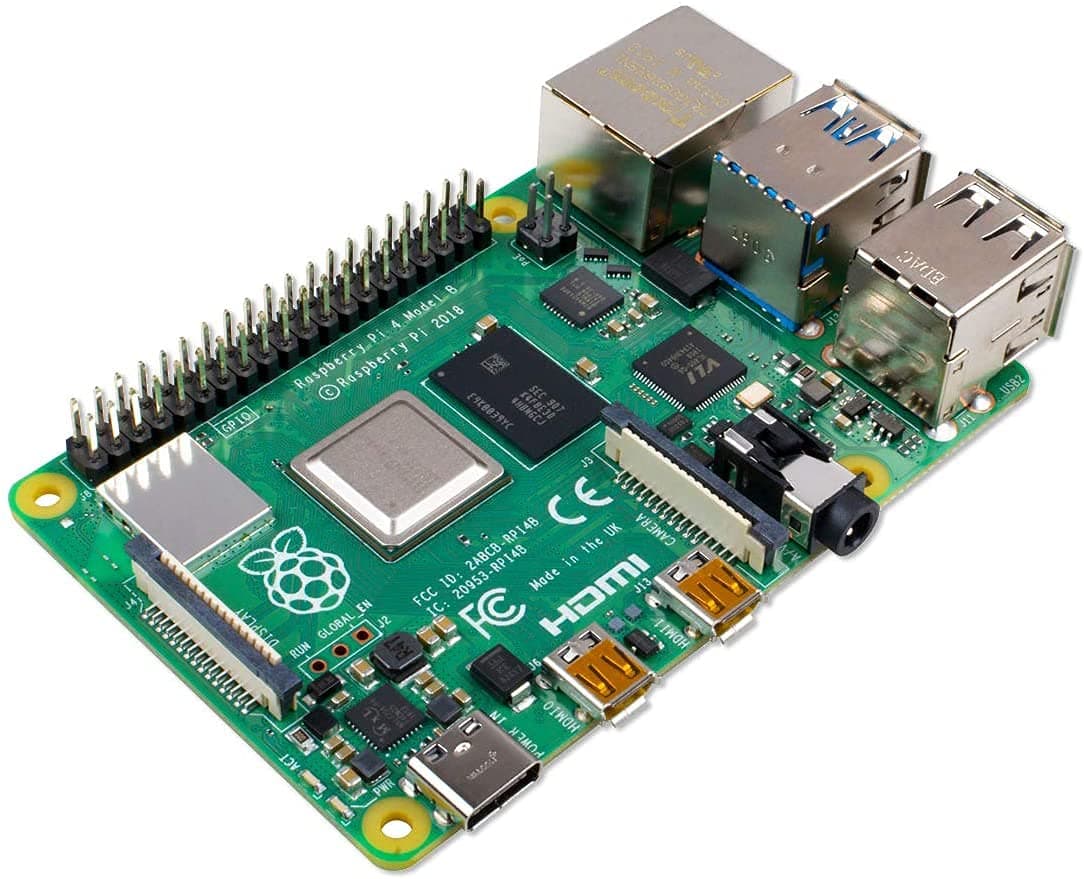
🚀 Power your passion projects with the ultimate mini PC revolution!
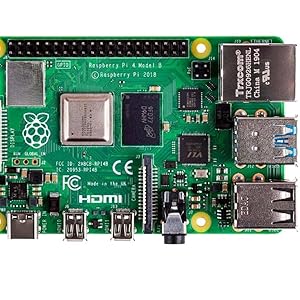
The Raspberry Pi 4 Model B (2GB) is a compact, high-performance single-board computer featuring a 1.5GHz quad-core 64-bit ARM Cortex-A72 CPU, dual micro-HDMI outputs supporting 4Kp60 video, dual-band 802.11ac WiFi, Bluetooth 5.0, Gigabit Ethernet, and four USB ports including two USB 3.0. Designed for hobbyists, developers, and professionals, it offers desktop-level performance in a tiny form factor with extensive expansion options via GPIO pins and a vast accessory ecosystem.

| ASIN | B07TD42S27 |
| Best Sellers Rank | #11 in Single Board Computers (Computers & Accessories) |
| Brand | Raspberry Pi |
| Built-In Media | PI only |
| CPU Model | Cortex |
| Connectivity Technology | Bluetooth, Ethernet, GPIO, HDMI, USB, Wi-Fi |
| Customer Reviews | 4.7 4.7 out of 5 stars (4,260) |
| Global Trade Identification Number | 00765756931175 |
| Item Dimensions L x W x H | 3.74"L x 2.95"W x 1.1"H |
| Item Weight | 45 Grams |
| Manufacturer | Raspberry Pi |
| Memory Storage Capacity | 2 GB |
| Mfr Part Number | SC15184 |
| Model Number | SC15184 |
| Operating System | Linux |
| Processor Count | 4 |
| RAM Memory Installed | 2 GB |
| RAM Memory Technology | LPDDR4 |
| Total Usb Ports | 4 |
| UPC | 765756931175 |
| Warranty Description | 30days |
| Wireless Compability | 802.11a |
E**.
Has rekindled my love for electronics - as well as being a generally useful Linux mini-PC
i love this baby. i've only had her for two weeks but in that time i've realized what you can do with a pi, and ordered a case, bought jumpers, breadboards, clicky buttons, resistors, starting taking electrical components out of random garbage tech in my house. found my soldering iron. i've started lists for different project ideas i want to do with it. as well as a general list of components. it is absolutely reigniting the love for electrical tomfoolery i had when i was a child messing around with snap kits and soldering my broken pc stuff back into working order. list of some cool things i have used it for so far; it's also a semi-capable little linux desktop if you set it up and run it right. i'm imagining the 4 or 8 gb model would be better suited. (but that's currently how I'm using it. I have full fat PI os on it now. but have heard you can reduce RAM usage (probably important for this model ) with Diet-PI. I was also going to try Arch ARM and see how that runs.) as well as being a now playing display for spotify and discord to offload some processing from my thinkpad 8gb. but with the airflow from the fan (and after they both load) it does both of these perfectly fine. I've even used it for streaming audio/video and running Webcord at the same time and it was fine (although 1080p drops frames.) I also have it configured with a minecraft server for my house. I'd like to try a 2-3 person tiny server online for my partners but, I haven't gotten around to it yet. It does work VERY well for a local Paper server though !!
K**L
The best single-board computer on the market
I've owned many Raspberry Pi boards over the years, but the Raspberry Pi 4 is by far the most capable desktop-replacement board to-date. The wide software and documentation support within the community is phenomenal, making it extremely easy to get started with the device. Not to mention, the low price point makes it accessible to anyone who wants to experiment with computing. One of the most impressive features of the Raspberry Pi 4 is its easy-to-access GPIO pins, which allow for a variety of expansion options. This flexibility makes it a great device for hobbyists, students, and rapid-prototyping. The large ecosystem of expansion HATs offers endless expansion options. I primarily use my Raspberry Pi 4's as dedicated media center computers for Kodi, and they work flawlessly. The device runs smoothly and without any lag or stuttering, even when playing 1080p H265 videos. The small size of the device also makes it ideal for use as a portable media center, which is perfect for on-the-go entertainment. Overall, I highly recommend the Raspberry Pi 4 to anyone who is looking for a powerful and versatile computing device at an affordable price. Its wide range of capabilities, ease of use, and broad community support make it an excellent choice for anyone who wants to experiment with computing or build innovative projects
D**T
Pi4
Great product, works as it should
M**N
4 years of perfect reliability!
If you ever wondered whether such devices last, then 4 years should prove it! This Raspberry Pi 4 has been used as a desktop PC, has run retro game emulations extensively and now is in use running an Open Source synthesizer project. It continues to run flawlessly even after a very bumpy house move. Boot times are mere seconds into the Raspberry O/S, but it can also be used headless, as with the synth software. Switch on, wait 10 seconds and it's ready to use. Really, these sit somewhere between the most powerful Arduino type boards and a full desktop mini PC. Immensely capable hardware and software for the price, from the biggest company in the game. I would recommend fitting a heatsink (as shown) , so that all day use won't ever be a problem even in summer.
G**O
Rasp PI 4
Exactly what I needed and it came to me very fast.
B**H
Use it to control my 3D printer
Quick and easy setup as expected. That was my first review however it's not Amazon's fault but be cautious this is the second one I've had brick itself within a couple of weeks and at these prices that can hurt especially us old folks on SSI
C**N
The USB not enabled by default
This device is a little difficult to install software on, as the USB is not enabled by default. Apparently this is unique to the Pi 4 (haven't tried the Pi 5), and it requires the user to use the RaspberryPi Imager to enable the USB. The fan is able to run quietly
B**D
Built an NFS server for IP cameras
I consider myself still a novice with Linux although I have Mint in a laptop that I sometime use. With the RPI OS based on Linux, I'm able to get started on a Pi Zero a year ago with a simple project. I now have several RPI 3B+ I use to monitor my IP cameras. I learned to work with RPI with simple Google searches. There are tons of instructions online for anyone that wants to dabble in Raspberry Pi. This is my first RPI 4 board, and I found that cloning a back up RPI OS from one of my RPI 3B+ in a USB flash drive would not work on RPI 4 right away. RPI 4 needs a fresh OS in a Micro SD card with an edited configuration file to boot in the USB drive before cloning the Micro SD in a flash drive. I got all the instructions to do this online, so even beginners should have no problem with RPI 4. I built an NFS server with this board to record the video and photo captures from my IP cameras. I got the server running with an external hard drive after a few hours of tinkering with the board. The setup has been running for a couple of days now with no problem so far. I noticed the board runs faster and the core temperature is lower than RPI 3B+. I highly recommend RPI 4 for those that want to try Raspberry Pi for the first time.
C**O
Calidad / precio insuperable para todos tus proyectos sean grandes o pequeños, da rienda suelta a tu imaginacion
J**E
Utilisation depuis plusieurs mois J’utilise ce Raspberry Pi 4 (version 2 Go) pour des projets personnels : serveur léger, tests de distributions Linux et petites automatisations. C’est une machine compacte mais étonnamment polyvalente, parfaite pour expérimenter ou monter un petit système dédié. Ce que j’ai apprécié Les performances sont nettement supérieures aux générations précédentes : le passage à l’USB 3 et au Gigabit Ethernet change vraiment la donne. Le processeur quad‑core est largement suffisant pour un serveur local, un Pi‑hole, un petit NAS ou un média‑center. La compatibilité logicielle est excellente : Raspberry Pi OS, Ubuntu, Home Assistant, RetroPie… tout fonctionne sans difficulté. La consommation électrique reste très faible, même en charge. Le format reste identique, donc tous les accessoires (boîtiers, dissipateurs, HATs) sont faciles à trouver. Ce que j’ai moins aimé Le Pi chauffe assez vite sans dissipateur ou boîtier ventilé, surtout en charge. Les 2 Go de RAM sont suffisants pour des projets simples, mais limitants pour du multitâche ou des services plus lourds. Il faut prévoir l’alimentation USB‑C officielle ou une alimentation de bonne qualité pour éviter les messages “undervoltage”. Pour qui c’est idéal Pour ceux qui veulent découvrir Linux ou l’embarqué. Pour monter un petit serveur local (DNS, VPN, Home Assistant, etc.). Pour un média‑center léger ou une console rétro. Pour les makers qui veulent un mini‑PC fiable et économique. Verdict Un excellent mini‑ordinateur pour apprendre, expérimenter ou héberger de petits services. La version 2 Go suffit pour des projets simples, mais il faut prévoir un bon refroidissement. Un très bon rapport qualité‑prix pour débuter avec le Raspberry Pi. Mise à jour : Tourne 24h/24 en tant que pihole, je n'ai remarqué aucun arrêt ni bug, il tourne sans aucun problème. Ses 2gb sont largement suffisant pour cela. Bilan très positif !
R**A
Product is osam, good quality. Osam praformenc, value for maney
く**こ
色々なところがアップデートされ、メモリサイズも選べる様になりとても良い。 写真の様に箱にそのままRaspberryPiが入っていたが、クッション封筒で梱包されて届いたので問題ないと思う。 micro USBからUSB type-Cに変更され、電源問題解決か? HDMI×1がmicroHDMI×2に変更されたことで、Pi3で使っていたケーブルが使えなくなった。 USB2.0×4からUSB2.0×2+USB 3.0×2になり高速転送が可能になった。 LANが100Mbpから1Gbpsへ
K**.
It runs 24/7 and just keeps going. Do not skimp on the power supply, the OEM one works best.
Trustpilot
Hace 5 días
Hace 2 semanas