
Descargar la aplicación


Servicios al cliente
Sobre nosotros
Copyright © 2025 Desertcart Holdings Limited
Descargar la aplicación


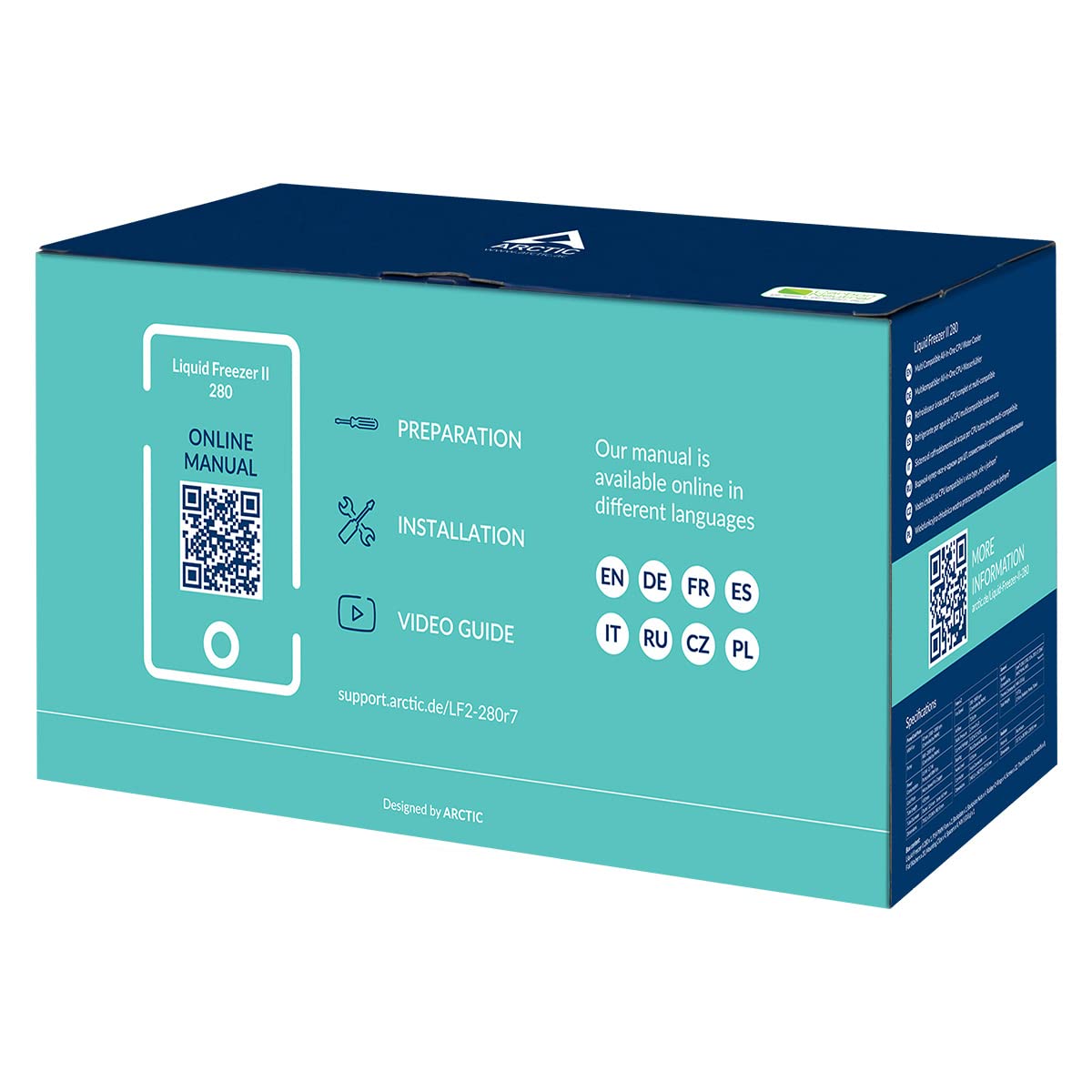


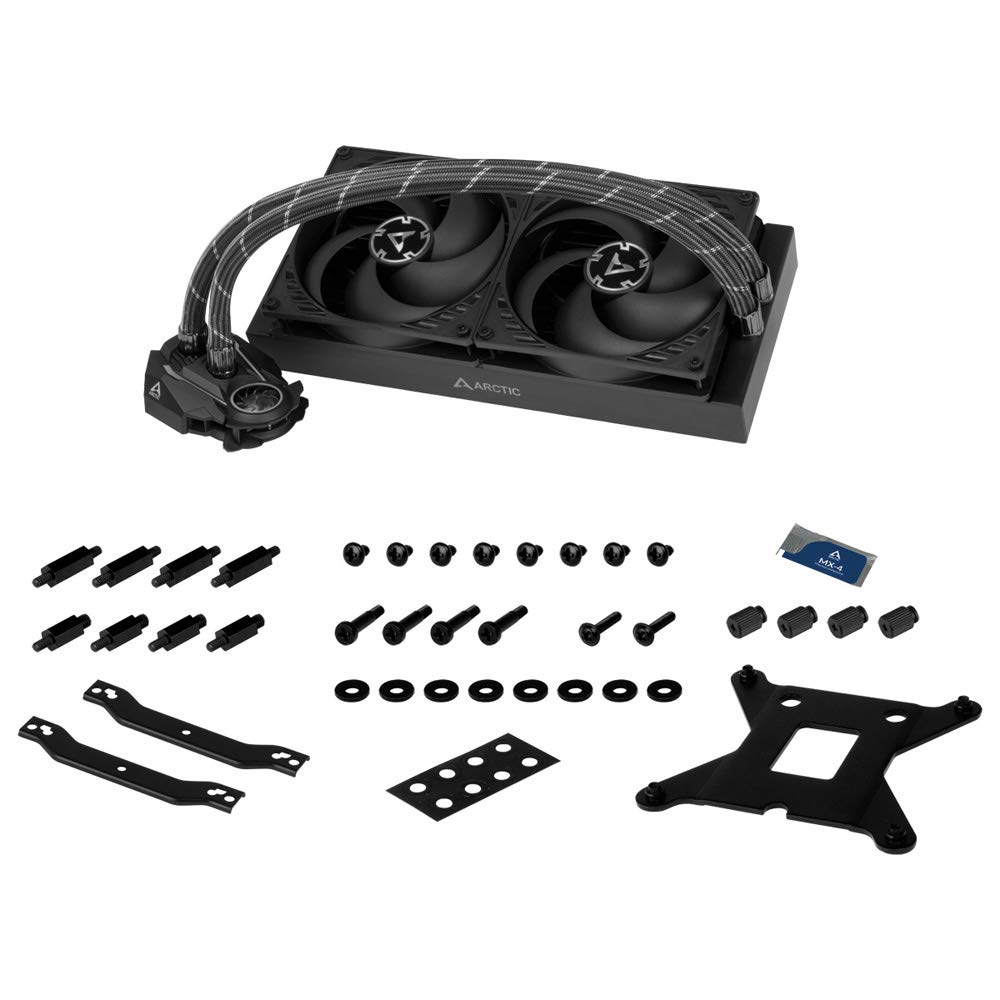
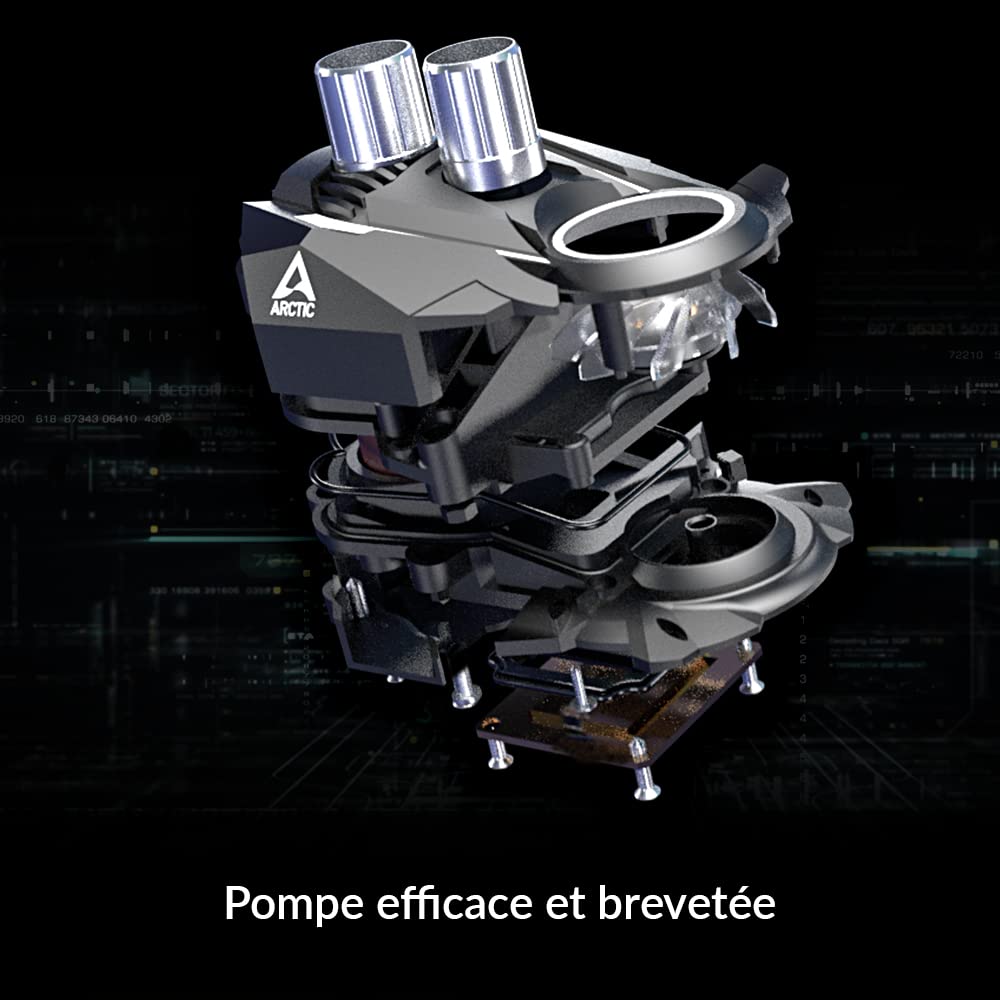
❄️ Stay Frosty, Stay Ahead — The Ultimate Silent Cooling Upgrade
The ARCTIC Liquid Freezer II 280 is a high-performance all-in-one liquid CPU cooler featuring a thick 280mm radiator with dual 140mm PWM fans running from 200 to 1700 RPM. It includes an innovative 40mm VRM fan for additional voltage regulator cooling, reducing temps by up to 15°C. Compatible with the latest Intel LGA1700 and AMD AM4/AM5 sockets, it offers plug-and-play simplicity with integrated cable management and operates near-silent even at max fan speeds. Backed by a 6-year warranty, it delivers exceptional thermal performance and quiet operation for professional-grade PC builds.


| ASIN | B07WP6M7P7 |
| Air Flow Capacity | 72.8 Cubic Centimeters Per Minute |
| Best Sellers Rank | #1,125 in Water Cooling Systems |
| Brand | ARCTIC |
| Brand Name | ARCTIC |
| Compatible Devices | 1150, 1151, 1155, 1156, 1200, 1700; AMD: AM5, 2011(-3), AM4, Intel: 2066 |
| Cooling Method | Water |
| Customer Reviews | 4.5 out of 5 stars 1,718 Reviews |
| Global Trade Identification Number | 00872767009868, 04895213701976 |
| Included Components | Liquid Freezer II 280 |
| Item Dimensions L x W x H | 12.48"L x 5.43"W x 1.5"H |
| Item Weight | 1572 Grams |
| Manufacturer | ARCTIC |
| Material Type | Aluminum, Copper, Rubber |
| Maximum Rotational Speed | 1700 RPM |
| Noise Level | 0.3 Sones |
| Power Connector Type | 4-Pin |
| Product Dimensions | 12.48"L x 5.43"W x 1.5"H |
| UPC | 872767009868 |
| Unit Count | 1.0 Count |
| Voltage | 12 Volts |
| Warranty Description | 6 years |
| Wattage | 1.44 watts |
H**N
cool, quiet, minimalistic
Background (skip to go to review): My roommate has a prebuilt gaming pc, but her CPU cooler went bad, causing the CPU to get to 100 degrees C and throttling her CPU. Games went from ultra 150fps to low 17fps, and even Microsoft Word was lagging. Replacing the cooler fixed everything, and her PC is back to blistering fast speeds. Pros: incredibly cool quiet minimalistic (only 1 wire, no LEDs) complete control with just one 4-pin PWM (connect to CPU FAN header) Cons: the manual and parts make certain configurations difficult (I wanted to set up a push intake at the front of the case, but had to settle for a pull intake at the front) online installation manual is a bit scuffed Review: This cooler is really good at cooling. Games barely raise the CPU temp. Tasks like installations and stuff raise the temperature up to 40 degrees. I have the "Smart fan mode" enabled, so the fan speeds are automatically regulated and running not even close to the max fan speeds. There is barely any noise, even with the case open. The minimalism of the setup is amazing. I was looking at other coolers, and you need to plug the LED header in, multiple fan headers, and a SATA power cable. This setup, you just plug your one 4-pin cable into the CPU FAN header, and everything will be automatically controlled by your motherboard. The two 140mm fans are plugged into a Christmas-light-style cable that comes out of the radiator, so if your fans ever go bad, or you want to upgrade your fans with some RGB or Noctua fans, you totally can. The one gripe I have with this cooler is that certain configurations are difficult to do. I wanted to set up a push intake at the front of the case because the top of my case does not have the fan mounts needed to do a push exhaust. The manual and parts given strongly encourage you to have the radiator on the outside (touching the case) and not the fans. This means that if the top of your case does not support 280mm fans for a push exhaust configuration, then you have to set up your radiator on the front with a pull intake configuration. You may be able to do the push intake setup if you had some patience, and held all the parts in place while screwing them into the case, but once again, this method is not even described in the manual, and honestly, the pull configuration is keeping my CPU pretty cool anyway. Finally, the other dislike of this cooler is the online installation manual. There are many screws and parts that look very similar, and the manual is not descriptive on the differences between these parts, nor are the parts labeled in any way to help. There is a step that is completely skipped in the manual (it goes from step 1 to step 3). As you start using up all the parts, praying that you don't strip any of the screws unintentionally, the installation gets smoother. One other cool thing is that the installation parts comes with some extra screws and parts, so if you happen to need certain parts for mounting hard drives or fans, you're in luck. There were 4 screws that I was able to use to mount my SSD to the case (it was just free floating in the back of the case before).
J**A
One nut wonder
-------------------- TL/DR: -------------------------- 20+C drop in CPU temps during gaming! Mid teens drop at idle. Exceptional performance with almost inaudible fans at 100% speed (case on floor 3ft away). at 100%, if any other sound were going on in the room, at any reasonable level, the fans would not be audible. It's a soft rushing air sound (i'm using 3 filtered intake, 1 exhaust in my case btw). it would be a pleasing, though low, white noise to sleep to btw. My MS Surface laptop fan just kicked on and is louder at arms length from me than these fans at 100% 3ft away. I'd say that's impressive. My impressions of Arctic: they are a smaller manufacturer who decided to spend some R&D to build and sell some superior products without the marketing overhead of others. Arctic has 120/240/360 & 280 models, buy one if it fits your needs, you are likely to be impressed. (And yes, there is a plug under the cpu pump housing if you must unplug the VRM fan) ------------------------- full review + 2 updates ------------------------------------------------- Why one nut wonder? The CPU pump housing only has one nut!! Like a healthy man, it's supposed to have two, and really needs two. Suffice it to say, it looks big and gorgeous. And by big, I do mean big. A youtube review called it "Optimus Prime's cod piece", and yeah, that's pretty accurate! :D I probably should have gotten the 240. I have a moveable HD mount thankfully which I had to move rearward to it's last mount to make installation possible. It's going to be impressive once I get the replacement. As for what I can speak on, it looks very solid and we'll made. The hoses have serious gerth, the braiding looks great, and the pump housing definitely looks like Optimus Prime's cod piece as one YouTube reviewer joked. Packaging is very good, even if the box looks a tad generic. But let's be honest, save $20 on designing/printing a prettier box and charge me $20 less, yeah me!! If sent artic an email so I'll come back later with an update as to how quickly they respond and how well they take care of me. I'm really not wanting to have to return then reorder as I don't have the additional room on my account atm. Step up Artic, please 🥰 UPDATE#1 Support responded to my late Thurs night email early Fri, and an hour later had approval to ship me a new unit along with a shipping label to send the 1st unit back. So Mon or Tues I hope to receive the new unit. more to follow... UPDATE#2 Received replacement Tuesday, date I guessed it would arrive based on quickness of shipping of original item. thankfully, this unit is a two nut wonder, and i was able to successful mount it. So, now that I have it working, on with some real comments. Installation: Unit is very large, and a bit cumbersome, yet, that is exactly what one would expect from a AIO CLC cooler of this size. Thankfully, due to the failed first install, I had already reorganized my case, and only needed to remove 2 front fans and the AMD cooler. The Fans do need to be reversed as I need to use the unit in pull mode, and it comes from the factory in Push mode (manual shows an expectation of top mount vs front. Only question mark, it felt like the pump head was connected to the hoses upside down, as the natural ark of the hoses seemed to want the VRM fan pointed at the GPU (in hind sight, i should have mounted it that way, to blow air on the back of the GPU since my board has properly sinked VRMs (AC Carbon Pro). Alas, i did mount it with the fan facing the VRM's, and it was a little tough as the backplate wouldn't stay in place and I had to put the box the pump was shipped in under the case to hold the plate so I could get the screws in. Performance: this is the all important part for most. As it good? does it work? the short answer, Hell Yeah!. Prior to installation, i ran a couple benchmarks, plus I'd watched the CPU temps while gaming. Generally the CPU would be 70-80C while gaming at 4150 MHz (R5 3600, using standard AMD overclock). I also ran in "silent" mode, with the CPU under-clocked to 2800. CPU would get to about 50 in gaming with minimal loss of FPS. In both bench tests, impact of about 2 - 5 FPS. Heaven benchmark saw less than a 2 FPS change between this speed and max of 4150. also benched with AC Odyssey's built in benchmark. Here, there was a 5 FPS difference. Temps: idle - while typing, I'm in silent, temp is 36C, fan 20%/365 rpm. During Heaven, with the AMD cooler, 45C base, 57C during benchmark. With the AC280, it was idling at 34C and peaked at 42.3C. So under load, didn't reach temp the AMD cooler was at idle. At MAX CPU speed (note the test program, Heaven or AC Odyssey, is still running when I change the CPU setting), Heaven on the AMD cooler was idling 52C, during bench saw 74 max with an avg in the mid 60's. on the AC280, idle ~39, max was 60.1, yet avg is 50 or less. AC Odyssey, AMD cooler on silent has an idle ~50, max of 63, and avg between 60-62C. With Max CPU speed, idle ~52, max of 85.9, avg in the mid 70s with lots of spikes to over 80. On the AC 280, CPU silent mode idle ~37, max of 48, avg of 41-43 (so 20C less than stock!). at Max CPU, idle is ~40-42 (noticed, the cpu fan indicates 1500 rpm and 100%, which doesn't match my fan curves, so not sure. I can sort of hear the fans, though they aren't even as loud as the white noise I play when sleeping). Max temp was 60.9, avg in the low 50's, ~53. So more than 20C cooler than stock! Conclusions: Clearly, this thing performs. if you can get a 280 to fit, I'd recommend it for the extra $10 just because. Otherwise, if you can only fit the 240, I'd expect the same awesome performance. DO NOTE, the Arctic radiator is about 50% thicker than most other brands. This unit requires room. Quality of the build is surprising, considering the packaging looks like a standard low cost OEM manufacturer. I love they are spending money on R&D more than marketing. Let word of mouth do your marketing. Bravo. I'd like to give some other temp results as well. Setting my CPU to Balanced (stock 3600MHz mode), temp is 32C fans 35% (front cover removed). Temp increased 1C when I put the cover back on. Setting to Silent (2800MHz), the fans drop to 20%, temp hovers between 32/33. Setting to Extreme/Max (4151MHz) temp jumps to 38C with fans at 100%. Using a custom fan curve, CPU still at 4151, temp gets to 38, then jumps to 48 then drops to 38 then pops back up. Perhaps my curve needs some tweaking now. At 38 the fans are at 37%, at 48 they are running 50%. Can't hear them at all. My work Surface 2 Laptop fans are louder (it kicked in while I had these fans running 100% to observe the noise level). So, should you consider this over all the other CLC AIO units on the market? if you couldn't care less about RGB, yes. If you want RGB, buy the others unless you just want a rad this large. Clearly Arctic is following in the Hyundai/Kia mold of producing a good product with a better than standard warranty, yet spending minimal on marketing to keep costs below anyone else in the market and letting word of mouth do their marketing. Arctic is putting a 10yr warranty on their fans now, and while this only get 2, it's still 2 years on something this complex with their own internal pump design, not the same ole rehashed pump everyone else uses from a 3rd party. You could be forgiven for thinking Arctic is the Microcenter house brand for fans, their boxes are 2 color, blue/while, with little marketing gimmicks. I applaud that approach. So combining that approach with exceptional pricing, I had to give this a try. I do not think I'll be disappointed long term. I hope not at least. -------------------------- July 2021 update Still going strong, absolutely no issues to date. Fantastic cooler. Runs 24/7, as I almost never turn my system off.
D**R
A truly capable AIO cooler!
This truly is one bada** AIO cooler. I researched the hell out of AIO coolers, then soon narrowed to 280mm AIO coolers to find the best possible price to performance ratio and MY GOD! This cooler would be a steal even at a higher price for the cooling performance it offers. My temps are the lowest I have ever seen them being a PC cooling enthusiastic freak. A huge bonus is I thought I’f have to replace the fans for more cooling-optimal ones but these stocks are optimal themselves! Further research revealed that they are in my opinion one of the best 140mm fans you can get your hands on! Probably contributes to why this cooler is so good. I guess this could be considered a review for them too XD go check them out, they’re awesomely priced too! Cons (every product has them): 1. No RGB. Would be splendid to see these have RGB in the future. 2. This cooler is thiccc with that many ‘c’s. I could barely fit it toward the front top of my case. Couldn’t even fit it at the back top where I wanted it. And on top of that, I could BARELY fit a third fan up there. I actually had to screw the cooler down where I shouldn’t to make that third fan fit. And rest assured, my case is one large one. I am an enthusiast for the roomiest cases anyone would ever need. This cooler just needs that particular space in the top inside of your case to have some pretty generous room. Beware of the space your motherboard takes as well when considering fitting this in your case. 3. The jump in performance from any other AIO will vary depending on your room temperature. If your PC space is generally cooler, it will be a much better difference in performance from another cooler. Example, my previous AIO cooler (1) kept idle temps at 32*C avg in the summer when my space is at 90-100*F & at 26*C during the winter when my space is 40-50*F. THIS cooler keeps my cpu idle at 29-30*C in summer & 18-19!*C in winter. 4. I don’t know if this is a personal problem I had but it resulted in me fiddling with this thing for a month and going through a return for it. Please PLEASE do NOT overtighten! Tighten the minimum of what the cpu needs to be confidently secured in place and use as close to the right amount of thermal paste as it needs. I hope to god the conditions of how tight it is or how much thermal paste it needs doesn’t vary with everyone because I spent the month I mentioned trying different amounts of thermal paste and at the same time different tightening strengths and I kept suffering unreasonable temps. To this day I truly dont know what the problem was. It persisted with two different of the same cooler (as I mentioned I returned this for a new one) and I still got crazy bad temps. I meticulously checked every possibility and came up empty. All I know is that the true temps of this cooler came to shine when I tried a specific about of thermal pastse, in a specific fashion, and only (hand) tightening the screws until i felt turn resistance and STOPPED. It was a pain, so much so that I must mention it here in case you end up driving yourself crazy and want answers. It is truly a phenomenal cooler and I plan to keep it forever until something truly revolutionary comes out. Because those who know of this cooler’s cooling reputation, knows that that may be a while because this cooler is just that good.
L**A
Check sizes.
Read the full review or Scroll down to the actual product review. BCS I will start with delivery and continue with the actual product. Delivery: I don't know who's fault it was - amazon, artistic, or the postal company, But item was extremely late. It was supposed to be delivered to a postal company and delivered to me after that. The postal company claimed that the item was not there, while Amazon was showing that it was. Thus I contacted Amazon, and they agreed to refund me, but didn't receive my refund, but the actual item was delivered 2 weeks later. weird huh? So in total i got my item somewhat in 45 days prior to ordering. 1 of the reason probably this happened it that i ordered 2 items on 2 different days, for whatever the reason Amazon decided to ship them together. Not sure if this was the reason though. So why did I put 4 star. The reason was not delivery, but the actual item. The dimensions specified in description is wrong. Height is much different and if I remember correctly it is 6.5cm and not 3.8. that 3.8 is only the radiator. Even though most cases I've checked had compatibility with 280 size AIOs, I had to change 3 cases to install this beast. The partial reason is that my M/B and various M/B have their own vapor chambers on the top side of it. So while ordering AIO you must keep in mind that you will need more space than advertised. So you either have to remove the cooling fans and sandwich it (Radiator -> metal -> fan) or completely remove Fans. Also it didn't came with instructions nor any information on amazon's description was useful. That's the whole reason Why I gave it 4 stars. Hard to install and the information is misleading. As for how it performs. It comes with arctic mx-5 0.8g. But instead I used mx-6. It's quiet, and performs well on my Ryzen 9 7900x. Results on idle are 40 degrees.(5% load). During gaming like Warzone II, Valorant, Mortal kombat it doesn't go over 75 degrees, but the thing is, I had to undervolt and balance it. The reason is that this cooler otherwise is not enough for this CPU. On default this CPU is locked to work on maximum boosted clock speed. But you actually don't need it. My current configuration is Curve optimized all core value -30, Clock speed is 5.5ghz at max. With automatic optimization it did put it on -50. but it was crashing on some games. but on -30 didn't crash at all. Don't mind me if i tested it on games only. I don't have anything to render atm, generally this will be gaming/rendering machine.
F**O
What's cooler than being cool? ICE COLD!!!
I just installed this on my Ryzen 5 3600. My temps during synthetic load (Furmark CPU Burn cycle, Cinebench R15 & R20) dropped by 30 degrees from the stock Stealth cooler! Stock cooler: 65 C @ idle, 88 C under load Freezer II (set up as top-exhaust): 35 C @ idle, 61 C under load Both done with ambient temp around 70 F (21 C). I'm absolutely blown away by the performance. Installation was easy enough. My back-plate wasn't sticking like it did during the stock cooler installation, but I was able to smash the small parts box that came with this cooler to prop the back-plate up from under the case, so not a huge deal. You could also use non-conductive tape like blue painter's tape to keep the back-plate in place if you prefer. Complete non-issue if you install your CPU & motherboard outside of your case. More AMD's fault than Arctic's, but something to be aware of. My only (mild) complaint is just how thick the radiator and fans combined are. It's fantastic for cooling, but not so great for compatibility. In my Fractal Design Define S case, the cooler wouldn't clear my motherboard's IO shroud, so I was not able to mount this in the rear-most position. Then in the front position, it wouldn't clear my front intake fans, so I had to relocate one of those to a bottom-front intake position rather than a top-front intake. Furthermore, it over-hangs the mount points that it uses, so it prevents you from using a 3rd fan on the top (or on the front, if you mount as intake). Not a huge deal as it hasn't caused me any temp or airflow issues with my other components, just took a little improvisation to get everything to fit properly even in this very spacious case.
K**H
Fantastic AIO! Will cool a I9 13900K!
I installed the AIO in less than an hour, that includes the total time, of a system I originally built, and had to partially tear down before installing the Arctic AIO. I ran a series of benchmarks while monitoring the temperature. I had the I9 13900K set for the max of 253 watts as per Intels specs. I went from temps reaching 100C and throttling, to 89C max during Cinabench R23 testing. The wattage maintained 253 watts whether it was a single run, or a 10 minute torture test. When I took the limits off, without the AIO, using the air cooler, on the first run of Cinabench the I9 would throttle, and eventually thottle back to about 210 to 220 watts. With the AIO? 300 watts was maintained with 2 complete passes of Cinabench, and from the 3rd pass thru 10 minutes the watts never dropped below 280! Cinabench numbers were just shy of 38,000 when run at 253 watts ... and 40,000 +/- when run with the limits off thru the Z790 Motherboard. You can't go wrong. Not with a 6 year warranty to back it up. I installed this in a Corsair 4000D and it was a little tight, but manageable. This was roof mounted. Any smaller, by a fraction, and I would have had to mount the AIO vertically to the front. I would suggest strongly, that you are aware of the dimensions of your case prior to purchasing. It is a thick radiator, which in part is why it works so well. This 280 outperforms many, not all, 320's in many tests and reviews. There is an RGB version as well. I was very impressed that this was able to cool the I9 13900K so easily. I had serious reservations about going with an AIO, but am glad I did so!
C**G
Works like everyone says, quiet and cool.
Running a 140W CPU load through this AIO, the intake air (at the radiator) temp is 26C and the exhaust temp (of the radiator) is 30.5C, at 100% fan/pump speed. After 15 minutes of Prime95 the AIO and entire system is fully heat soaked, and stopping p95 the idle temp after ~30 seconds is just 2-3C higher than before. Which means the water, when heat soaked, is only a few C above ambient. That's phenomenal performance and really shows that Arctic's thick radiator does the job. Yes, this is a thick boy. I managed to fit the 280mm just barely in the space between my 24-pin connector and the hard drive cages (my case only has 120mm front fan mounts and a single 140mm top exhaust, the case is an old design not meant for AIOs). I switched the radiator fans to the other side, as I also went with GamersNexus' recommendation of having the hoses at the bottom of the radiator. What I like about this setup is I still have a couple Corsair AF120s on the front that can blast the system with fresh room air. I also took one of the 140mm fans from my air cooler, hooked it up to the CPU header with a splitter, and have it on top of the radiator blowing air on the DRAM and VRMs. This works really well, and basically my DRAM and motherboard temps have decreased a couple C. My idle, low load, and "moderate" gaming load temps have all improved dramatically, Coming from a big fat heavy dual tower air cooler with 5 8mm heatpipes, my CPU idled at 40-45C and liked to reach 60-65C in games. The Arctic 280mm idles 35-38C at the same room temp, barely goes over 40 when watching videos and using the web (compare to 45-50C on the air cooler), and stays 55-60C in the same game workload. The VRM fan is silent, I don't know what anyone complains about I can't hear it at all. The pump has a small whine at higher speeds (and so does almost every AIO) but I don't care it's very quiet. The P14 fans are the most quiet 140mm fans I've ever had. I run this on my CPU header, not the AIO header, and keep it at 60% speed up to 60C, ramping up to 100% at 85C. The fans are audible at 60%, but I can't hear the pump. The fans are still very quiet - my single top 140mm exhaust makes more noise at 850RPM than they do at 1100. All in all I would agree with everyone else, Arctic's water coolers are a very good purchase. Even "sidegrading" from an expensive dual-tower heatsink with a 3mm thinned and mirror-polish lapped baseplate gave a nice improvement in idle and general use. Now, after all that good stuff, the sole "bad": My high load temps -seem- no different than the air cooler. The same clockspeed/voltage setting for Cinebench gives the same 85C, and the same (reduced) clock/volt for Prime95 gives the same 85C Perhaps my thinned and lapped air cooler was modified so well that it gave out great 100% load performance, so I already had "water cooling temps" benchmark from it. And perhaps a new paste installation needs a little bit of time? I don't use Arctic Silver 5 anymore, but I always noticed that it took at least a few weeks for the thermal paste to settle and give a few degrees better performance.
N**S
Materials missing/not well built, support is non-existent.
Quick review in case you don't want to read the whole one: I purchased two of these, and one of them is currently in my son's rig doing fairly fine. The thermals aren't quite what I had hoped for (AMD 5800X) with idle around 35C, and peak load (Synthetic like Prime 95) spiking to about 65C. Not bad, but I figured we'd be closer to ambient temp at idle. The second one however, one of the posts just snapped off while I was installing, and I've tried to get support to even respond with no response (I submitted two tickets, the first one was about two weeks ago) Last quickie, apparently some of the screws they sent out didn't work, so night of the install I had to run to a hardware store and pick up some screws to even get it working. Longer review: So I purchased these as I wanted to finally upgrade both my computer, as well as my son's. After watching some reviews and everything, these seemed to be some of the best coolers on the market, especially given the price. I am old enough that the crazy RGB isn't all that exciting to me, and while my son likes it, he isn't paying for the parts so he can go without. After ordering, the parts came out quite quickly. I elected for the "no rush" shipping, and they got out here two days early! (Great job here) So after all the parts were here, my son and I went to start our build. I start to dig through and the first thing I realize is that my son's older tower (He had a hand me down at the time) wasn't going to work. These radiators are CHONKY, and the included fans are also quite hefty, so there was no where it was going to fit. No worries, I thought, I'm on board with having an extra good cooler since I just spent $1,000 on these two CPUs ($500 each, tax of buying computer parts during COVID times.), so I ordered a new case for my son, and decided to do my build while we waited for his new case to come in. I have a full sized tower, and it is absolutely designed to take up to a 420MM AIO, but like I said earlier, these guys are chonky, so I ended up actually having to switch one of the fans for a fan I had lying around to get the radiator to fit with the motherboard in a top mounted configuration. (I couldn't do front mount as there just wasn't the depth needed.) This is where the first real issue starts. So I have the motherboard and the radiator mounted, and I'm getting ready to mount the plate to the CPU, when I realized that some screws seemed to be missing. A quick review of their online manual, apparently some of them sent out incorrect screws, so I am going to have to go get some new ones. They have the listed bore/length, so I head to the local hardware store. I went ahead and brought the mount as well, just to make sure. They had listed a M3x5 screw as the required part, however that was clearly due to the fact that that is a common screw for PC builds (You mount HDDs, SATA SSDs, and CD-ROMS... lol with these). These in fact needed M3x4, the 3x5 wouldn't bolt down properly and hold things in place. Okay, no worries, I brought the mounting bolts just in case. So I buy the 3x5 and 3x4 just in case I'm crazy and head home. Next I go to get the included "post plates" mounted down to the MB, and grease up my CPU, and start to get the plate bolts down to hold the cooling plate to the CPU. The instructions call out, though not particularly loudly, that you should tighten them down like you would lug nuts on a car. I suspected this to begin with, so I wasn't surprised, but FYI, if this is your first install, make sure you don't tighten down one side over the other, tighten them down in an "X" shape where you tighten in about three passes so one side doesn't have all the pressure. Well, I notice that one of the posts seemed to bend every so slightly, like I mean 2 or 3 degrees tops, so after it's all bolted down, I shrug and think, "Well, let's monitor the temps and if they are reasonable, no worries, it was probably already bent just a bit and I didn't notice until a big bolt was on there." Get my system re-assembled, and spend the rest of the night re-installing Windows and doing updates and the like. So the next day, I notice that the system rebooted rather unexpectedly. "Uh oh," I think, and immediately download sysmon software from my MB manufacturer to start looking at temps. At Idle I am running at about 70C, I think, "Jeez, that's super high, but let's go ahead and make sure the monitor isn't crazy or anything." So I start a stress test, and within about 10 seconds I immediately shut it down as my CPU quickly spikes to 90C. I shut my system down and unplug it and bring it back to the bench. Clearly the plate isn't making the kind of contact I want. So I remove the plate, and wow, the thermal paste shows that one side isn't making amazing contact. Well okay, I pull the plate with the bent thread post, and take it to my tool room, get some pliers, and carefully bend it back the few degrees it's off. Everything is looking good, so I bring it back, clean all the old paste off, grease it again, and start to screw down the bolts to the posts. Once I hit my 3rd pass, I twist the bolt to make sure I am getting a good tight fit, and SNAP! the post and the bolt fly into the air as the post has broken. I sigh, but I need to get my system running, so I go to my old system, and harvest the air cooler I had on it. It gets up and running, and while the temps are not ideal (Hitting around 80-82 under full load), they're passable. I get my son's installed, and he doesn't have any issues, his thermals are quite a bit better than mine on air cooling. Well, this is just a little metal plate, so I assume it should be pretty easy to just have them send out a replacement and I'll get my system up and running in no time. So I send a ticket into support. After I wait about a week, sending in a few requests for reply on the ticket, but getting absolutely nothing, I decide to contact Amazon directly. They are exceptional as always with support, but they don't have spare parts for this, and they inform me I need to get back to the manufacturer. I sigh and say I'll try to follow up again. Well, that was now four days ago and no response still! This product is fine, it's a bit oversized, but it does it's job keeping my son's CPU cool. Having a manufacturer's defect sucks, but I've RMA'd things a dozen times, it's what happens when you are a PC builder. But having support COMPLETELY IGNORE me for two weeks? For something this silly?? That is absolutely unacceptable. Moral of the story? Don't buy this product unless you're feeling lucky. Well are ya? Punk. (Also see attached picture for the broken post and the bolt containing the part that broke off.)
Trustpilot
Hace 1 mes
Hace 1 mes