We remain fully operational. Our teams are working around the clock to ensure your deliveries continue safely.

Descargar la aplicación


Servicios al cliente
Sobre nosotros
Copyright © 2025 Desertcart Holdings Limited
Descargar la aplicación
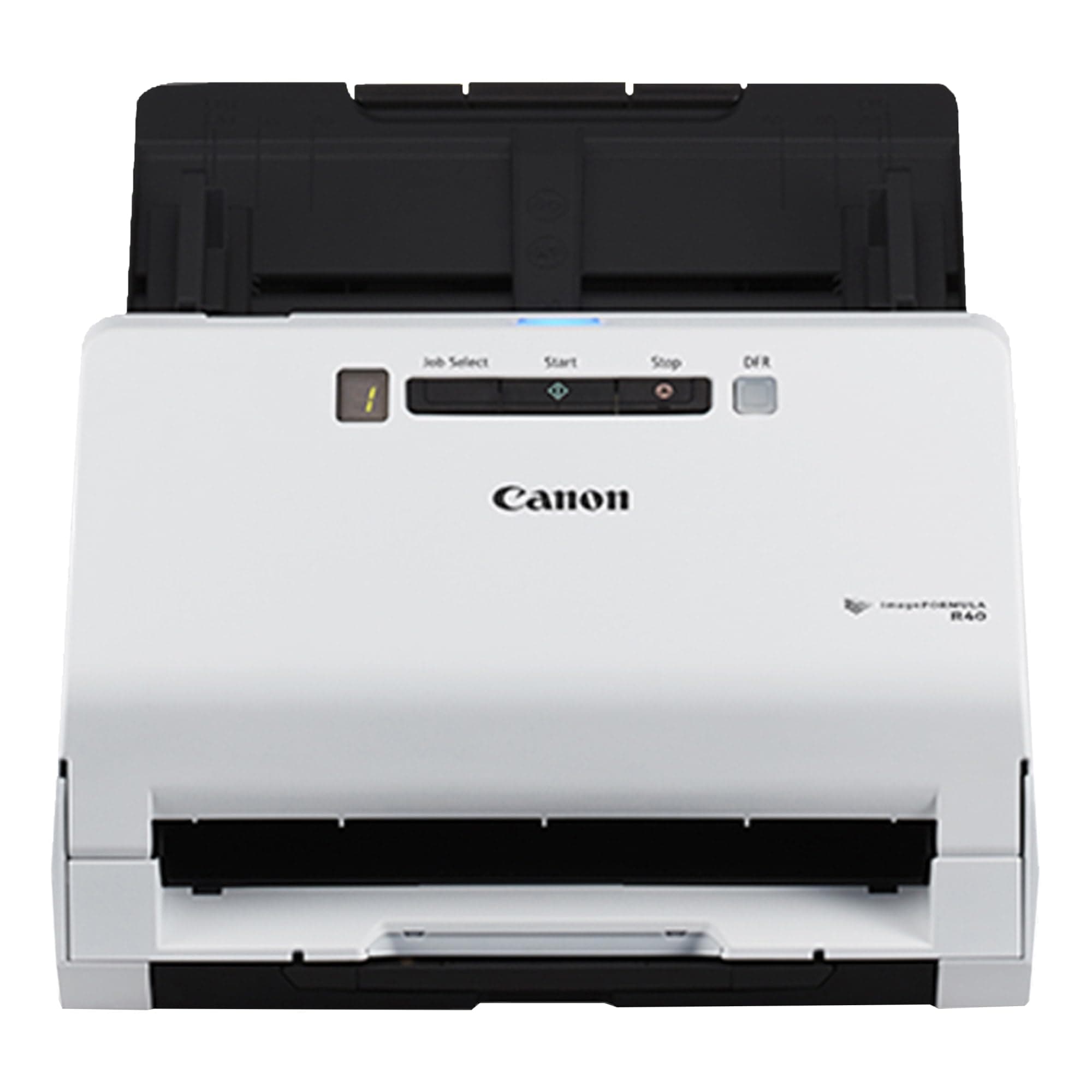
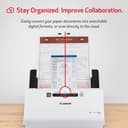
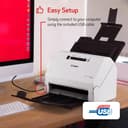


🚀 Elevate your office game with the Canon R40 — fast, smart, and cloud-ready!
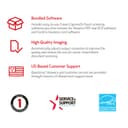
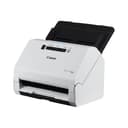
The Canon imageFORMULA R40 is a high-speed duplex document scanner designed for professionals seeking efficient paper-to-digital conversion. Featuring a 60-sheet automatic feeder, 40 ppm scanning speed, and broad compatibility with Windows and Mac, it effortlessly handles diverse document types including long and thick papers. Bundled with intuitive software and cloud integration, it streamlines organization and boosts productivity in any office environment.


| ASIN | B07YNK4S9Y |
| Best Sellers Rank | #7,566 in Office Products ( See Top 100 in Office Products ) #11 in Document Scanners |
| Brand | Canon |
| Color Depth | 8 bpp |
| Connection Type | USB |
| Customer Reviews | 4.1 4.1 out of 5 stars (2,364) |
| Global Trade Identification Number | 00013803328530 |
| Greyscale Depth | Grayscale:- Simplex: Up to 40 ppm ; Duplex: Up to 80 ipm |
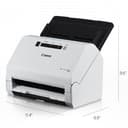
| Item Dimensions D x W x H | 9.9"D x 11.4"W x 9.6"H |
| Item Weight | 6.17 Pounds |
| Light Source Type | LED |
| Manufacturer | Canon |
| Media Type | Business Card, Paper, Photo, Receipt |
| Minimum System Requirements | This product is compatible with Windows and Mac systems, specific requirements depending on the operating system version. Examples of systems include macOS 10.15 Catalina, OS X 10.9 Mavericks, Snow Leopard, Vista Home Basic, 8, 8.1. |
| Model Name | Canon imageFORMULA R40 Office Document Scanner |
| Optical Sensor Technology | CCD |
| Paper Size | 600 dots_per_inch |
| Resolution | 3840x2160 |
| Scanner Type | Business Card, Document |
| Standard Sheet Capacity | 60 |
| UPC | 013803328530 |
| Unit Count | 1.0 Count |
| Warranty Description | 1 Year manufacturer's limited warranty on parts |
| Wattage | 22 watts |
R**K
Great Scanner
This doesn’t print — it’s strictly a scanner — but it’s excellent for documents and very fast. Works well for photos too, easy to use, and definitely recommend it.
J**V
Great little home scanner. Worth the price if you have a lot of scanning to do. Back up to 5 stars
My old laptop died that I used to use this scanner on with no issues (I think it was originally Windows 7 that was upgraded to Windows 10). My new desktop has Windows 11 and each time I want to use the scanner, I have to re-install the TWAIN software to get the scanner to work as the software 'forgets' what scanner is attached to the computer. After I finish using the scanner and some unknown amount of time passes, the software 'forgets' again what scanner it is connected so and I have to re-install the software the next time I want to use it. Totally unacceptable and no workaround seems to be available from Canon other than to keep reinstalling the software each time I want to use the scanner. I would have returned the scanner if this has happened from the word go. Put the rating back up to 5 star after I deleted the Canon scanner software on my computer and re-installed it completely. Voila, no more losing the connection between the software and the scanner. Yeah, for all the years I've been using computers, I should have thought of removing and re-installing the software. With that issue gone, it's a really nice scanner especially for scanning significant numbers of pages. I was looking for a printer so I could put several boxes of old engineering paperwork into electronic format. So far, I've been really impressed with the R40. I can scan with my current printer but it's sloooooow, noisy and less than stellar quality. Definitely not a candidate for what I wanted to do. Setup was easy. You have to download the software which is 525 Mb. I missed the note on the download page directing US customers to an download link. My download speeds weren't great but it did come down. Installation went with no problem. Pros 1. Fast. The first time I ran about 4 or 5 pages through it, the scanner was set on 200 dpi greyscale and the pages just whipped through the feeder. I thought both sides could not have scanned but everything was there. Even on 300 dpi color it's pretty fast (max is 600 dpi). Compared to the scanner built into my printer, it's another whole other level of speed. I can't prep the next batch in time to keep up with the scanner. 2. The scanner says it will rotate pages into the correct orientation and overall it does a really good job. I finally found the section in the scanner software that allowed me to rotate a page that scanned in the wrong orientation (having it worked into a right mouse click with some other options would be useful Canon). I want to do some more testing but a couple of tests I did with flipping some pages or putting all the pages in upside down had them all come up in the right orientation (as mentioned, I had some early problems with some scans but that doesn't seem to be an issue now). 3. Handles flimsy magazine paper with no real problems. Ragged edges don't appear to be a problem but any amount of glue from the backing left on the pages and they don't feed properly causing a jam. Any amount of glue is bad. If you run your fingers down the edge and can feel bumps, remove it, trim the edges, whatever. If you can see a flat line of glue, trim it off. Sometimes it will feed, sometimes it won't. 4. Compact, nice small size. With the document feeder installed and extended as well as the output tray, it's about 12" high by 15" deep by 11" wide. Remove the feeder the retract the tray and the dimensions are about 7.5" high by 6.5" deep by 11" wide. 5. All necessary cables are provided. Small point maybe but there's nothing more annoying than getting a new toy and finding out you need to go out for a cable. While many of use have boxes of old cables, that doesn't mean we will have the right one. 6. Return shipping is included if I need to return it or don't like it, I don't think that's going to be an issue. Return shipping can be a nasty surprise. 7. The power supply handles 100V to 240V, doubt I will take it on a trip overseas but it's a nice feature to have. Cons: 1. The software version of the manual is useless. I had pages that were upside down and do you think 'rotate' or 'rotate pages' came up with useful information? If you said yes, you be wrong. 2. I finally figured out how to scan and then get the file written to my hard drive by setting up a one-touch button. Before that, sometimes when I hit 'finish', the file would write to my hard drive, other times it would not or I had no clue where it went to. Drove me crazy at first and really slowed down the overall speed. 3. Does an okay job on pictures but if I was going to scan a lot of pictures, this would not be the scanner I would pick. I didn't take anything off my rating as that was not my purpose in buying this scanner but I'll note it. 2023 comment Last point I'll add is when we came back from a 6 month cruise I decided to save all the daily cruise reports just in case I wanted to go back some time and see what we did on some day. It didn't take very long to scan that many pages, even less when I changed from full color to greyscale which was more than adequate for what I wanted. Full color looks good but does make some big files though that's not much of an issue given the multi Tb hard drives that you can get now.
S**N
Huge Time Saver for a Busy Office
I run a small CPA firm, and during tax season we scan a large volume of client documents every day. The scanners built into our multi-function printers just weren’t cutting it—especially when dealing with mixed document sizes and the need for speed. The Canon imageFORMULA R40 has been a game changer. It scans quickly, efficiently, and with excellent image quality, even when feeding stacks of documents that vary in size and thickness. The automatic document feeder works smoothly, and we’ve had far fewer slowdowns and rescans compared to our old setup. This scanner has easily paid for itself in time saved and reduced frustration during peak season. If you’re in a professional office that handles a lot of paperwork, this is a fantastic investment. Highly recommended.
L**R
Company does not seem to keep up with Apple software
I rarely return items as I try to do my research and even if something doesn't work for me, I will often pass it on as a gift to someone who will enjoy it. I am old but not stupid. I followed set-up directions to the letter. When I loaded the driver I got a corrupt file message telling me to trash it. I did and then reloaded the driver. Same message. I jumped online to see what happened. Was told to shut my computer down and try again. Did that. Same problem. Told to go in and change some settings. Did that. Same problem. Went online and found others were having the same problem. Another suggested that the adaptor I used to connect it to UBC was the problem. When I went to return it, Amazon showed me a troubleshooting video that asked me if I had plugged it in. I am not a stupid person. I believe that this is an excellent printer if you can load the driver. I did do my research. But I suggest you try to load the driver before ordering one of these to see if it will load onto your computer first.
L**L
GOOD SCANNER
The scanner does what it claims and does it pretty well. I wondered about the plastic feeds but since I can close them up I doubt they will break. I pasted a sticker on the scanner to remind me how to put in the paper, as the instructions didn't say. It is the quickest scanner I've ever had. There is a small learning curve to the software, and unlike others I did not have any issues downloading it. It is a fine program, is easy to use (after the learning curve). The scanner is also small so it fits easily into my desk area. My only complaint is that while it says the driver is 'twain' compatible, I cannot get it to work in other scanner software. (Twain is a scanner protocol that is standers among makes of scanners). No matter, since the program it comes with works nicely. I love the 'double scan' option as I have lots of those kinds of paper to scan. Also, I scanned a bunch of old pictures from the ' 70's.with no issues. The pictures end up as jpg's so only limited adjustments are possible. But then I don't really want to change the photos, just have them available to easily view when I want. Stacking them certainly works faster than a flatbed scanner. Yes, I would recommend this scanner, depend on what your purpose is. Remember it is document fed only--no flatbed. Oh, it does scan 8.5 x 14 pepper easily as well as receipts. I have not been able to connect it directly to quicken though, probably due to its not working well with TWAIN protocol. Cheers.
G**A
Canon imageFormula R40
Well built hardware, fast scans. Software needs to be configured in the ways you want your scans to proceed. Lots of options, have scanned as PDF and PNG easily.
S**Z
Muy bueno, tan bueno que quise comprar otro y ya está mucho más caro! Me gustaría que me lo dieran al mismo precio, ya que lo compré hace un mes, y ahora cuesta 2500 pesos más caro aprox
P**E
ITS A VERY NICE SCANNER, I USE IT FOR MY PHARMACY IN CANADA. VERY FAST OR IT COULD BE LITTLE SLOWER TO SCAN IF WE NEED HIGHT QUALITY IMAGE. SCANS ON BOTH THE SIDES, THESE ARE THE PROS AND THE CONES ACTUALLY MY SYSTEM IS FILLWARE AND THEY DON'T CONSIDER IT AS THE BEST SCANNER FOR THEIR SOFTWARE, IT WOULD GLITCH SOMETIMES AND NEED TO CALL MY HARDWARE GUYS TO FIX IT. SO FAR IF IT IS USED FOR HOME OR SMALL BUSINESS , I WOULD RECOMMEND IT.
K**G
Small size and works with Mac OS!
M**.
Il est facile à installer et à utiliser. C’est un appareil performant. Le seul regret est de ne pas l’avoir acheté avant. Il m’aide à m’organiser dans mon travail. C’est un outil indispensable.
R**L
Excelente. Rápido y eficiente. Bueno para formatos largos.
Trustpilot
Hace 2 semanas
Hace 1 semana