We remain fully operational. Our teams are working around the clock to ensure your deliveries continue safely.

Descargar la aplicación


Servicios al cliente
Sobre nosotros
Copyright © 2025 Desertcart Holdings Limited
Descargar la aplicación

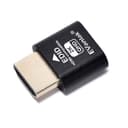

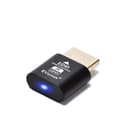
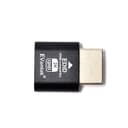
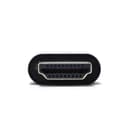
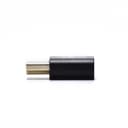
🖥️ Unlock your PC’s hidden screen — no monitor needed, all performance unleashed!
The EVanlak HDMI Dummy Plug is a premium aluminum headless display emulator that creates a virtual 1920x1080@60Hz monitor, enabling seamless remote desktop access and keeping your GPU active without a physical screen. Ideal for remote work, cryptocurrency mining, and VR setups, it supports multiple resolutions and refresh rates, plugs directly into any PC HDMI port, and requires zero software configuration.


| ASIN | B07YKGGQTJ |
| Best Sellers Rank | #63 in DVI-HDMI Adapters |
| Brand | EVanlak |
| Color | E1080-1PC |
| Compatible Devices | PC |
| Connector Type | HDMI |
| Customer Reviews | 4.5 out of 5 stars 901 Reviews |
| Finish | Hdmi |
| Item Dimensions | 0.98 x 0.78 x 0.31 inches |
| Item Weight | 0.1 Grams |
| Item dimensions L x W x H | 0.98 x 0.78 x 0.31 inches |
| Manufacturer | EVanlak |
| Model Number | 1920*1080 |
| Number of Items | 1 |
| Number of Ports | 1 |
| Package Quantity | 1 |
| Power Plug Type | No Plug |
| Specific Uses For Product | Monitor,Monitor1920x1080 |
| UPC | 752498099454 |
| Unit Count | 1 Count |
B**R
Works perfectly.
I have an old Dell that I use as a Plex server that is running Ubuntu Linux. I have been struggling with getting VNC remote access to work properly because there was a huge delay. I found a forum post that mentioned it being a video issue with the way Linux works and they suggested putting a HDMI dummy plug on it. This has solved all of my problems. I am now able to place the unit on a shelf with only power and network going to it and haven't had a single issue remotely connecting to it.
N**E
Improve my VR set up
So this was for my VR PC set up. One of the problems is that the PC will not start up unless it’s connected to some kind of monitor or television. And I travel a lot so this Eliminate the TV I was carrying around. With my software that allows me to remotely access on the pc on the same network and then being able to login and use the set up immediately with my VR headset without having the need for a monitor or television. And somehow it actually spent up the performance of my PC. I can’t explain that one
G**E
works perfectly for my use case, however it is detected as 1080p, not 2K
Works as it should, however it is detected as 1080p, not 2K. This is completely fine for my purpose, but be aware if you're purchasing.
J**S
Small yet AWESOME product
My stepson uses my desktop for gaming on his Oculus Quest 2 VR headset and we only have 1 HDMI cord on the TV in the living room so when I would get on my PS3 I would have to swap the HDMI from the desktop to the PS3 which would mess up the virtual desktop app on his headset, that's when I did research on a fix for his issue and came across this thing. I plugged it in my graphics card on the desktop as soon as it came in and got him to test his VR headset out with the virtual desktop app, he said it worked perfect and was surprised it did. It fixed his issue and made it to where I can get on my PS3 any time I want without messing up his VR gaming.
D**C
Simple & Effective
Frankly, I didn't expect it to work. It works great! Simple solution that yields improved processing speed. Hooray!
E**A
Worked for My Linux Remote Desktops
I have two Ubuntu machines I use as servers and this helped resolve the issue of always needing a monitor attached to the machines in order to remote desktop into them. Plugged in the HDMI EDID and boom! I'm always able to connect, worked first try!
D**.
Dummy HDMI plug
I am running a media server in my home and needed a way to connect to it remotely. Unfortunately you need to have a screen attached to it in order to be able to remote in. This little device did the trick, and allows me to connect to my server via RDP. My only complaint is when I connect the server to an actual screen (the server has a dual HDMI port), I need to unplug the dummy unit since it messes with the real screen resolution. A little annoying but not the end of the world.
C**V
Seems to work, but I have one issue.
Upon plugging the device into my video card it worked as a virtual monitor for my system. The problem I'm having is there were no instructions on how to change the desired resolution. It defaults to too high of a resolution and is causing me issues. If someone is able to explain to me how to change the desire resolution of the monitor emulator while in Windows it would be much appreciated. I have several applications that base their working resolution on the attached display, not the resolution setting in Windows, so being able to set a display resolution is crucial for me. Until I can change the default resolution I will continue to give it 3 stars.
Trustpilot
Hace 2 semanas
Hace 5 días