We remain fully operational. Our teams are working around the clock to ensure your deliveries continue safely.

Descargar la aplicación


Servicios al cliente
Sobre nosotros
Copyright © 2025 Desertcart Holdings Limited
Descargar la aplicación
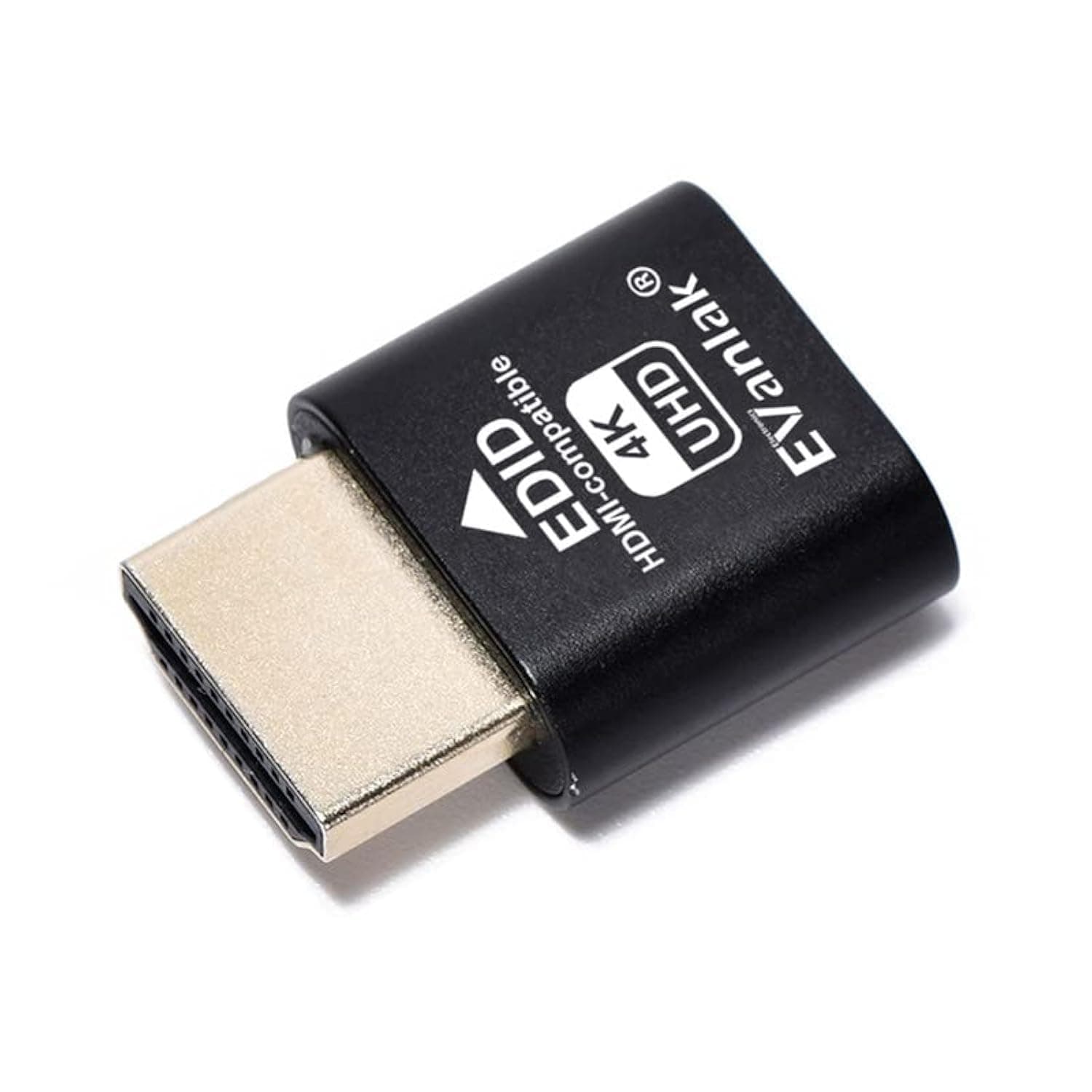
🚀 Elevate your remote workspace with 4K clarity—no monitor needed!
The EVanlak HDMI Dummy Plug is a premium aluminum headless ghost display emulator that creates a virtual 4K (3840x2160@60Hz) monitor output. Designed for professionals managing remote PCs, mining rigs, or compact setups, it tricks GPUs into maintaining full functionality without a physical display. Compatible with multiple platforms and remote access tools, it enables seamless high-resolution streaming, gaming, and productivity without the hassle of extra hardware or software.
| ASIN | B07YMTKJCR |
| Best Sellers Rank | #331 in Audio & Video Connectors & Adapters |
| Brand | EVanlak |
| Color | E4K-1PC |
| Compatible Devices | Monitor, PC, server |
| Connector Type | HDMI |
| Current Rating | 1 Amps |
| Customer Reviews | 4.3 4.3 out of 5 stars (641) |
| Finish | Aluminum |
| Item Dimensions | 1.6 x 0.8 x 0.5 inches |
| Item Weight | 0.01 Kilograms |
| Manufacturer | EVanlak |
| Model Number | 752498099577 |
| Nominal Power | 240 Watts |
| Number of Items | 1 |
| Number of Ports | 2 |
| Package Quantity | 1 |
| Power Plug Type | No Plug |
| Specific Uses For Product | Cryptocurrency Mining, BOINC Work Unit Crunching, Running a Computer Headless with VNC Service, Tricking GPU, Preventing SSH from Disabling HBCC, Changing Resolutions, Compatible with PC, Monitor, Server |
| UPC | 752498099577 |
D**T
Used as a simple solution to Steam Remote play streaming at 4k
I used this solve an issue with Steam Remote Play. I wanted the beefy machine in the livingroom to stream 4k to a laptop connected to a 4k TV in the home office. The only way I could do that was turn on the projector in the living room, which defeated the purpose of remote play to begin with for me. Here's my setup so you can understand the problem. I have beefy system in the living room connected to a 1080p projector w/ surround sound, projecting to 120" screen. I usually use Nvidia's DSR to render to 4k, but output it to 1080p, naturally resulting is a more detailed (but naturally not as good as a native 4k display would be) 1080p experience, that looks really good at 120". In the home office, is my lenovo 2-in-1 i use for school and basically everything on the go. It's connected to a 4k HDR TV. If the projector in the living room is off, then Steam Remote Play will only stream a 1080p signal to the laptop in the office connected to the 4k display. In fact, it's almost like DSR is disabled once the projector is turned off because I can't even select any resolution above 1080p. If I turn the projector in the living room on, it's like DSR works again and I can pick resolutions higher than 1080p, including 4k, and stream at 4k to the laptop in the office. I don't want to burn up lamp hours on my projector just so I can play a game in the home office at 4k. I've researched a solution to this on and off for over a year and came up with everything from modifying EDID, to other stranger methods. It's seems like it would be such a simple fix, but alas, it is frustratingly not. Until now. I found out about devices like these. Put it into a spare HDMI port and walah. As acts as an active display. This worked great. I mirrored my monitor to this fake display and now even with the projector off, I have the option to stream 4k to my laptop in the home office. Wish I had discovered this a year ago.
B**N
Does what it says, perfect for using on Steam Deck for Dual Screen games
Bought this to use with my Steam Deck for dual screen games (Plug this into USB-C hub with HDMI port, stream the dummy screen to another monitor/device via Moonlight). Works great! No issues at all and can go as high resolution as advertised.
N**T
Supports 1080p 120hz
I primarily bought this for 1080p 120hz support for my game streaming server and it works great. See attached image for xrandr reported resolutions and refresh rates. It does support 4k @60hz.
C**G
Works on headless server
I'm using this on a headless Debian server for remote access, works as expected
J**S
Seemed great overall, Does offer 4k display options, didn't work for me with Ubuntu
To be fair, they didn't claim it does work with Linux, so I'm not faulting them for it. I took off one star so this review stands out for those who may have questions about compatibility. I kept it anyway because it may come in handy on a windows machine if I need to go headless, plus it was dirt cheap so the return is really not even worth the time to take it to Khol's or Whole Foods or the UPS store or wherever they'd make me bring it. I didn't personally test it on Windows but I can confirm that it did give me display options all the way up to 4k. For those wondering the issue I had is that the device seemed to "flicker" on and off like the OS was detecting the display again and again, It could theoretically be used in a pinch but for anything more than a few minutes this would be really annoying and block a lot of functionality.
P**O
Works with AnyDesk
Plug and play. Plugged into a desktop with no screen and worked right away with AnyDesk Remote Desktop.
R**R
Para nada me agrado.eso no funciona en ningún equipo..
M**G
Used to get 4k over VNC from my laptop
Used to get 4k over VNC from my laptop. Without this in the laptop's HDMI port, you can only get HD.
J**O
Funcionamento sem problemas, recomendado.
M**N
Works perfectly for my needs. Making the Xiaomi Mi Box S work with music connected to a Audioquest Dragonfly Red without an HMI screen attached. Great price and swift delivery! Awesome!
M**T
My Windows home server doesn’t seem to like posting without a monitor. As it sits in a cupboard on it’s own, plug this little beauty in and it thinks there is a display attached - zero issues booting up now
M**K
Alles wunderbar. Dummy wird erkannt.
G**.
Not showing as 4k as described!
Trustpilot
Hace 2 meses
Hace 5 días