
Descargar la aplicación


Servicios al cliente
Sobre nosotros
Copyright © 2025 Desertcart Holdings Limited
Descargar la aplicación


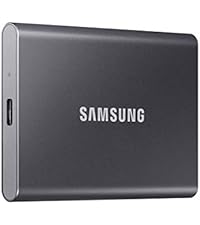
🚀 Power your productivity with speed and style—Samsung T7, the SSD that keeps up with your ambition.
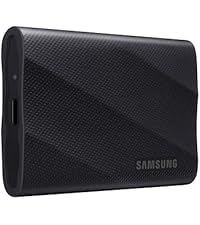
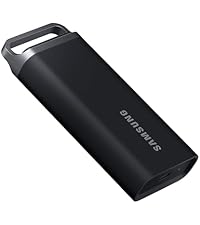
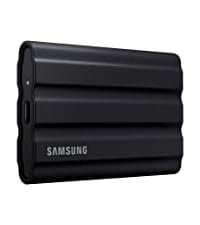
The Samsung T7 Portable SSD offers 500GB of high-speed external storage with USB 3.2 Gen 2 and PCIe NVMe technology, delivering read speeds up to 1,050MB/s. Its durable aluminum design provides shock resistance up to 6 feet, making it ideal for professionals, gamers, and students who demand fast, reliable, and portable data storage.


| ASIN | B0874YS2N7 |
| Best Sellers Rank | #2 in External Solid State Drives |
| Customer Reviews | 4.7 4.7 out of 5 stars (37,338) |
| Date First Available | May 19, 2020 |
| Is Discontinued By Manufacturer | No |
| Item Weight | 2.08 ounces |
| Item model number | MU-PC500T/AM |
| Manufacturer | Samsung |
| Product Dimensions | 3.3 x 2.2 x 0.3 inches |
W**S
Much faster than HDD it replaced
The T7 was received in Fat32 Format with MBR Partition. I'm using this as a backup drive for a Win 11 Pro Desktop PC, so the first thing I did was reformat the Drive as NTFS with GPT partitions which is better suited for the Win 10/11 OS. With that out of the way, I turned to the provided USB C to C cable, it looks like good quality, however it's only 1 1/2ft long, too short for my needs, for I'm mounting the drive forward on the right side of my case, thus I picked up a 3.3ft USB C to C 3.2 Gen2 Cable (to insure the cable is up to speed with the SSD's capabilities) The drive itself I slipped into a Portable Hard Drive Sleeve that mounts to the side of my case. This is an ideal setup, it protects the SSD and secures it's position without fear of it being knocked to the floor, cable being disconnected or the SSD being misplaced for that matter. You never know, it is small and thin. Performance is as expected. It reads and writes IAW specs, about 10x faster than the HDD it replaced. When being accessed the highest temps, I've seen hovered around 42C, well below the 70C max you'll hate to see before thermal throttling kicks in. I expect this drive to have excellent longevity, just as I have achieved with a pair of Samsung M.2 PCIe's. Of course, length of service is dependent upon the quantity of processed data. For anyone in the market for a fast, high quality and reliable SSD storage device, I don't think you can go wrong making the Samsung T7 your choice.
J**E
Samsung #1
Top quality, no issues, uploading is fast, as well as downloading. The memory is huge. 200 hours of video, and it didn't even use 1% of storage space.
R**R
Huge speed boost for my older Mac — worth every penny
I bought the Samsung T7 2TB portable SSD mainly to give my older 2017 Mac a new lease on life. The internal 500GB platter style hard drive drive in that machine was painfully slow, so I set up macOS to run directly off the T7. The difference was night and day — boot times dropped to seconds, apps opened almost instantly, and overall the computer felt like a brand-new machine. Honestly, it sped things up exponentially compared to the stock drive. Beyond that, the T7 has been great for general storage and file transfers. It’s small, lightweight, and built solid with its aluminum casing, so I don’t worry about tossing it in my bag. Transfer speeds are fast enough that moving large projects doesn’t feel like a chore anymore, and I haven’t had any reliability issues. It also stays cool during everyday use, which isn’t always the case with portable SSDs. Compared to the older external hard drives I used before, this is in another league for both speed and portability. Against other portable SSDs, I think Samsung’s combination of performance and reliability is hard to beat at this price point. If you have an older computer that’s slowing you down, or you just need fast and dependable storage on the go, the T7 is an excellent choice. For me, it completely transformed the usability of my Mac and has become a tool I use every single day.
B**B
Decent portable SSD drive
Got this for backing up files and it works quite well so far. Not to much to say other than it works as advertised. I'm not overly concerned with speed for the backups so it is fast enough. Compact and easy to move from computer to computer. I would purchase again if I need another one in the future.
Y**N
Great security
I’m not the most tech savvy and wanted backup on an external drive for graphics heavy work and photos. I remember the challenge of making my last external drive compatible and especially deleting old files, so I was a little anxious trying to find a solution. In case it helps someone else, I work primarily on an iPad Pro in a design program (Affinity) and needed a backup storage solution besides the Cloud. I didn’t really want a second cloud solution to be backup and can’t use an external drive with the iPad. I also have a MacBook, which has massive storage, but can’t be backed up to ICloud, while the ipad can backup to iCloud. My workaround for immediate file saving is to create shared files which are stored on iCloud (I call them Desktop) on the ipad. Desktop is stored on the hard drive of the MacBook and gets updated via ICloud device sharing even though I can’t initiate an iCloud backup from the MacBook. Inside Desktop I have labeled files as usual and a parent file for graphic design from the Ipad, broken down into 100+ named project files and sub files. Whenever I save from the ipad, I save to Desktop (in iCloud) and then choose the appropriate file within Desktop to save. This way I have the folders on the hard drive of the MacBook as interim backup, and am working around not having iCloud backup storage available when I’m on the MacBook. The T7 comes in as secure and portable physical data storage. The T7 drive is the hard copy backup of the files shared between the iPad and MacBook, I think necessary in case of some dreadful software issue, fire, or other unanticipated loss of access. I plan to have more than one as soon as I can afford it, to rotate. Again hopefully this may help someone like me who spent some solid hours figuring out a better way to secure my data and workaround the Mac user experience. Since I am wanted to do manual backups I needed the process to be easy so I wouldn’t avoid doing them, for obvious reasons. Though we don’t need to get into it here I don’t want to use Time Machine on my Mac to back up the disk. So I had to figure out something else. The T7 is great, easy to use, no time at all to install, self explanatory pretty much. I dragged folders full of work from the desktop (yes I like to see them, don’t judge) to backup. The initial backup was very quick and painless, most files were a few seconds. The graphics heavy files perhaps took about 10 minutes? These are massive, not a problem, and may have been quicker than this, I expected it to take more time. (My last iCloud backup was over 13 hours of anxiety - I kid you not and have since deleted almost all the working files from the drawing app after saving them in Desktop so they happen more quickly now, but still, I thought this was a daylong project). I experimented with dragging an old file to the trash from the T7 disk pane, and it worked as expected. I had to read online about how to go about copying my photos library (Mac) to disk, but it wasn’t hard. I have over 40,000 images, and it took about 20 minutes as I recall, if longer probably max 25. I tested the backup by remaining in the open pane and opening the photo files, which worked. Amazingly all this data barely touches the capacity of the drive, maybe 10% or less of a TB? Minuscule, anyway. 2 TB is overkill for me, especially since old files can easily be deleted. (This may be different for a user in Time Machine because it keeps multiple versions of your backups, and maybe more settings etc. which can take up a lot of space?- not tech savvy, as I said, but I had trouble with my older system and Time Machine and being unable to delete backups which rendered my backup disk unusable, and I didn’t want to deal with this again even though it’s less convenient to do it manually). I think the T7 drive will fail before I need more space, which is a great problem to have. I’m planning to get another disk (with less storage) and use it as a failsafe backup- ideally storing it in a safe or out of the house just in case, and keeping a rotation to protect against loss. On the critical end, I’d love it and think it would be much safer for data if the user pane of the T7 was visibly different from the one on my desktop. It’s the same color, font, everything, as my desktop window (maybe that’s just how these things work?), which makes me triple check when I’m deleting or updating. Don’t do this on a Friday night after an adult beverage…. I’d also love it if there was a simple tutorial available when you opened the disk up, just for ease of first use, a how to (experimented with a throwaway file deleting because it wasn’t obvious that dragging files to the trash would work) for most, and as a reminder for others. I hesitate getting one for my parents because of this. But I’m happy and will buy another, looking forward to the peace of mind it gives me.
E**K
Excelente
L**R
転送速度がはやいということで、買ってみたが、やはりはやかった。データのバックアップに使ってます!
吉**毅
音楽ファイルを入れて配信で使用する用途で購入しました。 ChatGPTに何度も綿密に相談し、こちらをおすすめされました。 結果、購入して本当に良かったです! 速度も早く、カードサイズでコンパクト。 色もカッコ良いのと、接続ケーブルも2タイプ同梱されているので助かり気に入っています! 今後リピートすると思います!
A**B
وصل جديد سيلد مطابق للمعروض
み**ち
非常に高速で使い勝手が良いです。最大1,050MB/秒の読み取り速度で、データの転送が驚くほど速く、ゲームや大容量のファイルを扱う作業にも最適です。USB 3.2 Gen 2に対応しており、接続も簡単で、どんなデバイスにもすぐに使える点が便利です。 デザインも非常にシンプルでスタイリッシュなグレーの色合いが気に入っています。外出先での持ち運びにもぴったりなコンパクトさなので、学生や専門職の方にも重宝するアイテムです。転送速度の速さと信頼性の高さで、非常に満足しています。 ゲーム用としても最適で、データの読み込み速度が早いため、ゲームのロード時間を短縮できました。また、耐久性も高く、落下や衝撃にも強いので、長期間使用するのが楽しみです。
Trustpilot
Hace 1 día
Hace 1 mes