We remain fully operational. Our teams are working around the clock to ensure your deliveries continue safely.

Descargar la aplicación


Servicios al cliente
Sobre nosotros
Copyright © 2025 Desertcart Holdings Limited
Descargar la aplicación
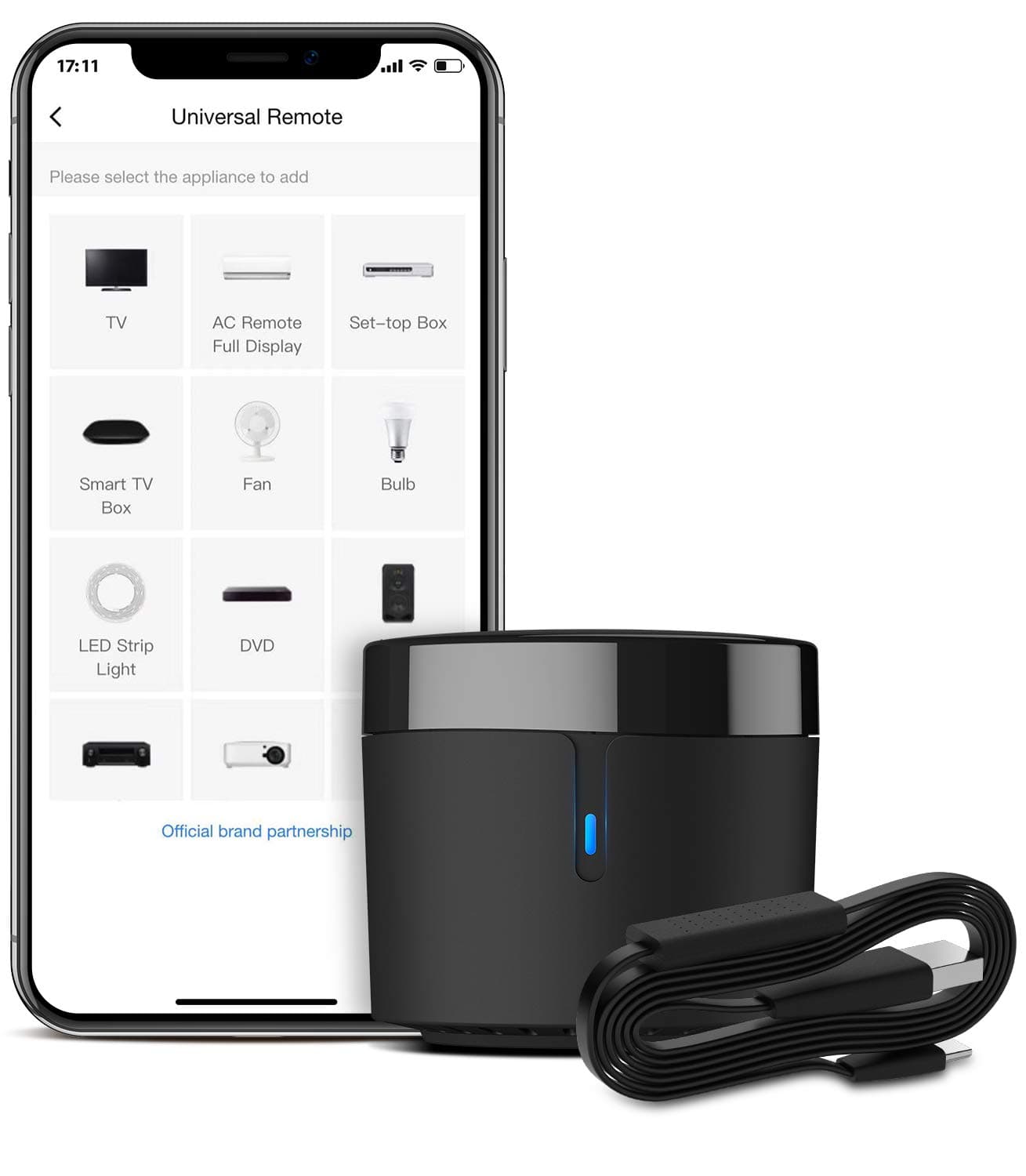



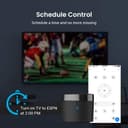
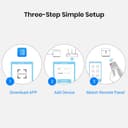
📲 Transform your home into a smart sanctuary with just one sleek hub!
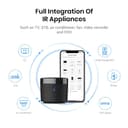
The BroadLink RM4mini is a compact Wi-Fi IR blaster that supports over 50,000 infrared-controlled devices, enabling universal remote control for TVs, air conditioners, and more. Compatible with Alexa, Google Assistant, Siri, and IFTTT, it offers voice control, remote access via the BroadLink app, and customizable automation scenes. Featuring a built-in temperature and humidity sensor, it provides real-time environmental data to optimize your smart home experience. Designed for 2.4GHz Wi-Fi networks, this hub empowers millennials to effortlessly integrate and automate their living spaces with style and precision.


| ASIN | B0872PPSGM |
| Additional Features | Universal |
| Battery Type | Lithium-Ion |
| Best Sellers Rank | #113,437 in Tools & Home Improvement ( See Top 100 in Tools & Home Improvement ) #120 in Home Automation Hubs & Controllers |
| Brand | Broadlink |
| Button Quantity | 1 |
| Color | black |
| Compatible Devices | Home Theater |
| Connectivity Technology | Wi-Fi |
| Controller Type | amazon_alexa |
| Customer Reviews | 4.2 4.2 out of 5 stars (3,442) |
| Item Weight | 2.1 Ounces |
| Manufacturer | Hangzhou BroadLink Technology Co., Ltd. |
| Maximum Number of Supported Devices | 255 |
| Maximum Range | 8 Meters |
| Mfr Part Number | RM4 mini |
| Model Name | RM4 mini |
| Model Number | RM4 mini S |
| Number of Batteries | 2 AAA batteries required. |
| Smart Home Compatibility | Smart Home Compatible |
| Warranty Description | 1 year |
K**A
Works Great! Read to setup w/router with same SSID for both 2.4/5 ghz bands. PLUS other Alexa tips!
BroadLink RM4 mini Universal Remote First of all I had trouble setting it up when my Router is set to “Smart Connect” which allows devices to automatically connect to either the 2.4 Ghz or 5 Ghz Wi-Fi bands. To work around this I temporarily disabled “Smart Connect” feature on the router so I could to complete the initial setup of the BroadLink RM4. Once the RM4 was successfully connected to my network after its initial setup - I was able to re-enable “Smart Connect” feature on my Router and then after a router reboot all of my devices were able to automatically connect as before… even the BroadLink RM4. I’ve only experienced this configuration setup issue with 3 smart home “2.4 Ghz Only” devices: 2 BroadLink devices and the other one was Sanoff RF Hub. All my many other devices (Wemo, Wink, August, Amazon – to name a few) that only use the 2.4 Ghz Band worked great with “Smart Connect” enabled on my router so I believe the issue is with the setup software of the two manufacture’s that don’t work - in this case the BroadLink App. I bought this device to issue IR commands with my Amazon Echo voice – Specifically my TCL Roku TV which I can normally control from my Echo via the network commands - except when the TV is set to Energy Saving mode with Fast Start disabled and the TV has been powered off for more than 12 minutes. Then I must first use the IR Remote to power it on. Which is where the BroadLink RM4 comes in. At first I added the remote for my “ROKU TV – IR”– as a TV Remote which is available for my Amazon Echo. The remotes they had on file were flaky on the power button so I created my own and used the Learn Feature to assign to the power button. Next, I added the command to my Amazon Alexa App’s “TV” Routine that I previously created. I just added the device “ROKU TV – IR” to Power On at the top of the TV Routine since it takes a couple seconds longer to power on the TV when fast start is disabled. I left the original power command that is sent via network control in the routine which is further down in the routine after all of the lighting controls. This Alexa “TV” routine worked perfectly when I say, “Computer TV” – it first sends the power button IR Code to the TV then processes the rest of the routine normally. NEXT, I added the eROD Motorized Drapery Rod’s remote to the BroadLink RM4’s App. This time I selected User Defined Remote. I added the three buttons: OPEN, CLOSE, & STOP and it easily learned their IR commands. I was able to control the curtains perfectly with the remote. THEN I added a Scene in the BroadLink App. I chose the General Scene type so that I could control the IR eROD Remote I had just created. I named it “Curtains OPEN” and set it to activate the Open Button on the eROD remote I made. I then created Scenes for both the Close and Stop commands as well. Next I created an Alexa Routine, “Open Curtains” and then added Smart Home activity which controls the Scene “Curtains Open” I created with in the BroadLink App and is published in the Alexa scenes. I also created Alexa Routines, “Close Curtains” & “Stop Curtains” which control there corresponding scenes. I also added the Smart Home activity which controls the Scene “Curtains Close” scene to the Alexa “TV” Routine I talked about earlier. Everything worked as expected. Later on I removed the ROKU TV “TV type remote” and recreated it as a User Defined Remote instead. Then I added & learned the POWER button. Next I added a Scene in the BroadLink app that activates that button. Once that was complete I then added the Smart Home activity which controls the “ROKU TV POWER - IR” scene to the Alexa “TV” Routine I talked about earlier. This method works better for me since when I originally created the “ROKU TV” remote I selected the “TV Remote” type and only assigned IR commands to the power button and that left a remote inside the BroadLink App with only the power button working… the rest of the buttons did not work because I didn’t assign them IR commands. Besides the BroadLink App discovered my TCL ROKU TV via the network and is available if the TV is powered on and so I wanted to get rid of the original “TV Remote” type I created with mostly non-working remote and create one using the “User Defined” type with only one button instead. All in all - I am extremely happy with the BroadLink RM4 IR control capabilities. It’s much better than using Harmony Hub to control devices like the Curtains or other devices that would automatically end activities running when you start another. I have already ordered a second BroadLink RM4 Mini with sensor cable to migrate some devices away from my Harmony Hub that interfere with its primary activities. I think Harmony Hub is stupid to end the active “Watch Movie” activity (Which turns off the Projector and surround sound when the automated sunset closing of the curtains is kicked off. A major issue with Harmony Hub. FYI: Sensor cable – with built in temp & humidity sensors. So far only the current temp is available with Amazon Echo – which is seen as a temperature sensor to the Amazon Echo. Alexa does not currently support the humidity function. However, hourly temp & humidity data readings are available inside the BroadLink App. I named my temperature sensor, “Living Room” inside the BroadLink App. So now I can say, “Computer, What is the Living Room Temperature?” Alexa responds, “The Living Room Temperature is 75.1 degrees!” I also created a Group in the Alexa App named, “Inside” and added the Living Room temperature sensor to that group. So I can also ask, “Computer, What is the Inside Temperature?” I know this review was rather long, but I wanted to add some “how to” information and issue work arounds I did that other users have reported as issues while setting up their BroadLink RM4 Mini to help fill in the gaps for the somewhat lacking instructions on how to setup and configure the device and BroadLink app. Happy Automating and thanks for reading!
D**D
Controls my apartment AC!
This completely opened up my smart home capabilities! I’ve used Alexa for smart home functions for years now but been frustrated that so many things don’t work inside that ecosystem. As soon as I learned about these I grabbed two of them and it’s made my home operation so much easier!! We live in and apartment and now I can set the ac unit on and off according to the current temperature without ever touching a remote. And the box is stylish and discreet. Just make sure there’s line of sight between the box and the things you’re wanting to control. Otherwise, this will work with ANYTHING that uses a remote, so it’s basically compatible with any tech! I’m sure before long I’ll have one of these in every room.
Q**E
Solid, Reliable IR Emitter
I bought this to control my air conditioner, and monitor the air temperature in my apartment while I was away for a week. My cat stayed home, and I wanted her to be comfortable, since it was supposed to be hot. Setup worked, but it took several tries to get it done. Since my primary 2.4 and 5GHz WiFi networks share the same SSID and password, I had to set up a third network that was only 2.4GHz. once I did that, made my phone forget my primary network, then joined my phone to the newly created 2.4GHz network, setup was much smoother. I've had to do this WiFi dance with two cameras and a different IR emitter from another company. A lot of appliances like these operate on 2.4GHz only. My air conditioner was not in the official device library. At the time, I glossed over the message in the app which told me I could search the user submitted library if I couldn't find my air conditioner in the official library. Instead, I ended up having the IR emitter learn functions by pointing my air conditioner remote at it, and pressing buttons. Once you get the hang of it, it's pretty easy, if a bit tedious. After I programmed the functions I wanted, it worked great. I couldn't find my standing fan in the official libraries either. I was able to find a working fan profile in the user submitted libraries though. Works great. The official and user submitted libraries are expensive. It's likely you'll be able to find a profile for your device. Adding my TV was easy, as was one of my Rokus. However, it simply won't add my other Roku, even though they're in the same subnet. The Roku it will as is wireless, on the same network as the IR emitter. My other Roku is wired. I have a flat network in a single subnet, so I figured that would work, but it doesn't. I haven't taken the time to do network captures to see what's actually happening. The temperature and humidity sensor works surprisingly well. It seemed to be about as accurate as my thermostat's thermometer. Naturally, you need to be careful with placement, in other words, place it on a neutral surface, not on top of your laptop or whatever. The only problem with it is how the app handles displaying temperature over time. Instead of graphing points over time, it seems to average temperatures over time, which is inaccurate. Not a huge problem since you don't usually see sharp temperature spikes indoors. The app has some rough edges, like you have to exit and launch the app again to get a fresh temperature reading. Not a huge deal. This setup was critical to monitoring my apartment temperatures, and controlling my air conditioner. It gave me peace of mind while I was away, and kept my cat cool. This product gets a pretty solid B+/A-. If the setup instructions were more clear, the temperature sensor cable were longer, and the temperature graphing issues were resolved, this would be a five star device, especially for the price.
D**W
Nifty device!
Works like a charm. Lost my ac remote a long time ago and this works great. I can even turn it on from work now so my place gets cool by the time I get back. Also able to control a lot of other electronics in my place.
M**O
Works great controlling IR devices with Alexa.
Works great for IR. I used it with Alexa tu turn on my AC and TV. Could do much more with the RF options, but I haven't used RF yet.
D**O
I bought this IR blaster to help improve my home automation set-up. I wanted it mostly to be able to turn on my TV and AVR at the same time, and this came up recommended a bunch of times online. Package came quick, came with everything needed, and the device itself is so small that it doesn't clutter up your TV setup. It's also USB powered; I haven't tried my TV USB port, but the power output hints that it should work. I just use a USB port on my power bar and it works no problems. Note; it doesn't include an adapter plug, so make sure you have one, or a USB port free to use. Setup is super easy in the app (word of warning, there are a lot of translation errors in the app), and the learning feature of it is easily the best part. There's a very high chance that your device will be supported from the get-go just from the brand name, but if there are some buttons that are missed, just use the original remote to program the missing ones, it's really easy! I also found a really nice use case where it can also control some IR controlled candle lights. I didn't expect this to work at all since they were brandless, but again I just learned it with the remote and they all turned on at once, super happy :) The app also supports NFC tags, which is huge if you want to have a tag somewhere near where you sit, ready to be scanned to switch on all your supported devices. Lastly, it works with Google Home, but just be careful how you name the devices if you have a Chromecast, so that there are no overlaps. 10/10, get this if you have a non-smart TV.
N**O
Scrivo questa recensione dopo alcuni giorni di utilizzo e di smanettamento con l'app. Io l'ho acquistato con il cavo che ha il sensore di temperatura e umidità perché dovevo programmare delle routine in automatico con il mio vecchio condizionatore che utilizzassero come variabile la temperatura o l'umidità. Pro: - l'RM4 mini è davvero mini, potete metterlo ovunque e non si vedrà. - l'App è davvero completa, potete configurare praticamente ogni elettrodomestico, basta che abbia un telecomando a infrarossi - Integrazione con alexa: naturalmente accende e spegne gli elettrodomestici che installate sull'app, ma ogni scena che create, è comandabile dicendo: "Alexa esegui [nome scena]", davvero molto comodo. Ad es. Scena "Umidifica": 1. Accendi condizionatore 2. Dopo 3 secondi imposta deumidificazione - Le scene create sono utilizzabili con le routine che volete creare, non dovete riscrive la scena per ogni routine. Ad es. Routine "Troppa Umidità": Quando l'umidità raggiunge il 70% allora esegui scena "Umidifica". - Questa cosa nemmeno è menzionata, ma se nella Home dell'App cliccate sul vostro RM4 mini, e nella successiva pagina dove vengono visualizzate Temperatura e Umidità, se cliccate sulle opzioni ("...") -> Property -> Nome bande, e date un nome alla temperatura e all'umidità, ad es. "Temperatura Camera da letto" e "Umidità camera da letto", potete visualizzare questi dati sull'app di Alexa e addirittura se dite "Alexa qual è la "Temperatura camera da letto" vi dice qual è, questa cosa non funziona con l'umidità, ma è comunque una funzione interessante e non documentata. Contro: - Cavo HTS2 (con sensore di umidità e temperatura + alimentazione) un po' troppo corto - Manca la spina USB, perché se non l'avete in casa, dove acquistarla - Nelle Routine che programmate non funzionano le notifiche sul telefono, ma tutto questo può essere ovviato creando delle notifiche ad hoc, ma non dalla sezione Routine, per farlo eseguite questi passi: Nella Home dell'App cliccate sul vostro RM4 mini, nella successiva pagina, dove vengono visualizzate Temperatura e Umidità, cliccate sulle opzioni ("...") -> Property -> Impostazioni di notifica -> Aggiungi notifica. Ora potete aggiungere tutte le notifiche che volete e scatteranno correttamente - La registrazione del prodotto tramite QR code non funziona e quindi il prodotto non può essere registrato. Non che cambi qualcosa, ma per completezza io preferisco sempre registrare tutto quanto Spero che questa recensione sia stata utile a qualcuno
M**P
Fungerar felfritt och kan styra ACn både temperatur samt fläkt, ON/OFF, samt även schema med automat styrning. Krånlig installation med app, men fungerade till slut. Mäter temperatur och luftfuktighet i rummet vilket är toppen så man vet om man behöver slå/av på ACn.
H**N
Muy práctico y excelente funcionamiento
W**X
Das Gerät funktioniert bei mir problemlos Das einrichten ging ohne Schwierigkeiten Meine wichtigsten Geräte fahre ich gleich in der geräteliste Den Satelliten Receiver von technisat And Fernseher von Dyon Und eine alte mini hifi Anlage von Aywa. Ich musste nur noch einige Tasten extra an lernen Was aber nicht geht Auch das Erstellen von Szenen funktioniert problemlos. Auch funktioniert es Mit Alexa ganz gut. Bei den stening kann man zum Beispiel Wenige Geräte gleichzeitig einschalten Bei mir zum Beispiel Satellitenreceiver und Fernseher Doch das umschalten oder weiterschalten von Kanälen funktioniert problemlos Nur muss man manchmal überlegen wie man es formuliert damit dass Alexa. Benachteiligt fühle Dass die App und die Bedienungsanleitung in Englisch ist
Trustpilot
Hace 2 meses
Hace 2 semanas