We remain fully operational. Our teams are working around the clock to ensure your deliveries continue safely.

Descargar la aplicación


Servicios al cliente
Sobre nosotros
Copyright © 2025 Desertcart Holdings Limited
Descargar la aplicación


🚀 Elevate your home network — speed, range, and control in one sleek router!
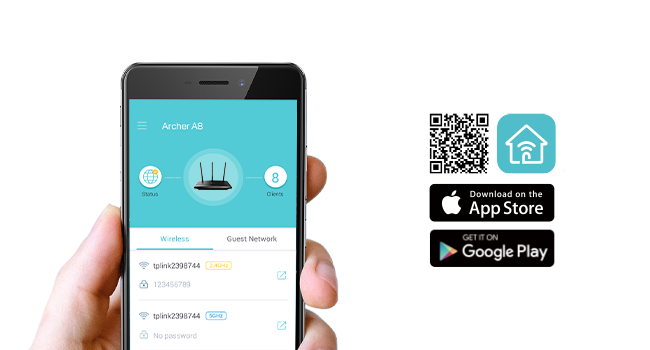
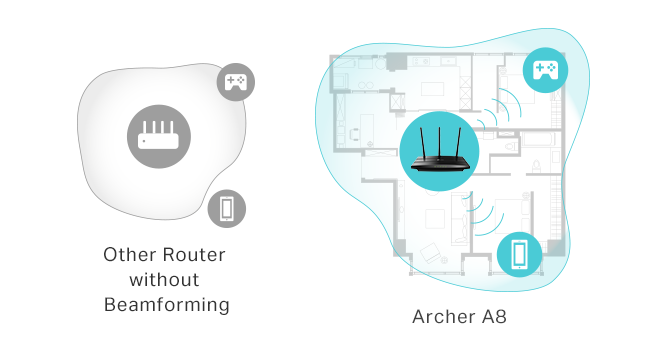
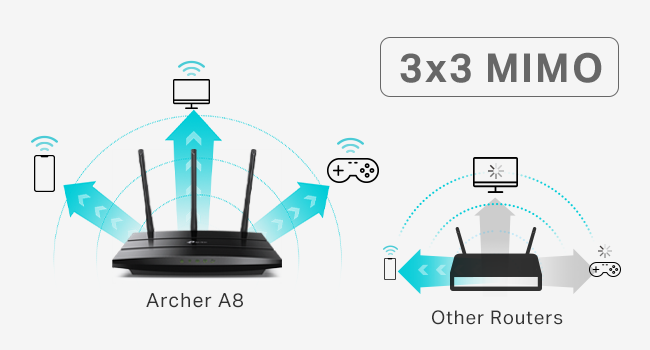
The TP-Link AC1900 Archer A8 is a high-performance dual-band WiFi 5 router delivering combined speeds up to 1900 Mbps. Featuring MU-MIMO for efficient multi-device streaming, beamforming for focused coverage up to 1200 sq.ft., and full gigabit Ethernet ports, it’s designed for seamless connectivity in busy homes and home offices. Easy setup and management via the Tether app, plus parental controls and guest WiFi, make it a versatile choice for modern smart homes.



| ASIN | B08C3YBBHM |
| Antenna Location | Gaming |
| Antenna Type | Fixed |
| Best Sellers Rank | #95 in Computers & Accessories ( See Top 100 in Computers & Accessories ) #12 in Computer Routers |
| Brand | TP-Link |
| Built-In Media | Power Adapter, Quick Installation Guide, RJ45 Ethernet Cable |
| Color | Black |
| Compatible Devices | Gaming Console, Personal Computer, Smart Television |
| Connectivity Protocol | ethernet, wi-fi |
| Connectivity Range | 1200 Square Feet |
| Connectivity Technology | Ethernet, Wi-Fi |
| Control Method | App |
| Controller Type | ios |
| Coverage | Medium to Long Range |
| Customer Reviews | 4.5 out of 5 stars 13,813 Reviews |
| Data Transfer Rate | 1900 Megabits Per Second |
| Frequency | 5 GHz |
| Frequency Band Class | Dual-Band |
| Has Internet Connectivity | Yes |
| Has Security Updates | Yes |
| Is Electric | No |
| Is Modem Compatible | Yes |
| Item Dimensions L x W x H | 9.57"L x 6.32"W x 1.28"H |
| Item Type Name | WiFi Router |
| Item Weight | 0.91 Pounds |
| LAN Port Bandwidth | Gigabit |
| Manufacturer | TP-Link |
| Maximum Upstream Data Transfer Rate | 950 Megabits Per Second |
| Mfr Part Number | Archer A8 |
| Model Name | TP-link AC1900 |
| Model Number | Archer A8 |
| Number of Antennas | 3 |
| Number of Ports | 5 |
| Operating System | Webpage, Tether App |
| Other Special Features of the Product | Beamforming, Guest Mode, Internet Security, LED Indicator, Parental Control, Access Point Mode, QoS, WPS |
| Router Firewall Security Level | Basic |
| Router Network Type | Dual-Band MU-MIMO Router |
| Security Protocol | WPA2-PSK |
| Smart Home Compatibility | Smart Home Compatible |
| Special Feature | Beamforming, Guest Mode, Internet Security, LED Indicator, Parental Control, Access Point Mode, QoS, WPS Special Feature Beamforming, Guest Mode, Internet Security, LED Indicator, Parental Control, Access Point Mode, QoS, WPS See more |
| UPC | 840460602358 845973089641 |
| Unit Count | 1.0 Count |
| Voltage | 100240 Volts |
| Warranty Description | Manufacture's 2 year warranty |
| Wi-Fi Generation | Wi-Fi 5 |
| Wireless Communication Standard | 802.11a, 802.11ac, 802.11b, 802.11g, 802.11n |
| Wireless Compability | 802.11a, 802.11ac, 802.11b, 802.11g, 802.11n |
U**R
Strong signal, quick and easy setup, super pleased with this purchase
After less than 3 years with my prior router from a different brand, its signal strength was noticeably declining and then 2 months ago I received an email from the manufacturer saying that it would not longer be supported and may stop working entirely. That was the context for searching out and ordering this TP-Link remote router for my office and I am very happy with its improved performance compared to the unit it has replaced. I have the router installed in my home office, in a separate building about 100' from my house. This router is connected to our main modem in the house through a 200' LAN cable which works perfectly. Setup was extremely easy - I followed the instructions precisely, step by step, and it hooked right up. The password strength is both satisfactory ... and not so darned complicated that it's difficult to enter as required. The strength of the signal is much better than what I had before, easily crossing the back yard and allowing connectivity from rooms facing from inside the main house. It also allows good, fast signal through a metal porch roof which wasn't possible previously. As much as I was frustrated with having to replace a unit that wasn't old enough to reasonably fail, it was completely worth it for the improved performance this has brought for my home office. As advertised; full marks!
P**E
Got it as a sub Wifi router for VR, but might be overkill for that, but at a great price.
I got this to improve my VR Wifi connection with Quest 2-3 headset. Setting it to 5g only, making a secondary wifi router to my home's wifi, and plugging my pc directly into it, I was able to get that smooth, gigabit connection for high quality VR play. Price was right, features were decent, and setting it to 5G meant it wasn't polluting the wifi of anyone outside my room as 5G doesn't pierce walls, but gave me high speed within my room. Also turned out to be great to lock in my smart devices, nobody can randomly pause my youtube tv now! But for the features, it's got a lot going for it, runs fairly cool in summer, and its 5G is strong enough that I can pick it up outside my house, so I can only imagine the 3G must go very far. Setup was easy, especially when you've already got a TP-Link app, and it works with most devices- though you'll need, unlike me, to turn on 3G for it to talk to IoT devices like smart stuff.
L**.
Good, basic router for a 1500 sq ft house
Low cost, easy set up, works for what i need. I’d buy it again.
G**R
A Little Trouble Installing but is Working Well
I purchased this to use as an access point replacing a much older router being used for the same purpose. My main router is also a TP-Link. These routers have a mode in the software specifically to be used this way. I had a little trouble setting it up. The first time I tried to configure the mode, it didn't seem like it took and the router got stuck saving the configuration. I kept getting "unknown error". This was while trying to access it by connecting directly to an ethernet port from a PC as the instruction said to do. However, I just plugged it into my main router and was able to login to the main router to see the new router's IP address (which it connected to with no problem). Then I just used that IP address from my browser from a PC on the network to login to the new router. Once I did that I had no problem setting up the configuration and it was super fast. Once that was done and I set up my WiFi networks everything worked perfectly. Now it is working correctly as an access point, plugged into the main router by ethernet, with 3 devices plugged into the other ethernet ports and more devices using it as a WiFi connection. The connection seems better than my old router which is what I was looking for.
C**Z
Such a good router
Works well and has a good range.
A**N
Budget Wifi Router
I come from old-skool DD-WRT days, manual configs, and pretty much the router is supposed to route, and other devices do the rest (DHCP/DNS/Anything else). This fit the bill perfectly, could config it the way i wanted to. Sits in a brick house, so can't speak much to signal, as distance is limited by physical barriers that will block signal. Good value for what it is, easy to set up and use, looks much better than the WRT-54G's of yesteryear. Probably can travel with it, but I wouldn't think most people would. Peculiar notes - Offers 3 different SSID's to config, with 5GHz and 2.4GHz options for a total of 6 if you'd like. While this may be a feature or an annoyance, that's up to your use. It's there if you want to use all 3(6). I turned em all on, and seem to have confused everyone in my house. Especially with ISP's wifi router that can not be configured as easily. MAC address can be cloned if you would like to replace your ISP's wifi router to their network, if they check the MAC on the device for access.
A**N
Ditch the Spectrum Router
After finding a surprise 7 dollar wifi charge on my bill, I got this. I was given a WiFi promo which waived the charge for a year, but never was it communicated when I set the service up that I had to sign up for Spectrum Mobile to keep the discount. Classic Spectrum. I worked for Spectrum's Internet support so I can tell you from experience that their routers are junk. Always experienced calls where the router randomly kicks the bucket and shows a red light after multiple reboots and endless troubleshooting with the customer. Also would get lots of calls when the router would allow you to connect to the network but doesn't allow Internet access. You also never know what you're getting model wise, and the routers are used. It's a gamble. You may get a new one, you may get an old model, you never know. I've been through 3 Spectrum routers (because of moving), and all of them had the same issues I described. Semi regularly I'd have to factory reset the router because it was doing the thing where it allowed you to connect to the network but provided no Internet access. My last one also looked quite beaten up. I swear they don't even try to refurbish them. Review of TP Link router: Setup is so dumbed down and simple anyone can do it. Love the Tether app. So far providing stable connection and speed is on par if not better than Spectrum router! 108.5 mbps download picture is the Spectrum router when next to it on wireless connection. There was a slight jump with the TP Link! That could have been just because tests can vary, but still encouraging! I previously got a TP Link A54 a few months ago and returned it cause it was giving me speeds under 100 mbps (my plan is 100 mbps). Pay the extra 15 bucks and get this one! Also, in my bedroom with the doors closed, my signal is still almost full strength and the speed still is only a few mbps shy of what I was getting next to the router! I hope this lasts but I bought tp link repeaters for my parents over 5 years ago and they are still working without a hitch. They seem like a quality brand.
D**H
Easy and convenient.
I used this in a remote building to connect to a wireless extender from my house. There were virtually no problems at all. It was just plug it in and use it.
Trustpilot
Hace 1 día
Hace 3 semanas