We remain fully operational. Our teams are working around the clock to ensure your deliveries continue safely.

Descargar la aplicación


Servicios al cliente
Sobre nosotros
Copyright © 2025 Desertcart Holdings Limited
Descargar la aplicación
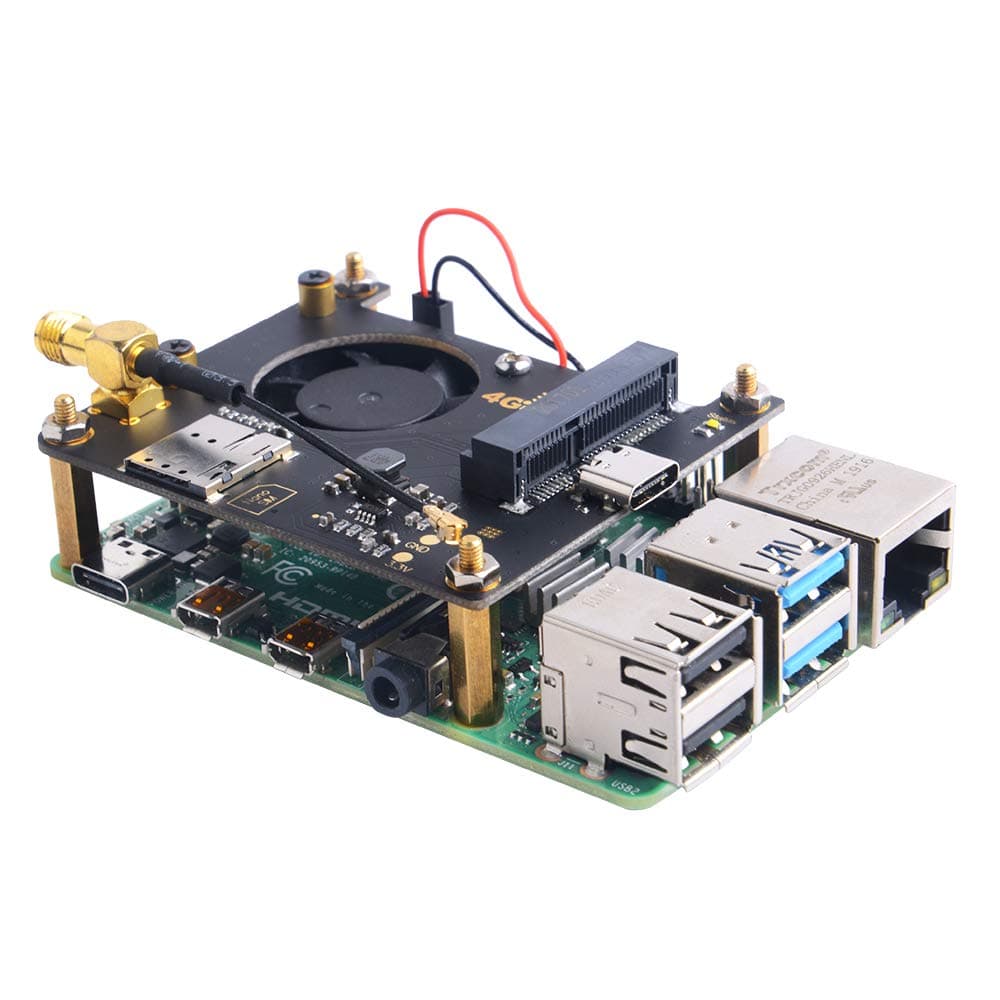
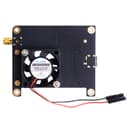
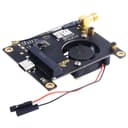
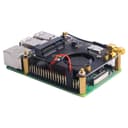

🚀 Power your Pi with unstoppable 4G/3G connectivity and never miss a byte!
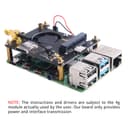
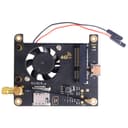
The GeeekPi RPi 4G/3G Hat is a versatile expansion board designed for Raspberry Pi and Jetson Nano devices, enabling cellular connectivity via 4G/3G LTE modules (sold separately). Featuring a USB Type-C interface, mini PCI-E slot, and LED indicators, it supports a wide range of network protocols including SMS, MMS, TCP, UDP, HTTP, and FTP, making it ideal for IoT, remote monitoring, and mobile data projects.
| ASIN | B08FHMR8DZ |
| Brand | GeeekPi |
| Customer Reviews | 4.0 4.0 out of 5 stars (24) |
| Date First Available | August 22, 2020 |
| Item Weight | 1.76 ounces |
| Item model number | EP-0128 |
| Manufacturer | GeeekPi |
| Number of Processors | 1 |
| Operating System | Linux |
| Package Dimensions | 4.17 x 3.15 x 1.26 inches |
| Processor | core_i7_10700k |
| Processor Brand | ARM |
| RAM | LPDDR3 |
| Series | GeeekPi RPi 4G / 3G Hat |
| Wireless Type | 802.11ac |
T**Q
Cheap and easy to use.
Many reviews call this out as not working or not having instructions, but this works brilliantly! It's up to you to find out the GPIO layout of YOUR board to know where to plug your leads for the fan. 60 seconds to lookup GPIO layout, plugged the fan it. Works great!
N**P
Rpi is not really necessary
I bought several of these boards intending to match them to some raspberry pi units I bought earlier, but when I discovered that my cellular provider uses TTL and other heuristics to decide whether they are billing you for "access" or "tether" data time, I realized that using a Rpi as a cellular router was going to incur the same penalty as connecting a smartphone unless I deployed some additional trickery to fool AT&T into thinking I'm honest when I am honest. Then I discovered I could just plug this into a laptop, it's basically just a USB, power and antenna breakout board with a fan on it. Which makes $20 seem a little steep for a USB cellular modem board, but it's still cheaper than anything else ready made on the market and good quality.
D**.
Missing parts
Fan is missing a screw and nut
Q**X
Hum no info came with it....If you are new to getting started !
You may want to find something a bit easier...there was no instructions packaged with the one I received. I bought a sim That Is to work its a nano .... there is no info as to what programs that one could use to operate the 4g LTE. no videos on how to use this product. No videos on suggested use. Honestly my advice is pass on this company s Hat ....No Info for a NEWbee... "This stunts the Growth of New user"
Z**T
Bogus markup
Don't listen to others, you are a newbie if you look at a basic 5v rated dc fan and don't know which pins to plug it into. It works as it says, no ifs ands or buts. I used a SIM7600 with it. It is true you don't need a raspberry pi to connect this hat.... but just like any other hat available, it is intended to extend the functionality of the host board. If you are looking to extend the functionality of your RPI to access 4G networks, that's exactly what this does. Just as a side note you can buy these exact models for $12.99 elsewhere.
D**S
Ensure you have a modem!
Pretty much exactly as you’d think. If you have a 4G module ready, you’re golden. The ability for your own antenna is nice because you can run it where good signal is.
A**R
This board works exclusively over USB. If you are a beginner, this is how you get it working on Raspberry Pi with Raspbian in command line: sudo apt install python3 sudo apt install pip sudo apt install minicom //Look up your modem's documentation to use AT Commands sudo pip install nmcli sudo pip install mmcli sudo nmcli connection add save yes type gsm con-name <YOURCONNECTIONNAME> apn <YOURAPN> sudo nmcli con up gsm Visit MMCLI documentation page for more on modem operation. sudo mmcli -m 0 enable SMS: sudo mmcli -m 0 --messaging-create-sms=number"RECIPIENTNUMBER",text="YOURMESSAGE" --(returns storedAddress)-- sudo mmcli -s <storedAddress> --send sudo mmcli -m 0 --messaging-delete-sms=/org/freedesktop/ModemManager1/SMS/<storedAddress> sudo mmcli -m 0 --messaging-list-sms (add -J to output in JSON format)
P**E
No instructions came with it we dont know where to plug in which GPIO should i used and trust me im not a newbie
Trustpilot
Hace 4 días
Hace 5 días