
Descargar la aplicación


Servicios al cliente
Sobre nosotros
Copyright © 2025 Desertcart Holdings Limited
Descargar la aplicación

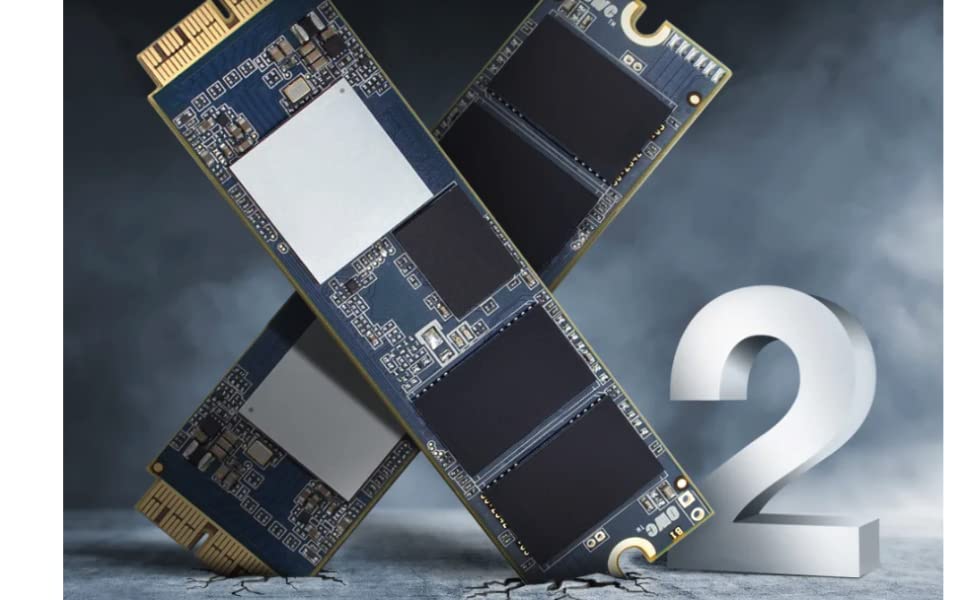
🚀 Upgrade your Mac’s heartbeat with the Aura Pro X2 — speed, coolness, and power in one sleek package!
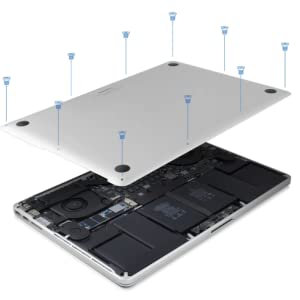
The OWC 480GB Aura Pro X2 is a high-performance NVMe SSD upgrade solution designed specifically for select MacBook Air and Pro models from 2013 to 2017. Delivering up to 3200MB/s read and 2400MB/s write speeds, it features advanced SLC caching and a Silicon Motion SM2262EN controller for superior burst performance. The kit includes all necessary tools and an OWC Envoy Pro enclosure to repurpose your original SSD. Engineered to run cooler and consume less power, it extends your Mac’s life and performance with macOS 10.13+ compatibility and a 5-year warranty.
| ASIN | B07QBR12F2 |
| Are Batteries Included | No |
| Best Sellers Rank | #25,687 in Computers ( See Top 100 in Computers ) #641 in Internal Solid State Drives |
| Brand | OWC |
| Color | SSD Upgrade Kit w/ Envoy + tools |
| Customer Reviews | 4.5 4.5 out of 5 stars (2,745) |
| Date First Available | 9 April 2019 |
| Form Factor | custom blade |
| Hard Disk Description | Solid State Drive |
| Hard Drive Interface | NVMe |
| Hard Drive Size | 480 GB |
| Hardware Platform | Mac |
| Item Weight | 268 g |
| Item model number | OWCS3DAPT4MB05K |
| Manufacturer | Other World Computing |
| Product Dimensions | 5.99 x 18.01 x 13 cm; 268 g |
| Series | Aura Pro |
S**L
Excellent and easy upgrade.
Superb speed and a huge performance boost. Super easy installation. All included with online support video. The old SDD becoming a super fast HDD is a life saver too.
A**E
Value Add Product
Its work perfect and good performance. The only thing it's Unformatted, just needs to format otherwise, the OS will not identify the SSD. I used it in my Macbook Air late 2013. Performance-wise better than the original which was Samsung. Great Value Add Product
L**Z
Upgrade your MacBook Air
An amazing product to increase memory space. Easy to install!
A**N
Working fine as expected
Only battery consumption become high since i installed it. But overall its performing well.
J**N
Perfect !!!
Excellent fit & guideline with complete peace of mind works perfect as tested for a 13” MacBook Air 2017. Upgrade from 128 GB to 1TB.
W**N
Great Tutorial
Easy to follow installation instructions.
S**D
60 days life only, unreliable
I bought and used my MacBook Pro with it around 50-60 times and it goes faulty. Not reliable product. And even when it was working it made my MacBook very slow, not recommending anybody to use it.
A**K
after installing the SSD the battery started draining fast
I am using this ssd for a month and I am observing that the battery started draining fast
G**E
Installé avec succes sur un macbook air 128 go de 2016: tres facile et maintenant 8 fois plus de place, très rapide et je suis passé directement sur Mac Os Big Sur. Il faut juste au redemarrage faire commande + opt + R puis connecter au wifi et après choisir de demarrer sur nouvel Os vu que je voulais Réinitialiser. Très satisfait
R**O
augmentation taille ssd (128Go avant). Permis d’avoir installé windows 10 avec Bootcamp. Plus rapide que le disque d’origine. Le boîtier externe permet l’utilisation du disque d’origine. Belles finitions.
P**N
Allt fungerade som det skulle! Snabb frakt och bra produkt!
D**S
Funktionierte alles super! Bin einfach der Erklärung auf iFixit gefolgt und klappte alles sehr gut! Am Anfang hatte ich das Gefühl, dass meine Batterie schneller leer ging, aber nach 2 Wochen war alles wieder wie vorher!
J**S
Installed in a late 2013 MacBook Pro that had an OEM 256MB NVMe SSD. I have been building PCs since 1990 and have several CompTIA certifications as well as a significant background in electronics. I have NOT worked on Macs though. I will not say that the installation process was an easy one. Although the mechanical aspects of SSD replacement were easy, getting the system software reinstalled was not. I had MACOS Big Sur installed on the original SSD and I had a current Time Machine backup. The internet recovery process would only recognize Catalina and would not detect Big Sur. The internet download was very slow and took several hours to complete. When it finally completed, the system would hang during restart and shut down. I eventually had to reinstall the original SSD, download Big Sur from the Apple Store, and then copy the Big Sur installation to a 32GB flash drive. After several more installation attempts, I finally was able to erase the 2TB SSD and install Big Sur from the flash drive. The installation was further complicated by the fact that your original Apple ID could not be used on the new installation. This also lead to further complications when I restored the Time Machine backup applications. The bottom line though is that although it was NOT a straightforward process, once Big Sur was installed the drive gave me 1.92GB of usable space and extended the useful life of my late 2013 MacBook Pro significantly. I would have to recommend the Aura Pro X2 2TB for anyone wishing to upgrade their low-capacity OEM SSD and extend the useful life of their MacBook Pro.
Trustpilot
Hace 3 días
Hace 1 día