We remain fully operational. Our teams are working around the clock to ensure your deliveries continue safely.

Descargar la aplicación


Servicios al cliente
Sobre nosotros
Copyright © 2025 Desertcart Holdings Limited
Descargar la aplicación
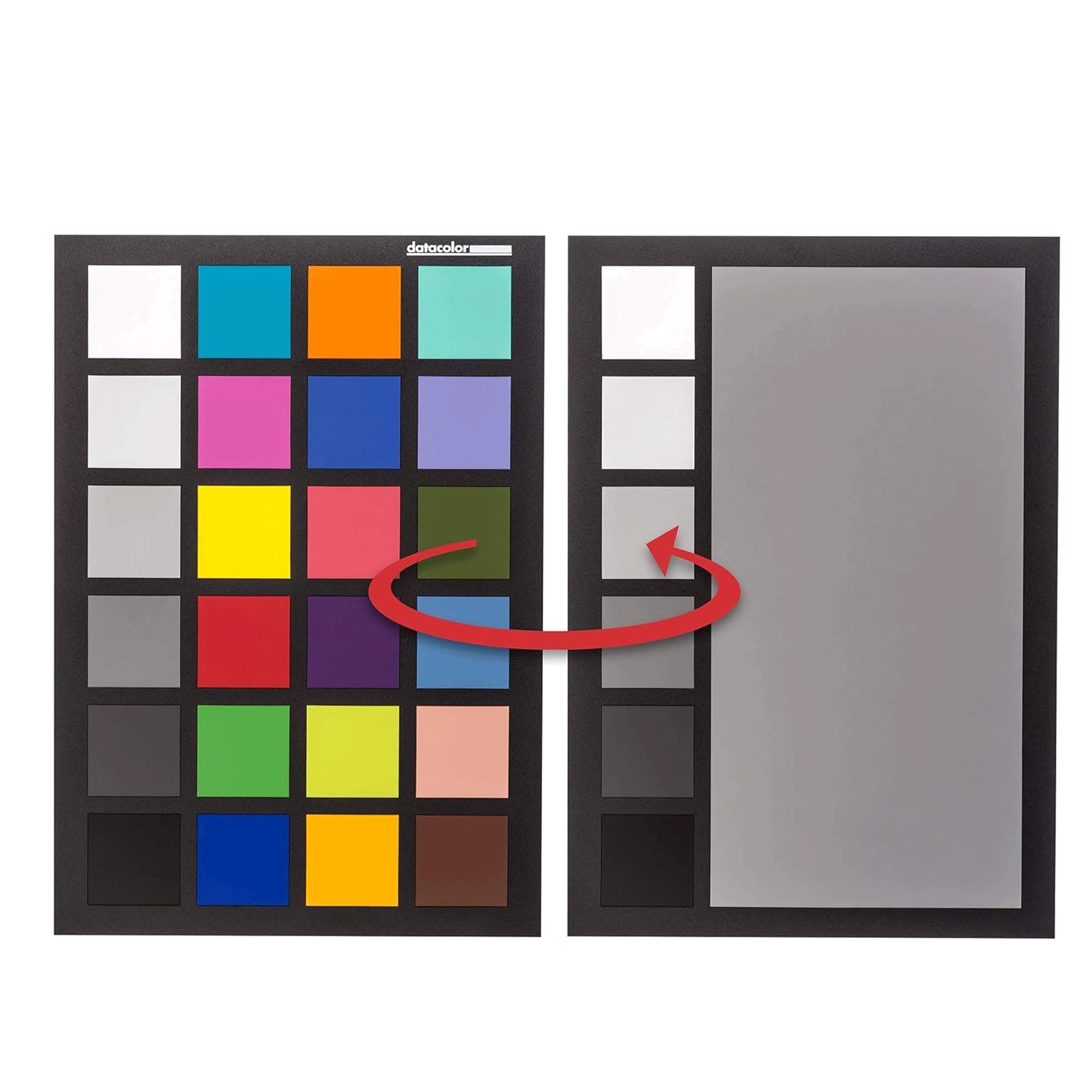

🎯 Nail perfect color every time — because your shots deserve nothing less!
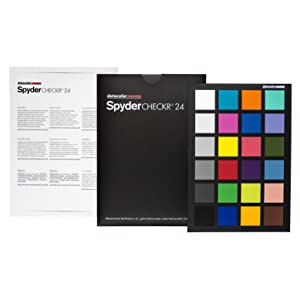
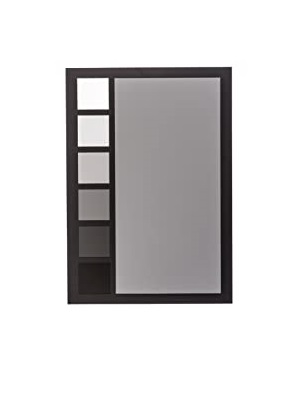
The Datacolor SCK200 Spydercheckr 24 is a professional-grade color calibration tool featuring 24 spectrally engineered color targets and a grey face target within the sRGB gamut. Designed for photographers and videographers, it ensures accurate, consistent color across multiple cameras and lighting environments. Compact and portable, it supports DSLR, smartphone, drone, and action cam calibration, streamlining post-production with software-based HSL presets. Lightweight at 150g, it’s a trusted industry standard with excellent user ratings.
| ASIN | B00LPS46TW |
| Batteries | 1 Nonstandard Battery batteries required. |
| Batteries required | No |
| Best Sellers Rank | #10,139 in Electronics ( See Top 100 in Electronics ) #1 in Photographic Calibration Charts & Grey Cards |
| Customer Reviews | 4.5 4.5 out of 5 stars (1,974) |
| Date First Available | 10 August 2014 |
| Included components | Datacolor Spyder checkr 24 SCK310 |
| Is assembly required | No |
| Item Weight | 150 Grams |
| Item model number | SCK200 |
| Number of pieces | 1 |
| Product Dimensions | 21.84 x 16 x 1.5 cm; 150 g |
| Warranty description | Manufacturer Warranty |
S**H
Very good
Very good
J**O
Great
I’m happy with the quality of this product.
Ç**A
çok iyi
P**J
The Datacolor SpyderCHECKR 24 has become a crucial part of my workflow, especially when shooting in mixed lighting or across different camera setups. It’s compact, easy to travel with, and gives me consistent, accurate color across my videos and photos. If you’re serious about your image quality and want repeatable results across cameras and shoots, this tool is worth every penny. Highly recommended for filmmakers, photographers, and YouTubers alike.
M**A
Mi occorreva un color checker per poter fare calibrazione colore e bilanciamento del bianco, soprattutto per ambito video. Sono felice di aver acquistato questo, molto più economico della versione Passport. Svolge egregiamente la sua funzione. Basta farlo tenere in mano alla persona intervistata o posizionarlo da qualche parte all'inizio dell'inquadratura e siete a posto. Fondamentale soprattutto quando si gira in LOG. Bisogna precisare che il software che arriva con il cartoncino non permette una calibrazione, automatica, a seconda del programma che usata per editare (Lightroom, DaVinci, Premiere ecc) vi dovete fare la calibrazione a mano, osservando le tinte nei quadratini. Ci sono migliaia di video tutorial su YouTube che spiegano come farlo, in tutte le lingue e per qualsiasi software. Si impara facilmente. La qualità è ottima, più che un cartoncino è proprio un pannello di plastica rigida, che arriva con una pratica busta - custodia. ATTENZIONE A NON TOCCARLO CON LE DITA, tenetelo dai bordi. Non appena si toccano le tinte gli olii della pelle lasciano delle piccole impronte che, viste controluce, possono influenzare la calibrazione colore.
J**E
Makes my editing so much easier. Great value for money.
S**R
You may think that this is an over-priced piece of flimsy plastic, but when you realise that it's engineered to have perfect colour fastness for years, and the resulting images you process will be colour perfect, it really is worth the investment. To use, you select your camera body, lens and lighting condition, and take a picture with the checker roughly central and about 1/4 of the frame. Bring it into the photo editing suite of your choice and crop it down to include just the checker, set the white balance using the 50% gray patch, then send it to the Spyder Checkr24 program (you can do this in Lightroom by using Edit In, and selecting the Spyder Checkr24 Editor. The software displays your image, along with an overlay showing where it will sample the image. This can be moved and scaled, but if you've done your cropping properly you'll not need to adjust this. You then tell it to save the calibration - in my case as a Lightroom preset. I recommend saving it as [camera body] [lens] [lighting condition] e.g. D810 24-70 VR Daylight. When you next start Lightroom you'll have a User Profile with the name you gave. Apply that, and it uses the HSL panel to adjust your colours to match reality. I calibrated every combination of my bodies and lenses that I shoot with in about 10 minutes. In reality you shouldn't need to create a profile for every lighting condition, as it works by adjusting colours relatively to ensure consistency. But it would be useful to take a calibration image if you have very challenging lighting conditions, or if you require absolute accuracy for product shots, or fine art, then it's a godsend. It really comes into its own if you shoot multiple cameras and/or lenses on the same shoot, and is pitched heavily at videographers to ensure colour matching between their A and B rolls. I'm delighted with the results, and you can really notice the difference, even if you apply the profiles to your back catalog.
Trustpilot
Hace 3 semanas
Hace 2 semanas