We remain fully operational. Our teams are working around the clock to ensure your deliveries continue safely.

Descargar la aplicación


Servicios al cliente
Sobre nosotros
Copyright © 2025 Desertcart Holdings Limited
Descargar la aplicación






Buy anything from 5,000+ international stores. One checkout price. No surprise fees. Join 2M+ shoppers on Desertcart.
Desertcart purchases this item on your behalf and handles shipping, customs, and support to Mexico.
🚀 Boost your WiFi, own every corner of your space!
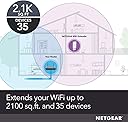
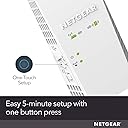
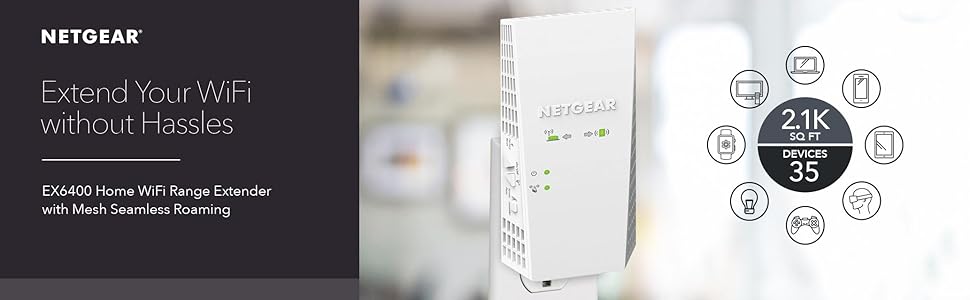
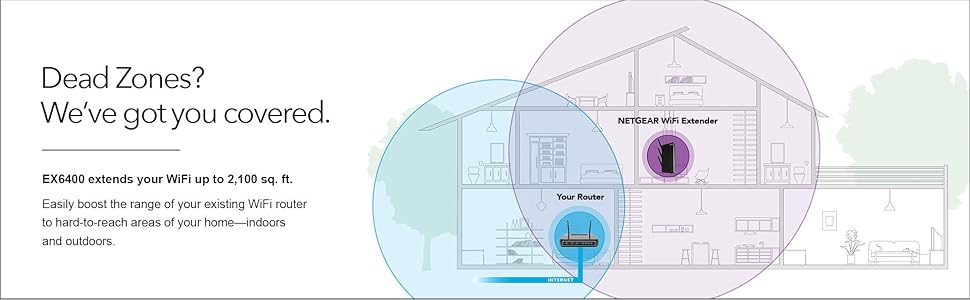
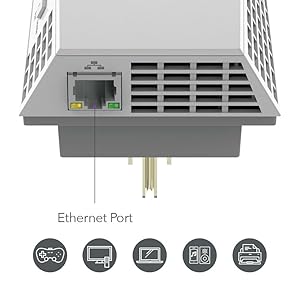
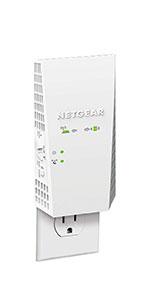
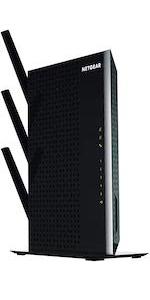
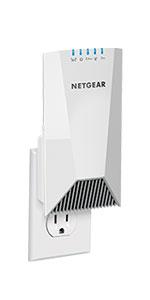
The NETGEAR EX6400 WiFi Mesh Range Extender dramatically expands your wireless coverage by up to 2,100 sq ft, supporting up to 35 devices simultaneously. Featuring AC1900 dual-band speeds up to 1.9 Gbps and Smart Roaming technology, it ensures seamless connectivity throughout your home or office. Compatible with any router, it also includes a Gigabit Ethernet port for wired devices and offers easy setup with expert support, making it the ultimate solution to eliminate dead zones and lag.


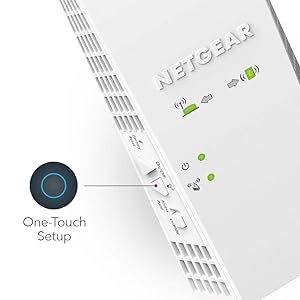


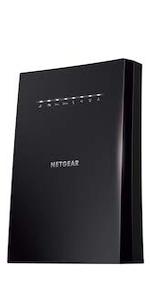
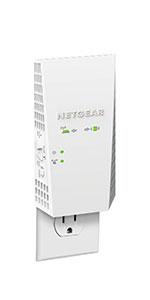
| ASIN | B01D6JEMXC |
| Best Sellers Rank | #8 in Repeaters |
| Brand | NETGEAR |
| Built-In Media | AC1900 WiFi Range Extender (EX6400), Quick start guide |
| Color | white |
| Compatible Devices | Router |
| Connector Type | RJ45 |
| Customer Reviews | 4.0 4.0 out of 5 stars (2,582) |
| Data Transfer Rate | 1900 Megabits Per Second |
| Frequency | 2.4 GHz |
| Frequency Band Class | Dual-Band |
| Frequency Bands Supported | 2.4 GHz, 5 GHz |
| Global Trade Identification Number | 00606449111897 |
| Item Dimensions D x W x H | 3.82"D x 5.56"W x 6.93"H |
| Item Weight | 0.66 Pounds |
| Manufacturer | NETGEAR |
| Mfr Part Number | EX6400-100NAS |
| Model Number | EX6400-100NAS |
| Range | 2100 Square Feet |
| Smart Home Compatibility | Smart Home Compatible |
| Special Features | Smart Roaming, Mesh Smart Roaming, FastLane(TM) technology |
| UPC | 606449111897 |
| Unit Count | 1.0 Count |
| Warranty Description | 1 year warranty |
| Wireless Compability | 802.11ac |
D**G
Easy setup, works great!
The AC1900 Extender was quick and easy to set up. It extended the reach of my Netgear router into my garage, making a strong connection to my garage door opener and garage camera. Priced right and does the job! It’s so good, I bought a second one! Highly recommended!
J**A
Quick setup and works like a dream
I got this to mainly help and older gaming PC that has WiFi issues on the far end of my house and it solved all my problems. Setup was quick and I can now play games at full speed like I was plugged directly into my router. I couldn’t be happier!
F**2
Doesn't last long; "WARRANTY" a sad joke on the consumer
I'd like to first say that I've had a Netgear 802.11ac router for many years and *knock on wood* it hasn't failed me. When I needed a range extender, I thought I'd go back to them. Unfortunately, this product just doesn't last. I had it plugged into a receptacle in my basement, literally about 7' straight below my router (needed it in that location because an I-beam in the ceiling of my basement wreaked havoc on the wifi signal from the router to the basement). It worked very well... for a little while. Then it didn't. The EX6400 would, from time to time, just stop working. Mind you, this was when it was only a few months old. The only way to get it going again was to unplug it to cycle the power. Then it would work for a few days, maybe a week, until it stopped again. Now bear in mind that, although I'm no tech expert, I have certifications from Microsoft and Cisco, so I have a pretty good understanding of what I'm doing tech-wise. I knew the extender should work without having to constantly cycle the power, but sometimes you just have to pick your battles. One day, about 6 months after purchase, this extender just completely bought the farm. It wouldn't turn on; it wouldn't do anything. I knew I was well within my "one year warranty" so I contacted Netgear to get an RMA. If you've ever had to deal with Netgear, you know this is where the fun begins. You see, even though the Netgear warranty period (for defects in quality/workmanship) is "1 year," they don't want to honor that warranty until they have done troubleshooting over the phone with you. But guess what? The TECH SUPPORT included with the device is ONLY 3 months. So before they give you the RMA, they want you to PURCHASE a Tech Support SUBSCRIPTION so they can troubleshoot the device! Great business model, right? I decided I wasn't going to pay for support that should be included in the warranty period, and I told them so in no uncertain terms. I was put on hold, where I stewed for awhile, and when the agent came back I was told I had (graciously) been granted a ONE TIME tech support session to troubleshoot the STILL UNDER WARRANTY product. I felt so honored! Long story short: they couldn't get it to work, either. They gave me an RMA to return it for replacement. So I returned it to them (on my own dime, of course) and received a replacement. And... the replacement only lasted about 6 months until it, too, just completely stopped working. I'll be replacing it again, but it won't be with another Netgear product. I've learned my lesson! Netgear, first and foremost, needs to fix their horrible consumer warranty policy. If you give someone a one year warranty on your product, then the technical support to troubleshoot that product should also be ONE YEAR. That 3 month tech support business is PURE HOGWASH.
F**.
Better Than Expected
I have to say, I was skeptical when I ordered this because I haven’t had much luck with WiFi extenders in the past. However, I was in a jam because I had a Ring camera hung on a gutter at the far side of the house which was not receiving a strong signal (RSSI -82) so it was either try another extender or have my internet provider charge me a monthly fee to extend the reach of my WIFI. This extender has done the trick. You set it up (which was pretty easy) and it automatically detects devices in the house that are getting a weak signal and switches the signal from 5ghz to 2.4ghz which while being slower has a farther reach. Long story short, as I write this my Ring camera now has an RSSI-52) and is working perfectly. Netgear also has an app for this device called Nighthawk that you can open up and it tells you which devices are running on 5 ghz and which ones it’s automatically switched to 2.4ghz. Pretty slick! I’m very happy with this purchase and I would recommend it to anyone needing to extend your WiFi coverage.
J**5
Works well but some gotchas
I bought this wifi mesh extender to replace an old range extender that was not "mesh" capable. The old extender required me to set it up with new names (SSID's) for the extended 2G and 5G wifi networks in my house. It "sort of" worked but depending on where I was in the house I had to force phones, laptops, tablets, etc to connect to the base or extended network for best performance. My house has a masonry walls between the room with the Spectrum router and back bedrooms significantly reducing the signal strength of the 5G wifi network without an extender. a Full mesh router replacement is at least double the cost of this Netgear mesh extender and seemed to be overkill so I decided to try it. The GOOD news. When installed it works as advertised. It gives me strong 5G and 2G wifi signals throughout my house with a single name (SSID) for each. No longer do I have to manually change the network on devices and they connect and stay seamlessly connected when moving between rooms. A signal strength meter on my phone shows good signal strength throughout the house. My ISP is Spectrum who advertises 100+ gb internet speeds in my area. A speed test run on my tablet from the farthest point from the Spectrum router shows well over that. The GOTCHAS I ran into. These may be particular to my setup and Spectrum ISP provider so your mileage may vary. First I tried setting the router up with the app they recommend on my phone. When the app got to the screen where it asks for the SSID and password for the WIFI networks it failed with the error that the password was incorrect. I tried several times verifying I had not mistyped the password but no joy. So I went to my windows 1o laptop and followed the instructions in the online guide for setting it up from there. Thie password was accepted and it got to a screen where it seemed to be saving its configuration and hung. And hung. And hung. Started over and still no joy. ENTER CUSTOMER SERVICE. I went to their web page for help and started a chat. The chat responded quickly and asked for my phone number and someone called me within 2 or 3 minutes. They had me connect my laptop to then and they walked through the settings. The tech found my problem when attempting to access my Spectrum router. He explained that while I had security software on my devices I did not have any firewall settings enabled on my Spectrum router. I was told the Netgear router detects the lack of a firewall and will not connect to an insecure router. OK, how do I fix this? I was told Netgear would fix this but it would cost me $120 service charge. OK I said, I'll look into it myself and decide if I can fix it myself or I'll return the extender to Amazon. I googled for information about my Spectrum router and found out how to log into as its administrator. Once logged in it had a nice graphical screen for settings including "access control". There is a tab there for firewall, and yes indeed it was set to no firewall. I picked a level of firewall protection that looked appropriate for me and logged off. Back to the configuration of the Netgear extender and VOILA! Everything worked... both networks extended with the same network name as on the Spectrum router, and all the Good News in the section above! Hope this is helpful to others that may have the same or similar issues with their ISP provided router. I fault NETGEAR for not explaining in any documentation I could find on line or in the packaging about the need for the firewall to be configured on the ISP provided router. Of course a firewall at the entrance to your home network is a good idea (necessity) regardless of the security you have on individual devices so I have no issue with the requirement. But NETGEAR at least prominently document it. I fault SPECTRUM for not making it clear to me via their installers and their documentation that I even HAD a firewall on the router they gave me and recommending or insisting on some level of configuration.
G**.
Terrible producto, trate de hacerlo compartir Wifi de un AP Meraki y no se pudo a pesar de que segí todas las indicaciones. Aparentemente se conectaba y las extendía pero ningún dispositivo se pudo conectar.
Trustpilot
Hace 1 semana
Hace 2 semanas