We remain fully operational. Our teams are working around the clock to ensure your deliveries continue safely.

Descargar la aplicación


Servicios al cliente
Sobre nosotros
Copyright © 2025 Desertcart Holdings Limited
Descargar la aplicación
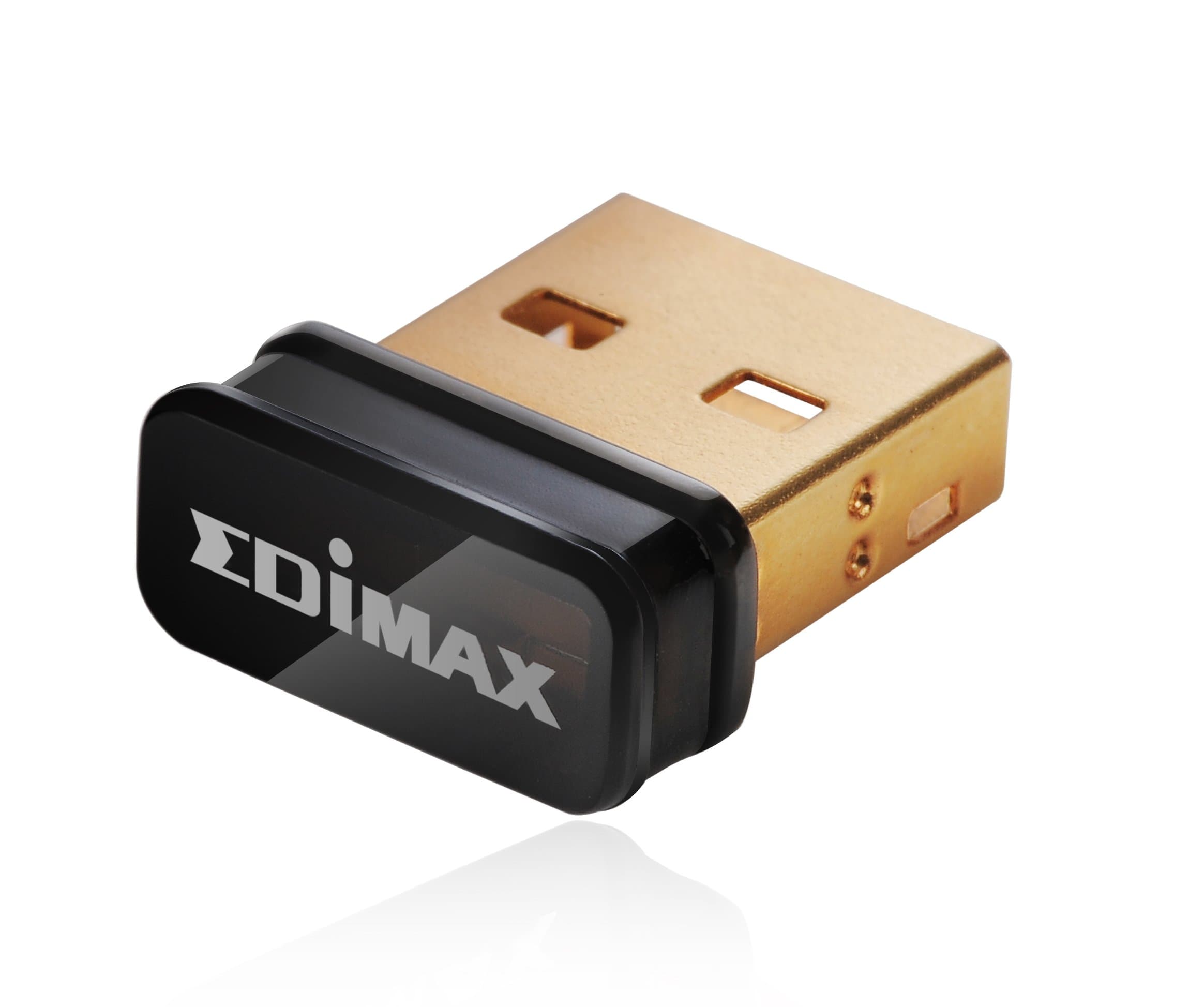
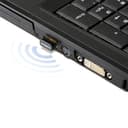
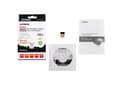
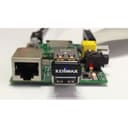
🚀 Tiny adapter, giant Wi-Fi power — never miss a beat!
The Edimax EW-7811Un is a nano-sized USB wireless adapter supporting IEEE 802.11b/g/n standards with speeds up to 150 Mbps. It offers up to 3 times the coverage of legacy 802.11b devices, smart power-saving features, and a user-friendly multi-language setup wizard. Compatible across Windows, Mac, and Linux, this ultra-compact adapter delivers reliable, high-speed wireless connectivity in a near-invisible form factor—perfect for professionals who demand seamless internet access on the go.
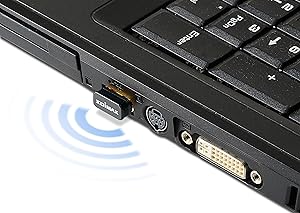


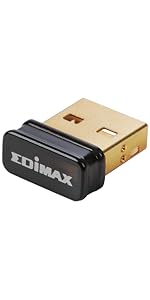

| ASIN | B003MTTJOY |
| Best Sellers Rank | #2,095 in USB Computer Network Adapters |
| Brand | Best Price Square |
| Built-In Media | Computer Peripherals^Network Adapters^USB Network Adapters^ |
| Color | Black/gold |
| Compatible Devices | Desktop |
| Compatible Operating System Family | Linux, MacOS, Windows |
| Customer Reviews | 4.3 out of 5 stars 17,238 Reviews |
| Data Link Protocol | IEEE 802.11b , IEEE 802.11n , USB |
| Data Transfer Rate | 150 Megabits Per Second |
| External Testing Certification | CE, FCC, WiFi |
| Global Trade Identification Number | 00649659022706, 05147841665052 |
| Hardware Interface | USB 2.0 |
| Item Dimensions L x W x H | 5.5"L x 3.5"W x 0.7"H |
| Item Part Number | EW-7811Un |
| Item Type Name | Edimax Sm 150Mbps Wireless Nano Adapt (EW-7811UN) |
| Item Weight | 27.22 g |
| Manufacturer | Edimax |
| Mfr Part Number | EW7811UN |
| Model Number | EW-7811Un |
| Product Dimensions | 5.5"L x 3.5"W x 0.7"H |
| UPC | 649659022706 |
| Unit Count | 1.0 Count |
| Warranty Description | 2 years part and labor |
D**N
Low expectations, fantastic outcomes so far
I really was expecting these to be a failed purchase. I thought I'd give them a go almost as a novelty... I feel silly now, as they are brilliant. Driver dependency is heavy, don't expect to just plug them in and go as some of the larger clunkier ones would allow with onboard drivers or the ability to use generics. But really it would be kind of giddy to assume otherwise with these things that are so small as to seem unlikely to be effective in any real-world applications. I would do a pro / con, but have no cons.... Perhaps because I just expected the worst, leaving me with nowhere to go but up. - Size: Tiny - I can *almost* close the USB flap on a Dell Duo Convertible with the thing in. I would forget they were in a USB hub if not for the flashing LED. They are practically nonexistent in a tower USB port, front or back. - Reliability: I have used them in odd situations, and have yet for them to be the source of an issue. Mixed NIC environments present the usual hazards, but nothing additional that I've noticed. - Range: Again, I have had low expectations, and so I used them mostly so close to the wireless source that I couldn't judge fairly. They have fit the bill at 25+ feet from the nearest active AP handily. Walls and obstacles have not buggered the connectivity. That's more than I would have expected, your situation may differ. - Price: Cheap, especially considering the awkward situations that they can be used to resolve temporary issues and the time sink potential in those situations if you don't have a quick-and-dirty answer. I will likely keep a small stack of them around indefinitely. So far I have used these in scenarios like: - Emergency connectivity for DNS server mishaps on domains - A replacement for troublesome hard-connections in nearby Win 7 64 workstations - As a makeshift NIC array via a USB hub for Windows 2008 R2 Datacenter servers requiring multiple connections but lacking the hardware - Onboard fail-safe connection (by pluging one into the unusually placed USB slots on Dell and Supermicro server boards, just leaving them there,disabled or otherwise inactive, just in case all other options are bunk) - Near invisible wireless connections on Netbooks, Dell Duo Convertibles, Legacy laptops. I can't attest fully to their cross platform usage yet. But I have several unusual server and wokrstation builds across the SUSE and Ubuntu spectrum that I will certainly be giving them a test on. I have a pretty fair expectation that as long as the drivers install as expected, they will be effective there too... I have used them as a guest captured NIC for Linux and Windows virtual appliances and servers with some success, but as there is a significant abstraction layer there, that doesn't seem like an overall statement about their usage in a standalone environment. So this is one of those times when a shot-in-the-dark actually has paid off in volume... I would (and will) purchase more of them, either for specific applications or more likely as a brilliant addition to my "what if" toolset. If there is a downside, I haven't found it yet...and I have used them in some pretty weird circumstances so far... There may well be better out there, I just stumbled on these, didn't really invest in thorough product research. I grabbed some of these along with other variant wireless and USB NICs for emergencies and peculiar issues. These are the ones I have used almost every time. The rest of that collection of variants remain safely boxed on the shelf.
L**R
Windows-10 Software Updates That Work!
I recently upgraded my old Windows-7 laptop to the “free” Windows-10 promotional offered from Microsoft. Even under Windows-7 the WiFi interface had been problematic and the issued continued under Windows-10. Given the advanced age of the laptop, I didn’t want to invest a lot of money fixing the WiFi. In reviewing Amazon’s USB WiFi solutions, the Edimax EW-7811Un appeared to be likely low cost solution were it not for the large number of negative reviews which were offset by the still larger number of positive review. I decided to take a chance and ordered the Edimax EW-7811Un. When the Edimax EW-7811Un arrived, I was able to use the default Windows-10 and Mini CD-ROM to install the driver and support software; however, neither solution worked for longer than several minutes before failing. Most troubling was that the Edimax EW-7811Un “ALMOST” worked. When I read the current product reviews, as they pertain to Windows-10, I realized that my experience was not unique and there were a number of unhappy people who ordered the Edimax EW-7811Un for use with Windows-10. In reviewing several USB WiFi solutions on Amazon, I noticed that the Windows-10 upgrades were more problematic. This could be caused by (1) older and slower hardware or (2) the Windows-10 upgrade image was not quite the same as a native Windows-10 image. For several days I considered writing a scathing review while devising alternative solutions but kept returning to the fact that the software was almost on the cusp of working. Finally, I called the Edimax support number, expecting technical support Hades, only to be quickly connected with a knowledge support technician. When I described the problem, the technician indicated that the wrong software was being distributed for Windows-10 and provided guidance on where to find the correct software, which was not on the primary Edimax website. As Amazon doesn’t support the posting of URL’s, the following navigation is provided on where to find the correct software: Navagation: edimax.us | support | download drives On the “Driver & Manual Download” page, go to Section 7 and download the ZIP compressed driver EW-7811Un Win v1.0.1.4, which is the first entry in Section 7. I used a tablet to download the file EW-7811Un_Windows_driver_v1.0.1.4.zip and then transferred the file to Windows-10 using a USB interface. Un-ZIP the file, using Windows-10, and then run the program “Setup”. This not a GUI and runs under a DOS shell, so just wait until it completes. As Edimax Support recommended, reboot your Windows-10 system, and you should be good to go! A few off-the-cuff observations: (1) A built-in laptop WiFi generally has a hidden and sometimes large antenna under the case. The Edimax may not work in WiFi marginal areas of your home. There are Edimax products with large external antennas but these will not have the small form factor of the Edimax EW-7811Un. If the connection is very poor the Edumax is flagged as “Turned Off” and you may have to use Windows-10 to re-enable the WiFi. This could be a bug! (2) I noticed that the Edimax EW-7811Un sometimes appears to go to sleep. Turning Device “Power Management” OFF may correct that problem. I have now run a four hour series of serious stress tests and, with the exception of marginal areas in my home, the Edimax EW-7811Un has performed well. I am giving this product “Five Starts” because of the good performance at a very affordable price point. Yes, Edimax’s software quality control was troubling in this case, but I would give their Technical Support “Six Stars” without a second thought. Microsoft Windows-10 upgrade policy was highly innovative and has given new life to older hardware and after market upgrades such as the Edimax EW-7811Un. Edimax and Amazon have to do a better job of communicating the good news to their customers.
G**N
Very Nice Little Adapter - software a little buggy...
This little adapter works and at a great price! Its wonderfully compact and the speed feels comfortably fast on my older system. That said, it was not easy to set up, but Edimax Customer Support was very helpful. I think the ease of setup has a great deal to do with your wireless router and the router's software. At the time of purchase, I had a Linksys E3000 router. I hate that router (and I used to LOVE Linksys routers! The hardware was very serviceable, but the software was abysmal!)! I purchased this adapter for an old Mac 1.6GHz PowerPC G5, running Mac OS 10.5.8 (Leopard), which did not have built in WiFi. I use this system for older applications that I still need access to (or for when my kids need internet access). I downloaded the software from the Edimax site. Setup went smoothly. The Edimax Wireless Network Utility must run in the background to allow wireless access like other wireless adapter of this type. The Edimax Network Utility showed I was connected to my wireless network with my Linksys E3000 wireless router. However, the E3000 required a static IP address and completely manual setup to get a connection to the internet. When that router (Linksys E3000) recently died, I replaced it with an Apple Time Capsule. Once I started up the Network Utility, I easily connected to the network. Next I deleted my old Network Adapter profile in Network Settings and set up a new one, entering the DNS server and Search Domain addresses. My IP address was immediately supplied by DHCP and I had my internet connection. During use I found that I while can set up the Utility to startup when the system does, I must sign on to the network each time to get network access. The network password does not appear to be saved. With the E3000 this process usually took MANY attempts, over as much as 30 minutes time. Adding devices with the E3000 was alway a chore. With the Time Capsule, connection was immediate. It may be possible to set the Network Utility to auto-connect to the internet, but I have not been successful. Use of this adapter is much easier with the Time Capsule. I just start the Network Utility, select the profile and click "apply". Enter the network password and click "connect". I then can hide the Utility and use whichever browser or access network drives as I desire. When I finish network activity I quit the Network Utility. There is one really odd thing I noticed which is why I gave this router 4 stars instead of 5 and why I quit the Network Utility immediately after use. I was working at my main station in my office while one of my kids left the G5 on and walked away without shutting down (again!). After a while, I hear a sound that started low and increased and increased in volume until it sounds like there is a jet plan in the office with me! It was the fan on the G5! I couldn't make it stop or shut the system down normally. I had to literally pull the plug. As it happens with my kids, they forgot to shut down on other occasions. If they were simply using Word or Powerpoint, no fan. If they browsing the internet... jet plane. I realized that if the Network Utility was left running while not in use, and the computer went to sleep, the G5's fan would kick on with ever increasing speed. Weird! If the computer was left on and the Network Utility was off, this did not occur. While I have not tried to repeat the jet plane/fan experience since installing the Time Capsule, I don't need to. I never let the G5 go to sleep with the Edimax Network Utility on. I believe there is a software issue here. I had a Netgear Wireless G54 Adapter prior to this. It worked poorly on the rare occasions that it worked, but its software never turned my system into a jet plane. This adapter WORKS even if there is a bug and the workaround is simple - just don't be lazy, turn the software off when not in use. For the price, I'm very satisfied.
C**S
Inexpensive, Easy Install, High Quality, Very Durable, and Extremely Reliable
Some how my son managed to kill the WIFI network in his laptop computer. Rather than face an expensive repaired and being without the system for an extended period of time, I ordered one of these and in two days he was back up and running and it has never missed a lick. Sometime later, I had loaded one of my older laptops to my ex-wife, and again somehow the internal WIFI interface managed to die. Edimax to the rescue, I ordered my second adapter and gave it to her when it came it. Not very technical, she managed to install the device and drivers and configure it for her home WIFI network. This makes the third one I've ordered. Not due to a failed interface, but a desire to have my desktop system wireless. I decided to move my cable modem/WIFI router combination to another room rather than were my home office is located. So I installed this is my desktop system and now it's off and running wireless. Eventually I will be setting up another system for my younger son and it to will have one of these and be wireless as well. A few months have past and I'm continuing on my process of making all the devices in the house wireless. Been doing some reading and was wanting to get more speed out of my wireless connection on my primary desktop. As it stands, it this Edimax has plenty of speed for browsing, YouTube videos and most of the time Streaming Videos. I do a lot of remote desktop to work and on occasion I was getting some lagging and have upgraded this one to an Inamax AC1200 which I will review over there. I've moved this one on the another system in the house. Great performer and never misses a step.
J**B
Excellent Product - Used on Windows XP
Shockingly small. Installs facilely. Works very well. A used laptop that I inherited had an internal WiFi card that I could not get to work. After an hour or so screwing around with it, I thought, "screw it, I'll just go external." I found the Edimax after a short websearch. Small, inexpensive, and good reviews. I ordered. I will update this review if there are any issues with the unit. Installation was simple, except for the fact that my XP machine has a fixed disk drive that doesn't accept small disks. I had to rip the image from the small disk and burn it on a regular CD. After that, the installation auto-ran and the WiFi was connected and working within minutes. Download speeds through the router and the DSL modem are comparable to computers on the LAN that are hard wired to the router. Overall WiFi speeds are about 50Mbs, which is plenty fast for anything I would ever want to do on the network. That is about 10 times faster than my DSL speed. The unit has not dropped the connection at all - I have not investigated range, as that is not particularly important to our application. Overall, extremely impressed with the technology and the unit - highly recommended, unless your CD/DVD drive does not have a small-disk depression in the tray or button onto which you snap the disk. Some work is required if you have a silly drive like mine (Dell!) that is fixed inside the laptop and sucks in and spits out the disk, rather than having a tray that slides in and out.
K**R
For XP Users and Novices, Not Easy to Install
I read another customer review, mentioning that novices would have trouble installing it to XP operating systems. I did appreciate his comments because he was an expert user and he was right. I purchased this USB adapter to replace a broken LAN card inside my Acer Aspire One XP netbook, which is a few years old, but still compatible to use for remote access to workplace XP PCs. I also needed my Acer Aspire One to access my ASUS RT-N66U Dark Knight Double 450 Mbps Dual N Band Router. Pros: It is small, inexpensive, and once you do successfully install it, it does work. I tried watching 2 min clips from Hulu. It did perform adequately, but the speed of the connection varied widely from 14.2 to 58 mpbs during playback. My other Windows 7 laptops with working LAN cards did achieve 72 mpbs. It is adequate for accessing emails and regular websurfing. The Edimax adapter picked up signals roughly 25 to 30 feet away from me, separated by 2 walls, on the same floor. Because I don't have multilevel housing, I don't know if it will work vertically. I plan to use it in my office building to see if it can pick up weaker signals. Cons: It runs slightly hot. Since it is so tiny, I don't know if the heat will shorten its life. My netbook runs hot, too, which will affect the adapter's ability to disperse heat. The installation was pretty difficult. I think it might have been easier had I used Windows 7. Throw away the Quick Start Guide. It is a waste of time. It says only 3 things that are useful. Turn on your computer first. Then plug in the adapter. Cancel the Windows Hardware Wizard when it asks you if you need help installing it. It does not say to turn off your broken wireless LAN switch, which I did. Older devices will have these switches. You should deactivate your old LAN device through the START menu or Control Panel, if you don't have a switch. I also removed old network wireless connection SSIDs by right clicking the wireless icon and then choosing "View Available Wireless Networks," then "Change the Order of Wireless Networks." I deleted the old ones in preparation for connecting with my new router. Restarting may be a good idea. After plugging in the adapter, you are supposed to use the CD to install software. Throw it away. The drive won't read it. To get the software, I used an ethernet cord plugged into the router, went to Google, and found [...]. Oddly, the website is not written anywhere on the packaging, start guide, or CD. Save yourself time. Here is the link to the download site for the XP device driver and utilities: [...] Click on "driver" at the bottom of the screen. Don't bother downloading the "Manual." It is the Start Guide and nothing else. After you are done unzipping the files and installing them, you will be prompted to restart your computer. Meanwhile, you can connect the router to another laptop, using it to access the router dashboard software that shows the network traffic and security settings at the usual 192.168.1.1 site online. The new adapter should be accepted as a Client. At some point, unplug the ethernet cord from the ACER netbook. 2 wireless icons will be X-ed out. The Edimax icon looks like a misshapen Twinkie. The wireless icon that is connected to the broken LAN card will always stay inactive. "Wireless Network Connection 2" is the icon associated with the adapter. You will want this one to work. The tough part is getting the adapter to recognize the router. After clicking the twinkie icon, I could tell that it was trying to associate with the router. The SSID would flash, the IP address would register, but then the numbers would go to zero, zero, zero. I went to the security tabs in the Edimax icon, thinking that typing in the WPA2 passcode would help. It is definitely important, but still no results. I tried disabling and re-enabling the adapter to no avail. I activated AP and then changed back to Station settings. Then I tried the security tabs towards the end, which did not help at all. I rebooted again. Still no change. Finally, I went to the "Wireless Network Connection 2" icon in the Task Bar and used Windows to repair the connection. The adapter finally worked. It took me about 3.5 to 4 hrs of doing this, while answering phone calls and trying to eat, before I could get it to work. Customer Support is nonexistent and does not explain all the security terms and funny addresses, which someone like me would not understand. I will decide in one month, whether I will change my rating up or down. Update: 9/23/2013 I re-entered the websites for information because amazon did not allow me to paste it in. I re-typed the websites again. On the 6th floor of my office building, I was able to detect one Wi-Fi signal at 26% strength, ? 2 bars or so. The EW-7811Un could not detect the weaker out of the 2 Wi-Fi signals that are available. The Acer Aspire One old broken LAN card was able to tell me that 2 signals were out there, although it could not connect. That still means the EW-7811Un could not detect all reasonably available signals, which is a shortcoming. The good news is the EW-7811Un was more speedy today, for some unknown reason. I could get 90 to 120 mbps out of it. The old netbook was slow, however, because it has a single core Atom chip. After the MacAfee Antivirus software quit monopolizing the CPU, I was able to appreciate the quickness of the signal.
D**O
Precious!!!!
Agahdhsjajdjdj IT WORKS FLAWLESSLY!! That wasn't always the case though, for several freakin agonizing MONTHS almost a year, I had to wait for them to update their driver for Windows 7 or something. Their website had drivers for Everything under the moon EXCEPT freakin the latest Windows upgrade. I was so pissed off. I was on the verge of throwing this stuff away but luckily I decided to hang the box on the wall to remind me how foolish I was to purchase these wifi dongle. There it was. Edimax watched me as it hung on the wall, dangling it's corner right above my calendar. It teased me. Made it feel like a pathetic failure in life. Made me doubt myself. I spent hours, sometimes days, refusing to give in, to give up. I'd check the website to see if an update drive was available but alas I got nothing. This misery went on for months, dare I say even more than a year. I honestly lost count. As time passed, I made peace with myself. Edimax became part of my bland decor. It no longer had an emotional grasp on me. And then one bright morning, it happened. I don't recollect exactly, but some events unfolded, oh that's right, I tossed my laptop and completely broke internal wifi and LAN was out of the question. I looked all around for solution but couldn't get anywhere because I needed a wifi device. Lol and behold, my Queen, my Majesty who art thou hail from Edimax, beaconed and glistened to me. I hadn't seen her for all these time, why, I was surprised that I even recognized her. Oh My precious. How you have hurt thee. I looked online once more, again, several months have gone by, and I believe it bordered almost a year since I went on their website to check for an updated driver. As luck would have it and to the amazement of my eyes, THEY EFFING HAD THE NEW DRIVER!! I installed it, followed the directions, and bam, I immediately had wifi connection!!! Overall, it's been done years now and this wifi dongle (((NOW))) works FLAWLESSLY. P-P-PPRECIOUS!!!!
D**R
Do your research, buy a better product
I am a techy person...not incredibly advanced or in the IT field but have a basic grasp of technology and an understanding of how it works / am well versed in learning new things about technology very quickly. So that being said, I bought this after a friend who works in the IT field helped me build my very own computer. I needed this USB to connect to the internet. He didn't help me pick it out; I did it on my own. Now at first this worked well. Not very well, just well. Sometimes videos would be slow to load and things moved a bit slower than I was used to but hey, it got the job done. But after a few months, my internet has become unbearable. Where other computers connected to our wifi using devices that do not need internet usb's score high ratings when it comes to internet speeds no matter where I am in regards to the router, this USB gives me super slow internet speeds. I am used to my wifi signal being fully charged. This signal is usually on the lowest charge. To give you an idea, my YouTube videos usually begin as 240p or even 144p on a regular basis. The videos never stay in 720 or 1080p. That is a real issue. Even writing this review proves to be a challenge. Words don't load along with my typing speed which is really frustrating because I can't see if my spelling is correct until 10 seconds after I am typing. It's the little things you come to appreciate when you no longer have them. A word of advice that I have come to learn as an Xfinity customer. This USB only connects to 2.4 GHz, not 5.0 which apparently makes a big difference. It is only suitable for b/g/n connections. I'm new to this concept so I can't give any more detail but it makes a big difference. (Whensearchingforainternetu -- this is the result of typing on this slow connection. See how insane this is?) When searching for an internet USB adapter, be sure to search for one that has 5.0 GHz capabilities as well as a/b/g/n/ac capabilities. This one will limit you to new technology. But that technical stuff can't be the only thing holding this product back, right? Right. My guess is that this USB has poor visibility. I have it plugged in to the back of my computer which sits on top of my desk. I am upstairs and in the room below me is the router. You would think this is relatively good location but no, this USB can't even handle that. I write this review out of frustration. It sucks because this is a new computer which I built to improve my productivity yet am hindered by slow internet speeds. And before you blame Xfinity, remember that all our other devices are fast no matter where we are in relation to the router. Streaming with chromecast works perfectly in HD, my 5 year old laptop has fast internet despite low speed from old age, and my phone rarely has issues. It is clear this is the culprit. DO NOT BUY THIS. Do your research, get a better product.
Trustpilot
Hace 1 mes
Hace 3 semanas