We remain fully operational. Our teams are working around the clock to ensure your deliveries continue safely.

Descargar la aplicación


Servicios al cliente
Sobre nosotros
Copyright © 2025 Desertcart Holdings Limited
Descargar la aplicación
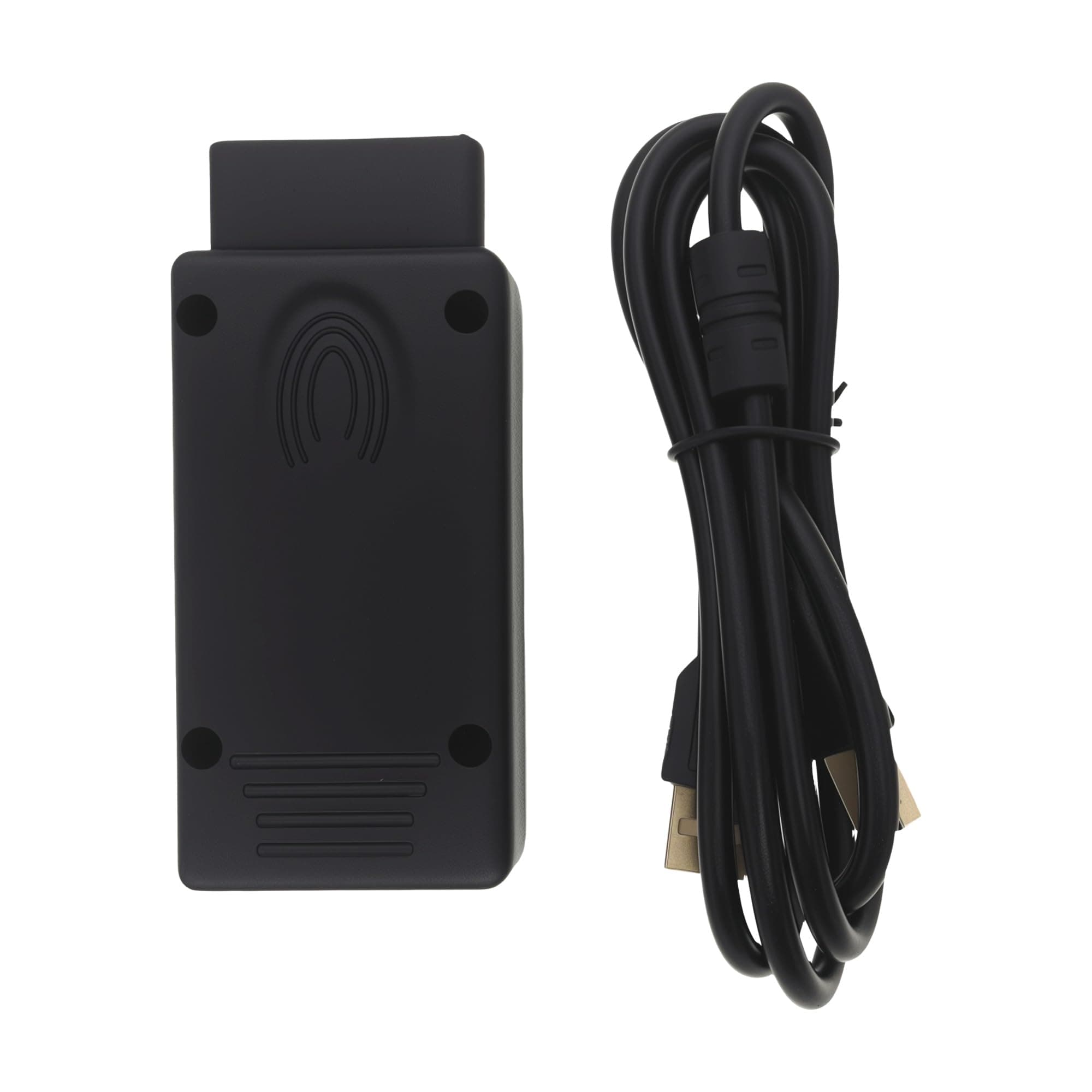
🔍 Unlock your BMW’s secrets with pro-grade diagnostics!
The BMW Scanner 1.4.0 V1.4 is a specialized diagnostic code reader designed for classic BMW models (E38, E39, E46, E53, E83, E85) that runs on Windows XP. It enables advanced error detection, module reprogramming, and mileage resets, providing enthusiasts and professionals a reliable, easy-to-use tool to maintain and optimize their vintage BMWs.
| ASIN | B008RHJTS2 |
| Best Sellers Rank | #179,928 in Automotive ( See Top 100 in Automotive ) #784 in Code Readers & Scan Tools #925 in Engine Tools |
| Brand Name | iSaddle |
| Customer Reviews | 4.2 4.2 out of 5 stars (392) |
| Item Dimensions L x W x H | 1"L x 2"W x 43.3"H |
| Manufacturer | iSaddle |
| Operating System | Windows XP |
| Power Source | Corded Electric |
| Screen Size | 4 Inches |
| UPC | 799665868079 |
N**S
Great value and functionality
Great for older Bimmers. Amazing value for the price. I was able to reprogram a locked MRSZ4 module after it gave me an error 240. My E39 had a DSC error and airbag light. DSC required the steering angle sensor adaptation which is done in LEW module which the tool performed with no issue and the MRS needed a clean BIN file which I was able to upload into the unit and adjust it's programming. No lights on the dash now. Tool is super easy to install if you follow the installation guide which you can find on the CD. I am very happy with it.
P**S
Worked
Worked great, was easy to install and setup, was able to reset the mileage in my e39 540i's LCM and the tamper dot went away (after a few cycles of the key).
T**S
E46 M3 & Windows 10 Compatible (with a little effort)
Worked perfectly. Used on a 2003 BMW M3 to program LCM. To have it properly read all vehicle modules you must solder ports 1&2 and 7&8 (clearly labeled on the inside of the adaptor). I am terrible at soldering, but was able to do it and the unit read all modules easily. Operating system: Windows 10 (with a little effort). This video shows everything you need to do to get windows 10 to work with the drivers for the device: https://youtu.be/bZLhlfDmmog Software: I did download drivers separately, but the device already comes with a CD that contains them (I was mainly just following the above tutorial step by step). The BMW Scanner software that comes with this (otherwise known as PA Soft 1.4) works flawlessly and I was able to both read error codes and program (with the above physical modifications to the device, otherwise it will only read the engine DME. I believe this is only needed on M3s though). Overall, for 20 bucks versus the cost of PA Soft w/ scanner ($650), this unit is WELL worth it if you’re willing to fiddle with it.
E**R
Great but hard to set up
Was a pain to get it connected but I was able to fix my headlight brights not turning on on my 2005 bmw 325i
C**O
Just go to a shop
First off, I almost bricked my PC trying to get this to work because there are VERY limited instructions and they are outdated. If any of you are reading that you have to disable secure boot and go into test mode, just don’t even bother, your computer will need to do a system restore just to start up again. Secondly, the CD came with multiple drivers and no instructions on which ones to use so you’ll likely spend hours trying to configure the right driver setup, and after all that it still won’t work. I won’t even touch on the fact that you may have to solder the pins together on this. Garbage. Do not buy. Go to a shop or buy a real diagnostic tool and save yourself the headache.
E**K
Must have for E series
This tool has a lot of capabilities for older bmws. The scanner can with the disk, install wasn’t too bad. Got drivers for windows 10. Pins 7&8 were already soldered which is nice. Overall worked great
N**K
Worked like a charm on Win 10 for 2005 BMW e53 4.8is
Even though the description says WinXP only, you CAN install it on Win10 64-bit. There are several instructional videos posted and the BMW 1.4.0 software & drivers are freely available online if you search for them. I just cleared my error codes and reprogrammed my DRL options. FYI: Pins 7 & 8 were already soldered together on the one I received which was great. The minidisc that came with it was cracked pretty badly, but it didn't matter as I used downloaded software. If you get a "Hardware Fault," either the unit is bad (bad solder joints) or you didn't install the drivers before running the software for the first time. Also, the unit is FRAGILE - DO NOT DROP IT! I dropped my original one and a couple solders broke away from the board and pulled out the circuits hence my need to purchase this one.
C**S
Coded my e46 Light Control Module perfectly
The product worked great. As others mentioned, it was a challenge getting the drivers to work. The software downloaded just fine on my windows 8 64 bit laptop. However , I the drivers for the obd 2 adapter had to be downloaded elsewhere. Then I had to force the computer to recognize them, it would not do so automatically. There are a few YouTube videos on it. Overall. Once it’s running. You can code some pretty crazy stuff. You can turn off airbags, change mileage, code your light control module etc..
P**O
Works well once you experiment a bit with various unsigned drivers and get Windows to install them.
S**R
Worked flawlessly for my Laptop running BMW Scanner software to edit modules on my BMW e39 530i
A**R
Faulty chip - Tried on four different PCs from winxp to win7 to win11. On every one it stated 'No device descriptor supplied.' Ordered one for half the price from AliExpress which worked straight away on all the same PCs. Was not worth the cost or hassle to try to return the cable. Hopefully mine was just a faulty unit and others have no problems.
E**C
Works great! Price point is awsome for what you get.
T**.
I managed to get this cable working with the software and drivers installed on a fully updated Windows 10 (version 1909) MS Surface. You will need to be patient and willing to try and try again. And then again. I read a lot of install guides (many of them outdated and contradicting each other) but in the end the 'release-bmw-scanner-inpa-drivers-for-windows-10-dummy-friendly-installation-guide' thread in e46fanatics worked for me (drivers and very good instructions are available via this guide). In the online forums, there is much talk about soldering odb2 pins 7 & 8 and (less often) pins 1 & 2. This product shipped with 7 & 8 already soldered, and I did end up soldering pins 1 & 2 as well (in one of my many attempts to troubleshoot this thing) but I don't think 1 & 2 made any difference one way or the other. For me, the final roadblock was that I have two odb ports in my vehicle. I have the odb2 port under the steering column which I plugged this cable into (expected), but I also have an obd port under my hood (unexpected!). If you have a similar setup you *MUST* insert jumper/short wires as per instructions also found in various forums. This resolved the 'Connection error with IKE and EWS' issues and suddenly everything worked. Very satisfying.
Trustpilot
Hace 3 días
Hace 2 meses