
Descargar la aplicación


Servicios al cliente
Sobre nosotros
Copyright © 2025 Desertcart Holdings Limited
Descargar la aplicación


🎤 Speak, Stream, and Smartify Your Life!
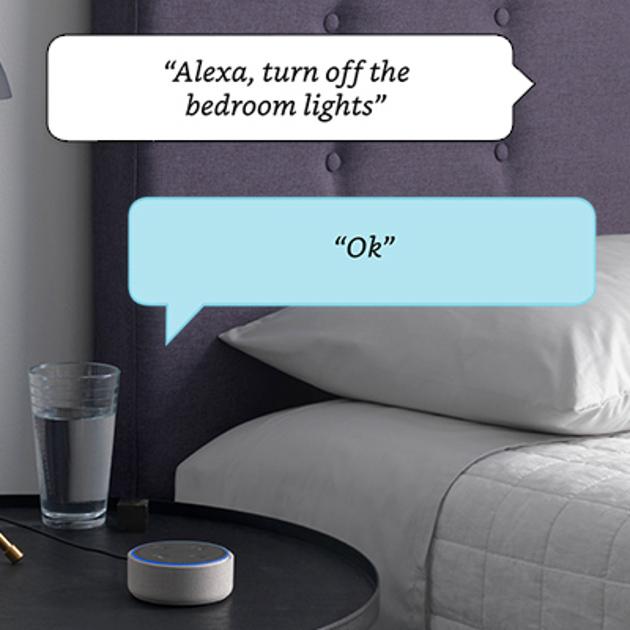
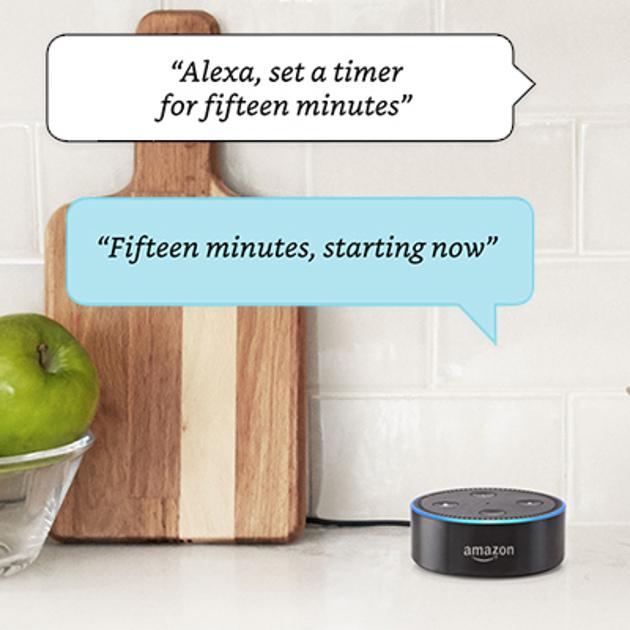
The Echo Dot (2nd Generation) is a compact smart speaker that utilizes Alexa to enhance your daily routine. With voice control, it allows you to play music, manage smart home devices, and communicate hands-free. Equipped with 7 far-field microphones, it hears you from across the room, making it perfect for any environment. Plus, with access to over 50,000 skills, it’s always getting smarter.




T**Y
AMAZING! Addressing questions I still had prior to purchase
What a fantastic device this is! I bought one on Amazon Prime Day, so I have only had it hooked up for a couple of days. I love it so much, though, that I ordered a second one so I don't have to keep moving it around. I also ordered an external speaker (via Amazon, of course) for the one I'll keep in the living/dining/kitchen area. There are so many fantastic reviews on the Echo Dot that I won't reinvent the wheel; instead, I will just address some questions that I still had even after reading reviews and etc. and hope you find it useful. Setup really IS a breeze. I am technologically-challenged, so I was a bit worried about this aspect of it. If you can download an app and read, you won't have any trouble. That said, I DID have some trouble initially because I was using my laptop, and the setup process kept getting stuck at connecting to the internet (she'd connect, but in the process, I lost my own connection). I did spend time trying to look for a solution but eventually gave up and downloaded the Amazon Alexa app to my Kindle Fire. Despite its poor ratings (I think it has only 3 stars, mostly because it doesn't appear to have been updated in quite some time), I found using the app to get the Dot up and running was easy-peasey and very fast (less than two minutes). Just follow the setup instructions, and Alexa does all the work (you do have to enter your wifi password, though, so have that handy). You do NOT have to have skills for Alexa to function. Skills are those add-on things that everyone's talking about that are like little programs you can open to do different things, sort of like "tools" on your phone or "calculator" and "stickies" (etc.) on your computer. I'm only adding that because I wasn't clear about that just from reading about them, and they sounded confusing (more on this in a bit). Without skills added, she is remarkable. To start, just say, "Alexa" and then whatever else, and she will tell you. She'll tell you the weather, the time, get any information you can think of (from Wikipedia), tell you about local stores (including hours, distance, and whether or not they are open when you ask--you do need to allow her to access your location via the app), tell you what day Christmas (or whatever) falls on in any given year, add things to your shopping list (accessible via the app, including off-line if using a tablet as I am), shop via Amazon (just say, Alexa, how much is [product]? She'll look it up and tell you, including different options, and then she'll ask if you want to buy it. Or Alexa, buy [blah]). And she will: tell you a story, sing you a song, read your news (she's preset to a briefing but you can change it to Fox or Reuters or NPR, etc. in the app), play any song via Amazon Music (I do not have a sub to the pay Amazon music, just regular Prime), tell you when sunrise and sunset are, and probably a zillion other things that I can't remember or haven't tried. To get anything to happen, just say "Alexa," and then whatever you want to happen. WITHOUT skills added, Alexa does SO MUCH: Some of my favorites already are the stuff you wonder or would like throughout the day (the time, the temperature, the weather, the news, timers, reminders, whatever), and for fun, I love the following: "Alexa, sing me a song" She'll sing "Take me out to the ballpark," some original material about how helpful she is (HILARIOUS), and a bunch of others. "Alexa, tell me a story" She'll tell you a quick little story, so far the ones she's told me are "clean" (i.e. appropriate for households with children) and quite sweet. "Alexa, tell me a joke" She'll tell you a quick little joke, some are groaners, but so far, they're all at least cute and fun. "Alexa, what's your favorite movie" She'll tell you and add a quick little blurb about why she likes it. She'll also set up an alarm for you without a skill. Just say, "Alexa, set an alarm." Ditto for reminders: I said "Alexa set a reminder for Monday," and she asked what time and what the reminder is for, so I just told her, and voila! Instant reminder to take the trash out. Another concern I had was whether or not I had to remember a bunch of commands, but it turns out, you don't have to be so picky about what you say when not using skills, just say what you think makes sense, and she'll usually get it. If she doesn't just rephrase it. For example, I asked her "Alexa, who starred in The Rifleman," but she said she didn't know. So I said, "Alexa, wikipedia, The Rifleman," and she told me about it, including the star of it (Chuck Conners). The initial blurb is short (less than 30 seconds), but she will ask if you want to know more (at which point, say "Alexa, tell me more" if you want more, or nothing, if you don't). I was initially worried that it would be too confusing to dive into skills and things I'd never heard of before, so I was relieved that she does so much without skills. That said, skills are definitely fun: I've added Jeopardy (Alexa, play Jeopardy) and Sleep Sounds (a great skill with a bunch of soothing sounds like rain, thunderstorm, ocean, and many more. They loop, so until you tell her to stop, she will keep playing them (I tell her to stop when I wake up). I also added this day in History (Alexa, tell me what happened on this day), Inspire me (Alexa, inspire me; she'll play you a random inspirational quote--so far, they are recordings not in her voice), and quite a few more. Most skills appear to be pretty picky about what you have to say to get it started, but the skill description provides the term to use to start it, and you can review your skills via the app). Remembering this stuff is not my strong suit, so I have to look in the app to remember what skill words are correct and will get the desired result. As with anything, the more I use it, the more I will remember. And I'm sure that skills will fall by the wayside as I either forget the correct phrase or quit caring about it. The Alexa app is pretty intuitive, and the menu is good, helping to find specific things you want to know. I do wish it had a "home" button you can click at any time because it's a pain to have to page back to it (or quit the app and restart it). You do not have to be right on top of her or even facing her for her to "hear" you. Just speak in your normal speaking voice. I have her in my living room, adjacent to my dining/kitchen area, and I said "Alexa, add pickles to my shopping list." My back was to her, and I was foraging in the fridge at the time, and she heard me perfectly and added pickles to my shopping list. That said, I've found that some skills mess with her "hearing," and that you have to yell in her direction to get them to stop (I deleted these immediately; who wants to stand around yelling at a hockey puck-looking object?). You can unplug the Dot and move it to another room, she'll just start up again on her own once plugged back in, including keeping all reminders and timers you've set. Dot cannot work without wifi, so it doesn't really matter that she doesn't have a battery pack in that sense. But there is no way to move her to a place where she cannot be plugged in and still have access to wifi. Security: She is always listening. Always. To stop this, you can mute her (button on top of Dot) or just unplug her to be doubly sure. She doesn't record anything you say unless you say "Alexa" first (or "Amazon" or "Echo" depending on what you prefer, I stuck with "Alexa" which she comes programmed to answer), but she will record anything you say after that even if she has no idea what you are talking about. You can manage these recordings via the app. Alexa calling: this does NOT work unless you have the app on your phone AND enable access to your entire contacts list. This is unfortunate and will hopefully be fixed at some point so that you can give only those contacts you intend to actually contact or wish to be contacted by via Alexa. That said, if you are so inclined, you can enable access and then go though via the app and block everyone you don't want calling/messaging you if they have Alexa (or the app). This is still too intrusive to me, so I'm not doing it. I think that's all the questions I still had before purchasing the Dot and hope it helps. If you are even thinking about getting this, I say, go for it. You will be pleasantly surprised by how functional she is before you add even one skill. ________________ UPDATE: 10/31/2017 I just saw that you can save $10 on a one-day deal on Echo dot. Buy one. Even if you aren't sure, for $40 what do you have to lose? Since I wrote my initial review, I have grown to love the Echo dot more than ever. My latest favorite thing is saying, "Alexa, good morning." She'll give you some fun fact or random observation about the day in question. I set timers, alarms, and reminders all the time, and she never fails (well, barring a power or internet outage). She will tell you the weather and when sunset and sunrise are. She'll cheer you up with a silly joke or inspirational message, and she'll tell you how many tablespoons equal one cup, she'll do whatever math you ask her, and she'll tell you if your apples are bad. The only downside that I can see is that the calling feature is still far too intrusive. Amazon doesn't need to know every contact I have; they need only those contacts I will contact via Alexa. When that happens, my happiness with this device will be complete.
S**D
Even better than the first Dot! Get Six!
Okay, I've seen many angry reviews from those who purchased the first Echo Dot for $90 They feel robbed after this newer one became released to the general public for almost half off. I can understand how nobody wants to be punished for being an early adopter but, to me, having the Echo Dot for those additional 5 months have been well worth the extra $40. Heck, I considered selling it used on eBay for $360 (before the 2nd generation Dot was announced) but couldn't get myself to part with it. After receiving the original Echo on November 6, 2014, Alexa has become an integral part of my home and it is great that these Dots are now so affordable that we can place them all around our homes and workplaces. Now onto the review of the product itself: Pros There are two areas where Alexa beats out the competition: Home automation and playing music. ♥ Home automation - EVERYTHING worth having works with Alexa. ♥ Music - Amazon Unlimited has every song I could think of and it lets you access songs without having to search for their actual title. Without the paid service, you still have access to millions of songs and stations on Prime Music, Spotify, Pandora, iHeartRadio, and TuneIn. ♥ The SPEAKER on the 2nd gen Dot is actually a nice quality tweeter than can be understood all over the room! I was planning on getting PC speakers for each of my Dots but that is completely unnecessary if you don't mind the lack of bass. I’ve plugged an Echo Dot into each of the main sound systems and the other five are scattered my home and work. ♥ Skills - They are always improving what Alexa can do. You can order a pizza, an Uber, a toothbrush (or anything on Amazon) just by asking. ♥ This new Dot is great to have by your BED! You don’t need to open your eyes to check the time in the morning. Any brilliant idea that you have while dreaming can be easily stored just by whispering into all of Alexa’s 7 ears. If you keep the volume on 1 while you sleep, it will not wake your partner and you’ll be able to fall right back to sleep more quickly. ♥ The voice recognition seems better and after the Oct. 20 update, I've no longer had any issues with multiple devices hearing and responding at the same time. Cons There is one area that could really be improved: GOOGLE searches instead of BING. ♣ After you ask a random question, 60% of the time she “wasn’t able to understand the question” she heard. When you pull out your Android phone and ask Google, you will get the answer you were looking for. This means, that on November 8th, I’ll have Google Home sitting right beside the Echo so that, together, they’ll do what I need. (If only they would merge forces, #Googazon) ♣ Having volume buttons instead of the spin wheel was a step in the wrong direction. However, in reality, you will use your voice to change the volume most of the time. ----[From this point on, I'm writing mainly to the Amazon team, FYI]---- Future improvements that should be implemented: ♦ You should be able to perform multiple tasks without saying Alexa in between each one. For example: “Alexa, play Justin Bieber on volume 8”. Right now, you end up saying something like: “Alexa, play Justin Bieber” then you frantically say “Alexa, STOP!” so that she’ll understand your upcoming command. Then, “Alexa, volume 8”. Then “Alexa, play Justin Bieber”. Too much work. ♦ You should be able to independently control volume levels for Alarms and Timers, Music, and Alexa’s voice. That way you won’t miss an alarm, you’ll be able to play very soft background music all day, and you’ll still be able to ask questions without needing to raise the volume to hear the answers. ♦ You should also be able to have the volume automatically change at designated times. I have to lower the volume to 2 for when I sleep and then raise it back up to 8 every day. It would be nice to be able to do this without a rooted Android and Tasker. ♦ Alexa would be the perfect robot helper if Amazon would work on designing the "Amazon Alexa Anatomy" (They might end up calling it something similar) Basically, it would be a moving, battery-powered, robot that brings the Amazon Echo to life. Here are some of my ideas of what it should be: ♠ The Amazon Echo lives inside, as the robot’s neck. ♠ Will come when hailed. ♠ Will always return to her docking station to remain charged. ♠ Multiple docking stations may be placed throughout dwelling to provide for quicker service. ♠ Alexa will naturally gravitate (much like a cat) to the room where the most humans are present. ♠ Her movement will be achieved by wheels underneath the machine. ♠ A robotic vacuum can fit underneath her and will be able to charge at same docking station. ♠ Her head / eyes will be a projector that can display song lyrics, information, and media. The core of her body will be sold as an empty box for storing things but may be upgraded in several ways depending on need and budget: A touchscreen display / micro fridge in the likes of the Samsung Family Hub refrigerator. ♠ Deliver food and drinks in its attached microfridge. ♠ Refrigerator cycles off when undocked. ♠ The insulation will keep the food and drinks cold during the short trip away from the docking station. A Plant pot with various herbs and spices growing to help cook your meal A multi-purpose closet for: ♠ Sponges, scrubbers, wipes, spray bottles, and similar items. ♠ Books, toys, and games. ♠ Clothing ♠ A 3D Printer. ♠ A 3D food printer. ♠ A regular printer. Her Arms, Hands, and Fingers will act as a Swiss Army Knife of the most desirable tools (All purchasable Separately). Arms ♠ Umbrella ♠ Cane ♠ Paper Towels ♠ Portable Vacuum Cleaner Hands ♠ Tissues ♠ Wet Wipes ♠ Storage for wallet ♠ Inductive Charging Dock and phone holder ♠ Smartwatch charging dock [on wrist] Fingers ♠ Screwdrivers ♠ Bottle Openers ♠ USB Drives ♠ Charging cables ♠ 2.1 Amp, 5V, USB Charging Ports ♠ Scissors ♠ Knife ♠ Small, Detachable Flashlights ♠ Key Holders ♠ A personal defense taser ♠ Finger and Toenail Clippers ♠ Band-Aids ♠ Antibiotic Ointment ♠ Pill Caddy (for Advil or Tic-Tacs) ♠ A cat laser toy ♠ Small tape measure ♠ Condiments (Ketchup, Mustard, Salt, Pepper, Hotsauce..) If anybody wants to work with me to make this happen, please reach out to me at stefanpauloswald at gmail.
M**R
This is so much fun
Update: we have been using the whole family of alexa products. This system has proven to be more than just novelty to our family. My mom is wheelchair bound and oxygen dependent- her oxygen stopped working correctly and alerted a monitoring system - the medical supply company sent out a tech to repair her oxygen- when a person has low oxygen they don’t function alert enough and for this reason she was not answering the door - i got an alert tone on my phone (while out of the country) that someone was in my driveway- i was able to view my cameras and saw it was the repairman and he had been trying to get someone to answer the door. I couldn’t get my mom to answer the phone, so i “dropped in” with echo dot - still couldnt get her to respond. I tried calling my son who was in an upstairs apartment (phone call wouldnt go thru) so i “dropped in” on him to tell him to check on her. I then used the nest camera to tell the repair man not to leave - as my son met him at the door i was able to drop in with the alexa show and give him permission to repair the equipment- needless to say everything worked out, mom was ok, and alexa was invaluable..... i love all of my alexa stuff, ie cloud cam, show, dot, as well as the items that work along side ie harmony remote, tp link switches, nest cams, and plugs, hue lights... First impression: This is so much fun : its worth the price just for the simple novelty of it. If you only use this to play music - the value exceeds the price. If you you use it for home automation as well as music and entertainment then its exceeds all expectations and worth its weight in gold. Day 1: I could set it up without reading directions (I already knew i had to install the alexa app on my phone to set her up.) Our family was using her within 5 minutes of opening the box. In my opinion it is pretty intuitive, she was able to find music in 9 out of 10 tries - even very obscure unknown music. She had 5 people making demands of her and she could understand all of our voices. We could pull up our audio books from audible with a tiny learning curve. We quickly realized she could learn skills - we had her telling jokes and interacting with all kinds of silly commands. One of my favorite things was found by accident - it was heart melting, our adult daughter is pregnant and I noticed a "pregnancy center" skill - I was able to tell alexa the due date and she proceeded to tell the family about week 26 and more. Once that skill is set up you can get weekly updates specific to your due date (truly heart melting).... she is a pretty good calculator - my 14 year old was asking her square root questions, she is an alarm clock out of the box and worked without problem. We have found other commands to get her to stop talking - sometimes a "skill" does not respond as you might think and we discovered by accident that you can say "alexa, shut up" and she closes that app. Now as a disclaimer - in our household I dont like to say "shut up" , I imagine there are other key words that can stop her equally as well - but it worked for me at the moment and at that point I had not done my due diligence to find a "stop" command. I have home automation items that I am already adding on to her and we already have a nest thermostat being installed in a few days. My husband has already put in a christmas request for his office at work and one for travel. This will make a great gift for the Holidays this year... I absolutely love this silly thing.
M**E
Dot, Echo or Google?
10/03/2018 Update: While I still like my Dots and Echos, Google assistant is better than Alexa especially when it comes to questions with multiple phrases, technical or is not a simple reaction to a command. Google has a sense of humor whereas Alexa - not-so-much. Off-the-wall questions to Alexa illicit either a blue and cyan light without any response, an "I don't understand" response or something which makes absolutely no sense. Here's a simple, and funny, test to try. I apologize for anyone that is offended by this example. Ask each of them if they farted - Google assistant will crack you up - at least she did me. Alexa on the other-hand completes fails to understand what you're getting at and eventually goes on to define flatulence - boring. Don't get me wrong I still use Alexa extensively as I have integrated the Alexa eco system into my environment over time - I guess you could say that I have allowed myself to be assimilated and now part of the Amazon collective ;-). Nevertheless, the Google machine learning algorithms are superior to the ones used for Alexa and seem to be getting even better with regards to true interaction. I can ask both the same questions and I will often get back "I don't understand" or some off-the-wall response from Alexa. To be fair, the Google machine learning algorithms flake out as well from time to time. So far, I believe that Google has failed to exploit what they've developed whereas Amazon keeps pushing the envelope. I also expect Alexa to improve over time. Both Google and Amazon would benefit from development teams with a bit more creativity I think, but hey maybe I am just weird and what I like diverges far beyond the market both are selling. The net-net is get both, even if it's nothing more than a Dot and a mini. This will give you the best of both worlds. Forget about Siri, Apple completely blew that opportunity. Both the Dot and mini are frequently are discounted, so just wait for the next discount on whichever one you want or don't have and then you'll have them everywhere. You can even do some relatively simple hacking and use either in the car or just wait a tiny bit longer for Amazon's Echo Auto which I expect is just a much better productization of my hack using things I already had laying around. ======================================================================================================= I purchased an Echo and and a Dot about a year ago during Black Friday and have added to the collection since. I got my first devices soon after getting out a lengthy hospital stay. My surgery had been challenging and I was pretty much bed-ridden for eight weeks afterward. Needless to say I was miserable due to being bed-ridden and my inability to hardly walk or care for myself. I had previously been somewhat familiar with the Echo and Dot, but had never taken the plunge. I decided to get my first two devices shortly after discovering Audible and seeing that the Echo products, Audible and TuneIn were compatible. The Black Friday discounts were pretty enticing as well and given my health at the time and lack of anyone to help me compelled me to make the plunge. In hindsight, the product combination, capability and timing was a Godsend for me. In combination they helped me make through a difficult and challenging period. Alexa allowed me to control my lights, music, check the news and weather, listen to TuneIn, Pandora, set alarms, medical reminders and timers, listen to books via Audible, and even tell me good morning and good night all from my bed. In terms of sound quality, the Echo is hands down substantially better than the Dot, but I compensated the shortcomings of the Dot's speaker by pairing it with a JBL Charge speaker that I had gotten for my recovery ahead of time. Fast forwarding, my Alexa Eco system has grown in combination with my overall home automation. Overall, I think the Dot and the rest of the Alexa ecosystem are awesome (see my review on the Fire TV 4K Ultra for what else you can do from a video perspective), especially when it comes to home automation and control. In terms of sound and responsiveness, the Dot is not as good as the Echo. The Dot's sound quality is understandable. The sound quality of the Dot can be addressed by using external Bluetooth or powered speakers with an analogue input as I mentioned previously. Or if you happen to have Sonos speakers, then sound quality is a non issue since you'll use the Sonos speakers in either case. In terms of responsiveness, the Dot is just not as good as the Echo. I find myself having to sometimes repeat myself to the Dot, especially if music is playing and the DOT is placed too closely. The Echo appears to handle this type of scenario much better. If you don't have external speakers and you plan to use for listening to music, then definitely pay the extra to go with the Echo. The sound quality is substantially better with the Echo. But if you're interested in primarily listening to Music get the Dot and pair it up with a SONOS 1, a bit more expensive but a great combo and you can pair the Sonos speaker with other devices and services. The Dot is still a great product if you're not going to use for listening to music or if you already have external speakers you can use with it. A fun Alexa capability if you happen to have multiple devices and want to listen to the same music in multiple locations in your home then you can use the Alexa app to set that up. I really like this capability and find myself using this option frequently. Where the Dot and Echo come up short in my opinion, is if you try to address things in a more conversational manner or to answer questions. Neither product does very well in this area, they actually do pretty poorly. Whereas the Google Home and Mini excel in this. The Home and the Mini provide better answers to most question compared to Alexa Echo or Dot. The Google cloud server is just better at this type of thing. I can also access songs and other content from YouTube using the Home or Mini and use Chromecast to cast it to another device. Neither of which can I do with the Dot or Echo. YouTube access is huge for me, I wish Amazon and Google would play nice together and allow each other's devices access to one another's content. I have to admit, despite that I am a huge Alexa fan, I really like the Google devices and their capabilities. However at the same time it get's very annoying and sterile having to say "Hey Google" over and over again. "Alexa" is so much more pleasant. Additionally, the Google devices do not currently work with Sonos whereas the Dot and Echo do. I am not sure if Sonos/Google integration will ever occur, especially now that Google has introduced it's own Sonos-like speaker. So which do you choose if you're just starting out? I would say it depends on a number of factors. If you have a preference for one or the either's Eco system, then let that be your guide. If you want to have somewhat of a conversation, get nswers to questions or listen to a lot of YouTube content and you don't mind saying "Hey Google" over and over again, then I would recommend either the Google Home or Mini. If you're going the Google route, then I would skip the Home and go with the Mini personally and pair it up with one of the Chromecast devices and some low cost (or better) speakers. The Google Home and Mini are pretty good for home automation use, but the Echo and Dot still have them beat in that area (although the gap is starting to close). I should mention, at least at the time of this writing, Alexa has some periodic problems with Hue lights. You can ask Alexa to turn on a particular device and she may turn on all of your Hue devices which can be frustrating if you didn't want them all on. The problem is absent from the Google devices. If you already have, or plan or getting Sonos speakers, then go with the Dot. Although if you're considering the Sonos 5, you may want to compare it to the Google Home Max which is $100 cheaper although not as functional yet. If you just want to listen to Audible content, newscast and sports then you could get by with the Dot alone, but I would recommend that you jump to the Echo. I really wouldn't recommend the Dot as a standalone unit. It's better if you already have some overall use in mind such as controlling your lights in which it would work nicely. Don't get me wrong, the Dot is a great little device, but not as a standalone unit in my opinion. If you're on a limited budget and you're starting from ground zero, go with the Dot and purchase a low cost, compatible speaker to go with it. The Google Mini doesn't have an analog port like the Dot does, but you can pair both devices with Bluetooth capable speakers. Despite the limitations in the conversational area, there's a large number of Apps and products that already work with the Dot and Alexa - plus you don't have to say "Hey Google" all the time ( ;-) maybe it's just me that's bothered by this - I really wish Google would change this). If you have the money, but not sure which direction to go in or want the best of what's available from each ecosystem, then get a Dot, a Google Mini, a Sonos Play 1 and one of the Chromecast devices and figure out how you want to grow from there. Light Ring Status Meanings: I thought I should also mention something about the light ring status indicators as they can sometimes be a bit confusing and the Alexa app does a poor job of communicating what they mean. You can find light ring meaning if you check Amazon Device Support › Echo Help › Getting Started with Echo› on the Amazon site or check in my review below: * Pulsing yellow light - A message or notification is waiting for you. Say, "Play my messages" or "What did I miss?" To learn more go to About Alexa Messaging at the site I mentioned above. * Pulsing green light - You are receiving a call or Drop In on your device. To learn more go to Answer or Ignore Calls on Your Echo Device at the site I mentioned above. * Single flash of purple light after an interaction with Alexa - Do Not Disturb is active. * Spinning blue light that ends in a solid purple light - Do Not Disturb is enabled. To learn more, go to Use Do Not Disturb for Alexa at the site I mentioned above. * Continuous oscillating violet light - An error occurred during Wi-Fi setup. To learn more, go to Your Echo Device Doesn't Connect to Wi-Fi at the site I mentioned above. * White light - You are adjusting the volume level on your device. * Solid red light - You have turned off the microphones on your device. Press the Microphone button to turn on the microphones. * Orange light spinning clockwise - The device is connecting to your Wi-Fi network. * Solid blue with cyan pointing in direction of person speaking - Alexa is busy processing your request. * All lights off - The device is active and waiting for your request. * Solid blue with spinning cyan lights - The device is starting up. I hope you enjoy your Dot as much as I have enjoyed mine.
R**D
Echo Dot + Bluetooth Receiver + Amplifier (mini) + Bookshelf Speakers = nice system
This review covers the Echo Dot, HomeSpot NFC receiver, SMSL SA50 amplifier all connected to a set of bookshelf speakers I owned for a nice voice-activated system. All of the devices I mentioned are fine performers and well-regarded, so I won’t repeat what others have said. The real purpose of this entry is to provide a step-by-step setup for other technically challenged folks out there and because of the frustration I had while trying to figure it all out and not finding a simple explanation to get it done. Hopefully, this will extend the ability for some folks to provide themselves with a nice music solution using the dynamite little DOT that is slick and doesn’t break the bank. I got an Echo for Christmas last year and have really just started to maximize its abilities, but it doesn’t do Bluetooth. When I saw that the Echo Dot had dropped significantly in price, it was capable of Bluetooth AND its performance had been improved. Several uses for the Dot came to mind, but I realized I had a very nice set of bookshelf speakers that were not being used and setting those up for voice activation use for Amazon Prime Music/Radio, iHeart, Pandora and TuneIn. A great alternative to using the smaller Echo or Dot speakers. Plus, voice control is pretty cool. You won’t confuse this setup with a conert hall, but it is a major upgrade from the little Echo / Dot speakers. I found a variety of ways to connect the Dot to speakers. Complexity, expense, technical setup expertise all affected my decision. Since I had the bookshelf speakers, it made the decision to set up a Dot, a Bluetooth Receiver and an Amplifier. First I bought a new Dot (I got the bundle with the TP-Link outlet). Next I needed a receiver. The HomeSpot NFC was the choice. It got about the best reviews and was nicely priced. The really big decision point here is that it DOES NOT auto-connect to the Dot. That was a key point. I wanted the flexibility to use the Dot as a standalone unit OR connect to a BT receiver/speakers. The combination of performance and no auto-connect made this an easy choice. If I had chosen a receiver WITH auto connect, I was going to use a TP-Ling or wemo outlet and use that to turn the little system on and off. Next was an amplifier. Again, reviews, performance, price combined to make the SMSL SA50 a simple choice. There were other contenders that would have worked, but the extra power from this one nudged me in its direction. Once everything was ordered and received, here is how I set it up: 1) If not yet done, set up Echo Dot and connect to Wi-fi 2) Connect the output of the receiver (HomeSpot NFC) to the audio input of an amplifier (SMSL SA50). 3) Connect the amplifier (SMSL SA50) to the speakers (Check to make sure the amplifier is not set to max volume. It can be turned up later) 4) Push the small button on the back of the HomeSpot NFC (between the plugs) to put in pairing mode >> If your phone has NFC,you may be able to just tap it to the HomeSpot audio receiver to make an instant connection 5) Pair the receiver (HomeSpot NFC) to the Echo (Dot) via Bluetooth: > Open the Alexa App on your phone or tablet > Go to Settings > [Your] Echo Dot > Bluetooth > Pair New Device > Find your HomeSpot receiver and pair it (mine is GT-BT Rec) If paired, the audio (including the Dot voice) will come through the speakers If NOT paired, the audio will come through the internal OT speaker. Try to pair again. Some Notes: > After initial pairing, the Dot will quickly reconnect to the receiver with a "Connect" command > The Dot will disconnect with a “Disconnect” command and will NOT auto-connect > Green light flashing means the receiver is no longer connected. > If the playback levels get too high, there may be distortion – use the volume control on your amplifier > The receiver and amplifier must both be constantly plugged in. > If you decide to use your big AV receiver, it must be turned on all the time. And you need to switch to the BT audio. And you need to figure out how to hook up two sets of speakers OR use one set of speakers with two outputs. This is why a standalone mini amplifier might be a better choice.
D**D
My personal favorite of all the virutal assistants so far with great potential for further future development.
Disclaimer: OK so it doesn't say I'm a verified purchase because I didn't buy it from Amazon. I bought one on a whim from Best Buy because they were on sale during the ridiculously titled Cyber Monday Week. I've been blessed with a job where I can afford to buy myself stupid impulse toys and this was one of them. I picked up one of those Chromecast Audio clips too some time ago in much the same way. But wow was my experience different. I have a Windows Phone for work which gives me access to Cortana and a personal iPhone (Siri.) I've played with some Android devices. My son has a Kindle Fire. I like all the different digital "assistants" these companies are developing but not one, NONE have been so useful to my daily activities as Alexa has quickly become. Read the review below for further explanation. The Good: Well I honestly don't even know where to start. This is a very smart and timely solution to all the disparity in the virtual assistant work-space. I've been using Siri since it was developed and even though it is arguably responsible for the widespread adoption of virtual assistants in our society, Siri....is dumb. Don't get me wrong, she's gotten better throughout the years but there are some things we just shouldn't have to deal with. This is not meant to attack Apple in any way. I love what they do and have given them a TON of money the past 10 years but a lot of what they do wrong, Amazon did right. Alexa...for one...updates regularly. We do not need to update the entire damn operating system to enable new functions. Alexa works all the time. I don't have to unlock it to do anything. Something stupid that Siri does for some reason when I want to perform a simple home automation task or play Pandora music. Voice recognition is pretty damn good. In many cases better than Siri. Personally I've had some ups and downs sometimes with Siri and sometimes she is just not available at all even when I'm on wi-fi which I can't understand. The Alexa app lists the commands you sent it, to ask you if it did what you asked. This is great for you to learn why it misunderstood if it did as much as it is useful for it to learn from you. The immediate connection to it and its services is a time saver. The simple fact that you can create a shopping list that synchronizes with your phone and/or all other devices is fantastic. I'm in the fridge and see that I'm low on milk, "Alexa, add milk to my shopping list." Bam. She says: "Ok." And its done. When I get to supermarket there are all my items. No need to write on a dry erase board or unlock my phone and do a special run through the kitchen for listing of necessities. Alexa is always on. Always unlocked. Its a simple genius solution. COULD Apple have created a Homekit base? Perhaps. But they didn't. Google tried but the reviews I've seen so far are not as friendly. Also they don't have an entry level device like this. Its relatively cheap, fully functional and the speaker is not bad for its size. I would NOT use it as a primary replacement for music though. Plug it into something. The voice sounds like Android from Dark Matter which is also pretty awesome! The Bad: Sonos compatibility is still PLANNED for next year. So it will play music from Pandora, Spotify, Prime and other services but control over your Sonos speakers is still being developed. Still doesn't have as much control as I'd like for colors using Philips Hue. Thermostat control is a bit strange. If you have a range (low/high) it won't let you specify which to adjust. It will move the center/average temp. The Ugly: When you have guests and they hear you talking to the machine like you're all first world problem status. It feels weird but its SOOOO convenient. The Summary: A completely unnecessary expenditure that you will love if you enjoy the convenience of home automation and easy access to news/traffic/movie times/weather/shopping lists/jokes/pizza.
A**N
UN-Boxing Video_ an important factor 2 keep in mind when spending your money on Amazon devices__$50 Hockey Puck ?_
This is just a 'see what u get' video (this IS a VERIFIED purchase_ but amazon won't list it as such because i bought it for $35 on Prime day- according 2 amazon they will not list a review as Verified if it was discounted- even if they r the one who discounted it and not some 3rd party vendor- how ridiculous is that?) My MAJOR concern about buying Amazon devices is that U never know when Amazon will STOP SUPPORTING it and having it become obsolete within a couple years- I spent HUNDREDS $$$ on an Amazon HDX tablet- 8.9" 3rd generation_ amazon stopped updating it_ amazon now sells a $40 tablet that can do more and has more updated software than the $300+ HDX tablets. i spent HUNDREDS of $$$ on an Amazon Fire Phone__ amazon stopped updating it. and this happened within 3 years__APPLE continued to update my iPhone 4S all the way thru to the most recent 10. software update- that's 6 years_ SO- i'm really glad i got this on Prime day for $35_ i won't feel nearly as gutted as i did when amazon STOPPED UPDATING their high end and VERY EXPENSIVE $$ HDX tablets and Fire phones _ so, that is an important factor 2 keep in mind when spending your money on Amazon devices ***ANOTHER thing 2 consider_ these 'talk to' devices r always recording what is going on_ even if U don't mind amazon listening in b aware that HACKERS can get into these devices and listen in- do a google search on it - Amazon Alexa data wanted in murder investigation | Fox News Dec 28, 2016 - Police want access to data from the Amazon Echo speaker belonging ... Since the Echo speaker is always listening for Alexa voice commands ... A Murder Case Tests Alexa's Devotion to Your Privacy | WIRED Feb 28, 2017 - The Amazon Echo can seem like your best friend—until it betrays you. ... Arkansas police recently demanded that Amazon turn over information ... transcripts of your dialogue with Alexa on servers where "all data is protected ... Amazon has handed Alexa recordings to police in an Arkansas ... Mar 7, 2017 - Amazon has handed Alexa recording data over to police in an Arkansas Amazon Fights Subpoena for Alexa Data in Murder Investigation Feb 23, 2017 - Amazon Fights Subpoena for Alexa Data in Murder Investigation ... motion to quash a Bentonville Police Department search warrant relating to an ... make a prima facie showing that it has a compelling need for any recordings ... Police seek Amazon Echo data in murder case (updated) - Engadget ------------------------------------------------------------------------------------------------------------------------------ from description: Echo Dot is a hands-free, voice-controlled device with a small built-in speaker—it can also connect to your speakers or headphones over Bluetooth or through a 3.5 mm audio cable to deliver stereo sound to the speakers you choose. Dot connects to the Alexa Voice Service to play music, make calls, send and receive messages, provide information, news, sports scores, weather, and more—instantly. Echo Dot can hear you from across the room, even while music is playing. When you want to use Echo Dot, just say the wake word “Alexa” and Dot responds instantly. If you have more than one Echo or Echo Dot, Alexa responds intelligently from the Echo you're closest to with ESP (Echo Spatial Perception). Echo Dot (2nd Generation) is a hands-free, voice-controlled device that uses Alexa to play music, control smart home devices, make calls, send and receive messages, provide information, read the news, set alarms, read audiobooks from Audible, and more Connects to speakers or headphones through Bluetooth or 3.5 mm stereo cable to play music from Amazon Music, Spotify, Pandora, iHeartRadio, and TuneIn Introducing Alexa calling and messaging, a new way to be together with family and friends. Just ask Alexa to call or message anyone with an Echo, Echo Dot, or the Alexa App. Controls lights, fans, TVs, switches, thermostats, garage doors, sprinklers, locks, and more with compatible connected devices from WeMo, Philips Hue, Sony, Samsung SmartThings, Nest, and others Hears you from across the room with 7 far-field microphones for hands-free control, even in noisy environments or while playing music Includes a built-in speaker so it can work on its own as a smart alarm clock in the bedroom, an assistant in the kitchen, or anywhere you might want a voice-controlled computer; Amazon Echo is not required to use Echo Dot Always getting smarter and adding new features, plus thousands of skills like Uber, Domino's, DISH, and more Skills add even more capabilities like ordering a pizza from Domino's, requesting a ride from Uber, tracking your fitness with Fitbit, ordering flowers from 1-800-Flowers, controlling your TV with DISH Hopper, and more. Enabling skills lets your Echo Dot do even more—simply discover skills you want to use in the Alexa App. To enable a new skill, just ask Alexa. New skills are being added all the time Echo Dot provides hands-free voice control for Amazon Music—just ask for your favorite artist or song, or request a specific genre or mood. You can also search for music by lyrics, when a song or album was released, or let Alexa pick the music for you. Echo Dot also provides hands-free voice control to Pandora, Spotify, iHeartRadio, and TuneIn. Introducing Alexa calling and messaging—a new way to be together with family and friends. When you’re busy making dinner, just ask Alexa to place a call to Mom or send a quick voice message to a friend. With Alexa, you can talk to anyone who has an Echo, Echo Dot, Echo Show, or the Alexa App. You can also enable a new feature called Drop In for the special cases when you want to connect instantly with your closest family and friends or other Echo devices in your home. With the Alexa App, conversations and contacts go where you go. When you’re away from home, use the app to make a quick call or send a message to your family’s Echo. Alexa calling and messaging is free Use Echo Dot to switch on the lamp before getting out of bed, turn up the thermostat while reading in your favorite chair, or dim the lights from the couch to watch a movie—all without lifting a finger…or even raising your voice. Echo Dot works with smart home devices such as lights, switches, TVs, fans, thermostats, and more from Philips Hue, TP-Link, Sony, ecobee, WeMo, SmartThings, Insteon, Lutron, Nest, Wink, Honeywell, and more. Alexa—the brain behind Echo Dot—is built in the cloud, so it is always getting smarter. The more you use Dot, the more it adapts to your speech patterns, vocabulary, and personal preferences. And because Echo Dot is always connected, updates are delivered automatically. Just in the last few months we've added Alexa calling and messaging, exclusive voice-shopping deals, and thousands of new skills from third-party developers. With the free Alexa App on Fire OS, Android, iOS, and desktop browsers, you can easily setup and manage your Echo Dot. Use the Alexa App to connect music services you already use like Spotify and Pandora. Link your calendar from Google, G Suite, iCloud, Outlook.com or Office365. Setup your smart home devices from Philips Hue, TP-Link, ecobee, WeMo, SmartThings, Insteon, Wink, Nest, Lutron, and more. Make calls, view your conversation history, manage contacts, and get notifications when you receive a message (calling and messaging features available on iOS and Android only). See which books are available to read from your Kindle and Audible libraries. View shopping and to-do lists while on the go. Control your timers and set custom tones for your alarms, and much more. The Alexa App is also where you discover third-party skills. TECHNICAL: Size 1.3" x 3.3" x 3.3" (32 mm x 84 mm x 84 mm) Weight 5.7 oz. (163 grams) Actual size and weight may vary by manufacturing process Wi-Fi Connectivity Dual-band Wi-Fi supports 802.11 a/b/g/n (2.4 and 5 GHz) networks. Does not support connecting to ad-hoc (or peer-to-peer) Wi-Fi networks. Bluetooth Connectivity Advanced Audio Distribution Profile (A2DP) support for audio streaming from your mobile device to Echo Dot or from Echo Dot to your Bluetooth speaker. Audio/Video Remote Control Profile (AVRCP) for voice control of connected mobile devices. Hands-free voice control is not supported for Mac OS X devices. Bluetooth speakers requiring PIN codes are not supported. Audio Built-in speaker for voice feedback when not connected to external speakers. 3.5 mm stereo audio output for use with external speakers (audio cable not included). System Requirements Echo Dot comes ready to connect to your Wi-Fi. The Alexa App is compatible with Fire OS, Android, and iOS devices and also accessible via your web browser. Certain skills and services may require subscription or other fees. Warranty and Service 90-day limited warranty and service included. Optional 1-year, 2-year, and 3-year extended warranty available for U.S. customers sold separately. Use of Echo Dot is subject to the terms found here. Included in the Box Echo Dot, power adapter (9W), Micro-USB cable, and Quick Start Guide
R**H
Great Device! If You Want An In Depth Overview, Please Read Here!
The Second-Generation Echo Dot is, without a doubt, the best personal voice assistant out there! The amount of possibilities are endless, and the highly-sophisticated skills open a whole new door of oppurtunities. Below are some common questions that I will answer. ABOUT THE ECHO DOT: -The Echo Dot is a digitalized voice assistant that can answer questions, tell jokes and riddles, tell stories, play music, play games, plan events, shop, and many other features. -It works with the Amazon Alexa application, which can be downloaded to your phone, tablet, or computer via the App Store, Google Play Store, or any other place where you would obtain apps from HOW DO I SET IT UP? IS IT HARD TO DO? -Setting up your device is as easy as pie with the correct guidance. Listed below are the steps you should take in order to efficiently set up your new Echo Dot. -STEP 1: Unbox the item. Make sure you remove all plastic, and plug your Echo Dot into a wall outlet -STEP 2: Download the app. You can obtain the app from wherever you normally buy games. Alexa will greet you and instruct you to open the app to begin set up -STEP 3: Connect to wifi. Amazon will first instruct you to go into the 'wifi' section of your phone settings. Here, an Amazon wifi link will pop up. Tap it, then go back to your Alexa app. At the app, you can enter the name of your home wifi, and then enter the password. -STEP 4: Finish set up. Now is the time to have fun with your device! Ask it questions, and discover the many features it has. What ever you ask the device will be recorded and saved in the Alexa app. In the app, you can also set up new features and download new skills to enhance the experience of the device WHAT ARE SKILLS AND WHAT DO THEY DO? -Skills are almost like apps that you get on your phone, except these 'skills' are downloaded from your Alexa app. There are new skills added everyday, so you can personalize your experience with your device. For example, if you love writing, then you can download a skill that can give you writing prompts everyday. -With some skills, you may have to ask Alexa to enable them. For instance, if you want a writing prompt, you may have to say 'Alexa, open World Writing and give me a prompt'. WHAT ABOUT THE DEVICE ITSELF? -The Amazon Echo Dot itself is indeed small. You can choose between whiteor black in color. On top, you will find four buttons The one that has a microphone with a slash through it is called 'Microphone Off'. If you press this button, the light ring will turn red and Alexa will not respond to you. Shut it off, and you can ask here anything! -The two buttons with a plus and minus sign are for volume. You can also raise and lower the volume by saying 'Alexa, volume (Choose between volume levels 1-10) -The button with a dot in the center is called the action button. Press this and AAlexa will respond with you saying the wake word. -The ring around the device is, as we mentioned earlier, the light ring. It displays different colors dpending on what task it is perofrming. For example, it turns ourple without wifi, red when it is off, etc. -When you ask it a question, it will turn blue with a section of light blue. This light blue section works with the six microphones on top of the device to determine what direction your voice is coming from. This light blue section will alwys face you. - In the back are two slots for plugs. The flat one is for the power cord, and the circular one is to hook up an auxilliary cord to connect to a speaker. You can also hook up a speaker via bluetooth WHAT COMES IN THE PACKAGE? - In the package, you will find the echo dot, an instruction manual for setup, a list of commands, a power brick for the outlet, and a USB cable for the Dot WHAT IS THE DIFFERENCE BETWEEN THE DIFFERENT ECHO DEVICES? -Amazon makes a huge amount of Echo devices, such as the Echo Dot, Echo, Echo Plus, Echo Spot, and Echo Show. -These vary in price ranges (see the chart above on the Amazon page) -The Echo Dot is considered to have the worst speaker quality of the devices, however, it is still good for daily use. -The Echo and Echo Plus are larger devices that have a larger speaker with slightly different syling -And the Echo Spot and Show have a screen and camera integrated -Ultimately, if you are just using the device for basic commands such as questions, calenders, and occasional music; then you will not be disappointed with the Echo Dot. WHAT ABOUT THE GOOGLE HOME LINE OF PRODUCTS? - Google Home is also in on the competition with their own line of products called the Google Home which are similar in function to the Amazon devices. - The Google Home Mini (Similar in Size to the Dot) is said to have a better speaker and better search engine. - However, both devices are good. If you formerly use Google assistant on your phone, then go with the Google line of products. If you prefer Amazon's Alexa, then go with that. Either or, you will be pleased ANY OTHER DEVICES THAT WORK IN SYNC WITH ECHO DOT? - Amazon Echo Dot can control many things such as lights, outlets, appliances, etc. - You must pruchase these devices and then connect them to your Amazon Echo Dot if you wish to control things such as light bulbs, turn on fans, etc. WHAT ABOUT PRIVACY? - Privacy with the Amazon Echo is a big concern, and for good reason. Can hackers and government agencies hack into your device to record your every move? -For starters, you must accept that 100% Security with any voice assiatnt is virtually impossible. However, hacking into an Echo is incredibly difficult or impossible. The hacker must have physical access to the device, and even thathas been improved by Amazon with the release of new devices. - While it is possible for governemnt agencies such as the CIA, NSA, and FBI to tap into your device, it is not likely unless there is a crime that occurs in your household - There has been a case in which a murder in Louisianna had an Echo device in the household. Police wanted to gain access to this device, but Amazon put up a fight. Therefore, you can feel pretty safe knowing that big companies like Amazon, Google, and Apple will not give any inormation to total strangers. - The only thing to worry about is Amazon recording your voice. While Amazon does record you when you say your command to Alexa and send it back to Amaazon servers, there is no credible evidence on whether Amazon records you even before you say 'Alexa' - Basically the way it wors is that the device records 60 second cycles. If it does not hear the wake word 'Alexa', these recordings are discarded. If it does hear the wake word, only your command is sent to Amazon for processing. - To maximize your security, you can delete your query history in the Alexa app, and turn that 'Microphone Off' button when not in use. Other than that, you just have to trust the folks at Amazon. - So in short, I would take proper precautions to protect your privacy, but I wouldn't lose sleep over something like that WHAT CAN I SAY TO IT? - There is a load of queries to ask Alexa. Here are my favorites: - Alexa, what time is it? - Alexa, tell me a joke - Alexa, solve 27+456-10 - Alexa, who was Abraham Lincoln? - Alexa, what is the weather? - Alexa, play rainforest sounds - Alexa, tell me a horror story - Alexa, random fact - Alexa, add 'monkeys' to my shopping list - And there you have it, a breakdown of all of Alexa's features. Please keep in mind this is only the tip of the iceberg, and Echo has so many other cool features I didn't talk about. - Have fun with your new Echo Dot, and I wish you the best of luck with your new assistant! :)
Trustpilot
Hace 2 semanas
Hace 1 día