We remain fully operational. Our teams are working around the clock to ensure your deliveries continue safely.

Descargar la aplicación


Servicios al cliente
Sobre nosotros
Copyright © 2025 Desertcart Holdings Limited
Descargar la aplicación
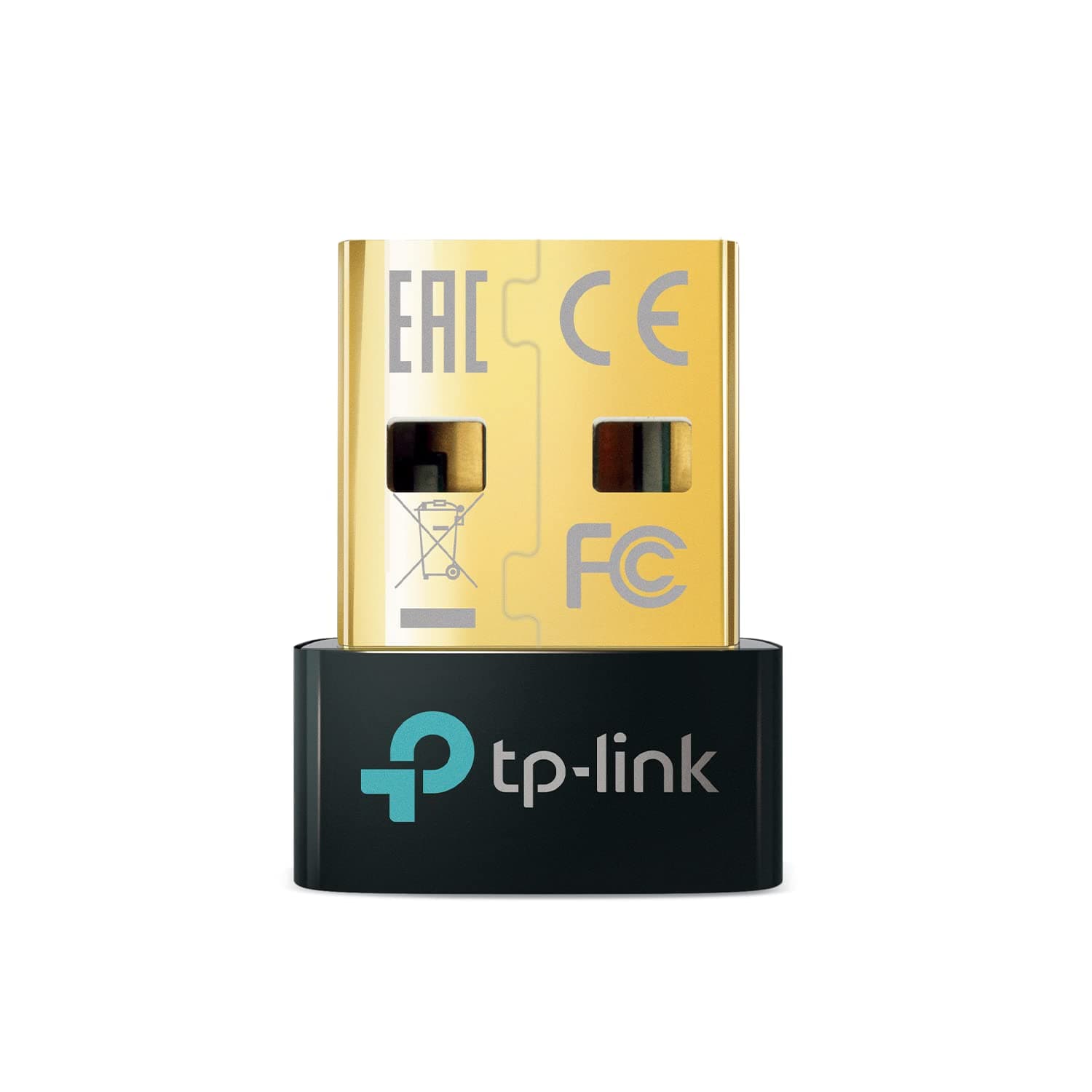
🔗 Unlock seamless wireless freedom with TP-Link’s tiniest powerhouse!
The TP-Link UB500 USB Bluetooth Adapter delivers cutting-edge Bluetooth 5.4 technology with enhanced data rates and low energy consumption. Its nano-sized design offers discreet, plug-and-play compatibility across Windows 7 to 11, providing up to 2x faster speeds and 4x broader range than Bluetooth 4.0. Ideal for professionals seeking reliable, multi-device wireless connectivity on desktops and laptops.













| ASIN | B09DMP6T22 |
| Best Sellers Rank | #1 in Bluetooth Network Adapters |
| Brand | TP-Link |
| Built-In Media | Bluetooth 5. |
| Color | Golden,Black |
| Compatible Devices | Laptop |
| Compatible Operating System Family | Windows |
| Customer Reviews | 4.5 4.5 out of 5 stars (20,860) |
| Data Link Protocol | Bluetooth |
| Data Transfer Rate | 2 Megabits Per Second |
| Hardware Interface | Bluetooth 5 |
| Item Dimensions L x W x H | 0.74"L x 0.58"W x 0.27"H |
| Item Type Name | Bluetooth Adapter |
| Item Weight | 2 Grams |
| Manufacturer | TP-Link |
| Mfr Part Number | UB500 |
| Minimum Required Operating System Version | Windows 8 |
| Model Number | UB500 |
| UPC | 840030703447 |
| Unit Count | 1.0 Count |
| Warranty Description | 2 year manufacturer |
C**.
Plug and Play Set-Up, Super Easy and Convenient for Older PCs, Worked Like a Charm for my Needs!
This TP-Link USB bluetooth adapter is absolutely fantastic and does exactly what it promises with no hassle. I picked it up to replace a failed bluetooth module on my older PC, and it's been working perfectly, truly plug-and-play with no complicated setup or immediate driver support needed. It fit easily in the standard USB ports, instantly connected and set itself up, and started working flawlessly. Seems to be pretty durable and well built so far, and big added bonus that you get bluetooth 5.4 support (one of the latest and greatest) while still being backward compatible with older devices. The small nano size keeps it out of the way, connection speeds are fast and stable, and the price makes it a great value. If you need to add or restore bluetooth to your desktop or laptop, this is an easy, reliable, and highly recommended solution!
L**T
Amazing all around. Instant setup. No dropouts. Extremely inexpensive. A true 10 out of 10 device.
I love theseTP-Link Bluetooth USB nano adapters. I've purchased 3 of them so far to bestow Bluetooth on all my 15+ year old computers. First they are truly plug-n-play when using Windows 10 (and probably 11 as well). I plug in the adapter and Windows sets it up in about 2 seconds. Within 15 seconds I've already connected my Soundcore Bluetooth headphones. Second, the range is stunning. I have a 3-level 3,800sq ft house stuffed with endless opportunities for interference - a room full of computers, another room serving as a full blown music studio, and several racks of electronics on all metal shelving. With this adapter plugged into a front USB port on a 17 year old PC on the main level of the house, I get absolutely no dropouts as a I move about the house - even to the remotest, inteference ridden areas of the house. Tuly amazing. I could not be happier with this inexpensive device.
A**X
Make sure you use the right drivers if you're planning to use this with PSVR2. Works perfect!
This review is specifically for those considering this device to use on your PC with the PSVR2 controllers. My experience has been pretty spotty using these VR2 controllers on my PC. At first, I tried using my motherboard's built in bluetooth (Gigabyte B650 Gaming) and that was horrible, only briefly connecting. So I tried the TP-Link UB500 which is also one of the recommended adapters on Sony's website. I also placed this adapter on an open USB 3.0 port on the front of my ATX case and that did work, but only for a few minutes. Then, I realized these should be placed on a USB 2.0 port, so I did that. In addition, I also added a 3 foot USB extension cable to that front port (recommended for a cleaner signal) and finally I was off and running, playing Half Life Alyx which is an awesome game! However, after getting to around chapter 2, I started noticing that my left controller would get laggy and unresponsive. Eventually, I would often play the game limiting my movement to literal inches from the bluetooth adapter, which is super frustrating when you're dealing with combines. Anyway, I dug in further and for me, the issue was with the drivers! I was using TP-link's latest driver on their website, 1.9.1051.3012. However, I also found that TP-link addressed the driver issue directly back when Sony created the adapter to use on the PC. The driver version TP-link specifically recommended was 1.9.1038.3020. So I went into device manager and uninstalled the 1051 driver and installed the 1038 driver. And that didn't work. Frustrated, I finally went in and also removed the vr2 bluetooth controllers from device manager and restarted my PC, reconnected said controllers via bluetooth, and I am now blissfully playing Alyx and even using a modified play area that is much larger than the default play area. So far, I have gotten zero lag on either controller and have often found myself at least a good 4 to 5 feet away from the bluetooth adapter! Hope this helps someone! Oh, I should also mention I am not using the official Sony branded adapter for the headset, but it has worked great from day one.
F**M
Multiple Device - Audio Stutter
Now I am giving this thing a 4 on Functionality, because the Bluetooth is fine, but there can be issues. Your probably getting this for an older system. There lies a problem. If you have a newer Bluetooth mouse which takes up as much bandwidth as your external Bluetooth speakers, choose one or the other because you WILL have audio Stuttering, Choppy audio or a delayed cursor flying all over the screen. For older systems; An older system will juggle the signal between two devices first, then since the thing is old, route them over your only PCI/USB controller, then through software. You get latency and choppy audio. This is a bandwidth bottleneck. It's built nice and easy to push in. It functions.
S**D
Small, compact, and works perfectly.
We bought my son some noise cancelling headphones for Christmas to game with on his computer. What I didn't realize is that he didn't have Bluetooth on his gaming computer. When I found a TP-Link for this price, I didn't hesitate. I bought this Christmas morning and got it two days later. It was very easy enough for a 12 year old to install and get set up within a couple of minutes. It's nice and thin so that it doesn't stick out very far and it immediately let him connect his new headphones. He's been using it for a couple of days now and has been working really well. I'll definitely add this to my list of recommend devices.
F**R
Better than UGREEN!
I bought a UGREEN then it disconnected every 35 to 40 seconds. Spent hours trying to figure it out. Disabled every energy saving feature possible and no luck. TP-Link works perfectly! Plug and play. It's been running for 20 minutes without a disruption.
E**A
Quick Setup, Reliable Connection
Very easy to set up. My Bluetooth devices can connect within seconds. I've had this for over a year now, and it's still working great.
T**R
Installation is simple. Simply just plug this into your PC, and you now have bluetooth. No extra steps, thats really it. It works as advertised.
T**T
I bought it to use on an older HP laptop running Windows 10. I plugged it into a USB port and laptop recognized it and installed it in less than a minute. So far I've used it to connect my cellphone, ear buds and a Bluetooth speaker. It was quite easy and works great. I'm confident it will work with other items and on other computers. For the price, it's a no Brainer.
S**S
Very useful
A**I
Tek tuk problem yaşadım ama bir tanesi ana cihazla alakali olabilir: 1) Bluetooth kulaklik ve Bluetooth hoparlör aynı anda pcye bağlıyken ufak ufak güç kopuslari oldu. 2) bt çalışmasını beklediğim mekanik klavyemin 3 farkli Bluetooth modunda da pc üzerinden bu klavyemi göremedim. Bir ihtimal aynı anda cihaz çalıştırırken problem oluyor olabilir. Ama uygulamasını doğru yapmadığım için de olabilir, win 10 driver doğru yükleme vs eksikliğinden bu 2 problem oluşmuş olabilir. Bunlara rağmen minimum 4 puanı hak eder.
R**.
Es un producto muy bueno si buscas un adaptador para tu ordenador que no tiene alguna antena Bluetooth o se dañó el que ya tenía, tiene buen alcance, su latencia para control de xbox es bajo ideal para jugar, y en cuestión de conectarse a audífonos o parlante se escucha de maravilla, el instructivo viene bien explicado y por el precio es más que maravilloso. También por último su tamaño es muy pequeño si buscas algo también que no sea tan estorboso.
Trustpilot
Hace 3 semanas
Hace 3 semanas