We remain fully operational. Our teams are working around the clock to ensure your deliveries continue safely.

Descargar la aplicación


Servicios al cliente
Sobre nosotros
Copyright © 2025 Desertcart Holdings Limited
Descargar la aplicación





🌐 Upgrade Your Home Network to Next-Gen Speed & Coverage!
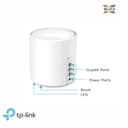
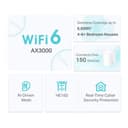
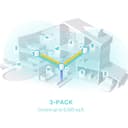
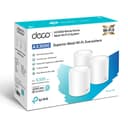
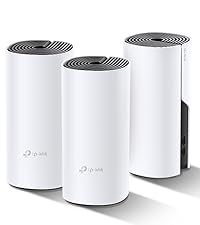
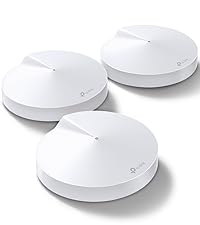
The TP-Link Deco X50 (3-pack) is a Wi-Fi 6 mesh system delivering ultra-fast AX3000 speeds with up to 6500 ft² coverage. Featuring AI-driven mesh technology, it intelligently optimizes your network for seamless roaming and supports over 150 connected devices. Equipped with 3 Gigabit Ethernet ports per unit and advanced security via TP-Link HomeShield, it ensures a secure, high-performance smart home network with easy app-based setup and control.





| ASIN | B09MFWNYC3 |
| Antenna Location | Business, Home |
| Antenna Type | Internal |
| Best Sellers Rank | 684 in Computers & Accessories ( See Top 100 in Computers & Accessories ) 3 in Whole Home & Mesh Wi-Fi Systems |
| Box Contents | Deco X50(3-pack) |
| Brand | TP-Link |
| Brand Name | TP-Link |
| Colour | white |
| Compatible Devices | Laptop, Personal Computer, Smart Television, Smartphone, Tablet |
| Compatible devices | Laptop, Personal Computer, Smart Television, Smartphone, Tablet |
| Connectivity Protocol | Wi-Fi, Ethernet |
| Connectivity Technology | Ethernet, Wi-Fi |
| Control Method | App |
| Controller Type | App Control |
| Coverage | Whole house coverage up to 604 sq ft |
| Customer Reviews | 4.2 out of 5 stars 245 Reviews |
| Data Transfer Rate | 3000 Megabits Per Second |
| Frequency | 5 GHz |
| Frequency Band Class | Dual-Band |
| Frequency band class | Dual-Band |
| Is Modem Compatible | No |
| Item Dimensions L x W x H | 11L x 11W x 11.4H centimetres |
| Item Weight | 2.36 Kilograms |
| LAN Port Bandwidth | 1000 Mbps |
| Manufacturer | TP-Link |
| Manufacturer Part Number | Deco X50(3-pack) |
| Maximum Upstream Data Transfer Rate | 3000 Megabits Per Second |
| Model Name | Deco X50 |
| Model Number | Deco X50(3-pack) |
| Model name | Deco X50 |
| Number of Antennas | 2 |
| Number of Ports | 3 |
| Operating System | Linux |
| Other Special Features of the Product | Beamforming,QoS,Parental Control |
| Product Warranty | 3 Years |
| Security Protocol | WPA3, WPA2-PSK |
| Special feature | Beamforming , QoS , Parental Control |
| Voltage | 12 Volts |
| Wireless Compability | 802.11ax |
| Wireless communication standard | 802.11ax |
A**N
Great Wifi - but read this if your provider is BT
These are great - MUCH better than the discs BT give you with your home system - the Wifi is faster, the reach better and they are much easier to manage. They did almost go back to Amazon as it was hard to find out how to set them up - after a bit from tech support and some tenacity they were easy to set up and work perfectly - but it wasn't straightforward. BT do it differently from a lot of internet service providers inasmuch as you need to use their router - normally you set a Deco to be a router and this system replaces yours, but since you have to use the BT router, the Deco's need to be set up as "Access Point" only. If you know how its easy, but if not the app just keeps failing. There are lots of pre-sets in the app, but sadly (and unbelievably) BT isn't one of them. Go to their website, find the FAQs and follow 2464 - Amazon won't let me post a link. Then: When it is displayed that it cannot be connected to Internet, Tap Skip This Step on the bottom of the error page, click on More. Then configure the VLAN ID as follows: (IPTV VLAN ID: 101; IPTV VLAN Priority: 0) Also see FAQ 2421 to set the Deco as "Access Point" which you can do when the above step is completed. once that is done, it all works really nicely. If you don't use BT as a provider, the app is really easy to use to set up the units. If you do use BT, please raise a ticket with TP-Link as they need to include BT as a pre-set.
J**N
Well worth the money
We have a large 4 bedroom house. Fibre broadband direct to the house from BT. 140MBs down and 40MBs up. As the router was at the front of the house, the wifi signal dropped significantly towards the rear, with no wifi signal in the back garden. Installed the X50 AX3000 3 pack on Saturday, very easy to set up, virtually plug & play. I configued the first one via the TP-Link app, which is plugged into the BT router via LAN cable, and the rest connected within a few minutes of switch on. I'd set the SSID and password the same as the BT one (and switched off the BT wifi). All our phones, laptops, Alexa & HIVE connected without issue. Had a phaff with the SkyQ boxes and had to re-enter the wifi password in the main one and then wait for the the Sky booster to get connected again before the SkyQ mini would work. I also had to re-configure the SONOS wifi speakers again but this was much more straight forward to the SKYQ system! We now have a very good signal, generally +100 down & +30 up, throughout the house. I've checked the signal strength with inSSIDer and it's good in the house and garden. Very happy chappy now!
T**L
Good to know
I have Vodafone full-fibre 500 Mbps broadband and was frustrated by the Wi-Fi speed drop as you move further away from the router in a fairly large house (310 m2) For clarity, the fist Deco unit replaces your ISP provided router, you can remove that. Contact your ISP first to ask what set up information you will need if you are installing your own router, Vodafone were able to give me this via a web chat on a Sunday evening. When you have the information you need, the mesh is easy to install via the Deco App. I have Deco X50 with three units and was expecting the full 500 Mbps around the house, this is not the case, there is still a speed drop although much better than before. You can connect your TV to a Deco via an ethernet cable to enable a wired connection rather than Wi-Fi (order extra leads if necessary) I hope this will give a more stable streaming performance and less buffering.
A**R
Great for extending Wi-Fi to Garden office
Genuinely impressed with this product. I needed a way to extend the WiFi signal in the house out to the new garden office I had installed. The Deco system is very easy to setup and the the app is of an excellent quality making it easy to configure your settings. I managed to configure 3 separate SSIDs - General, Guest and IoT where I have connected all my smart home devices such as Ring Doorbell etc. Can’t recommend enough, plenty good enough coverage with 2 units in the house and 1 at the end of the Garden in the home office. (Circa 50ft away)
H**N
Used to be good, software has ruined it
Here's the best review out are going to get, I'm a network engineer and wanted something simple without work since I don't have space to do a full rack. I have uses tp link before and saw reviews for deco and thought why not it's adorable, simple and has some good features. 1st year of using it brilliant , stable, no issues and fast as expected with vast coverage everything you want for the price. After a couple updates specifically 1.4.1 Build 20231122 Rel. 40485 this has become beyond terrible. Random monthly drop outs for whole network , mesh nodes saying WiFi connected or offline when they are ethernet backhauled and green light meaning apparently working, app sometimes can't even load nodes to check settings, slow app sometimes. This has been going on for months to the point I had enough and am going to rip it out for something much better (HPE instan on and firewlla) Honestly don't bother bying this product it seems their software QA is bad and won't patch it for a long time
C**I
At last - whole home wifi
i’ve used tp range extenders for years and they did a satisfactory but rarely seamless job of distributing wifi throughout the house. this mesh product has taken us to a new level - with seamless wifi across a 300 year old house with walls 60cm thick! consistent signal and speed - a joy! tp have made the set up and the user interface fit for purpose: simple to understand. simple to set up. great value and cheaper than BT’s monthly subscription disc solution
M**N
Awesome product!!
Wow! I've been a fan of Google products including Google WiFi with mesh network (had 4 points). Almost daily I've noticed drops in connections and I'm having to restart the whole network, it was getting ridiculous. I did some research and this product was mentioned a lot, did some more comparison with other brands but again, this came in the top three. I decided to place an order, delivered next day and I got to replace my network setup. It was easy to do and had no issues in understanding how to use the app. What can I say? The quality of speed has improved and the network is currently flawless. I am so impressed with these and I'm a very happy man. Highly recommend these!!!
D**N
Excellent mesh system
These solved a problem as I have concrete floors so its not easy to run cables. these give me more than the speeds I require to stream high definition audio (9.5mb/sec) which the ethernet through mains was struggling with. They have lost a star as they do not work as they should with 3 of my Android tablets (Lenovo and Samsung) until you turn off fast roaming. With fast roaming on the devices were constantly connecting and disconnecting. with it off they are fine but this effects all devices as its a global setting. However for me that's not a problem as most devices are static (TV, stereo etc) I can also get a signal in my garden. A good product easy to set up, I can recommend these.
Trustpilot
Hace 2 meses
Hace 1 día