We remain fully operational. Our teams are working around the clock to ensure your deliveries continue safely.

Descargar la aplicación


Servicios al cliente
Sobre nosotros
Copyright © 2025 Desertcart Holdings Limited
Descargar la aplicación

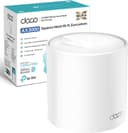





🚀 Upgrade to the future of WiFi—fast, smart, and unstoppable!
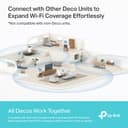
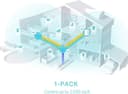
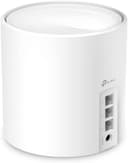
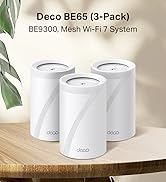
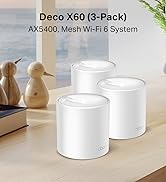
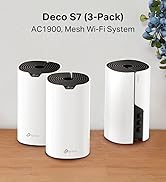
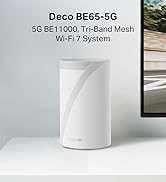
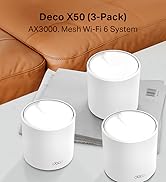
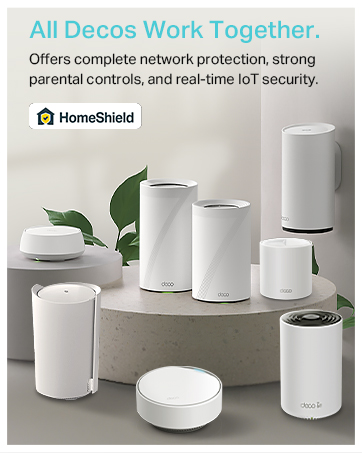
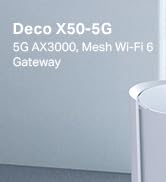
The TP-Link Deco X50 is a WiFi 6 dual-band mesh router delivering up to 2402 Mbps speeds and seamless coverage across 2,500 sq ft. It supports over 150 connected devices simultaneously, features 3 Gigabit Ethernet ports per unit, and uses AI-driven mesh technology for smooth, lag-free connectivity. With easy setup via the Deco app and advanced security through HomeShield, it’s designed to future-proof your home network with reliable, high-speed internet everywhere.






| ASIN | B09QMPGXRF |
| Antenna Location | Home |
| Antenna Type | Fixed |
| Best Sellers Rank | 163 in Computers & Accessories ( See Top 100 in Computers & Accessories ) 1 in Whole Home & Mesh Wi-Fi Systems |
| Box Contents | Deco X50(1-pack) |
| Brand Name | TP-Link |
| Colour | White |
| Compatible Devices | Laptop, Personal Computer, Smart Television, Tablet |
| Connectivity Protocol | Wi-Fi |
| Connectivity Range | 2500 Square Feet |
| Connectivity Technology | Wi-Fi |
| Control Method | App |
| Coverage | 2,500 sq ft |
| Customer Reviews | 4.4 4.4 out of 5 stars (1,079) |
| Data Transfer Rate | 3000 Megabits Per Second |
| Frequency | 5 GHz |
| Frequency Band Class | Dual-Band |
| Has Internet Connectivity | Yes |
| Has Security Updates | Yes |
| Is Modem Compatible | Yes |
| Item Dimensions L x W x H | 11L x 11W x 11.4H centimetres |
| Item Weight | 1.01 Kilograms |
| LAN Port Bandwidth | 1000 Mbps |
| Manufacturer | TP-Link |
| Manufacturer Part Number | Deco X50(1-pack) |
| Maximum Upstream Data Transfer Rate | 3000 Megabits Per Second |
| Model Name | Deco X50 |
| Model Number | Deco X50(1-pack) |
| Number of Antennas | 3 |
| Number of Ports | 3 |
| Operating System | Linux |
| Other Special Features of the Product | WPS |
| Product Warranty | 3 Years |
| Router Firewall Security Level | Moderate |
| Router Network Type | router |
| Security Protocol | WPS |
| Wi-Fi Generation | Wi-Fi 6 |
| Wireless Compability | 802.11ax |
M**K
Finally getting the speeds I pay for - Well worth the investment
Pros: - Dramatic improvement in speed test results and reliability. - Great coverage: my WiFi now feels fast and I’m finally getting close to the advertised speeds I pay for. - The app lets you choose a preferred mesh for devices to connect to, shows signal strength to each device, and download/upload speeds in kbps. - Fairly easy to set up. It may take a while depending on how awkward your WiFi provider/router is, how much you want to test for optimal positions, and the time taken to familiarise yourself with the detail-heavy app and its settings. For some, it will be almost plug and play. - Lots of settings so you can make personalised choices. There’s a huge amount of functionality, right down to being able to turn the light off on the mesh. - Lovely, premium design. - Lots of Ethernet ports. Cons: - I wish there were clearer guidance during setup on testing for optimal placement, or even a mode to help find the best signal. I spent around an hour deciding whether to put the router in a room with important WiFi-heavy devices (showing a medium 2-bar signal strength) or in the hallway outside (showing a strong 3-bar signal but further away from those devices). For me, the stronger hallway position won. - The light colours can initially be confusing in terms of what they mean or indicate during setup. Worth noting: - If you try to name the new network the same SSID as your existing one during setup, it asks you to rename the mesh to something different, which feels counterintuitive if you want devices to switch over smoothly. It doesn’t explain that you can rename it back later after you’ve turned 2.4 GHz and 5 GHz WiFi off on the original router. Overall: - Yes, it’s an expensive investment, but in my view it’s better than paying more every month for “faster” WiFi that you might never get the true benefit of once you’re a bit further away from the router.
M**E
Excellent Dead Spot Elimination
If you are looking to upgrade your home network, the TP-Link Deco X55 WiFi 6 Mesh System is a total game-changer. After struggling with inconsistent speeds and frustrating "dead zones," this system has completely transformed how I use the internet at home. Say Goodbye to Dead Spots: The standout feature of the Deco X55 is its ability to eliminate signal drops. Whether I’m in the basement or the furthest corner of the upstairs bedroom, the connection remains rock-solid. Unlike traditional extenders that create separate networks and cut your speed in half, the X55 uses AI-Driven Mesh technology to create one seamless network. This means your devices automatically switch to the strongest node as you move around, without you ever noticing a transition. Blazing Speeds: With WiFi 6 technology, I’m finally getting the speeds I actually pay for from my ISP, even on multiple devices simultaneously. Massive Capacity: It handles over 150 devices. Between smart home gadgets, gaming consoles, and work laptops, the network never feels congested. Wired Versatility: Each node has three Gigabit Ethernet ports, which is perfect for hardwiring a TV or PC for the most stable connection possible. Effortless Setup The "Deco" app makes installation incredibly simple. It walks you through the placement of each unit to ensure you get the best coverage. Within 15 minutes, my entire house—up to 6,500 sq. ft. with the 3-pack—was blanketed in high-speed WiFi. Final Verdict: If you are tired of buffering and "WiFi dead zones," the TP-Link Deco X55 is one of the best investments you can make for your home. It’s reliable, fast, and remarkably easy to manage.
T**Y
Good WiFI Upgrade
I bought these Deco X50 Mesh 6 as an upgrade to a TalkTalk router as this was causing issues, poor wifi in back of house and never worked well with extenders. So after much research of functionality need against price (you can easily buy something you don't need with these systems and spend huge sums!) I chose the Deco X50 double pack. Pro's Easy to set up via the app, only took me a few minutes and I am deffo not a tech or even close! Wifi signal improved a lot (have a 1911 victorian terrace on 3 floors) and having the same wifi name as previous meant did not need to reset anything eg. Computers, TV's etc. I got the double pack and then realised as good as it is, it was not really sufficient and should have got the 3 pack, so ordered another single one which paired immediately. Now have full coverage at full strength as I move around the house. The ports are also useful if needed. Cons The double pack came with 2 pin plugs so had to use adapters (very annoying) but not the end of the world, however the single additional one came with a UK plug! You will NOT get wifi any faster than your package allows for, what you should get is the max you pay for depending on placement of the routers around your home, and wall thickness. So all in all very happy, been running now for a month with no drop outs or anything.......it just works! Will likely upgrade in years to come to whatever the standard is by then, but for me this is all I need so getting a wifi 7 version would not make any difference as it gives me max speed for my package anyways with the X50 so why pay for something I don't need! Overall, would recommend if you have weak areas or use additional extenders that have different connection names.
M**S
Riktigt bra!
E**I
Très bon achat avec un résultat exceptionnel
J**Y
Pratique, simple à mettre en place Très bonne portance
M**K
Unfortunately I made a huge mistake by getting this product from the UK The power adapters are not suitable for the Australian market and I would need to buy converters. Also I am unable to get Australian power adapters anywhere They are not sold as a separate item
P**A
Easy to setup, no more dead zones and consistent speeds all over. Definitely recommend
Trustpilot
Hace 1 semana
Hace 3 semanas