
Descargar la aplicación


Servicios al cliente
Sobre nosotros
Copyright © 2025 Desertcart Holdings Limited
Descargar la aplicación

⏰ Elevate your nightstand with smart simplicity and Alexa power!
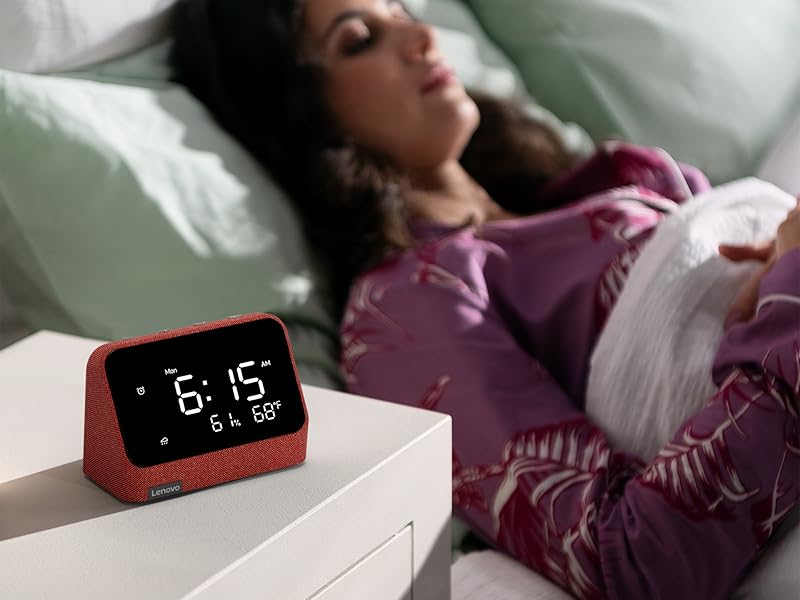
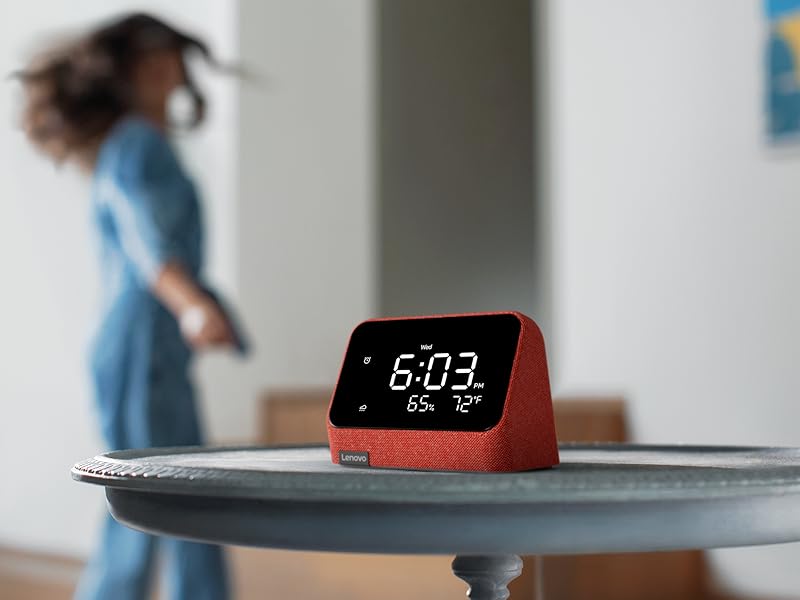
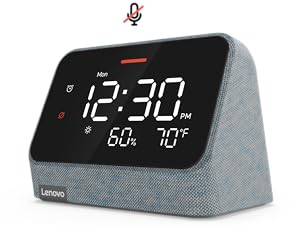
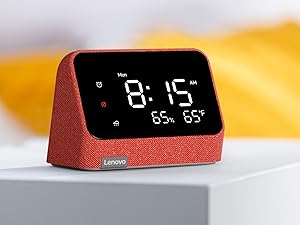
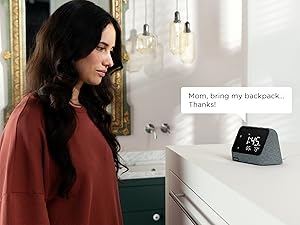
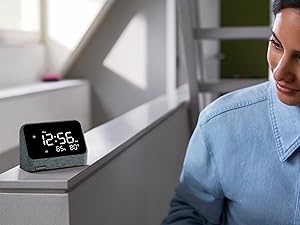
The Lenovo Smart Clock Essential combines a bold auto-dimming LED display with built-in Alexa for hands-free control of alarms, timers, music, and smart home devices. Featuring WiFi 5 and Bluetooth 5.1 connectivity, it offers seamless integration with thousands of Alexa-compatible gadgets. Designed with privacy in mind, it includes no camera and a mic mute switch. Its modern fabric design and optional docking accessories make it a stylish, multifunctional addition to any professional’s home.



| ASIN | B09K7KCKTV |
| Additional Features | Alarm, Snooze, Temperature Display, Charging Port, Timer, Auto Dimmable, Humidity Display |
| Alarm Clock | Yes |
| Batteries are Included | No |
| Best Sellers Rank | #2,698,465 in Home & Kitchen ( See Top 100 in Home & Kitchen ) #3,197 in Alarm Clocks |
| Brand | Lenovo |
| Brand Name | Lenovo |
| Clock Form | Multi Display |
| Color | Red |
| Customer Reviews | 4.1 out of 5 stars 2,921 Reviews |
| Dial Color | Clay Red or Misty Blue |
| Display Type | Digital |
| Frame Material | fabric |
| Included Components | clock body, adpater |
| Indoor Outdoor Usage | Indoor |
| Item Dimensions W x H | 4"W x 3"H |
| Item Height | 3 inches |
| Item Type Name | Smart Clock Essential with Alexa Built in Clay |
| Item Weight | 1.1 Pounds |
| Manufacturer | Lenovo |
| Mounting Type | Tabletop |
| Number of Items | 1 |
| Operation Mode | Electrical |
| Power Source | Battery Powered |
| Product Dimensions | 4"W x 3"H |
| Room Type | Garage |
| Shape | Rectangular |
| Special Feature | Alarm, Snooze, Temperature Display, Charging Port, Timer, Auto Dimmable , Humidity Display |
| Style | Modern |
| Style Name | Modern |
| Theme | Music |
| UPC | 196118400495 |
| Watch Movement | Automatic |
B**.
Good *basic* smart clock
It's tiny . Easy to read though during the day. It's great for what I use it for, but maybe a little pricey (50$ , 20-30$ seems more reasonable) all things considered. It does have a sleek look. I keep a radio in my living room to have on while at work for the dog. Since it's 'smart' I like that I can set it to automatically come on when leaving for work and turn off at another set time. I get FM through it by pairing it with tune in radio. Can also have prime music play through it (nice if you have prime unlimited , can tell it to play music and it'll start a station with music based on listening history ). It gets decently loud for it's size. The integration via Amazon Alexa is not very straightforward but now that I got it set up I'll probably never touch it. Displays humidity and temp outside (and a super basic hard to see sun/cloud/rain icon). Has a decibel meter you can have it display instead ( but you can't really utalize it - would be nice to be able to have a routine set to alert if it measures a particular level). It has a mic to talk to Alexa... But you cant drop in / listen to the mic from your phone which would be nice. Gets extremely dim a night ( doesn't matter to me since basically will only look at it during the day) though seems like wakes up if it senses enough movement. Can't speak on using the alarm /buttons on the unit - I've only set up a routine via the app.
O**A
Clock
The clock is cool, but there’s one problem: I’m embarrassed to admit that I don’t speak English, and Alexa doesn’t understand Russian, Ukrainian, or Hebrew. So the only person who can talk to it is my son, who does speak English. Because of that, I’m not even sure what to write in the review. The clock itself is good — the numbers are large and bright.
A**N
Great product but could work better with Alexa
I love the design of this clock! It looks amazing in our sons nursery. It’s great and easy to see in the middle of the night for nursing sessions. The outside weather and humidity levels is a nice touch so you don’t have to ask Alexa the current weather. The speaker on it is good and makes listening to music enjoyable. The only reason I gave it 4 stars is because it doesn’t stay connected to our other Alexa devices. I like to make announcements if I need help with the baby or I need to talk to our older kids. We’ve connected it twice but it doesn’t seem to stick so when I try to make an announcement it says the device isn’t able to yet even though it would work the previous day. Great design, easy to read, awesome speaker, just needs to be more compatible with Alexa.
T**N
Amazon Supresses it Though!
I love this clock. It is everything an Amazon Alexa device should be and nothing it it shouldn't. I tried an Amazon "show" first and hated it. It wouldn't even show the clock. The one thing that sucks, however, is that Amazon seems to purposely make this device less functional. It doesn't show up in the devices list in the Alexa app, and it is de-prioritized all the time, so, for instance when you ask it a question, a device in another room, far away will answer. Amazon is certainly being the monopoly company here, trying to favor their devices on their networks. Fine, Amazon, but make a decent smart clock!
J**S
Love the automatic dimming - Hate the connection chime
Note; we have the Alexa version, not the Google Update: I found a showstopper and I changed my review from 4 to 1 star, more on that, but first: I have two of these, one on each bedside table. The only issue with having two in one room is (other than the showstopper mentioned below) that if you use the wake word to set an alarm, you will invariably set it for both units. We use the button on top to interrogate the one we want to set the alarm. Other workarounds are; use a different wake word for each, or use the Alexa app to set your alarms. Easy enough, although you may have to remind your spouse numerous times...... ; ) SHOWSTOPPER: When you first set the unit up, it has a loud chime that lets you know that it is connected to the internet and is ready to go! Well, it chimes EVERYTIME it connects (or reconnects) to the internet. So when you are peacefully snoozing and loose internet at night (brief power outage, internet drop out, or router reboot) it chimes. Like loud! Like "WAKE THE HECK UP I'M READY TO GO" chime. This happened a couple of times when we first go the units and didn't think too much about it, but recently I replace our router and this router reboots every 3 nights at 3am. So, I'm getting the charming chime during my sleep time, and it's very disruptive. I have the 'do not disturb' turned on in the Alexa app as well as the 'no notifications' box checked. But yes, it still CHIMES! I did find that others are having this issue and Lenovo has stated it doesn't have control over the programing and that it's Amazons fault. According to some, Amazon's solution (if you are in the return window) is to send you another unit. Which, according to others that did that, the new units still chime (I'm way outside that window so it's not an option for me}. So, us customers are left in the middle of two 'pointing fingers' companies. So, my suggestion is to not support either one. Love this clock! I was a little worried that it would be too bright at night, but the automatic dimming is perfect for me and when not dimmed I can see the time from across the room. This clock is just an alarm clock for bedside (or where ever) that happens to have Alexa built in. If your looking to use full blown Alexa with touch screen, look elsewhere. I use the Alexa feature to set alarms and run my household routines (turn out lights, get the weather, etc.), so really light "Alexa" duty with this device. I do have issues with this clock: You cannot change the wake word (as of 9/27/22), which will be a challenge because I purchased another for my wife's side. I had trouble changing the sound meter to weather; I don't have a setting in my Alexa app to do it (and the app just updated, so not sure why it's not showing up under Lenovo Smart Clock device settings), and it wouldn't respond when I tried to use voice instructions to change it (I tried every configuration of voice command). I ended up resetting the clock to factory settings and the weather showed up on reboot. I'm happy about that but not sure I can change it back to sound meter. Overall, I'm happy with it because the main focus for me, besides being a bedside alarm clock, is the dimming capability and the ability to turn off my smart home lights when going to bed, and I enjoy the weather update right on the clock.
D**W
Not sure about this one.
SETUP Setup never completed for me, but the clock showed up in the Alexa app anyway - as two separate entries actually. I don't know if this is common for Alexa devices. Units were correctly set to miles & Fahrenheit, location was set automatically, but the time zone was set to Eastern. I'm on the West coast. ALARMS Setting timers and alarms via voice works well. Using the Alarm button is awkward at best. Hold it for two seconds to start. Use "+" and "-" to set a field, Alarm to move to the next field. Note that this can be glitchy. Once the alarm entry is complete, you must press "+" to save. The Lenovo will then start a new alarm entry, which seems like an odd design to me. Press nothing and you're done. Alarms & timers also appear in the Alexa app. VOICE I've never used Alexa before. It seems to work well enough. However, the Lenovo will have trouble hearing you if it's also playing music at a higher volume. Even when nothing is playing, it works better if you pause after saying "Alexa". OTHER For the paranoid, a factory reset (hold Alarm and "-" for 12 seconds) doesn't erase everything. Some settings persisted, even when the Lenovo was "deregistered" & removed from the Alexa app. The automatic screen dimming feature can't be disabled. After the first day, my unit started repeatedly setting the screen brightness to zero. Over and over, no matter what I did. FINAL Due to the screen dimming issue, I returned the clock.
D**D
Fantastic auto-dimming clock, even for someone who doesn't care for "smart" devices
Prior to purchasing this clock, I did some rather extensive research and tried a few other clocks. The main thing I was looking for is a clock that automatically dims at night (and is very dim at night), and does not feel/look cheap. In the end this is the clock I am sticking with, and I am very happy with it. Pros: -(most important for me) I really like the auto-dimming behaviour: it is bright and readable during the day and *very dim* at night. It was very hard to find a clock that was not too bright at night. -Does not look / feel cheap. -Time sets automatically (presumably automatically changing with daylight savings time and all that nonsense). Can set alarm with Alexa voice commands -While a lot of clocks have a temperature readout for inside the house (temperature sensor), this one shows temperature *outside*. -Easy to turn off Alexa microphone with a simple switch in the back. Cons: -For me personally, I am using Alexa smart features of this clock so I would like to keep the microphone off at all times. This is easy enough to do with the switch, but then the clock shows a rather prominent red bar as well as a red "mute" symbol on the front face. I find these indicators "too much" and I would rather have a more subtle indicator that the microphone is off. -It would be great to have a bit more flexibility is customizing the clock in the Alexa app. For example, it would be great to have an option to only show the time and turn off other distractors such as the humidity/temperature indicators.
R**Y
Great slightly-dumbed-down Alexa devices for guest rooms
I've got two guest rooms in my house that get used pretty often. I had some old school clock radios in them, and it was a little annoying always having to check on them every time somebody was going to stay in one of those rooms - they both ran a little fast, making sure they'd been adjusted for daylight saving time, fixing them if the power had blinked off, etc. The obvious solution would've been to throw a small Echo Show in there, but I felt like there was a certain creepy factor of putting something with a camera on it in a guest bedroom, even if I'd manually closed the little camera thing. These were the perfect solution - they're dumbed down, but easy to read, easy to use, you never have to reset the time, etc. And for my guests who are savvy about Alexa, they can tell it to set alarms, play music, etc. ONE caveat: There are some things on the display that you can change - you can choose between ambient sound level (?) and inside temperature. Assuming that my guests weren't going to want to constantly monitor the decibels in the room around them, I went into the Alexa app to change this to temperature. Could NOT figure out how to do it, so finally Googled "how to change display on Lenovo smart clock" and surely enough, somebody out there had felt my pain and explained it. For some reason, it shows up as 2 devices on the Alexa app - you have to tell it to show you ALL devices (not just Echos), and there will be another Lenovo device. THAT's the one you have to go into to change the display setting for some reason. But all in all I'm really happy with them.
Trustpilot
Hace 2 meses
Hace 5 días