
Descargar la aplicación


Servicios al cliente
Sobre nosotros
Copyright © 2025 Desertcart Holdings Limited
Descargar la aplicación
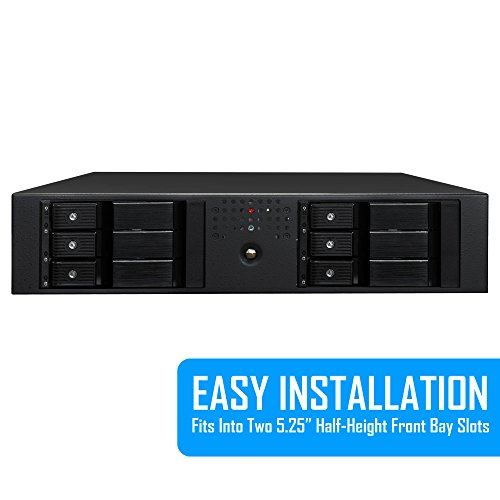

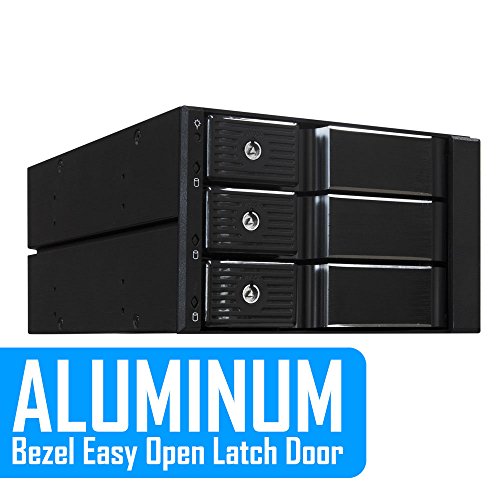
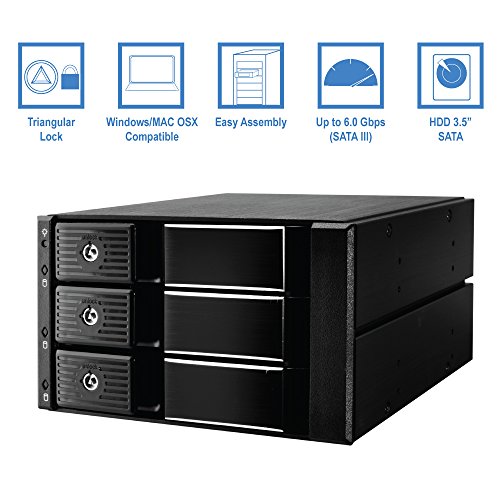
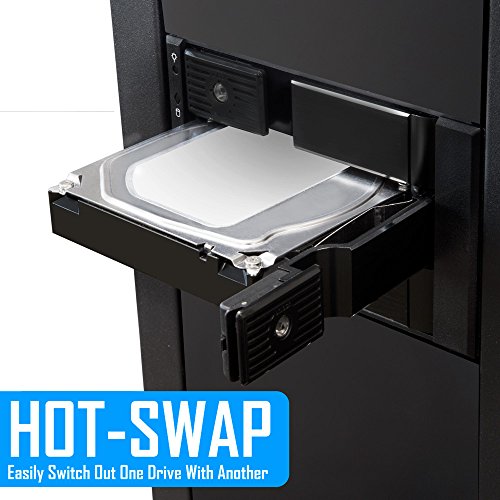


🔐 Unlock speed, security, and style in one sleek rack!
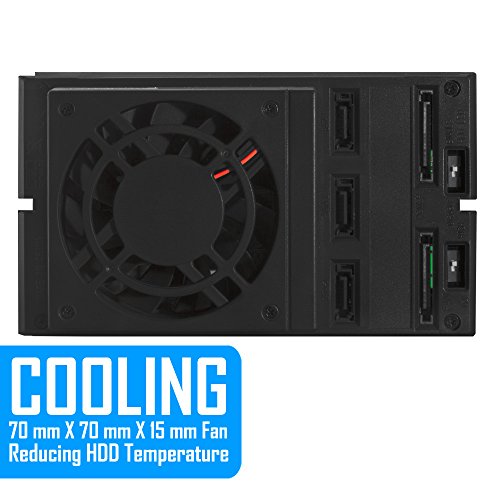
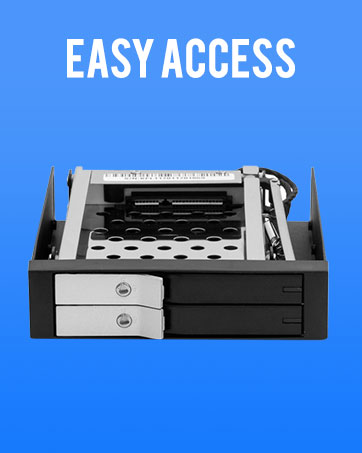
The KingWin MKS-335TL is a premium 5.25" tray-less mobile rack designed to house up to three 3.5" SATA HDDs with RAID support. Featuring a secure triangular key lock, a powerful 70mm cooling fan, and blazing 6 Gbps data transfer speeds, this aluminum bezel enclosure offers a seamless, tool-free drive swapping experience ideal for professionals demanding speed, security, and reliability.







| Hard Disk Form Factor | 3.5 Inches |
| Max Number of Supported Devices | 3 |
| Data Transfer Rate | 6 Gigabits Per Second |
| Global Trade Identification Number | 00812348012726 |
| Connectivity Technology | SATA |
| UPC | 812348012726 |
| Form Factor | 3.5-inch, 5.25-inch |
| Item Height | 3.25 Inches |
| Item Width | 5.75 Inches |
| Product Dimensions | 19.38 x 14.61 x 8.26 cm; 793.79 g |
| Item model number | MKS-335TL |
| Hard Drive Interface | Raid |
| Are Batteries Included | No |
| Country of Origin | USA |
| Item Weight | 794 g |
J**L
works well, fan and led settings are useful features.
M**Z
There seems to be an issue with the power supply as there haa been intermittent disk not detected if i put more than 1 disk in the 3 bay. At times, i can detect 2 disks. There is no problem the disk as I can detect the disk if I only connect 1 disk in the kingwin.
E**S
On the whole this device seemed to be a spectacular choice based on the specs given even though the device is mostly plastic. Not so much. The 70mm x 15mm Fan is a super cheapo sleeve bearing unit but wait, it uses a totally non-standard proprietary connector -- and it is either very noisy or you can slow it down and it doesn't cool well. The fan has a super cheap sleeve bearing so this all means that when, not if, and likely sooner (< 1 year) rather than later, the fan fails, you just cannot buy another 70mm x 15mm fan and "plug it in". It also means that you cannot easily swap in either a "quiet" 70mm fan or a fan with a long lasting bearing or both In addition, the mounting of the fan won't permit the mounting of a "standard" 70mm x 15mm fan without the fan housing because the fan is offset from the rear surface of the device (without the 70mm fan housing) so you would need to modify the fan housing to permit a standard 3 pin wire to exit the fan housing and then you would need to supply a separate 3 pin connector for power as well. OK, so ditch the fan housing and the fan is raised away from the rear of the case by about 8mm and so you will be sucking mostly air from inside the case and not through the SATA drives and the result is likely to be overheated SATA Drives. Another flaw is that the SATA data connectors are "backwards" so you cannot use right angled SATA connectors to minimize the depth of the device into your case -- only straight-through connectors work so this results in even longer depth needed into the case. Overall, some very poor design choices on a more or less very nice implementation of a trayless SATA Hot Swap. If the SATA data connectors were rotated 180 degrees and the fan mount was flush so it was easy to install a "standard" 70mm x 15mm fan with a standard 3 pin connector, this would be an absolutely spectacular choice. Deeply flawed design. Other than that it will probably work just fine for up to a year but there are much better choices out there! When I called King Win, the guy that answered took great offense to my suggestions to improve the product - he seemed not to take constructive criticism very well. BTW, there is only one guy who knows very little at King Win so he cannot answer any technical questions. Unfortunately, due to the design flaws, I am returning the (2) devices I purchased. They are totally unsuitable for any long term use. I remain concerned about the longevity of the mostly plastic device. Plastics tend to become brittle with age. Plastics also do not transmit heat from the SATA drives to the enclosure so all you have for cooling is the fan and if it fails, rapid overheating.
S**S
I am using this in the Dell T110's two 5.25" drive bays so my experience will definitely not be the same when installed in anything else. It's a very tight fit but with a little elbow grease and finagling it does slide in. The issue is that there are two metal "bumps" at the top that make contact with the enclosure. Dremel'ing these down did cross my mind but the idea of thousands of metal shavings getting everywhere in the case turned that into a bad idea. With that in mind the two bumps will scratch the top of the enclosure. Another issue is accessing the SATA and power plugs. When the enclosure is installed into the tower, you will be plugging in the cables blind. Easier to unplug the SATA cables from the motherboard and connect them to the enclosure first. As for the power plugs, unfortunately you will have to plug those in blind unless you have some sort of T-adapter that you could plug into the enclosure first. That way once the enclosure is fully installed you could easily plug into the adapter. Overall it's not super difficult but definitely a chore, I imagine if you have large hands it might be impossible. As far as noise, I left the fan switch at the default setting, it's definitely audible. I have plenty of other devices in the same room so it's not annoying. The HDD LEDs are a bit bright for my taste.
W**T
I works with SAS drives quite well. I am very satisfied.
Trustpilot
Hace 2 días
Hace 2 semanas