We remain fully operational. Our teams are working around the clock to ensure your deliveries continue safely.

Descargar la aplicación


Servicios al cliente
Sobre nosotros
Copyright © 2025 Desertcart Holdings Limited
Descargar la aplicación
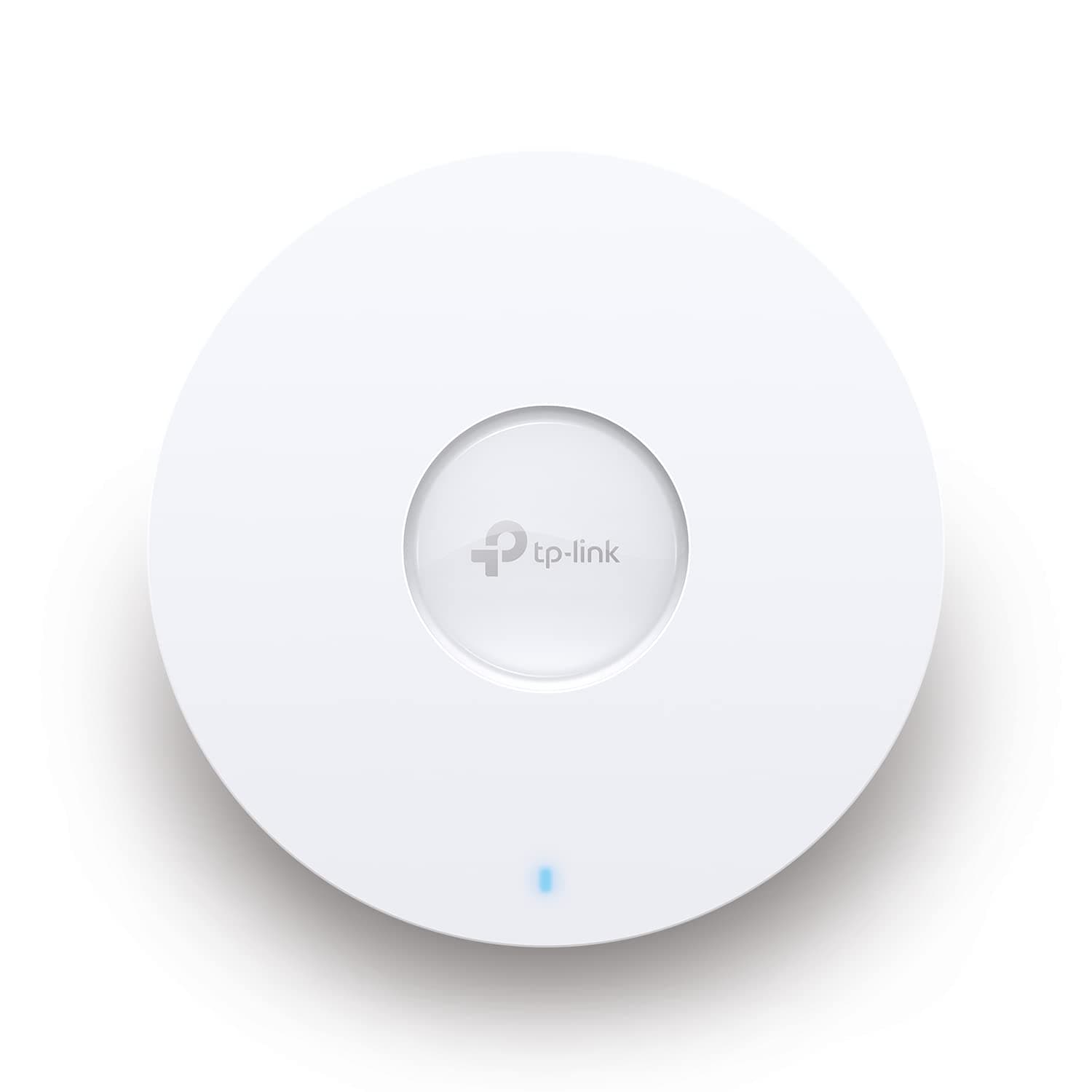
🚀 Elevate your workspace with Wi-Fi 6 that works as hard as you do!
The TP-Link EAP653 is a cutting-edge Wi-Fi 6 AX3000 ceiling mount access point designed for professional environments. It delivers ultra-fast dual-band speeds up to 2976 Mbps, supports seamless roaming and mesh networking, and integrates fully with the Omada SDN cloud platform for centralized, remote network management. Its sleek, compact design fits discreetly into modern spaces, while PoE+ support ensures easy, flexible installation. Ideal for offices, hotels, and classrooms seeking reliable, high-performance wireless connectivity.













| ASIN | B0B5JRXDG4 |
| Antenna Location | Home |
| Antenna Type | Fixed |
| Best Sellers Rank | #665 in Computers ( See Top 100 in Computers ) #1 in Wireless Access Points |
| Brand | TP-Link |
| Built-In Media | Ceiling/Wall Mounting Kits, EAP653, Installation Guide |
| Color | White |
| Compatible Devices | Laptop, Personal Computer, Smartphone, Tablet |
| Connectivity Protocol | Wi-Fi 6, Ethernet |
| Connectivity Technology | Wi-Fi 6, Ethernet |
| Control Method | App |
| Controller Type | App Control & Cloud Control |
| Coverage | Wireless cover |
| Customer Reviews | 4.3 4.3 out of 5 stars (4,986) |
| Data Transfer Rate | 3000 Megabits Per Second |
| Frequency | 5 GHz |
| Frequency Band Class | Dual-Band |
| Global Trade Identification Number | 00840030705236 |
| Has Internet Connectivity | Yes |
| Has Security Updates | Yes |
| Is Modem Compatible | No |
| Item Dimensions L x W x H | 16L x 16W x 3.4H centimeters |
| Item Type Name | Access Point |
| Item Weight | 0.4 Kilograms |
| LAN Port Bandwidth | 3000 Mbps |
| Manufacturer | TP-Link |
| Maximum Upstream Data Transfer Rate | 3000 Megabits Per Second |
| Mfr Part Number | EAP653 |
| Model Name | EAP653 |
| Model Number | EAP653 |
| Number of Antennas | 4 |
| Number of Ports | 4 |
| Operating System | Linux, Microsoft Windows XP, Vista, Windows 7, Windows 8, Windows10, Windows 11 |
| Other Special Features of the Product | Wi-Fi 6, compact, Omada SDN integration, cloud access, mesh network, seamless roaming, beam shaping |
| Router Network Type | Wireless Access Point |
| Security Protocol | WPA3 |
| UPC | 840030705236 |
| Voltage | 48 Volts |
| Warranty Description | Limited Lifetime Warranty |
| Wi-Fi Generation | Wi-Fi 6 |
| Wireless Compability | 802.11ax |
A**E
Very good Range
Wow, exceptional Range and speed
H**.
سهل الاعداد، شكله أنيق للمكان، قوي الاشارة، سريع الاستجابة
A**.
Excellent WiFi 6 Access Point for Omada Setups
Fantastic if you have an Omada setup at home. It’s much better than regular consumer-grade access points. Reliable, fast, and full of useful features.
M**D
as described
good product
B**I
Great product
Great product. Excellent range
S**D
Bad product
My VOIP call drops when move within Mesh, Actually that should be the function available for any simple wi-fi mesh and that was my expectation when spending my money on mesh, this product is not able to provide that stable connectivity. And the TP link support team is not able to help. This product is a waste of money
J**.
Good product 👍🏻
Good product 👍🏻
A**K
Fast, reliable and easy to use Omada powered wifi
Nearly perfect WiFi access point for villa or large apartment when you need fast and stable WiFi in every corner. With this access point and Omada controller you can achieve seamless roaming between multiple access point distributed. It also provides enough wired ports to connect your wired devices
B**R
These bridges are solid especially if you’re on the Omada platform. Easy to setup (about 45 minutes to mount and program) strong reliable, fast connectivity and throughput and man are they inexpensive. Omada has always been my go to alternative to Ubiquiti for budget networks for customers if they don’t want any of the extras Ubiquiti offers (cams, access control, etc). Install notes for these: 1. They are pole mount only (necessary for alignment), purchase this or similar (this is cheapest I found and is the one in the photos): https://amzn.to/49wPTwI 2. My install was less than 25 ft. So can’t speak to distance advertised. But at this distance, I’m getting speeds as seen in photos. 3. Ensure you are mounting the units and setting the dip switch relative to their job. Master/slave. The dip switch is small and preset for master/slave but you can switch them if you accidentally mount them reversed. 4. Update them immediately as there are missing settings on the old firmware. I wasn’t able to modify channel width which affected speed. After update, I increased channel width and pulled off the speeds pictured. 5. The units are POE and my slave unit was plugged into a generic TP link POE switch that also powered my access point inside the accessory building. 6. ISP provides 600mbps to this customer and the AP used pushes out a max of about 400-600 so 488 was almost zero throughput loss from the bridges in my opinion.
S**V
J'ai acheté ce répétiteur pour avec la wifi en extérieur et également pour des caméras de surveillance extérieure. J'en suis très satisfait.
M**Y
eap facil instalacion, discreto y practico, facil manejo gracias a omada
R**A
I placed this upstairs to cover just the upstairs corner of my home. This thing puts out a wireless signal stronger than the enterprise equipment that it replaced. The enterprise equipment I had was a mixture of Cisco APs and Watchguard APs. I had them in use for a few years with adequate coverage and quality of the signal to all my devices. Eventually, the Cisco APs were starting to show their age and the Watchguard APs have built-in licenses that were set to expire. I placed this smaller device in that corner of the home to test it and it just took over the entire AP duty. I get complete coverage, more than I expected. That is in standalone mode. I purchased another one for the downstairs a couple of months later and still have not had the need to put that up because.. this thing is just rocking it. The setup was easy and all documentation is online and easy to find and understand. You can set these to be managed with an Omada controller which would help if you have multiple AP's to manage. The nice thing about the wall plate model I have is that it's slim low profile and that you can pass PoE on to nearby devices is pretty darn awesome to boot. Couple that with the abiltity to tap an ethernet jack in when needed for older devices. This is the AP most homes need.
S**E
Works better than expected. I bought this for my annex and somehow it improved the internet in the house as well. download speed at furthest point (through two walls, a kitchen and 12m) is 70mb and closer is well over 150mb. meshes seemlessly with the main house and provides wifi in garden too
Trustpilot
Hace 3 días
Hace 1 mes