We remain fully operational. Our teams are working around the clock to ensure your deliveries continue safely.

Descargar la aplicación


Servicios al cliente
Sobre nosotros
Copyright © 2025 Desertcart Holdings Limited
Descargar la aplicación
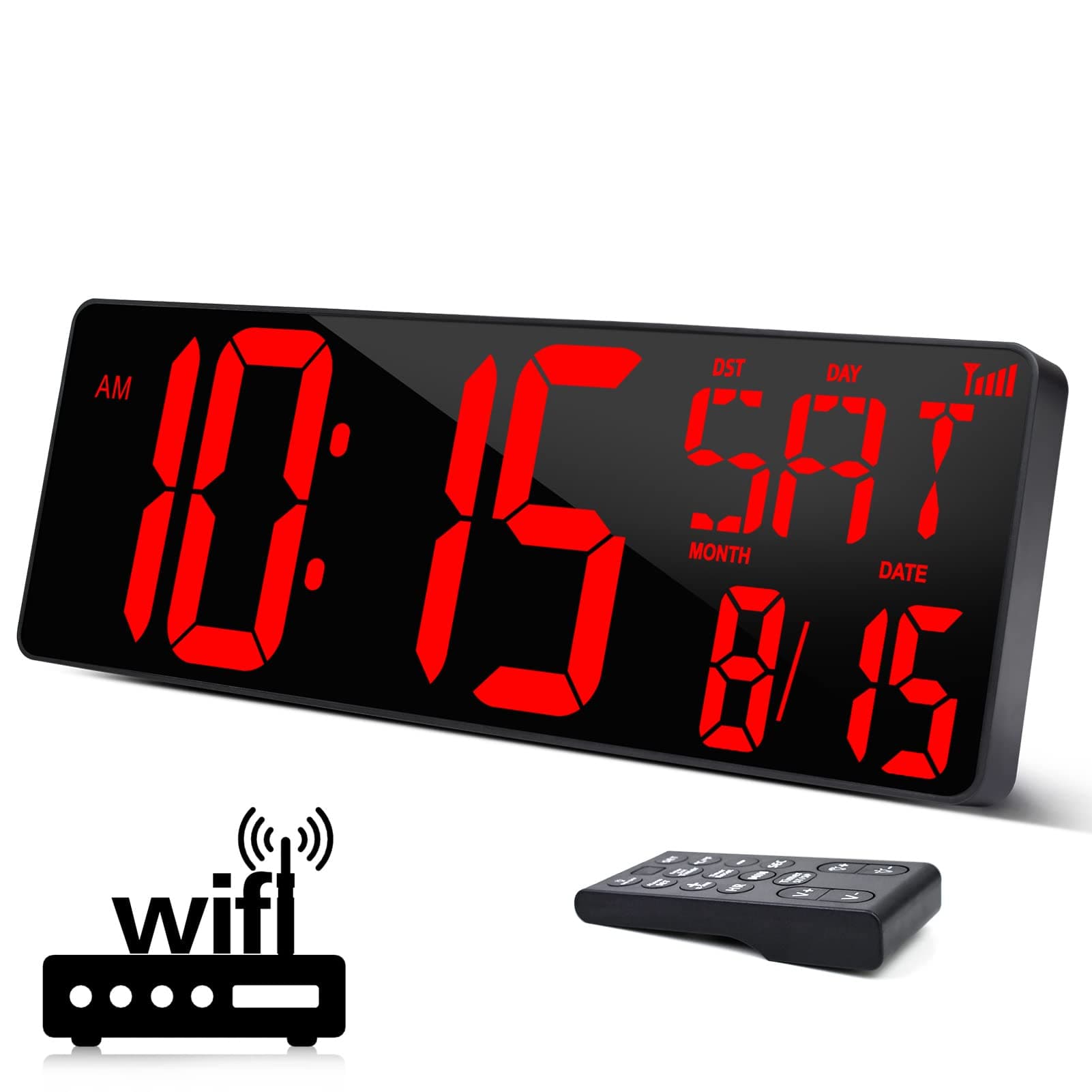
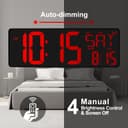
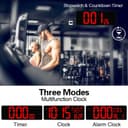

⏰ Stay ahead of time with XREXS — the clock that works smarter, so you don’t have to!
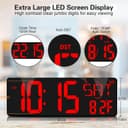
The XREXS Large Digital Wall Clock features a 16.5-inch LED display with WiFi synchronization for precise, automatic time updates including Daylight Saving adjustments. It shows time, date, day of the week, and temperature, with remote control for easy mode switching and alarm settings. Auto-dimming ensures comfortable viewing in any lighting, while versatile mounting options make it perfect for home or office use.


| ASIN | B09YD84R3N |
| Additional Features | Adjustable Brightness, Alarm, Foldable, Large Display, Mood Light |
| Alarm Clock | Yes |
| Batteries are Included | Yes |
| Best Sellers Rank | #176,294 in Home & Kitchen ( See Top 100 in Home & Kitchen ) #325 in Wall Clocks |
| Brand | XREXS |
| Brand Name | XREXS |
| Clock Form | Multi Display |
| Color | Red |
| Customer Reviews | 4.0 out of 5 stars 270 Reviews |
| Dial Color | Red |
| Display Type | Digital |
| Frame Material | Acrylonitrile Butadiene Styrene |
| Indoor Outdoor Usage | Indoor |
| Item Dimensions W x H | 1"W x 1"H |
| Manufacturer Part Number | W0088R |
| Material Type | Plastic |
| Model Number | W0088R |
| Mounting Type | Wall Mount, Tabletop |
| Number of Items | 1 |
| Operation Mode | Electrical |
| Power Source | Corded Electric |
| Product Dimensions | 1"W x 1"H |
| Room Type | Office |
| Screen Size | 16.5 Inches |
| Shape | Rectangular |
| Size | Large |
| Special Feature | Adjustable Brightness, Alarm, Foldable, Large Display, Mood Light |
| Style | Red WIFI Clock |
| Style Name | Red WIFI Clock |
| Theme | Plain |
| Unit Count | 1.0 Count |
| Watch Movement | Automatic |
S**K
Great, big numerals - good, accurate time from the internet
Everything worked as expected - except for the remote control which I had to replace. Customer Service was great and helped me out with that. There's everything to like with this. I got the RED (easier on the eyes at night), and the digits are very clear. You can control the brightness with either lo, hi or auto that is controlled via a switch on the back of the unit. I leave mine on auto and am very happy. Internet setup is easy. You have to surf over to the IP address of the unit (you have to be on the same wifi network as the clock) and make a couple of selections and hit enter - all done. Be aware that there is a small wire protruding from the case at the back of the unit - that it seems is the temperature sensor. Don't be tempted to push that back into the unit else your temperature readings may be off. Love, love, love the internet feature. So much better than the atomic clock units that are very picky about where they are positioned. My only potential criticism - the lettering for the day of week is a little off because they use display segments that are multi-lingual capable. I also hope that it will automatically adjust the time at the end of DST - we shall see. Get it - you won't be disappointed if you want accurate, big letter clocks.
O**T
It was time for a new clock
I have a couple of other large red led-illuminated digital wall clocks, and frankly they all look fairly similar. That’s not a bad thing. I went out of my way to find clocks that specifically have this appearance. What I especially like about this clock is that it has a set-and-forget (WiFi) feature, at least that is the way it is advertised. So, naturally, I tested it. First, I set the time, and it was about a one or two seconds off. Next, I set up the WiFi (more on that below). After it connected, I looked at my phone’s clock, which of course, is updated continuously to AT&T’s network clock. When I did this, both my phone and my wall clock changed the minute synchronously. **** Set up *** There is a little space beside the battery compartment, where one can coil up the electric cable, but it does not fit well. You will need to work to get it to fit and replace the cover. The WiFi initially was not found on my phone, but it did eventually come up but I had to run the setup a second time to get the “Success” message that indicates completion. There is a dedicated appliance for the remote control. While this is convenient, for setting an alarm, even then it is unnecessary. The setup uses your phone (or tablet) to connect to your WiFi. It would make better sense code an app and list it on Apple’s or Android’s app stores than to have an ongoing manufacturing cost for the dedicated appliance. The fact that they didn’t think this through very carefully makes me worry a little bit that there may be other things that they didn’t treat thoughtfully either. **** End Set up **** For now, none of the set up items was sufficiently grievous alone or in combination that I thought I would deduct stars. I’m making a judgement call that a one-time setup nuisance is unimportant relative to long-term daily operation. If operational issues come up, I’ll update my post. For now, however, everything does what I need/want — i.e. large, appropriately colored and illuminated, display of accurately synchronized time. In my view, that’s worth five stars.
J**F
Lies, lies, lies
This is NOT WiFi! It might be a fine clock, but when you order it based on the advertisement that it’s WiFi and then you find out it’s not, BAD! I ordered a replacement and it wasn’t WiFi either, so product description is WRONG!
L**S
Great looking clock - questionable wi-fi firmware.
The clock looks great, and works as advertised with exception of the wi-fi. There are many reviews here on Amazon citing it would not connect to the wi-fi that had been configured. I experienced a similar issue where the wi-fi setup worked per the instructions, but after I entered my SSID and password, the clock would not connect - my router supports 2.4GHz and WPA and WPA2. I tried several times with no success. The wifi network I use for IOT devices has a 14-character password with multiple symbols. What did work: My network has a separate SSID for guests, that has a much shorter, simpler password with no symbols and only 10-character password - when I entered this wi-fi info into the clock, it immediately connected. If you're having wi-fi issues and you have symbols or long wi-fi passwords, that may be your issue...
R**.
Feature packed, EXCELLENT value!
This digital wall clock is truly a home run! It accomplished everything I wanted from a large digit clock for my office wall: easy readability, Internet time standard sync with both timer and alarm functions. My particular location doesn't lend itself to WWV time standards so having the Web interface is ideal. I even watched it instantly "jump ahead" from 2 to 3 am when daylight saving time arrived this Spring! The ONLY downside was satisfactorily resolved with the seller. The alarm's "snooze" function didn't have a corresponding button LABELED on the clock's remote control. The seller profusely apologized pointing out the "Timer ST/SP" button acted as snooze while in alarm clock mode. Solved! The attached photo shows the clock's remote and where I added "SNZ" to remind me it doubles as a snooze button. I highly recommend this highly accurate, easy-to-read clock. Good luck!
M**W
Good display, lots of features, minor setup difficulties
I dealt with setting my Alexa echo displays to a red clockface, however, it is not an OLED screen, has some backlight bleed, and likes to mess with your settings and display unnecessary menus when shouting voice commands. I just needed a red digital clock that could be held to the accuracy of atomic or wi-fi connections. This device seems to fit the bill. Pros: - Large print digits, as large as would be reasonably necessary - Batteries included - Battery backup for settings - Functional and responsive remote - Timer and alarm functions - Auto-brightness or multiple manual brightness steps - Brightest setting is as bright as you'd ever need it - Helpful paper mounting guide included. Sorta cons: - Wi-fi setup was confusing. See steps below. - The lowest brightness is acceptable, and is not obtrusive in a dark room nor invisible while lights are still on, but I do honestly think they could update the unit to have just a few more dimmer settings. The clock's firmware can be updated, so, it seems like this is in the realm of possibility for the future. - The auto-brightness feature is nice, but also kind of dumb. Turn a light on next to it, full brightness. Turn it off, lowest brightness. The sensitivity range should be increased by a firmware update. - The "DST", "[Date]", "Month", "Day", and "Date" labels are effectively unnecessary and just extra light that's not needed. Firmware should allow these items to be "hidden" and not display. I used blackout stickers to cover them and the design is less cluttered as a result. I'm sure the wi-fi signal is useful for first setup or troubleshooting, but the others I'm not sure who would ever need to decipher what the clock is saying. - "AM" and "PM" labels should have been larger or just "A" "P" to make them larger. It's hard to see from a distance. - Setup document is not perfect, follow below for Wi-Fi setup: 0. Do not "Forget" your wi-fi network. They mean "disconnect". This is important! 1. HOLD (do not "continually press") Alarm Set and Timer buttons BEFORE plugging in 2. Plug in. You will hear a beep. 3. The network will appear as "HQX2128" on a phone. Connect to it. 4. Navigate to 192.168.88.1. 5. Select "Web-Config" 6. Enter your Wi-FI network, Password, and DST settings. [Note, this is where the instruction to "forget" your network will get you into trouble. It only seems to account for networks your phone "remembers". Therefore, merely disconnect from your wi-fi, do not "forget" it.] 7. It will give an "updated" or "saved" type of response. 8. The clock will display the wi-fi icon. Time will be kept by wi-fi. - Temperature function is a bit useless as it reads ambient temperature. This should be a setting that should/could be checking for local temperature online. I don't personally care for this setting though, so it doesn't bother me. After getting through the setup hiccups, I'm honestly quite satisfied. It's big, it has considerable options, it has a working remote, it connects to wi-fi, and it displays the correct time as you see fit. I also like the date and day presentation. They could certainly do a few improvements as they have the firmware capability to do so, and the instructions could be written a bit better. Ultimately, this is seemingly the only large format, Red LED clock with wi-fi capabilities. My projector clock has been firmly beaten.
O**D
Great Clock but No WiFi
The clock looks great and is a little larger than I expected, which is fine. My one issue is that I cannot get the wifi to work with it and that was a primary reason for choosing this clock. I've gone thru the steps multiple times getting all the right responses but the wifi symbol never shows up on the clock. If the wifi worked it would be a solid 5.
G**P
Bright clock
Today I received and installed the clock. Setup went strait forward on my network. Readability of the clock is very good. I could also set it up for the Netherlands. Adapter does work from 100/240 VAC 50/60Hz. Had to get an US to EU plug. My router has its own NTP server, but unfortunately this clock seems not suitable to use this. As a result the clock does not show my network time as a NTP clock could. There is no option to set a prefered NTP server. So it does need internet access for time to synchronize using wifi. This also means that if the time service it uses is not available, it will not synchronize over wifi and you will not see the wifi symbol on the clock. Also my guest network is set to isolates the clients that connect to it. Once the clock is set to connect to your wifi, it will get an IP address of your network segment. This means that once connected to your wifi, you need to find the new IP and (temp) make sure the clients can connect to each other, so not being isolated. Once you know the new IP and the clients are not isolated, you can connect to the clock by entering the new IP in your browser. This will give you the possibility to upload firmware, if you would be able to obtain the .bin file. I assume this is only on service request, as I was unable to find it. But the clock works as advertised, so no need at this moment. All in all I like the clock and the remote that makes it real easy to use it.
Trustpilot
Hace 3 semanas
Hace 1 semana