We remain fully operational. Our teams are working around the clock to ensure your deliveries continue safely.

Descargar la aplicación


Servicios al cliente
Sobre nosotros
Copyright © 2025 Desertcart Holdings Limited
Descargar la aplicación
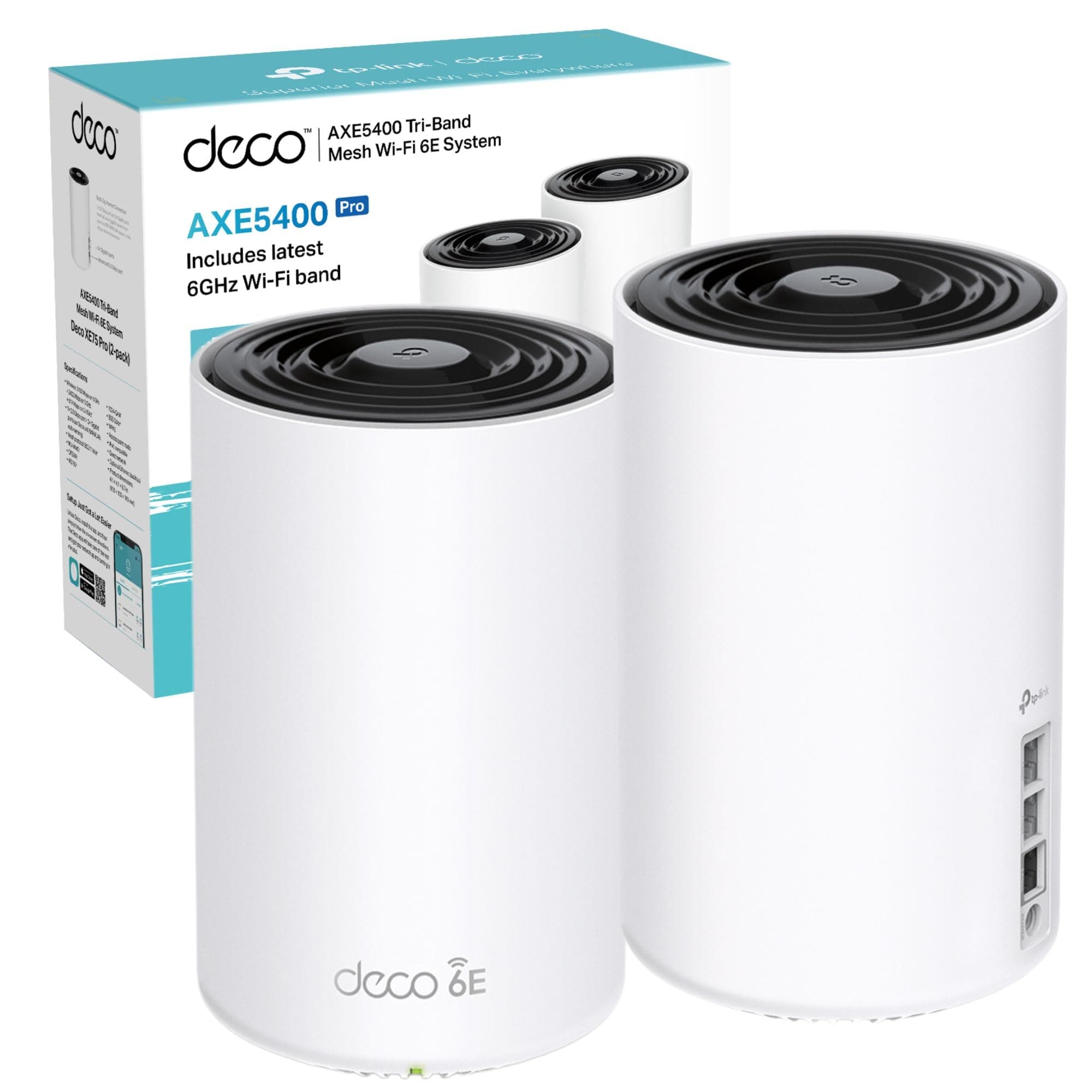

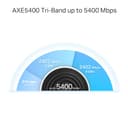
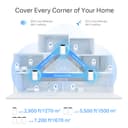

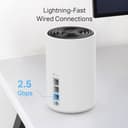

🚀 Elevate your home network to pro-level speed and coverage—because buffering is so last decade!
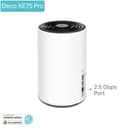
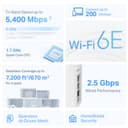
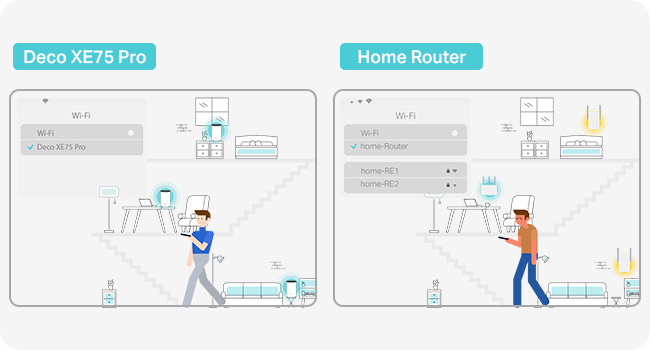
The TP-Link Deco XE75 Pro (2-pack) is a cutting-edge WiFi 6E mesh system delivering true tri-band speeds up to 5400 Mbps. It covers up to 500m², supports over 200 devices simultaneously, and features a 2.5 Gbps multi-gig port for ultra-fast wired connections. AI-driven mesh technology ensures seamless roaming and optimal performance, while TP-Link HomeShield provides advanced security. Ideal for 8K streaming, gaming, and smart homes, it offers easy app-based setup and universal compatibility with all ISPs and modems.



| ASIN | B0BF5FYG12 |
| Antenna Location | Home |
| Antenna Type | Fixed |
| Best Sellers Rank | 33,109 in Computers & Accessories ( See Top 100 in Computers & Accessories ) 96 in Whole Home & Mesh Wi-Fi Systems |
| Box Contents | Deco XE75 Pro(2-pack) |
| Brand | TP-Link |
| Brand Name | TP-Link |
| Compatible Devices | Laptop, Personal Computer, Smart Television, Tablet |
| Compatible devices | Laptop, Personal Computer, Smart Television, Tablet |
| Connectivity Protocol | Wi-Fi |
| Connectivity Range | 5500 Square Feet |
| Connectivity Technology | Wi-Fi |
| Control Method | App |
| Controller Type | Switch |
| Coverage | 5,500 square feet or 500 square meters |
| Customer Reviews | 4.1 out of 5 stars 142 Reviews |
| Data Transfer Rate | 5400 Megabits Per Second |
| Frequency | 6 GHz |
| Frequency Band Class | Tri-Band |
| Frequency band class | Tri-Band |
| Is Modem Compatible | Yes |
| Item Dimensions L x W x H | 10.5L x 10.5W x 16.9H centimetres |
| Item Weight | 2.16 Kilograms |
| LAN Port Bandwidth | 2.5 Gbps |
| Manufacturer | TP-Link |
| Manufacturer Part Number | DECO XE75 PRO(2-PACK) |
| Maximum Upstream Data Transfer Rate | 2402 Megabits Per Second |
| Model Name | Deco XE75 Pro(2-pack) |
| Model Number | DECO XE75 PRO(2-PACK) |
| Model name | Deco XE75 Pro(2-pack) |
| Number of Ports | 3 |
| Operating System | Linux |
| Other Special Features of the Product | Remote Access |
| Security Protocol | WPA2 or later |
| Special feature | Remote Access |
| Wi-Fi Generation | Wi-Fi 6E |
| Wireless Compability | 802.11ax |
| Wireless communication standard | 802.11ax |
P**C
Unleash Lightning-Fast WiFi Across Your Home!
I've been a long-time user of the TP-Link Deco system, and the Deco XE75 Pro has solidified my trust in their products. It offers an outstanding balance between performance and price, making it a perfect upgrade for anyone seeking improved network performance without breaking the bank. Why I Upgraded I chose this model to enhance my internal backhaul speeds, especially for data movement to my home NAS. While I considered the newer 7G systems, this option provided a significant performance boost at a fraction of the cost. It also saved me from the hassle and expense of installing Ethernet cabling throughout my home—a win for both my budget and convenience. Performance and Coverage The improvement in speed and reliability has been remarkable. The mesh system effortlessly covers my 12+ room house, ensuring no dead spots and consistently strong connections. Internal data transfer speeds are incredibly fast, making tasks like NAS backups a breeze. The system integrates seamlessly with my existing Deco devices, creating a unified and efficient network. App and Features The TP-Link app is straightforward and functional, handling essential tasks like setup and device management with ease. However, it could benefit from more advanced controls, such as manually assigning devices to specific nodes. While this lack of customization can be mildly frustrating, it doesn’t overshadow the product’s overall reliability and bulletproof performance. Verdict The TP-Link Deco XE75 Pro delivers excellent coverage, fast internal speeds, and reliable operation, all at a price that feels more than fair. If you're looking to upgrade your home network without venturing into the premium price bracket, this is a fantastic choice. Despite some app limitations, the product excels where it matters most, making it a worthy investment for any connected household. Rating: 5/5
M**.
Easy to install, great connectivity and mesh system management
This was my first time setting up a mesh-network for my house, and TP-Link made it very easy, it works great with my Gig1 virgin wi-fi. I love the app and how easy it makes managing your network. My only gripe is that it only has one 2.5Gbps port so miss out on about 100mbs of download speed.
A**L
This Deco is Amazing
Straight out the box this was very easy to set up and user friendly. Currently using it with thee Virgin media hub set to modem and directly connected to one deco unit wired with the cable provided in the box, compatibility was no issue. This single deco unit when turned on wi fi coverage already had a huge boost to areas the hub wasn't reaching. Once set up wifi named adding the second deco unit was only a matter of plugging it in. The performance far exceeded my expectations and now upstairs where I could barely get a signal im getting my full broadband speed as if I was plugged in wired right next to the hub. The signal quality remains strong and steady. Highly recommend.
J**G
BT Hub and Discs are awful - will this fix it?
I ordered a pair of TP-Link Deco XE75's. Ordered from Amazon at 10am, arrived the SAME day at 7pm... This is how I got on.... Opened the box, pulled the units out. I downloaded the app by scanning the QR code in the "Quick Start" guide, fired it up and went through the procedure. Ensure you have data coverage for the mobile you are running the TP Link app on. Unplug the BT router and plug in the ethernet cable from the Openreach box into the Deco RJ45 port. The app will find the Deco, run a "wizard" to get you connected to your ISP, all I needed was the BT username and password (Googled it) and after 5 minutes, we were in business. Configured the SSID, password, and did a speed test. All good so far. I went up to the 3rd floor of the house, plugged in the second Deco, waited for 2 minutes, done. I'm getting 490Mbps next to the Deco downstairs. 150 in the room next to it which used to be 20! 250 in the kitchen which was 50. Upstairs, I'm seeing 160-200MBps, it was, wait for it......... <=20Mbps. Am I happy I spent the money? No. Am I pleased with the performance, ease of set-up and stability? YES! Moral of the story here? If you want whole home coverage, and have a house that is not made from straw and sticks, and your current BT kit isn't cutting it, buy some Decos. I allowed BT 3 chances to fix the issues and they either wouldn't, couldn't or just hoped I'd go away and fix it at my own expense/time. Which I have.
A**R
Utterly unreliable junk, overhyped garbage — avoid it if you value your time and sanity - AVOID
Avoid the TP-Link Deco XE75 Pro - Utterly unreliable junk. The Deco XE75 Pro can’t even manage the basic job of staying connected — constant red lights, factory resets that solve nothing, and endless wasted hours despite a rock-solid broadband line. My DrayTek modem proves the ISP is fine; the Deco is the weak link. I regret investing in the TP-Link Deco XE75 Pro. My broadband line (FTTC, via Rebel Internet) works perfectly when tested directly with my DrayTek modem and even with a PC login — yet the Deco repeatedly fails to make or hold a connection. The system ran fine for a short while, then suddenly collapsed: the main unit turned red, killing all connectivity. Factory resets, careful re-entry of ISP credentials, and VLAN settings made no difference. Each reset is an ordeal, and even when it seems fixed, the issue returns. This isn’t a line fault. My ISP and modem confirm the connection is solid. The problem lies squarely with the Deco. Basic reliability is the bare minimum one should expect from a router, but this product can’t even maintain that. I’ve since learned my experience is far from unique: users across forums report red-light failures, loss of internet despite healthy lines, and the need for constant resets. That makes this less a one-off fault and more a systemic weakness in the product. A router should provide stability and confidence. The Deco XE75 Pro delivers the opposite: fragility, wasted hours of troubleshooting, and a network that collapses without warning. I cannot recommend it — if reliability matters to you, look elsewhere.
M**M
Seamless Coverage
Rated tech support as 5 (didn't use it) as overall this product is fantastic. Very pleased with coverage. No drop outs anywhere in house. Note that on initial setup it comes up with a warning about WAN cable being incorrect. Was a bit weird as made no sense - however message goes if you update firmware of the Deco's. Very impressed with the product - though the 6hz signal strength is worse than the 5hz. Don't really need to use it - was more out of curiosity than anything else. Very simple to set up and configure. As long as has decent lifespan this is well worth the investment
C**W
📶 TP-Link Deco XE75 Pro – A Strong Wi-Fi 6E Mesh System, But Not Without Frustrations
After years of relying on Netgear Orbi RBR50/RBS50, I decided to switch to TP-Link Deco XE75 Pro, hoping for better value and strong connectivity. On paper, this Wi-Fi 6E mesh system boasts excellent coverage, fast speeds, and AI-driven optimisation, but after real-world testing, it didn’t quite deliver the seamless experience I expected. 🛠 Setup & First Impressions Setting up the Deco XE75 Pro was incredibly easy—just unpack, plug in power and Ethernet, and complete the setup through the app. In about 10 minutes, everything was up and running. ✔️ Packaging and presentation were excellent—a polished, well-built product. ✔️ Wi-Fi speeds impressed me initially—I could max out my 400Mbps connection on my Google Pixel 7 Pro. ✔️ The app is clean and easy to navigate, but hides advanced settings compared to Netgear Orbi’s interface. However, there were immediate frustrations: ❌ Limited configuration options—the system only operates in Router or Access Point mode, restricting customisation of individual services like DHCP alerts. ❌ No way to separate 2.4GHz and 5GHz SSIDs—which potentially led to connectivity issues with my IoT devices that worked flawlessly on Orbi’s identical SSID setup. 📡 Performance & Connectivity Issues While signal strength and speeds were solid, actual device compatibility was inconsistent. ✔️ When connected, speeds were fantastic—low latency, strong signal, no dead zones. ✔️ Wi-Fi 6E provided a noticeable boost, especially for high-bandwidth applications. ✔️ AI-driven optimisation seems to improve stability for mobile devices. However, the IoT connectivity failures were a major dealbreaker: ❌ Intermittent device dropouts—certain smart home devices struggled to stay connected, despite strong signal. ❌ AI-driven band switching may be causing issues, forcing devices to jump between frequencies unpredictably. ❌ No manual override to separate 2.4GHz & 5GHz, making troubleshooting impossible. I never experienced these issues with Orbi, and even after adjusting settings, the connectivity problems persisted. ⚠️ ‘Pro’ Version Feels Misleading One of the main reasons I went for the Deco XE75 Pro over the regular model was the 2.5Gbps ports—but this upgrade feels like a con. ✔️ The system does feature 2.5Gbps ports, useful for future-proofing. But… ❌ Only ONE port per unit is actually 2.5Gbps—all other LAN ports remain 1Gbps, significantly limiting wired backhaul potential. ❌ This is NOT clearly advertised, making the upgrade far less valuable than expected. If you planned to hardwire a full multi-gig setup, this limits expansion and makes the extra cost questionable. 🔧 Where It Falls Short ❌ Severely limited network customisation—losing key router features found on competing brands. ❌ Inconsistent IoT device connectivity—major frustration for smart home users. ❌ Pro version’s 2.5Gbps port limitations feel misleading—not enough value added. ❌ AI-driven frequency switching may cause unintended issues with device stability. ✅ Final Verdict – Disappointing for a Premium Mesh System ✔️ Easy setup & strong Wi-Fi speeds when connected. ✔️ Solid coverage with minimal dead zones. ✔️ Useful AI optimisations for everyday browsing & mobile devices. ✔️ Wi-Fi 6E offers tangible speed benefits for newer devices. ❌ Severely frustrating IoT connectivity issues. ❌ Disappointing ‘Pro’ upgrade with only one 2.5Gbps port per unit. ❌ Limited advanced controls for tech-savvy users. ❌ For the price, better alternatives exist with more flexible configurations. 👉 Decent for basic home networking, but falls short in configuration and multi-gig wired backhaul support. If you rely on IoT devices, think twice before buying. 🚀📡✨
J**Z
High-Speed Wi-Fi 6E Mesh with Intuitive App—Minor Node Stability Issue
As someone who regularly tests network hardware, I was genuinely looking forward to putting the TP-Link Deco XE75 Pro (2-pack) through its paces—and for the most part, it lived up to expectations. Setup was seamless. The Deco app made the process incredibly straightforward. It took me under 10 minutes from unboxing to having the main unit up and running. The app itself is one of the better ones I’ve used—clean UI, responsive, and packed with helpful features like device prioritisation, parental controls, and network diagnostics. TP-Link has clearly put time into making the app intuitive, even for less technical users. In terms of performance, this mesh system delivered where it counts. The AXE5400 tri-band setup, especially with the inclusion of the 6 GHz band, gave me consistently fast speeds across the entire home—whether it was on my laptop, phone, or smart TV. Even in historically weak spots, the signal held up well. I clocked very solid results in speed tests, and things like 4K streaming, Zoom calls, and gaming all ran flawlessly. The 2.5 Gbps WAN/LAN port is a great addition. If you’re on a high-speed plan or using a NAS or wired backhaul, this gives you the flexibility to get the most out of your setup. It’s a future-proof inclusion, and I appreciated that both units come with multiple Ethernet ports—not just the base. Now for the one issue I had—the second node. It kept dropping out intermittently. I repositioned it, made sure it wasn’t in a dead zone, updated the firmware, and even tried giving it a full reset. The problem persisted. It’s hard to say if this was just a one-off faulty unit, but it did affect the overall experience. If the connection had remained stable, I’d have no hesitation giving this five stars. That said, when it worked, it worked brilliantly. Coverage was strong, the speeds were consistently excellent, and the 6 GHz band offers a real performance boost on compatible devices. The app experience is best-in-class, and I really liked the level of control I had without it ever feeling complicated. Final verdict? The Deco XE75 Pro is a fantastic choice for anyone looking to upgrade to a fast, reliable, and future-ready mesh Wi-Fi system. Just keep an eye on the second unit if you go for the 2-pack, as my experience suggests there might be some variability in hardware reliability. Still, for the price and performance, it’s a very strong offering from TP-Link.
Trustpilot
Hace 1 mes
Hace 3 días