Some deliveries may take a little longer than usual due to regional shipping conditions.

Descargar la aplicación


Servicios al cliente
Sobre nosotros
Copyright © 2025 Desertcart Holdings Limited
Descargar la aplicación


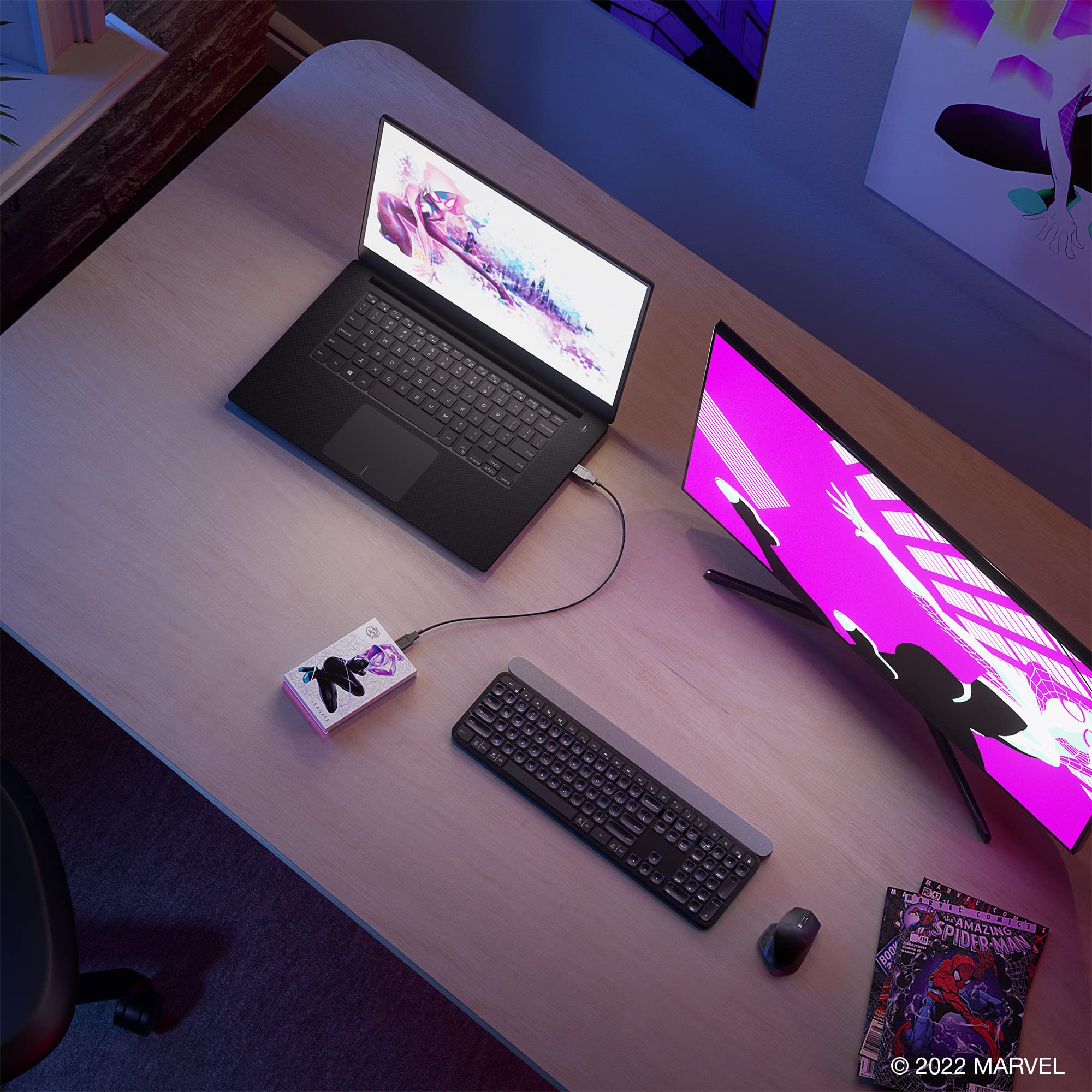


🕸️ Power your digital life with style and speed—be the hero of your data!
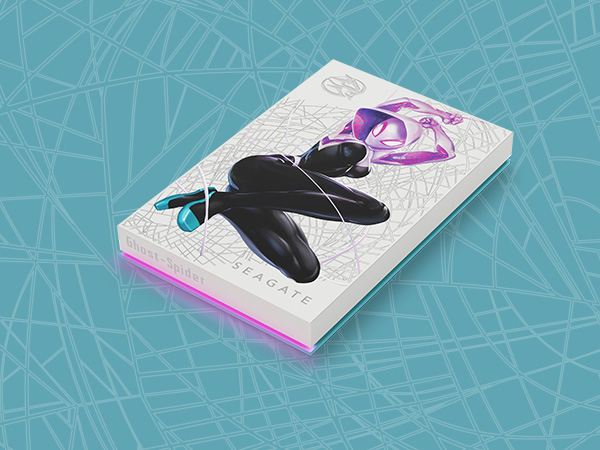
The Seagate Ghost-Spider Special Edition FireCuda External Hard Drive offers 2TB of portable storage with USB 3.2 Gen 1 connectivity for fast data transfers. Featuring a unique Ghost-Spider inspired design and customizable RGB LED lighting, it combines eye-catching aesthetics with reliable performance. Backed by a 3-year warranty and Rescue Data Recovery Services, this 2.5-inch mechanical drive is perfect for gamers and professionals seeking both flair and function.


| ASIN | B0B6GG7T83 |
| Additional Features | Portable |
| Best Sellers Rank | #181 in External Hard Drives |
| Brand | Seagate |
| Built-In Media | FireCuda HDD 2TB USB3.0 |
| Cache Memory Installed Size | 2 |
| Color | Ghost-Spider |
| Compatible Devices | Desktop |
| Connectivity Technology | USB |
| Customer Reviews | 4.7 out of 5 stars 2,932 Reviews |
| Data Transfer Rate | 5000 Megabytes Per Second |
| Digital Storage Capacity | 2 TB |
| Enclosure Material | Aluminum |
| Form Factor | 2.5-inch |
| Hard Disk Description | Mechanical Hard Disk |
| Hard Disk Form Factor | 2.5 Inches |
| Hard Disk Interface | USB 3.2 |
| Hard Disk Rotational Speed | 5400 RPM |
| Hard-Drive Size | 2 TB |
| Hardware Connectivity | USB |
| Installation Type | External Hard Drive |
| Item Dimensions L x W x Thickness | 4.82"L x 3.15"W x 0.57"Th |
| Item Weight | 167 Grams |
| Manufacturer | Seagate |
| Media Speed | 120 Megabytes Per Second |
| Model Name | STKL2000418 |
| Model Number | STKL2000418 |
| Number of Items | 1 |
| Read Speed | 120 Megabytes Per Second |
| Special Feature | Portable |
| Specific Uses For Product | Gaming |
| UPC | 763649176368 |
| Unit Count | 1.0 Count |
| Warranty Description | 3-Year-Manufacturer |
K**A
Absolutely Beautiful - Love it!!
I have a literal basket of Seagate "passport" drives, and I love them. Pocket size, fit great in case, decent enough performance, and I've never had one go bad. This "Darth Vader" one is way better than I would have expected. Totally worth the extra $20 I paid. The graphic is "3D" like it was painted on. There are designs on both sides. There's a cool LED effect too, which can be turned off if you're lame. ;) I loved it so much, I went and bought some more with different themes. You got Star Wars, Marvel, etc. Totally great idea and I hope they keep making more!!
D**N
Nice desing, works correctly
Nicely crafted with attractive Starfield themed Details, to store other games while using Optimized ones directly on the console. External 2.5 USB 3.0 Eternal drives can hold and play on it NOT OPTIMIZED GAMES. It can hold/contains the Series X/S Optimized one as well, but those can only be played directly from console inner space.
K**Y
It holds all the galaxies secrets
So I actually am a gamer but am not using this for gaming... First off this thing is beautiful! I love the beskar design and it's textured and even about the right size as a bar of Beskar. I bought some stands to put this (and other decorative HDs I've bought) on display!! I've decided to store as much as I can of my media digitally to save on space. But I'm a collector and like to do things in style. I'm also a nerd and when I saw this .. I knew.... So now this bad boy holds every bit of star wars media I have....Movies, TV Shows, Books, Novelizations, Comics, Spoofs (like FG and RC episodes), specials, shorts, Kids versions (Lego and such) you name it this guy has it on there... For all my star wars games (Xbox ones at least) I actually bought the fallen order hard drive...which is also nice to look at!
E**S
Still tickin'
I use it as a backup HD for games I'm not playing currently. After almost two years, I've never had trouble with it and it runs fast enough for games like Borderlands 4 and Helldivers 2. I was concerned about the longevity and durability, but it's survived falling and traveling. Funny enough, I've never played starfield.
C**G
It's a NVME PCIe 4 SSD Novelity Item
The price of the NVME is higher because of the novelty. (I bought this NVME in the Amazon Warehouse deals. It was the cost of a normal 1TB NVME.) There is really nothing special about the drive, performance wise, to justify the higher cost of a non-novelty PCIe 4 NVME SSD. The NVME is housed in a specialized Aluminum heatsink. BTW... If you are into stickers, the packaging does come with 2 sheets of stickers. 1 sheet with Seagate branding and 1 sheet which I believe is the symbols that represent the 3 characters (Obi-Wan, Luke, and Darth Vader). Some things to think about before buying this novelty. 1. Make sure the motherboards M.2 PCIe slot is not being block by something like the GPU. My motherboard manufacturer placed the M.2 slot next to the PCIe x16 slot for the GPU. So that my CPU covers the slot. If I had a normal NVME without a heatsink, the NVME would fit. 2. Most motherboards have multiple M.2 slots but not many have dual M.2 PCIe x16 (aka PCIe 4) slot. I had to install the NVME in a M.2 PCIe x 4 (aka PCIe 3) slot. The NVME is backwards compatible, but the motherboard can't take full advantage of the speed of the NVME. It's still noticeable faster than an HDD or an SSD. 3. The motherboard must have an open LED RGB connector. LED RGB connector is where the NVME gets the electricity for the "saber" and the ability to change the color. Although the ad pictures show red, blue, or green blades, the blade can be any color. You will need to use the motherboard software to change the color. 4. Most case interior does not have lights. You can see the "saber" but lose the details of the hilt and can't see the printed name. The light is bright but not bright enough to illuminate the hilt or printed name. Works much better if the case has other LED lights to see the name printed and hilt. i.e. if this NVME is the only thing in the case that is emitting light, that is all you will see, the saber light. 5. Seagate online has DiscWizard to do basic cloning, backup, etc... There is no need to buy cloning software. DiscWizard is actually a slime down version of Arconis software. I used the cloning app to move the OS with data from an SSD to the NVME. It took about 1.5 hrs to clone 800GB. Basic process: Install NVME, format NVME MBR or GPT, partition NVME, clone from old to new, enter motherboard BIOS and select NVME as the new boot drive, save, restart. If everything is working as expected, reformat old boot drive as a data drive. Lastly, although the instructions says that you can't remove the NVME from the case, it looks very doable. It looks like it is being held together with 4 screws. So, I believe that if you are inclined to put a larger NVME, say a 4TB, I believe you can.
A**W
Get this if you want to be on the high ground.
If you're looking to make a star wars build this is one to get. Love the look and works perfect with no issues.
P**R
Can’t beat it
Can’t beat it
T**A
Ps4 games only
I love the look of this! I just didn’t know you could only load ps4 games on it from the ps5 but i love it regardless!
Trustpilot
Hace 1 día
Hace 1 mes