
Descargar la aplicación


Servicios al cliente
Sobre nosotros
Copyright © 2025 Desertcart Holdings Limited
Descargar la aplicación

🎮 Elevate your desk game with Phantom+ Elite — where pro performance meets style and freedom.
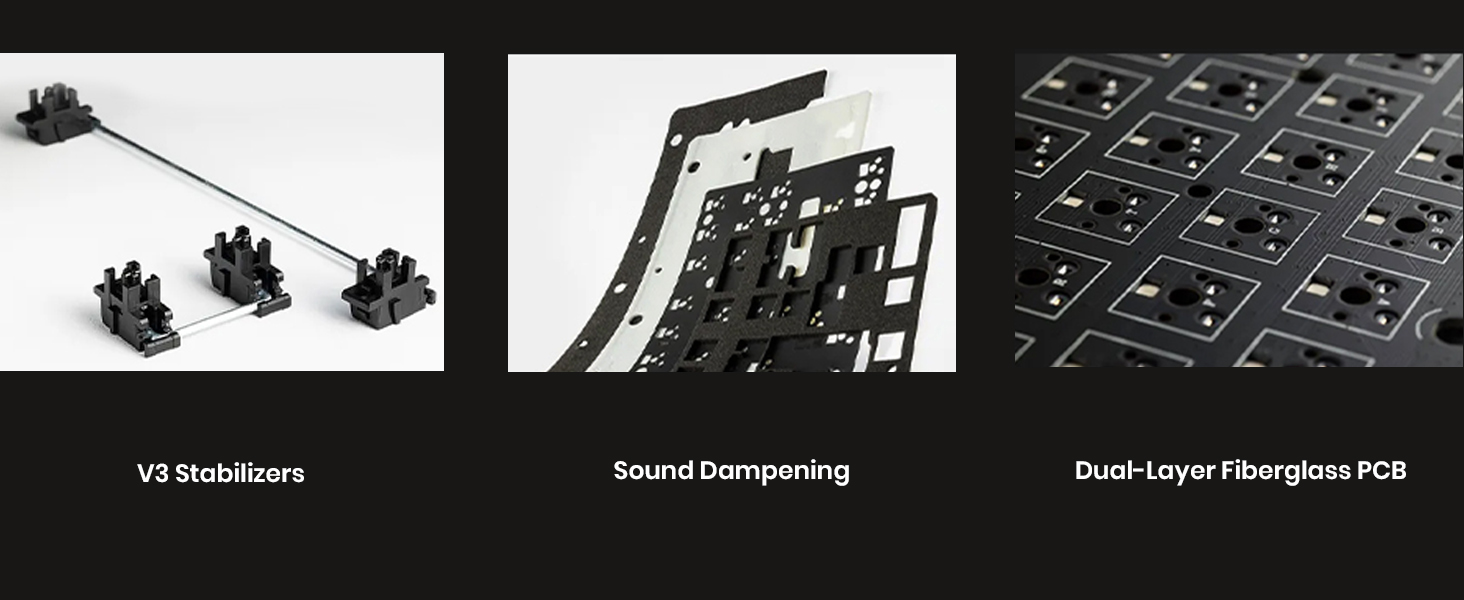
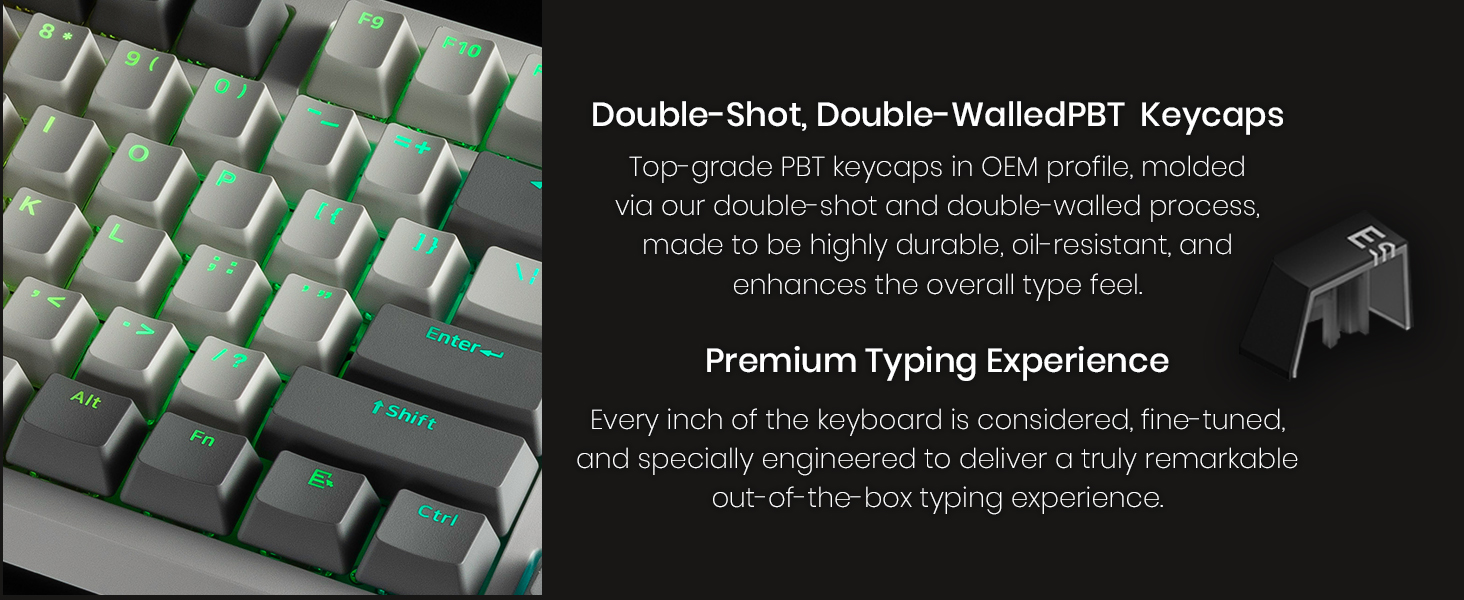
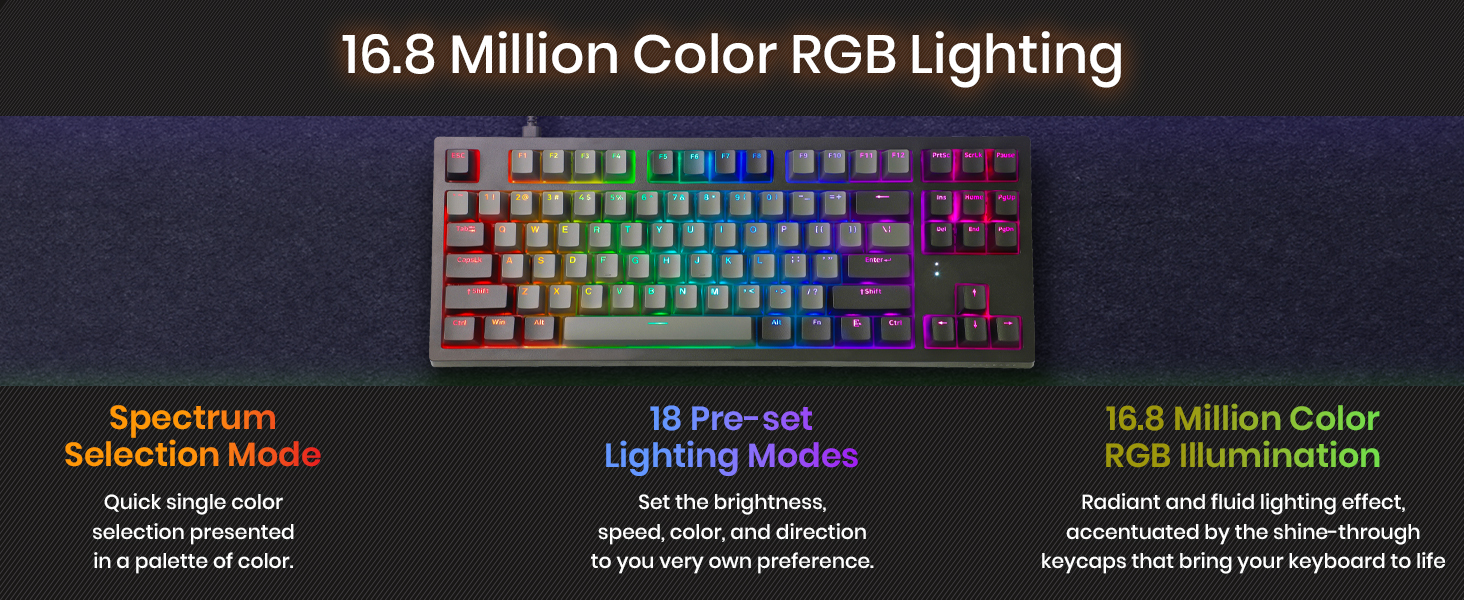
The TECWARE Phantom+ Elite is a compact 87-key RGB mechanical keyboard designed for professionals and gamers seeking versatile connectivity with Bluetooth 5.0, 2.4GHz wireless, and USB-C wired modes. Featuring a powerful 2500mAh battery for up to 250 hours of use, customizable 16.8 million color RGB lighting, and hot-swappable 5-pin MX-style switches, it offers premium build quality with double-shot PBT keycaps and sound dampening for a quiet, durable typing experience.



| ASIN | B0BQ2Z8VS6 |
| Batteries | 1 Lithium Ion batteries required. (included) |
| Best Sellers Rank | #2,407 in Video Games ( See Top 100 in Video Games ) #206 in PC Gaming Keyboards #618 in Computer Keyboards |
| Customer Reviews | 4.5 4.5 out of 5 stars (9,051) |
| Date First Available | December 14, 2022 |
| Item Weight | 3.16 pounds |
| Item model number | TWKB-PE87PZT-BKWBR |
| Language | English |
| Manufacturer | TECWARE |
| Product Dimensions | 14.69 x 5.98 x 1.65 inches |
S**R
Awesome quality, better than keyboards costing 2x
This product needs to have a higher overall rating than it currently is getting. One of the most critical reviews was claiming there was a ton of coil whine. I don't know what sort of bat-hearing they have but I had to put my ear up against this keyboard to hear any sort of whine, and even then it was not loud even in my very quiet room. With that out of the way, my background: I'm an absolute keyboard junkie. I've used $300 keyboards with exotic switches and expensive doubleshot PBT keycaps... I've also used $30 keyboards. I've used probably over a dozen different types of switches on two dozen keyboard models from Cherry, Gateron, Kalih, Razer, etc. I type comfortably at about 110-120wpm so I'm hammering keys pretty hard and fast, and have a pretty discerning feel for what I like and what I don't like. In a single line, this keyboard just feels smooth. It feels very solid when hammering away on it, and the switches don't feel as heavy as Cherry MX Browns do. It's not drastically different, but just feels a touch lighter spring weight (lighter keycaps can make a switch feel lighter too). There is no issues with hearing the spring "ping" as it is decompressing as I've experienced on other boards with genuine Brown switches. The switches are somewhat lower profile and don't have annoying play/looseness between the stems and the housing like I've experience with some *really* generic MX switches. Some other review was complaining about the stabilizers, but I'm able to type very quickly on these without feeling like either the shift or space bars are tripping me up at all. Misc: the font they used is kinda "meh" but does it really matter? The RGB lighting works as expected...can get bright / dim and does a bunch of patterns and stuff that I don't particularly care about. For the current price tag of this keyboard, it's an excellent value. "name brands" would probably put their logo on it and charge 2x as much. I wouldn't be mad if this keyboard cost 2x as much...that's how much I really enjoy typing on it.
A**I
Unbelievable Value
This is my first mechanical keyboard and it's unbelievable how many things you're getting for only $35. This is one of the few keyboards that fit all of my criteria: brown switches, low profile, media control keys, and detachable USB. I didn't really care about wireless since I could just buy a cheap wireless keyboard separately if I really needed that. When I got the keyboard, I immediately noticed how sturdy the build quality is. There's no flex and it has a decent amount of weight to it without feeling too heavy. I didn't have any non-responsive keys or coil whine in my unit. Also the gamer-y font doesn't really bother me since I can touch type and it's not too gamer-y like the Redragon keyboards. It's also nice that it comes with replacement switches but one downside is that it's only hot-swappable with outemu low-profile switches. But for $35 it's surprising it's even hot-swappable in the first place. I also have a Dell membrane keyboard for $20 that doesn't even have RGB, detachable cable, or hot-swappable switches. I really like how many RGB profiles there are on board and how I can save them without needing to download the software. The software is also decent but one issue I had with it was that when reassigning the "APPS" key, the software for some reason think that I'm reassigning the function keys instead. But that's kind've minor and I just reassigned the right ctrl key instead and that works fine. I've been using this keyboard for a week now and I haven't had any other issues with it aside from the software. I'll update the review if I run into any issues down the road, but I'm really impressed with it so far.
L**R
Great keyboard at a great price
This Keyboards price point had me thinking it was going to perform a lot like the others I've tried recently, but it has out performed almost every keyboard I've tried. The brushed aluminum top gives it a higher end appearance, and a sturdy feel - it doesn't feel cheap at all for a $15-20 keyboard. Initially I ordered one with brown switches, and liked it so much I ordered another with red switches, but unfortunately that one had a short in it. For some reason the function key row would send a bunch of keypresses if the case came into contact with my hand. As far as the switches go, I think the brown provided a much better experience. I have another keyboard with red switches and it doesn't feel mushy at all, but the Phantom L red switches did. It was odd, they almost fought back just before bottoming out, which felt like it was straining my fingers. The RGB effects are great, and outperform every single keyboard I've used at this price point - it's real RGB, not rainbow backlighting. My only criticism would be for the keyboard being for windows, through-and-through. But even that feels moot, because changing keycaps and modifier keys in Linux and macOS is easy peasy. Oh, one other thing, this keyboard will not work with USB-C to USB-C on any computer I've tried it on. Overall, if you're after a wired RGB hot swappable low profile mechanical keyboard, you can't go wrong with this one. Hopefully they keep making it! Also, I'd love to see this keyboard with a battery and all that tri-mode connection stuff.
J**B
A solid TKL, for the price point
If you're just getting into mechanical keyboards, I would personally recommend the Phantom L, with a caveat: if you're a die-hard TKL fan, this is pretty much as good as it gets at this price point. Hot-swap makes it easy to try out new switches as well. As per the product listing, these come with Outemu switches. These are not your normal Outemu switches—these are a special low-profile variety using a more unique design inside the switch. However, because these are Outemu switches, you'll be stuck with them unless you're willing to mangle the pins on your other switches, as this uses the Outemu style of hot-swap sockets. When I first received this product, set-up was a bit odd. The keyboard failed to "wake up" until Windows recognized it. When it did finally come to life, it failed to send keystrokes until I unplugged and plugged it back in two or three times, at which point it finally behaved and sent keystrokes as expected. Another issue I was concerned about was a faulty LED, the one handling the T key, as the red LED for that key seemed defective, but it resolved itself within a day or two. As such, I'd say the build quality is questionable, if only for the hardware. The case itself is solid, and does not flex unless you really try to manhandle it. Software is not required to operate the RGB on the keyboard, however, the software offers more control over the RGB functionality. The RGB settings are saved to the keyboard, and as such the software is not required to keep your settings. I don't trust the software, so I installed the software to an offline machine, configured the RGB there, and reattached the keyboard to my primary machine. The RGB on the keyboard itself is nothing to write home about—it is cheap and cheerful, but you get what you pay for, and I expected far less. There's no hardware macro support, only simple software macros. I have not experienced the "coil whine" like some other reviewers mentioned. If I experience it later, I will edit this part of the review to denote it. Having used this keyboard for about 5 months now, I can say that the typing feel is alright. It's nothing to write home about, but if you're planning on typing with any regularity, you'll want the tactile/brown switches. The linears/reds are very easy to actuate, almost too easy. If you're typing quickly, you're likely to bump a nearby switch and accidentally actuate it. In addition, if you're planning on getting the linear/red switches for video game use... I would not recommend it. If you're like me, you tend to gently depress the key as your finger sits on it. The red switches have a very high actuation point—you can just barely feel the key pressing against your finger. I bought a bunch of the brown switches to swap in and had a much better time using this keyboard for both gaming and typing. I cannot stress it enough. Whereas with the linears I found myself strafing on accident, the tactiles/browns seem to have a lower actuation point and a bit more spring pressure, making it harder to actuate them on accident. tl;dr: It's an okay keyboard, pick the brown switches.
A**R
very good for what it is, but there are drawbacks
This Tecware Phantom L is difficult to rate. If you can get this on sale for ~$22 or so, this thing is pretty hard to beat. it is a great backup board, or a low-budget way to try a mechanical keyboard. It's also one of the few "half height" keyboards available. If you want something to mod or tinker with, look elsewhere. pros: - the Outemu "half height" tactile switches that come installed would cost more than $25 by themselves - the switches are hot-swappable, so they can be harvested for other projects, or replaced if something goes wrong - the stabilizers come pre-lubed - the switches feel pretty good (not pre-lubed), but that's personal preference - the pcb is padded with foam to cut down noise and vibration - it comes with 4 extra switches and key and switch pullers cons: - if it's much more than ~$22, it starts competing with "better" boards (very subjective...) like entry level keychrons, or wireless Epomakers - even with foam, the keyboard sounds hollow and cheap - the stabilizers clack and rattle a bit - the switches are VERY, VERY difficult to remove - the included switch puller is too flimsy to remove any of the switches - it "works" on Apple, but not with an Apple-specific layout - the hot-swap sockets only support Outemu (or Outemu-compatible) switches, so most switches are incompatible
M**N
Are you sure the price is not messed up... because this is much better then you first perceive!
So this was very unexpected... I ordered the keyboard for the one reason I wanted a new keyboard, the low profile brown switches. I expected to have to send the keyboard back due to a defect or it being a pile of junk, but the quality is actually mind blowing, the metal inner construction keep the tenkeyless board 100% rigid with no flex, the height when propped up on its feet are quite comfortable when needed, the switches may not be the best but for 50 bucks, blew me away having nice quiet yet very tactile switches, the back lighting has tons of different modes and colors and gets very bright compared to other keyboards in the same bracket. My favorite is its a low profile keyboard... I found that traditional mechanical switches just were to tall for a comfortable experience, even with a decent wrist rest, after seeing the Logitech g915 I was immediately searching to buy it... $200+ even on some sale and I died inside, now this does not really match up with that keyboard however, this certainly introduces a new mechanical keyboard style for the lower end in a great quality package. It even has a detachable Usb C cable!!! Now not all is perfect unfortunately, although the key caps are double shot injected so good quality, they just feel cheap, the screws are very easy to see under the key caps so if your greatly into the cleanest possible setup this might be something to consider, it has no wrist rest and some of the letters on the legend may pose difficulty for someone who is not comfortable touch typing and having a keyboard tenkeyless, makes me really happy as I personally feel more comfortable having the main typing section to be closer to my mouse but annoys me when needing to type in a database or type some long pin number. In all words this may have some quirks but for $50 bucks this is an absolute steal!
M**L
Good quality, but definitely a gamer aesthetic
I really enjoyed this keyboard, but I ended up returning it because of the gamer aesthetic. If you don’t mind the aesthetic, then you should really consider the keyboard. Let me start with what I loved—the ergonomics and the keyboard case design. This keyboard uses low-profile switches and key caps. It’s designed in such a way that it is very easy and comfortable to type on for long periods of time. While playing various games, it was easy to accurately press any key I wanted. I’m able to rest my hand on the desk while still pressing the keys without any pain or discomfort. The switches are also hot-swappable, provided you use Outemu switches. The keyboard case is solid and feels nice. It doesn’t suffer from that cheap, plastic feel that you might find in other keyboards in this price range. This keyboard also types really, really well. My wife has spent the past several years typing on an Apple Magic Keyboard. She gave me a lot of trouble about switching to a mechanical keyboard until she tried this low profile one with red switches. We both type a lot for our work and she is having a hard time going back to the Magic Keyboard. The biggest thing for me is the font on the key caps. I may just be overly sensitive to this kind of thing, but the key caps had a serious gamer aesthetic. This limited how well it fit in for my particular setup. For me, it looked out of place. I also had a hard time finding similar key caps that would let the backlight show through. This is really situational, though. If you don’t care about the font on the key caps, or if it fits in well with your aesthetic, this keyboard will be fantastic for you. I also want to compliment customer service. I had questions about how to use different aspects of their software and they responded promptly and professionally. I’m really impressed.
4**1
Love it
This is my second mechanical keyboard. My first was a blue switch low profile, and I got this to try brown switches which are supposed to be quieter. And before that I used Microsoft Ergonomic keyboards for many years. For less than $25 this thing is a steal, you can't beat it in price to performance ratio. If you're looking to get into mechanical keyboards or want a rainbow rgb keyboard, this is a great starting model. There's only a couple of nit picks I have about this keyboard. For something advertised as low profile, its not as low profile as they get. Its somewhere in the middle. My previous keyboard was much lower in height. However, I found my typing improved on this. My typing speed even in preliminary tests was 4-5 word per minute higher with this keyboard compared to my other lower height keyboard. So may be height of the keyboard isn't that big a deal. Also the keys feel a little plasticky, but I let that go due to the low price tag. Everything else about this keyboard is 5 star in my opinion (for a starter mechanical keyboard). Its 80% of a Full size keyboard, so saves some space, while still giving you standard layout with Home/Insert/Del/Page up/Page Down/End keys. The keys are brown tactile, but not noisy. The base is solid and heavy, this thing isn't moving at all when you type; its very stable. I find the fonts weird on these "so called" gaming keyboards :), but realistically the goal is to not look at the keys while typing, so it wasn't a big deal for me. When I started typing on it, I could type more accurately and precisely, so it must have the right spacing and placement for keys, that my muscle memory can type more easily with, without needed much learning curve. Overall happy with the purchase and will use this as my daily driver.
Trustpilot
Hace 1 mes
Hace 3 días