We remain fully operational. Our teams are working around the clock to ensure your deliveries continue safely.

Descargar la aplicación


Servicios al cliente
Sobre nosotros
Copyright © 2025 Desertcart Holdings Limited
Descargar la aplicación

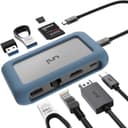
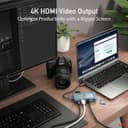

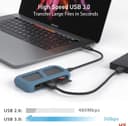

🚀 Unlock your workspace potential with uni’s sleek 8-in-1 USB-C hub!
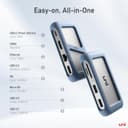
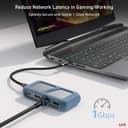
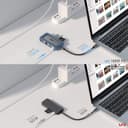
The uni USB C HUB is a compact, durable 8-in-1 adapter designed for professionals who demand high performance and versatility. Featuring 4K HDMI output, 1Gbps Ethernet, dual USB 3.0 ports, SD/microSD card readers, and 100W power delivery, it supports seamless multitasking across MacBook Pro, iPad Pro, XPS, Pixelbook, and more. Its removable USB-C cable enhances portability and cable management, making it an essential tool for modern remote work and presentations.


| ASIN | B081YGDBG7 |
| Best Sellers Rank | 42,938 in Computers & Accessories ( See Top 100 in Computers & Accessories ) 704 in USB Hubs |
| Brand Name | uni |
| Colour | Pink Metal |
| Compatible Devices | Routers, Tablets, Laptop, Printer, Monitor, SD Card, Mouse, Keyboard, Ethernet, USB devices, Mac, iPad |
| Customer Reviews | 4.3 4.3 out of 5 stars (2,768) |
| Data Transfer Rate | 5 Gigabytes Per Second |
| Enclosure Material | Aluminum, Nylon Braided Cable, Silicone |
| Hardware Interface | Ethernet, HDMI, MicroSD, USB 2.0, USB 3.0 |
| Item Dimensions L x W x H | 10.1L x 5.5W x 2.1H centimetres |
| Manufacturer | uni |
| Manufacturer Part Number | computer |
| Model Number | computer |
| Number of Ports | 8 |
| Operating System | Linux, Mac OS X 10.6 Snow Leopard, Windows 10, Windows 8, Windows Vista, Windows XP |
| Product Features | 4K Display, Ethernet 1Gbps, Power Delivery 100W, SD/MicroSD Card Reader |
| Product Warranty | 18 months |
| Total USB Ports | 3 |
| UPC | 630808117060 850047622136 |
| Unit Count | 1.0 count |
A**T
An incredibly versatile and sturdy hub
My main reasons for choosing this over the plethora of other USB type C hubs available were the ability to replace the cable connecting the hub to the host device, compatibility with iPad Pro, the selection of ports and price: -Removable cable. Although the supplied cable is of good quality and is perfectly usable, cables do wear out over time. Plus, my setup requires the ability to be connected to power and a number of accessories without lots of dongles dangling from my MacBook. The pass-through charging and ability to use a longer cable (I’m using a Cable Matters 10 Gbps 1 Metre cable), which is something no other portable hub I was able to find allows you to do, makes it possible to work comfortably from my sofa all day. -Compatibility with iPad Pro. Since the release of iOS 13, I’ve been working with more and more files from external devices on my iPad; this hub not only allows me to have multiple USB flash drives and a Micro SD card connected at the same time, it also allows me to do it while still connected to power AND to my home network via Ethernet when I’m in parts of the house where The Wi-fi signal is weak. -Selection of ports. While some reviewers have complained about the lack of an additional, data capable, USB-C port, my view is that most devices will have more than one anyway (my MacBook Pro has four of them) and the reason for buying a device such as this is to increase the number of non USB-C ports. I’ve found the Ethernet port in particular surprisingly useful (see my iPad comments above) and have yet to encounter a situation where I needed to plug something in that I didn’t have an available slot for. At only £45 I think anybody would be hard pressed to find a smaller (you can see in the photos just how compact it is), better built or more capable USB hub (I really tried and I couldn’t). That being said, if anyone from uni is reading this and looking for constructive criticism to help to develop future versions, more power to at least one of the USB slots to allow effective charging of a phone and a longer USB-C cable would be welcome additions (in my opinion at least).
F**C
Nice & Compact USB-C Hub
Uni USB-C 8 in 1 hub: The design is rather cool and compact, this Uni USB-C 8 in 1 hub has 2 memory card slots, 3 x USB A, 1 HDMI, 1 USB-C (with DC pass through) and 1 ethernet port as advertised. The silicon bumper gives it a nice finish and helps to prevent scratches made to other dongles/charges/laptops when you carry it around in a bag. Tests with a 15inch MacBook Pro: Everything seems to work brilliantly. Worth noting that when you use the USB-C passthrough for charging the hub gets rather hot, however, I had the same experience with other hubs (from other known brands) that I’ve been using previously so this was kind of expected. When you don’t use the passthrough for charging it still warms up a bit but not as much. The USB-C port can also be used for other devices such as USB-C drive or to charge a phone with a USB-C cable etc. Tests with an iPad Pro 2019: Everything is working nicely, it picks up the external screen, charges the iPad with the USB-C passthrough, recognising a USB mouse that is connected to the Uni USB-C hub and the ethernet connecting works flawlessly too. The response to mouse movements is laggy sometimes but that’s most likely to be an issue with the iPad’s software rather than the hub. The good: 1. Cable management - The Uni USB-C Hub manages well when you plug in or unplug cables, it’s not loosing other connections like some other hubs do. My old hub (from another known brand) used to drop the ethernet connection or one of the USB ports when the power (through USB-C) got connected/disconnected either from the hub or from the laptop itself, which meant I had to reconnect the hub to the laptop as well - which is rather frustrating. This 8 in 1 Uni USB-C hub however handles it very well, just amazing. 2. Detachable USB-C cable - the product ships with a short USB-C cable but it can be easily replaced with a longer one if you wanted to hide the dongle behind the monitor. What can be improved: 1. Personally, one thing that I’m missing from this hub is the status LEDs to the ethernet port, they are good things to have especially when one have to troubleshoot connection issues. 2. I wish the USB 3.0 A ports were blue in the inside rather than black so you can distinguish them easily. 3. Would be lovely to see another USB-C port instead of one of the USB A ports, so if anyone need to use the hub’s passthrough capability they can still use the other USB-C port for a USB key or charging a phone. All in all this is a lovely, versatile, compact USB-C hub - well worth the money.
I**N
Reinfoced, detachable USB-C cable, high power throughout and rubberized case
I bought this as a replacement for my previous USB-C hub whose USB-C connection cable failed after two and a half years. In the attached photo you can see the broken old unit on the left and the new Uni USB-C hub connected to my Macbook Pro. My main criteria for a replacement were: 1. A reinforced, detachable (replaceable) cable 2. High power throughout 3. Connections: at least 3 USB A ports, HDMI and Ethernet 4. Small, portable and durable This unit fulfils all of these criteria. Cable: The cable is high quality, reinforce, detachable and the plugs fit snugly in their USB-sockets. I have had other adaptors with loose plugs that wiggle and can even lose connection with external HDs or Memory sticks. Power Throughput: I have two external HDs connected (one 2.5" mechanical drive and one SSD) and the hub powers these, the HDMI output for my external monitor and charges the Macbook correctly. Connections: The Uni hub has two USB 3 ports, one USB 2 port, one ethernet port, one HDMI output and a card reader all of which work correctly. Size / durability: The unit is pocket sized with a rubberized case and the detachable USB-C cable eliminates a weak point that affects most devices of this type. My only (very minor) complaints are: The ports should be labelled, as with the black side panels and low-light it is difficult to see which port is which. Having a status light for the ethernet port is always useful. However I understand that this would increase the cost. Conclusion: I would definitely recommend this product.
H**E
Ich wollte eine praktische Lösung für die Verwendung von meinem neuen Samsung-Smartphone im Dex-Modus, damit ich auf Reisen nicht unbedingt meinen Laptop mitschleppen musste. Der Hub von Uni zeigte sich dafür als bestens geeignet, vor allem wenn man den günstigen Preis berücksichtigt. Ich habe alle Eingänge/Ausgänge gleichzeitig belegt und getestet und mein Handy wird dabei zu einer richtigen Workstation! Maus, Tastatur, SD-Karten, USB, LAN, alles funktioniert einwandfrei!! Und selbst beim gleichzeitigen Aufladen wird das Gerät nur etwas warm, gar nicht heiß wie einige Geräte, die ich in der Vergangenheit von anderen Herstellern benutzt habe. Das ist ebenfalls eine Erleichterung! Der Hub ist insgesamt sehr gut verarbeitet und bekommt extra Schutz durch die Anbringung der hellblauen Hülle, die auch leicht zu entfernen ist. Er ist auch überraschend klein und somit für unterwegs besonders vorteilhaft! Etwas, was ich auch ziemlich positiv finde, ist dass das USB-C-Kabel separat gelagert werden kann. Das ist bei vielen Hubs und Adaptern leider nicht der Fall, sodass das Ganze nicht mehr zu gebrauchen ist, wenn das Kabel im Laufe der Zeit kaputt geht. Das Einzige, was ich bei diesem Hub als Minuspunkt sehe, ist die Videoübertragung in 4K mit maximalen 30hz anstatt 60hz. Fürs Surfen und Streamingdienste insgesamt trotzdem geeignet. Und vielleicht auch das Fehlen eines AUX-Anschlusses wäre noch zu bemängeln, aber angesichts der zahlreichen Möglichkeiten (beispielsweise über Bluetooth-Verbindungen) stört das dabei eher wenig. Sollte Uni jedoch eine aktualisierte Version mit einem schnelleren HDMI-Ausgang in der Zukunft verkaufen, würde ich ohne Bedenken sofort darauf zugreifen!
O**R
Video edit icin yuksek boyutlu dosyalari taransfer etmek icin kullaniyorum. Kucuk kullanisli ve hizli. İsinma Sorunu yasamadim.
N**6
►PERCHÉ UN HUB USB-C e COME SCEGLIERNE UNO 👨💻👨💻👨💻 A seguire qualche consiglio sulla scelta di un hub usb-c. Se già sapete orientarvi nel settore e volete saperne di più su questo articolo in particolare potete saltare questo paragrafo e andare direttamente al punto 1️⃣ ○ Le porte usb-c stanno diventando uno standard universale, soprattutto se parliamo di portatili, e in particolare dei nuovi macbook, che ormai hanno adottato le porte thunderbolt3/usb-c come unico accesso per le nostre periferiche. È evidente tuttavia che vengano ancora utilizzate tecnologie con connettori di ogni tipo, di cui a volte non esiste nemmeno la versione usb-c, oppure device più datati ma perfettamente funzionanti che non possiamo semplicemente prendere e buttar via. Qui entra in gioco la necessità di un hub usb-c. Ce ne sono di tantissimi tipi, che si differenziano per portabilità, numero e tipo di connettori/tecnologie supportati, oltre che per la qualità costruttiva ovviamente. Trovare ciò che fa al caso nostro può rivelarsi più difficile del previsto. Dobbiamo rispondere a certe domande sulle nostre necessità e in base a questo scartare certi dispositivi e valutarne altri. La prima distinzione da fare è quella tra hub portatili e hub da scrivania. Quelli da scrivania, meglio noti come docking station, sono in genere più grandi e costosi, hanno sicuramente un numero di connettori superiore e un proprio alimentatore, indispensabile per connettere più device ad alto assorbimento energetico senza impattare troppo sulla batteria del portatile, senza contare che alcuni device hanno bisogno di un'alimentazione separata per funzionare, e quella fornita dal portatile non è sufficiente. Dopo aver letto diversi articoli e recensioni posso consigliarvi di dare un'occhiata a questo modello per farvi un'idea https://www.amazon.it/CalDigit-TS3-Plus-Thunderbolt-DisplayPort/dp/B07CVP5HMP/ref=sr_1_1?dchild=1&keywords=CalDigit&qid=1615742261&sr=8-1 ○ Ovviamente se lavoriamo in portabilità dobbiamo optare per qualcosa di più piccolo e leggero e soprattuto assicuriamoci che sia USB POWERED, o BUS POWERED, ovvero che non abbia bisogno di un alimentatore esterno ma assorba energia dal pc a cui è connesso tramite la stessa porta usb che trasmette i dati. Anche se non è direttamente specificato, quasi tutti gli hub usb-c portatili sono bus powered, ma se ancora non se siamo sicuri basta controllare le immagini: se non è presente nessuna porta per l'alimentatore esterno allora siamo a posto. Riguardo alla qualità costruttiva, se abbiamo un computer nuovo e costoso eviterei di acquistare un prodotto economico. Ci sono aziende che lanciano prodotti con campagne di marketing molto aggressive, ovvero che offrono hub 10 in 1, 12 in 1, con tutte le connessioni possibili e le ultime tecnologie ad un prezzo ridicolo...ecco, eviterei proprio questi prodotti. Meglio meno connessioni dedicate ma di alta qualità in un guscio solido che un pezzo di plastica che si surriscalda e si brucia rischiando di danneggiare anche il portatile o le periferiche. Non è che sia contro la plastica solo perché sembra cheap, è anche una questione tecnica. Gli hub usb-c producono una discreta quantità di calore quando sono in piena attività, ed è sempre meglio disperderlo il più velocemente possibile per non far surriscaldare i componenti interni. La plastica come materiale non disperde il calore bene quanto il metallo, anzi essendo un isolante termico fa esattamente l'opposto, lo trattiene. Già basterebbe adottare questo parametro qualitativo per escludere il 90% degli hub usb-c in commercio. ○ Ovviamente la scelta dipenderà anche dal tipo di porte di cui abbiamo bisogno. In commercio si trovano adattatori singoli per quasi ogni tipo di connettore. Se ad esempio dobbiamo solamente collegare un hard disk usb-A alla porta usb-C allora possiamo valutare un adattatore del genere https://www.amazon.it/uni-Adattatore-telelavoro-Compatibile-OnePlus/dp/B086JKTYCR/ref=sr_1_7?dchild=1&keywords=uni&qid=1615745487&sr=8-7 Se invece abbiamo la necessità di collegare diversi tipi di dispositivi tutti allo stesso momento allora comincia ad avere più senso optare per un hub piuttosto che avere 3 o 4 adattatori diversi. Le esigenze personali possono variare molto ma un buon hub usb-c deve avere COME MINIMO: - 2 porte usb-a con tecnologia 3.0 da 5Gbps - 1 lettore sd/micro sd - 1 porta hdmi 4k 30hz - 1 porta usb-c PD (POWER DELIVERY) Chiariamo un attimo questi dati. ◼️ Sulla questione della velocità delle porte usb è facile fare confusione e finire per acquistare prodotti di cui non abbiamo bisogno. Premessa fondamentale, per funzionare alla massima velocità tutti i dispositivi e i cavi devono supportarla. Sembra banale come affermazione ma se acquistiamo un hub usb-c per una questione di retrocompatibilità coi nostri hdd con usb 3.0 (che arriva al massimo a 5Gbps) allora è inutile acquistare un costosissimo hub thunderbolt, perché se acquisto un ssd thunderbolt lo vado a collegare direttamente al pc, non lo faccio passare per un hub! Ci basterà un hub usb-c con porte da 5Gbps o al massimo da 10Gbps. Tutto ciò che va oltre questa velocità nasce già con connettori usb-c o thunderbolt, quindi ripeto, nella stragrande maggioranza dei casi non è necessario farli passare per un hub, quindi non ci serve un hub così "veloce". Inoltre, la velocità non dipende solamente dalle tecnologie supportate ma anche dalla qualità costruttiva dell'hub. In linea generale facendo passare una periferica da un hub si perde sempre qualcosa in velocità, ma se il rallentamento è eccessivo allora ci troviamo di fronte a un prodotto di scarsa qualità. Purtroppo non esiste un modo per conoscere le performance di un dispositivo finché non lo si prova. In generale è meglio informarsi prima, leggere tante recensioni e affidarsi a prodotti di qualità. ◾️Sulla questione altrettanto spinosa delle porte HDMI. In genere tutti gli hub usb-c supportano il 1080p a 60hz e il 4k a 30hz. Se ci serve un adattatore che faccia passare un segnale 4k 60hz in genere è meglio optare per uno dedicato che faccia solo quello, perché ad oggi è difficile se non impossibile (ma la tecnologia in questi casi va avanti molto velocemente) trovare un hub NON autoalimentato che possa far funzionare più dispositivi contemporaneamente e nel frattempo possa far passare un segnale 4k a 60hz. Potrei sbagliarmi ma è sempre meglio informarsi bene coi produttori sulle capacità di output video e le limitazioni dei loro hub. Altrimenti se la qualità e velocità del segnale video sono una priorità sarebbe meglio optare per la tecnologia displayport. Probabilmente un collegamento thunderbolt 3/displayport anche tramite hub fornirebbe performance migliori. Dico probabilmente perché non ho testato direttamente ma resta una possibilità se dobbiamo passare comunque da un hub (meglio sarebbe una connessione diretta ovviamente). ◾️Sul lettore di schede c'è poco da dire. Ancora oggi il modo più veloce e affidabile di trasferire foto e video dalle fotocamere su pc resta sempre il trasferimento manuale tramite lettore sd. È un peccato che i nuovi macbook ne siano sprovvisti. Se poi dobbiamo lavorare con file di grandi dimensioni, come i video, e usiamo un ssd esterno per non saturare quello dei nostri portatili, allora un hub è molto utile per trasferire i file tra sd e ssd esterno senza collegare e scollegare cavi e adattatori. ◾️Riguardo alle porte usb-c sull'hub. Ovviamente quando colleghiamo un hub usb-c al computer "perdiamo" una porta usb-c, quindi diventa utile ritrovarcela sull'hub stesso. Però dobbiamo fare attenzione al tipo di porta presente sull'hub. Molte sono del tipo "Power delivery" (abbreviato PD), anche se a volte non è segnalato (come nel caso di questo hub UNI). Ciò significa che possiamo collegarci l'alimentatore del portatile e questo si ricaricherà tramite l'hub, ma NON possiamo usarla per trasferire dati. Inoltre la porta in questione supporterà una potenza di ricarica che potrebbe essere inferiore a quella dell'alimentatore, e come risultato il portatile si ricaricherà più lentamente. Quindi di nuovo, attenzione alle specifiche! ◾️ Poi ci sono porte che potrebbero non servire a tutti ma che è comunque comodo avere. Per esempio una porta ethernet per connessione internet cablata se vogliamo sfruttare al massimo la velocità di connessione quando siamo in casa o per qualche motivo non è disponibile una rete wifi. Alcuni hub portatili dispongono anche di un'uscita mini jack 3.5mm per collegarci delle cuffie se il nostro portatile ne è sprovvisto. In genere quelli più grandi offrono anche vari connettori video come il VGA o il displayport/minidisplayport. Insomma, ce ne sono di tutti i tipi e per tutte le esigenze, ma se volete restare leggeri assicuratevi di prenderne uno con i requisiti di connettività minimi che vi ho elencato. RECENSIONE HUB UNI USB-C 8 IN 1 DISCLAIMER 🖐🖐🖐 questa recensione non è sponsorizzata da UNI né da nessun altro. Ho acquistato il prodotto e ve ne parlo solamente perché mi è piaciuto e voglio condividere la mia esperienza come utente per aiutare chiunque voglia acquistarne uno. 1️⃣ CONTENUTO della confezione 📦📦📦 Hub usb-c del tipo USB powered + cavo da usb-c a usb-c (maschio/maschio) + rivestimento in gomma per il case. Il device si presenta piccolo e leggero. In cm sono 10.2 x 5.7 x 2 (con tutto il rivestimento). Peso 120 grammi tutto incluso. Il case è di metallo (alluminio), ottimo per la dispersione del calore, e il feeling è quello di un prodotto di qualità. Il tutto è ben confezionato all'interno di una scatola dal design minimale ed elegante. 2️⃣ ACCESSORI ⚙️⚙️⚙️ Il cavo incluso non è molto lungo, 22 cm da punta a punta, ma adatto ad un setup da scrivania. La mia scelta è ricaduta su questo hub usb-c tra i tanti anche per via del cavo rimovibile. È senza dubbio la scelta migliore in termini di sicurezza anche rispetto ai modelli senza cavo, quelli con doppia porta usb-c che si collegano direttamente alle porte del macbook e aderiscono al bordo del case per intenderci. Infatti questi sono meno funzionali in quanto occupano entrambe le porte e non sono compatibili con altre macchine per via della conformazione e della distanza tra i connettori, e in più l'impressione è che facendo pressione possano piegarsi più facilmente e danneggiare le porte del macbook. Invece la soluzione con cavo rimovibile presenta numerosi vantaggi: è più difficile che il cavo si rompa nel punto di congiunzione con l'hub e anche se dovesse accadere posso sempre sostituirlo al volo, non sono costretto a buttare tutto e ad interrompere il mio lavoro a causa di un cavo difettoso. Inoltre ha un ottimo rivestimento che gli consente di piegarsi e mantenere la posizione senza fare troppa resistenza, senza cioè quell'effetto a molla dei comuni cavi che li rende così scomodi perché vanno un po' dove dicono loro. Usando l'hub con la protezione in gomma che ne aumenta il grip, questo resterà ben fermo al suo posto anche con diversi cavi collegati. La protezione in gomma inclusa offre anche una protezione in più e da quel tocco di colore che non guasta. 3️⃣ QUALITÀ e PERFORMANCE 💻💡🎛 ● A proposito di colore, questo hub viene venduto in una sola tonalità di grigio, che è leggermente più scuro del grigio siderale dei mac. Se siete patiti delle sfumature di grigio tenetene conto, per me va comunque bene. Premetto che l'ho testato sul mio nuovo macbook air con chip M1 e funziona tutto come previsto. Inizialmente ero un po' nervoso per via del bug che affliggeva alcuni nuovi macbook e provocava il brick del computer se alimentato tramite la porta usb-c PD dell'hub. Il bug è stato successivamente fixato con un aggiornamento che ho subito scaricato prima di provare e infatti non ho avuto alcun problema, il macbook si ricarica normalmente anche passando per l'hub. A proposito di alimentazione: il nuovo macbook air m1 è fornito di alimentatore da 30W, e l'hub usb-c supporta fino a 100W, quindi non ci dovrebbero essere rallentamenti nella ricarica, anche se non ho misurato i tempi di ricarica con e senza hub (in realtà preferisco sempre caricare il macbook tramite la sua porta anche per evitare un eccessivo surriscaldamento dell'hub). ● Le porte usb-a sono in tutto 3: le 2 sullo stesso lato sono del tipo 3.0 (max 5Gbps) e quella restante sull'altro lato è del tipo 2.0 (480Mbps), adatta a periferiche che non necessitano di grandi trasferimenti di dati, come mouse o tastiera. Tutto ciò che ho finora collegato, da hdd a vecchie periferiche, stampanti, mouse, tastiere, chiavette etc. è stato riconosciuto alla perfezione. Ovviamente ho fatto un piccolo test, di cui potete vedere il risultato nelle immagini allegate. Ho preso un ssd esterno con una velocità nominale di 5Gbps e un connettore usb 3.0 anch'esso da 5Gbps e l'ho testato prima SENZA hub collegandolo al mio vecchio macbook air e poi con l'hub sul nuovo macbook. I risultati sono molto simili e di questo sono contento. Qualcosa si perde e c'era da aspettarselo, ma nemmeno poi tanto. Il test sulla performance direi che è superato. Stranamente le porte usb ad alta velocità non sono riconoscibili dal classico colore blu del connettore interno, quindi è impossibile distinguerle ad occhio da quella 2.0. Basti sapere che quelle appaiate su un lato sono le 3.0 comunque. ● Sul lettore di schede nulla da dire: supporta schede con velocità massima da 104MB/s, quindi le UHS-I. Legge anche le UHS-II a quanto pare (non ho testato personalmente) ma ovviamente non possiamo sfruttarne tutta la velocità, verranno trattate come se fossero delle UHS-I in pratica. ● Poi c'è il connettore HDMI. L'ho testato e funziona perfettamente, il segnale è stabile, niente sfarfallii, fino a 4k a 30hz. Infine la porta ethernet, per me un bonus che non mi capita di usare spesso ma è sempre comodo avere se mi capitasse ad esempio configurare una rete locale collegandomi direttamente al modem o nel caso in cui mi trovi per qualche ragione senza rete wifi. 4️⃣CONCLUSIONI ❗️❗️❗️ Che dire, è veramente un gioiellino. L'unica limitazione è la porta usb-c che funge solamente da power delivery. Ho anche testato la capacità di trasferimento tra due periferiche di archiviazione connesse all'hub. Ovviamente la velocità diminuisce rispetto ad un trasferimento diretto tra periferica e computer ma i risultati restano ottimi. Inoltre non ho riscontrato il difetto che qualcuno ha segnalato in altre recensioni. Ovvero che se scolleghiamo l'alimentazione dalla porta usb-c PD dell'hub durante un trasferimento dati, le periferiche di archiviazione vengono disconnesse. A me è capitato di staccare l'alimentazione durante un trasferimento e non è successo nulla, tutto ha continuato come previsto. Quindi direi che questo piccolo dispositivo è stato promosso a pieni voti e lo consiglio sicuramente! 🔝
F**X
J'ai pu tester d'autres hub que celui ci et c'est vraiment le meilleur en terme de connectique et de qualité de fabrication. -Le produit est très bien fini et en plus il a un coque en caoutchouc très pratique qui est bien sur enlevable, elle permet de protéger le hub mais surtout ne pas rayer son ordinateur par exemple ! -Il a toutes les connectiques nécessaire, de l'HDMI, du chargement type c, 3 ports USB donc 2 en 3.0, du RJ45, SD et micro SD -Le produit chauffe moins que d'autres Hub que j'ai pu tester -Sur tous les hubs qui existe c'est le seul qui a un câble amovible, on peut changer le cable type au contraire de toutes les autres marques ! De plus c'est un câble tressé de qualité -L'Ethernet marche nickel, j'ai réussi à avoir des débits atteignant les 950mb/s donc aucune limitation Si vous avez un ordinateur ayant un port type C ce produit est vraiment indispensable car ils vous permettra de connecter tous les périphériques de votre bureau avec 1 seul câble en rentrant du boulot: Votre écran, souris, clavier, disque dur, ethernet, chargement type C, et vos carte SD Les quelques défauts sont que le cable est un peu court mais cela est dû aux normes USB 3.1 aussi le cable a tendance à avoir un peu de jeu. Je vous recommande fortement ce Hub qui est au même prix que tout les autres hub contenant de l'ethernet. De plus j'ai eu à contacter le SAV et ils ont été très réactif, sympathique et on su comprendre et résoudre mon problème rapidement. Bonus : J'ai branché le hub sur mon téléphone portable (Oneplus 7 pro) et j'ai était très surpris de découvrir que tout marchait, la projection sur mon écran, l'ethernet, le clavier, et la souris sans fil, et le chargement !
N**O
Este es mi tercer día de uso del producto y estoy cada vez más satisfecho. Aquí hay información del producto: El pedido llegó el día correcto y llegó bien embalado. La caja contenía el Hub, junto con un cable conector reforzado. El cubo tiene una goma alrededor que lo protege y protege el escritorio de arañazos. El hecho de que el cable conector no esté interconectado es excelente, ya que permite una buena movilidad y almacenamiento del concentrador. Las pruebas se realizaron en la computadora portátil Prestige 15. Comencé probando el puerto de carga (que está al lado del puerto HDMI, ¡no se deje engañar!) Y funciona bien. La diferencia de carga entre el puerto de la computadora y el Hub fue de aproximadamente 30 minutos (fue más lento en el HUB). Probé el puerto de Internet de forma segura y logré alcanzar el límite de 100/100 de mi servicio contratado. Creo que alcanza 1 Gbps como se mencionó. En términos del puerto HDMI, no tenía forma de experimentar los 4k30hz debido a que no tenía ninguna pantalla con esa resolución. Sin embargo, se comporta muy bien a 1080p y no noté ninguna diferencia en comparación con el puerto HDMI a portátil. Para puertos USB (archivos> 1 MB) y con un lápiz DataTraverler 3.0: - Puerto 2.0: escriba 6.72MB / sy lea 21.02MB / s (medios) - Puerto 3.0: escribir 10.01MB / sy leer 83.22MB / s (medios) (Ambos puertos 3.0 tenían valores idénticos. Los valores obtenidos por los puertos USB 3.0 de la computadora eran muy similares) No tenía forma de probar los puertos de la tarjeta, ya que no tengo ninguno para probar. Este concentrador permanecerá en mi lugar de trabajo, de modo que cuando llegue, solo necesita conectar la computadora al concentrador. Vale la pena, debido al pequeño tamaño y la alta calidad.
Trustpilot
Hace 5 días
Hace 2 meses