
📟 Elevate your DIY projects with sleek, smart display power!
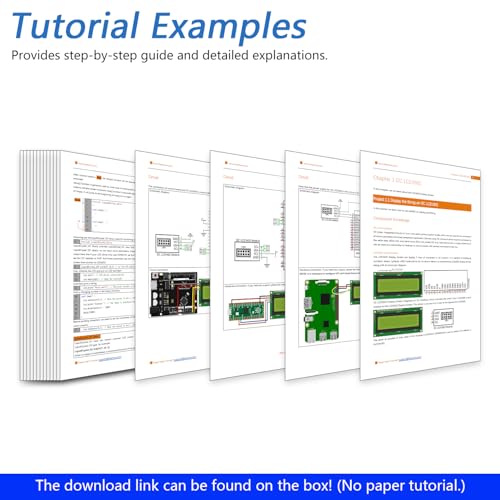
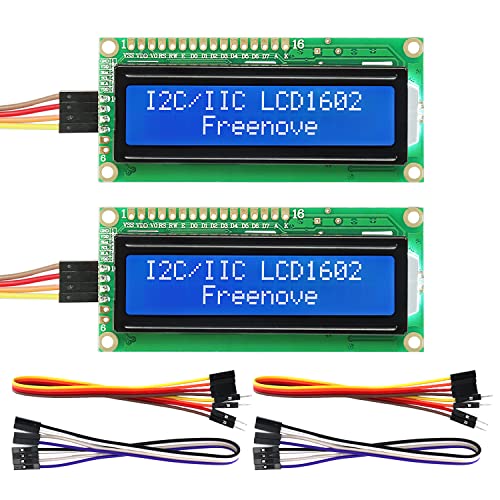
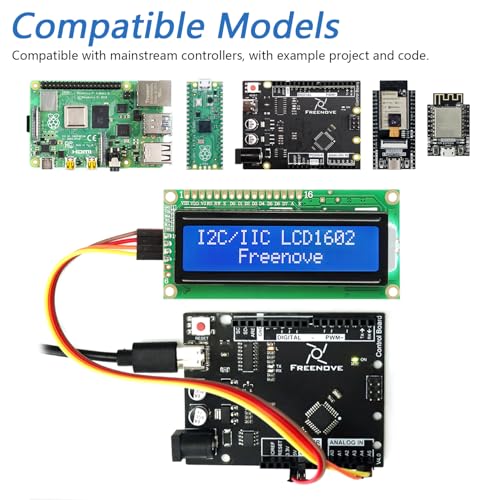
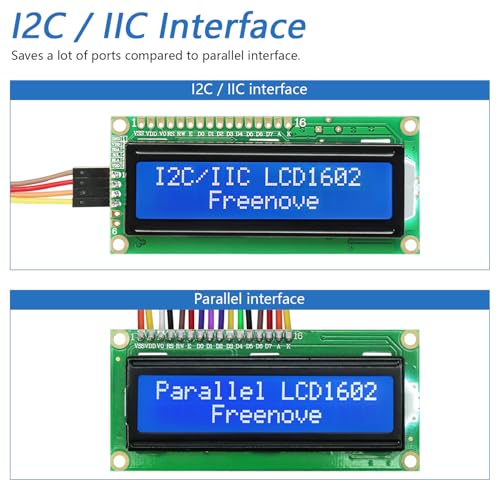
The FREENOVE I2C LCD 1602 Module (2 Pack) offers a reliable 16x2 character LCD display with an efficient I2C interface that drastically reduces pin usage. Compatible with popular microcontrollers like Arduino, Raspberry Pi, ESP32, and ESP8266, it comes with downloadable tutorials and example code to accelerate your prototyping. This dual-pack bundle is perfect for professionals and makers seeking compact, versatile display solutions that blend seamlessly into modern IoT and embedded projects.
| ASIN | B0B76Z83Y4 |
| Aspect Ratio | Unknown |
| Batteries Included | No |
| Batteries Required | No |
| Brand | Freenove |
| Compatible Devices | Arduino, Raspberry Pi, Raspberry Pi Pico, ESP32, ESP8266 |
| Computer Memory Type | SRAM |
| Connector Type | USB, Wi-Fi |
| Customer Reviews | 4.5 4.5 out of 5 stars (292) |
| Date First Available | 24 July 2023 |
| Device interface - primary | Buttons |
| Display Technology | lcd |
| Display Type | LCD |
| Does it contain liquid? | No |
| Graphics Card Description | Integrated |
| Graphics Card Interface | Integrated |
| Graphics Coprocessor | Integrated Graphics |
| Graphics RAM Type | Unknown |
| Hard Disk Description | HDD |
| Hard Drive Interface | Serial ATA |
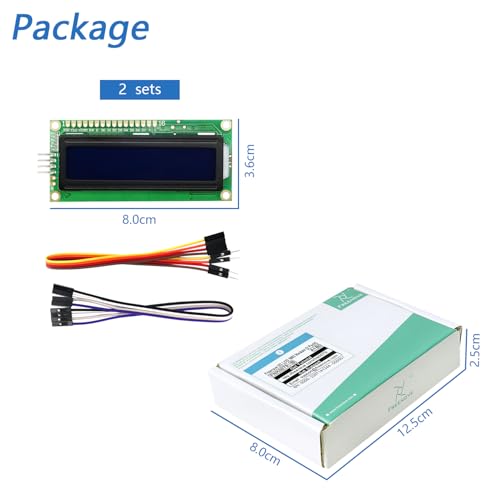
| Item Weight | 70 g |
| Item model number | FNK0079 |
| Keyboard Description | QWERTY |
| Memory Storage Capacity | 1 TB |
| Model | FNK0079 |
| Model Name | FNK0079 |
| Mounting Hardware | paper |
| Operating System | Embedded |
| Package Dimensions | 12.7 x 8.1 x 2.7 cm; 70 g |
| Processor Brand | Freenove |
| Processor Count | 1 |
| Processor Type | None |
| Processor model number | FNK0079 |
| RAM memory maximum size | 1 GB |
| Ram Memory Technology | SRAM |
| Resolution | 16x2 |
| Screen Resolution | 160 x 20 |
| Total USB ports | 1 |
| Video Output | HDMI |
| Video output interface | HDMI |
C**S
Using with an Arduino Uno connected right up worked without issue I’ve had it connected for sometime and have had no problems, runs several hours at a time.
き**ず
Arduino uno r4用の表示装置として使用しました 問題なく使用でき、満足しています
V**X
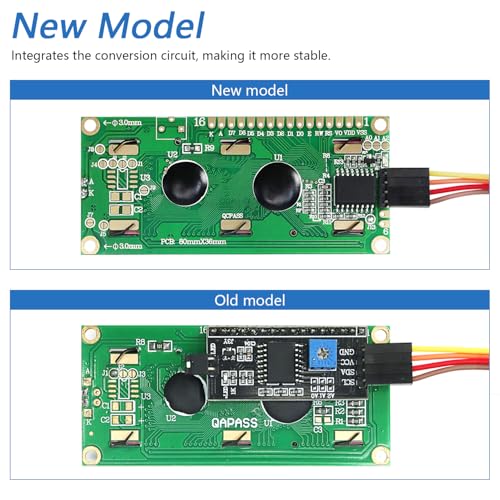
I am always very skeptical about ordering these types of products from Amazon as usually when you get it they want you to download and install some "required drivers" from some website in China or even worse give you some short url hiding the destination like an IP address to some executable file they want you to install. If that's the case I just return it and find something a little more reputable to buy instead. With that being said, that wasn't the case here, they do provide a user friendly url to their product page, but I just did a Google search instead for "freenove fnk0079" and was very pleasantly surprised to see the download on github! So I downloaded the code from github instead and after the usual quick virus scan, I proceeded to see what was all included. They did provide the documentation and inside the Arduino folder and they did include a library written in C++ with a header file as well, so I went through the code to see what was actually in there and it looked like what I would expect for a C library. Their documents said I could just import this zip file into my Arduino IDE library and use it like any standard C library (import the header file, that .h file in the include statement at the top of the sketch). This was the code to actually control the LCD display and even though there are other libraries available for lcd displays, I went with the one they provided. There was also a folder called "CH340" in the github download with some executables in it with no explanation as to what it was or why it was there so I just deleted it. According to the linux version it's some form of usb drivers or something which said they should already be part of the Linux kernel but if not you can use these. It wasn't required and Windows worked without installing anything "extra". I connected one of my Elegoo nano boards (3 pack from Amazon) and proceeded to test these displays out. Was happy that I didn't have to solder on a control board or anything as the "newer version" didn't require anything extra, hence why they ask to check the chip version in the product page and in their documentation. They do have code to check for the chip version and the 0x27 was the default so nothing was needed to be done on my side. Probably a perk of using their library instead. They provide a basic sketch to give you a "hello, world!" On the first line then a counter on the second line running on a loop. It only needed 4 pins which was great, so connected it to my Arduino nano microcontroller and uploaded the sketch and voila, it worked as advertised! I tried both displays and they both worked without issue. So in summary, I am very impressed they actually had their code on github, worked as advertised and was a good deal for a 2 pack of lcd displays. Since I have the library installed now in my IDE I can see myself ordering a few more so I have some extras on hand. Am quite happy with this purchase and would order again.
S**.
Ho preso la ELEGOO UNO R3 per un progetto con mio figlio e devo dire che mi ha davvero sorpreso. È praticamente identica all'Arduino originale, ma costa meno e funziona benissimo. Appena collegata al PC, è stata subito riconosciuta dall’IDE Arduino, senza problemi. Ho caricato qualche sketch di prova (LED blink, sensori, display LCD...) e tutto ha funzionato al primo colpo. Il cavo USB è incluso (e di buona qualità), il che è comodo soprattutto se è il tuo primo kit. Mi piace anche il fatto che sia ben costruita: nessuna saldatura fatta male, tutto pulito e ordinato. Insomma, si vede che non è una "cinesata" da due soldi. Se stai iniziando con Arduino o vuoi una scheda di riserva per sperimentare, vai tranquillo: funziona, costa poco ed è affidabile. Super consigliata!
E**O
Worked perfectly in my electronics class. Easy to connect with Arduino and ESP32, clear display, and very reliable. Excellent value for beginners!
Trustpilot
Hace 3 semanas
Hace 1 mes



