We remain fully operational. Our teams are working around the clock to ensure your deliveries continue safely.

Descargar la aplicación


Servicios al cliente
Sobre nosotros
Copyright © 2025 Desertcart Holdings Limited
Descargar la aplicación


🚀 Elevate your home network—ditch dead zones and stream like a pro!
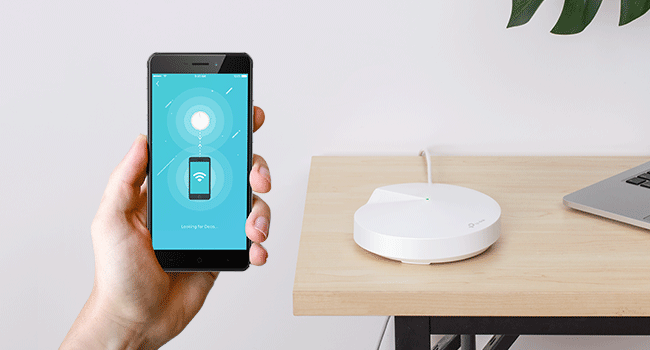
The TP-Link Deco M5 Mesh WiFi System delivers whole-home coverage up to 3,800 sq.ft. with seamless roaming on a single network. Designed for busy households, it supports over 60 devices simultaneously and features dual Gigabit Ethernet ports per unit for wired backhaul. Setup is effortless via the Deco app, while built-in TP-Link HomeCare offers advanced security and parental controls. Ideal for professionals seeking reliable, high-speed WiFi that keeps every device connected and protected.










| ASIN | B0797D6853 |
| Antenna Location | Home |
| Antenna Type | Internal |
| Best Sellers Rank | #11,266 in Computers & Accessories ( See Top 100 in Computers & Accessories ) #240 in Whole Home & Mesh Wi-Fi Systems |
| Brand | TP-Link |
| Built-In Media | 2x Deco units, Ethernet Cable, Quick Installation Guide |
| Color | 2 Pack |
| Compatible Devices | Personal Computer |
| Connectivity Protocol | ethernet, wi-fi |
| Connectivity Range | 3800 Square Feet |
| Connectivity Technology | Wi-Fi |
| Control Method | App |
| Controller Type | amazon_alexa, vera |
| Coverage | 3800 square feet |
| Customer Reviews | 4.5 4.5 out of 5 stars (3,124) |
| Data Transfer Rate | 1300 Megabits Per Second |
| Frequency | 5 |
| Frequency Band Class | Dual-Band |
| Is Modem Compatible | Yes |
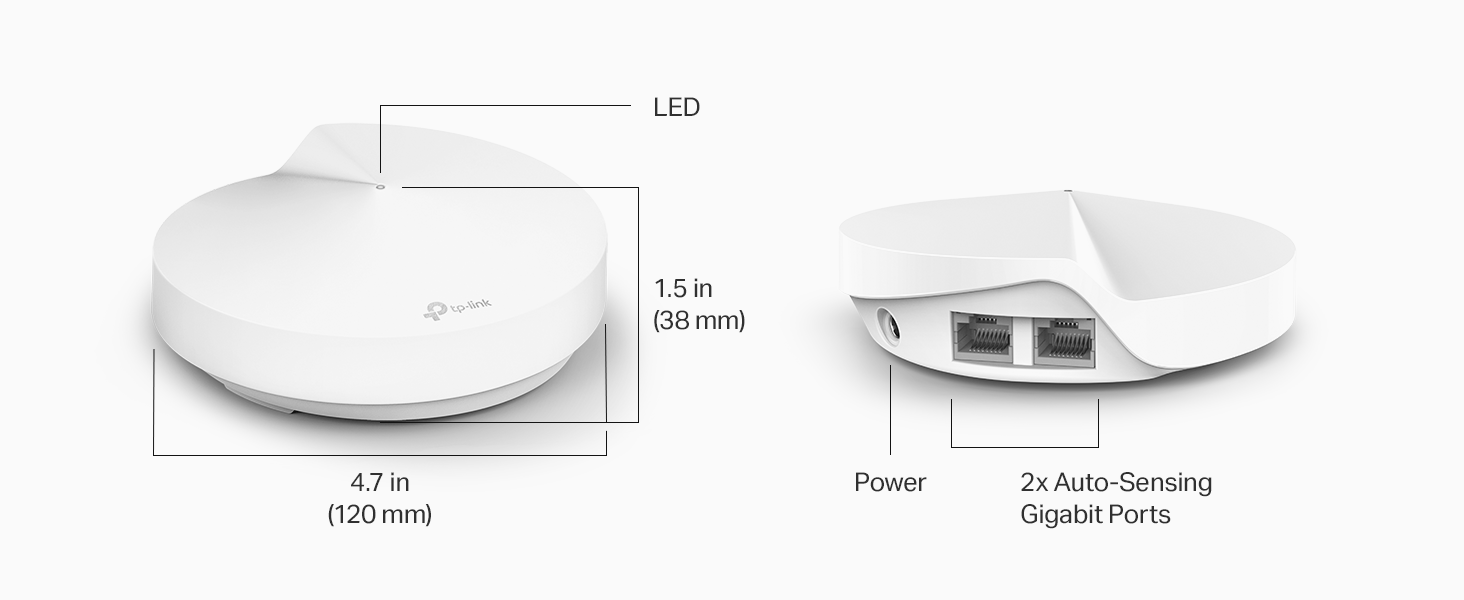
| Item Dimensions L x W x H | 4.7"L x 4.7"W x 1.5"H |
| Item Weight | 1 Pounds |
| LAN Port Bandwidth | 1000 Mbps |
| Manufacturer | TP-Link |
| Maximum Upstream Data Transfer Rate | 400 Megabits Per Second |
| Mfr Part Number | Deco M5 2-Pack |
| Model Name | DECO M5 |
| Model Number | Deco M5 2-Pack |
| Number of Antennas | 3 |
| Number of Ports | 2 |
| Operating System | Linux |
| Other Special Features of the Product | Access Point Mode |
| Security Protocol | WPA2-PSK |
| Smart Home Compatibility | Smart Home Compatible |
| UPC | 845973080846 |
| Unit Count | 2.0 Count |
| Voltage | 12 Volts |
| Warranty Description | 2-year warranty |
| Wi-Fi Generation | Wi-Fi 5 |
| Wireless Compability | 802.11ax |
J**N
It works well with some caveats.
Waited a few months to review this so I could give an honest opinion. First the bad: 1. The units only have 2 Ethernet ports on them, so you have limited options for hardwired internet devices. You will need an Ethernet switch if you want more than 1 free port. I picked up a switch at home Depot for $15 and it works just fine for my satellite Deco to hardwire my tv and game consoles. 2. Don't expect great signal from the deco wifi backbone. I hardwired my deco because the wifi between the units wasn't great. If they are line of sight to each other it may be ok but for best results they should be hardwired to each other. 3. For the price of the two Deco units I could probably have bought a very good Wi-Fi router that might have equivalent coverage. 4. These units need to be exposed for best Wi-Fi signal. I had one in a cabinet and I was getting about a third of the speed. Now the good: 1. For the two Deco units I was able to cover my house which is about 2,300 square feet plus basement with good Wi-Fi signal. Download speeds are in excess of 100 Mbps on Wi-Fi, which is the same speed basically as hard wired and that is what my ISP plan is. 2. I had no issues with installation and setup was very easy. 3. Originally the signal was not very strong but there is an option to optimize the network on the Deco app. After optimization the signal was much better. I would probably recommend this setup if you were looking into it but I am not 100% convinced of the advantages of mesh Wi-Fi versus a good centrally located Wi-Fi router. Would I buy them again, probably not.
C**O
Solution to your weak home wifi network
Bought the Deco M5 to replace an Arris modem/router combo. Our wifi was really unreliable, and terribly weak. Streaming videos was a nightmare, we would even switch off the wifi on our iPhones and use data so that we could get social media pages to load. Did some research and was pretty confident the Deco would be a reliable, budget-friendly solution. When it arrived, I un-boxed and to my surprise there was no instruction manual. It says it right on the front of the packaging - just download the app and follow the prompts. IT WAS SO EASY. Literally took me 2 minutes to set up. The app walks you through step-by step; its actually accomplished in only like 4 steps. Once its set up the app is easy to navigate for setting up preferences and managing the network. Wifi tested and approved! Streamed a movie, checked email on the laptop, and browsed social media simultaneously. NO PROBLEM! No buffering, no loading errors. Connecting devices to the new network was super simple - I would get a prompt via the app asking if I wanted to "share the password" and with a simple tap I could connect devices without having to type the password. It allows you to set up multiple networks, and you can even prioritize a device or activity so that its always top banana. Side note: We are still using the Arris but as a modem only, I disabled the router function which, worth noting, was also very simple. I can't rate Tech support - BECAUSE I DIDN'T NEED ANY!!
G**S
Attractive, Easy To Install Routers Boost Coverage Dramatically
Coverage in my 4600 sf Ranch-style home had been very spotty with one Verizon FIOS router, so I decided to go with a Mesh system. These are attractive, unobtrusive compact units that fit anywhere and are an easy setup. On a Verizon FIOS router, like mine, you do need to learn how to turn off the wifi by communicating directly with the router itself. Otherwise, there will be a conflict with the new mesh routers. So, this may be a problem for some novices unless you have help. I used four routers in my large home to get the best results. Well, coverage was excellent! Every square inch was covered by wifi, plus a three-car garage and around the pool. In most areas, speeds were very close to wired connections, while a few areas furthest from the main router were about a 50% loss In speed, but still adequate and far better than it was with just one router. You can begin installing the first unit anywhere you have a wired connection off the router, then branch out from there. It’s very flexible. You can also connect to the various routers with ethernet, as well as wifi. You can create a new SSID and password for the new Network, one that is likely easier to remember than the original install. I even created a guest network too. Very easy! You really can’t lose with the system. The price is reasonable, even for a large home! I love it.
J**N
They are fine
My tp link ax1800 started to die so I got these to update. They do a fine job but their range is not what I had hoped for. The 1800 was in the center of the house and it easily covered the whole house with great service and reached a good deal into the yard. I have 2 mesh devices and I get good service at the edges of the house and mediocre to poor outside. Easy to set up and get going but if you are looking to replace a bigger coverage router, plan on buying several.
Trustpilot
Hace 2 meses
Hace 2 días