
Descargar la aplicación


Servicios al cliente
Sobre nosotros
Copyright © 2025 Desertcart Holdings Limited
Descargar la aplicación


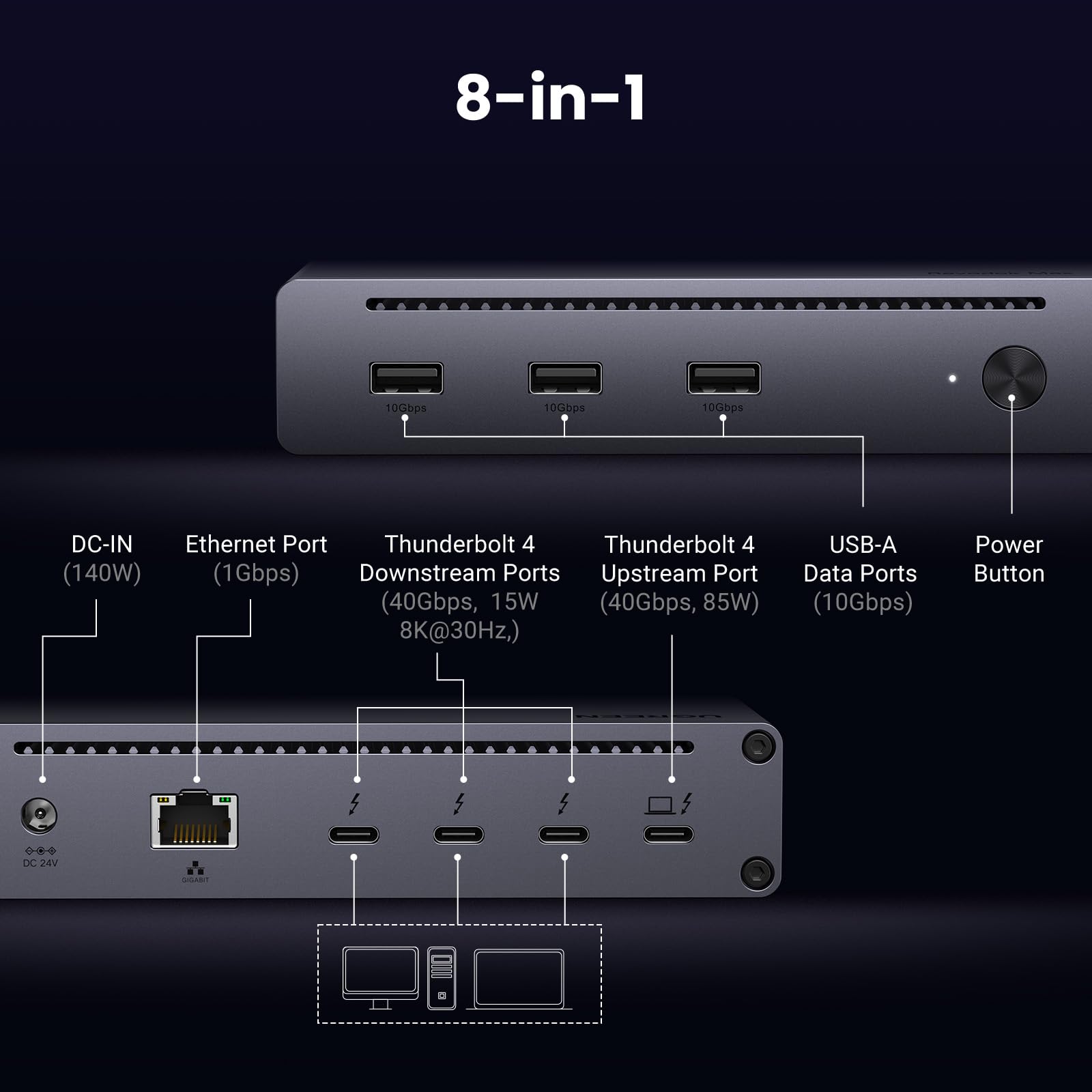


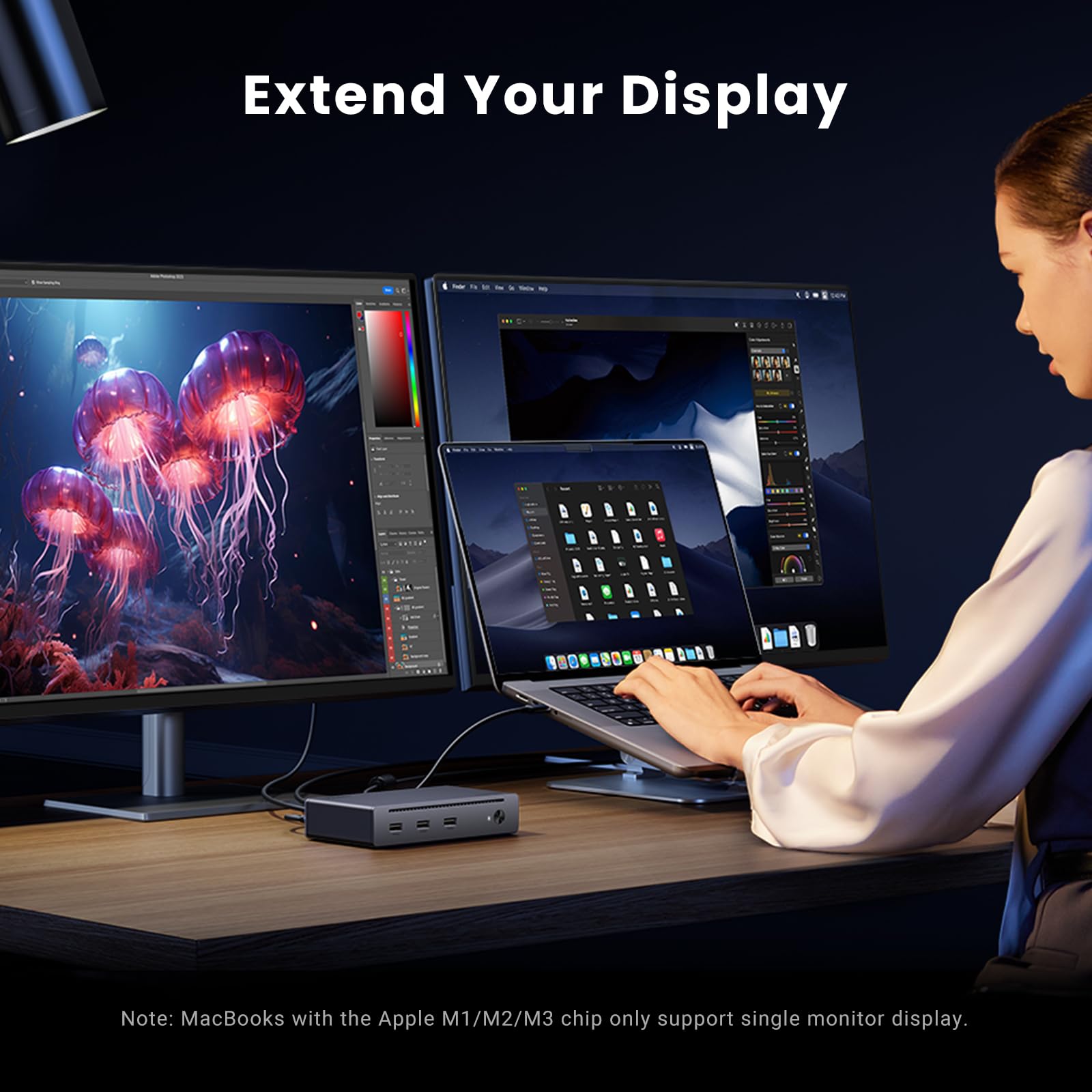
⚡ Elevate your workspace with the ultimate Thunderbolt 4 powerhouse — don’t get left behind!
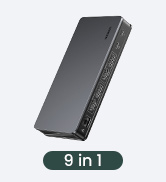
The UGREEN Thunderbolt 4 Dock 8-in-1 delivers ultra-fast 40Gbps data transfer, supports dual 4K@60Hz or single 8K displays, and provides 85W laptop charging. With 3 Thunderbolt 4 ports, 3 USB-A 3.2 ports, gigabit ethernet, and wide compatibility across Mac and Windows devices, it’s the all-in-one expansion hub designed for high-performance professionals seeking seamless connectivity and productivity.

















| ASIN | B0CM2WKGLC |
| Best Sellers Rank | #9,888 in Electronics ( See Top 100 in Electronics ) #174 in Laptop Docking Stations |
| Customer Reviews | 4.2 4.2 out of 5 stars (206) |
| Date First Available | January 17, 2024 |
| Item Weight | 3.08 pounds |
| Item model number | 25053 |
| Manufacturer | Ugreen Group Limited |
| Product Dimensions | 9.5 x 9.5 x 2.5 inches |
J**H
Works. Isn't a bottleneck. USB-C Ports!!!
I hooked it up earlier today. I had a USB-C to DisplayPort hooked into my laptop's only USB-C port for a 1440 monitor. Moved that to the new thunderbolt dock, added a XQD reader I needed to move files off a card and added my SanDisk Extreme 2GB (1050mb/s). Then I plugged it into my live laptop. 3 seconds and the monitor was up and working correctly. While that was going on, I got two new file folders for each drive pop up. Seamless. I wrote files from the card to the drive. 5GB in about 10 seconds. 300 MBps. That would be 2400 mbps. Exceeds the drive's specs. Odd. Anyway, I needed to transfer a 75GB folder to the drive. During large file transfer (40 megapixel images) the transfer was right around 300 MBPS, so my drives are not limited by the dock. Very happy.
M**A
Love it.
Currently using for a few days a love it. No drivers needed which is nice. Also love that it works with my Snapdragon X Elite Samsung Book4 Edge. Monitor is the 34in Samsung OLED. Keyboard is the LoFree Lite 100 and mouse is the MX Master 4. Got a 2TB NVME SSD attached for picture storage and my phone attached. Does everything I need it to, love that I can turn it on and off, and I have zero issues. My only gripe is that the nic is 1GB. Wished it was 2.5GB.
W**M
Easy solution for adding extra monitors to travel setup
Works perfect. I use it to power and run display on 2 external monitors and power a 3rd one which I run thru my laptop’s HDMI port. Super easy to setup, all you need are 3 USBC cables and an HDMI cable!
N**K
Fantastic customer service. device failed but with how i was treated i would buy it again
When i purchased this device it was quite expensive. (even more than now) it worked great for months and ultimately failed. however when i reached out to the supplier they refunded me so i could purchase and upgraded version within a day of sending them some information. since they released this device they have newer versions with even more features that i will be getting. if you have any doubts about this device you can rest assured that ugreen will take care of you if you have any problems.
D**L
FALSE ADVERTISING: Does NOT Support Dual Monitors on M3 Max MacBook Pro Despite Claims
THE CLAIM: UGREEN explicitly advertises this Revodok Max 208 supports "two 4K@60Hz displays for Macbook with Pro/Max version M-Chips." I bought this specifically because I have an M3 Max MacBook Pro. THE REALITY: Only ONE external monitor works at a time. The second monitor gets zero signal. This isn't a cable issue, resolution issue, or user error - both monitors work perfectly when connected directly to my MacBook. WHAT I TESTED: Dell U2720Q 4K monitor with Thunderbolt 4 cable → Works alone HP Z27k G3 4K monitor with Thunderbolt 4 cable → Works alone Both monitors together through dock → Only first one connected works Tried all three TB4 ports in every combination Used premium Silkland USB4/TB4 40Gbps cables Lowered resolution to 1080p to test bandwidth → Still only one monitor THE DECEPTION: The product page header says "for Mac M1/M2/M3/M4 Pro/Max" implying full support. Buried deep in the description is contradictory text saying M1/M2/M3 Macs only support single display. Which is it, UGREEN? You can't claim both. ACTUAL CAPABILITIES: ✅ Works as a single monitor dock ✅ USB ports function ✅ Ethernet works ❌ Dual display support on M3 Max (the main selling point) ❌ "Thunderbolt 4" functionality as advertised WHO SHOULD AVOID THIS: Anyone with a Mac expecting dual monitors Anyone with M3 Pro/Max chips believing the marketing Anyone who values honest product descriptions WHO THIS WORKS FOR: Windows users (apparently dual displays work fine) Mac users who only need one external monitor People who enjoy expensive single-monitor docks BOTTOM LINE: This is a $200+ dock that delivers half the promised functionality on Mac. My M3 Max can drive four external displays directly, but this "Thunderbolt 4" dock can only handle one. That's not a compatibility footnote - that's fundamental failure to deliver the advertised product. Save your money. Buy a CalDigit TS4 or OWC dock that actually works with Macs, or just use direct connections. UGREEN should be ashamed of this misleading marketing. UPDATE IF UGREEN RESPONDS: Will update this review if UGREEN provides a firmware fix or acknowledges the false advertising.
S**T
Bottlenecks my USB4 SSD
This UGREEN Revodok Max dock is well built, and it's nice to be able to organize my workspace a bit better, but I'm a bit disappointed that i'm not getting the same performance with my USB4 SSD enclosure through it as I am by directly plugging directly into a port on my 2025 MacBook Pro- the included benchmark image was taken with no other devices or ethernet cable attached to the 208. The performance was basically the same with my monitor, ethernet, and a mechanical HDD also attached. I can still use the Revodok for everything else I wanted a dock for, but my dream of a single cable connecting all the things to my MacBook has been deferred.
R**A
Great quality, features and function at a great price
Moving from PC to Mac I went on the hunt for a reasonably priced and full featured Thunderbolt 4 dock. I had used some products from UGREEN in the past and was impressed, so I decided to try this dock. Metal construction, good heat dissipation, perfect size, enough ports to keep most of us happy. I have 3 drives connected at times and a 4K HDMI cable and there is plenty of power to keep it all working. I could not ask for more in a product of this type. Thanks UGREEN for continuing to impress me.
M**S
Great value with some caveats.
Great price and does the job. Couple of things to know. First, it has an on-off switch, which is great. But the power-on LED is so faint that it is nearly impossible to see from a distance. Second, when I first set it up with my MacBook Pro M2 and two external monitors, I used two USB-C to HDMI cables to make the connection. One monitor didn't wake up from sleep. Some research showed that Thunderbolt has issues in this area. Solved it by using a USB-C to HDMI adapter, and then HDMI to HDMI to the monitor. My guess is that circuitry in the adapter doesn't go to sleep like the monitor does in stand-by. Or something like that.
先**生
いい。Thunderbolt4が3個増設され、使い勝手が非常に良い。有線LAN端子もあり、Wi-Fiより速い。MacBookに電源供給できるため、MagSafeの電源ケーブルをわざわざ使わなくて良いため便利。
D**K
I do like the size, design, compact AC adapter and port selection... unfortunately I ran into stability issues early on. The dock worked fine for a day or 2, then the connected USB-C monitor (UWQHD @ 100Hz, and FreeSync does work with this dock) would randomly flicker to black and then back on. A USB keyboard connected to the dock would also randomly lose power and reconnect. Power cycling the dock fixed the issues for a while, but they would eventually return. The dock stayed relatively cool during operation. Could be faulty dock or possibly a compatibility issue with my laptop (T14s Gen 4), but I've since switched to a different TB4 dock (Wavlink) and have not experienced of those problems. UPDATE: It seems like the stability issues I was experiencing might possibly have been resolved by changing the "Link State Power Management" setting to "Off" in Windows Power Options. Revising my score to 5 stars.
C**S
Ya voy para dos meses con el Dock y todo sin problemas. Manda bien la señal de todos los perifericos que le he conectado a mi Laptop. Es capaz de cargar los los equipos conectados (tiene a las USB 3.2 un teclado Corsair K100 y un mouse razer). Sin problemas con el ethernet. Después de horas de estar usandolo sólo se siente ligeramente calido al tacto. No he probado la conexión de video. Tampoco la carga por que el voltaje es muy bajo para cargar la laptop.
ア**ス
様々なドックを試してきましたが、シンプルかつ必要な機能・性能を網羅しており、ごちゃごちゃとインターフェイスがあるものよりずっと使いやすく、今の時点では最もおすすめです。
I**F
I use all ports. Very reliable no connection lost. Plus the ethernet port work well with Vlan too I many Ugreen products and very happy
Trustpilot
Hace 2 semanas
Hace 5 días