
Descargar la aplicación


Servicios al cliente
Sobre nosotros
Copyright © 2025 Desertcart Holdings Limited
Descargar la aplicación
![J-Tech Digital HDMI EDID Emulator HDCP Manager 4K60Hz Auto Downscaling, 8 EDID Modes & Custom EDID Settings, Power by USB C or HDMI, Supports CEC On/Off [JTECH-EDIDM4K]](https://m.media-amazon.com/images/I/71BkyHKQTOL.jpg)
⚡ Master your AV setup with the ultimate 4K EDID & HDCP manager!
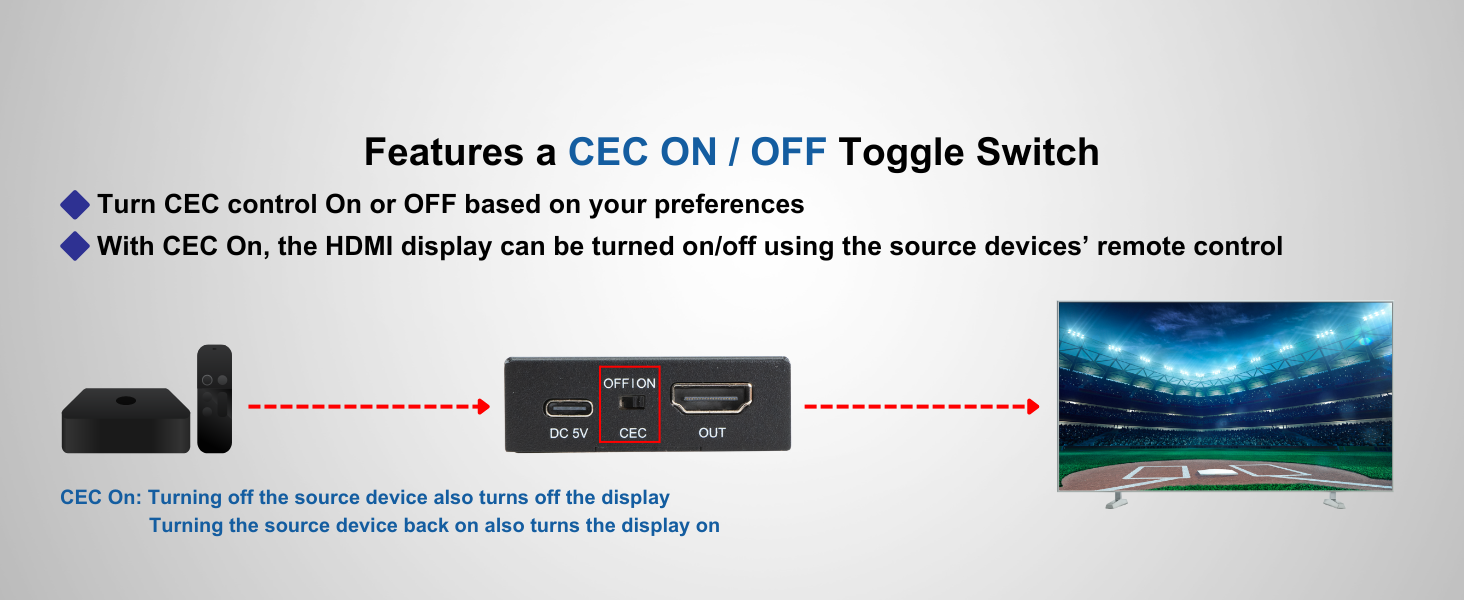
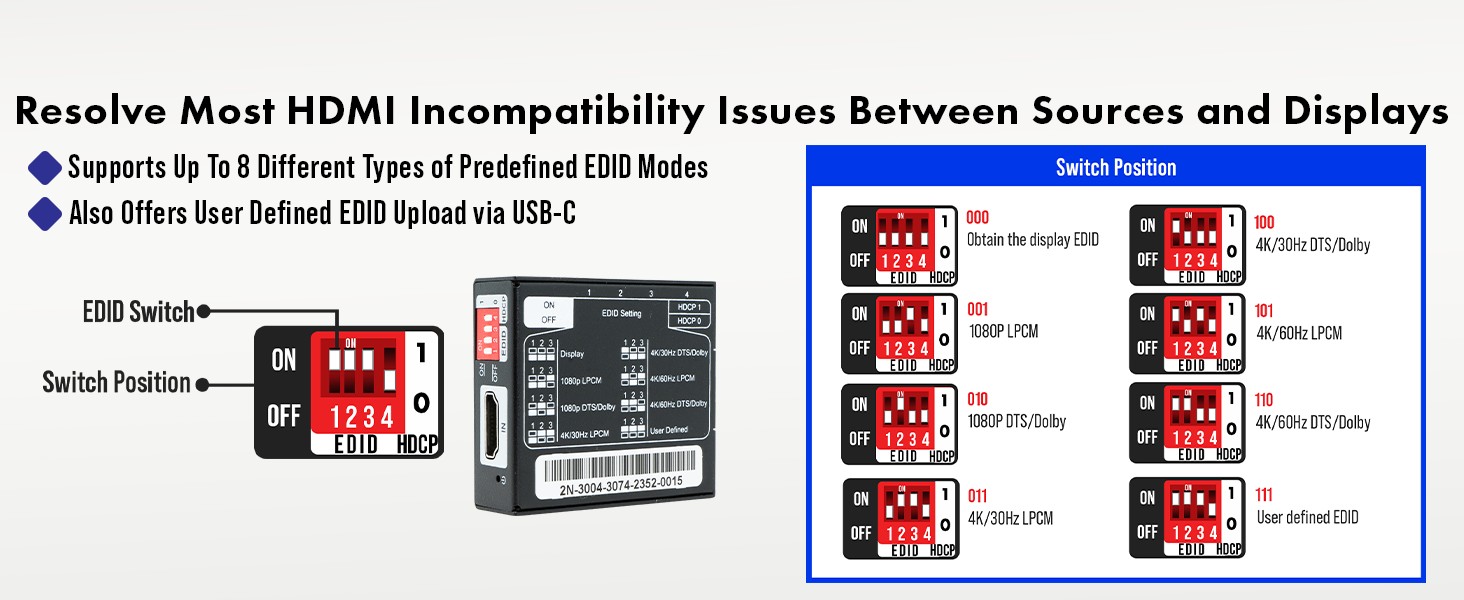
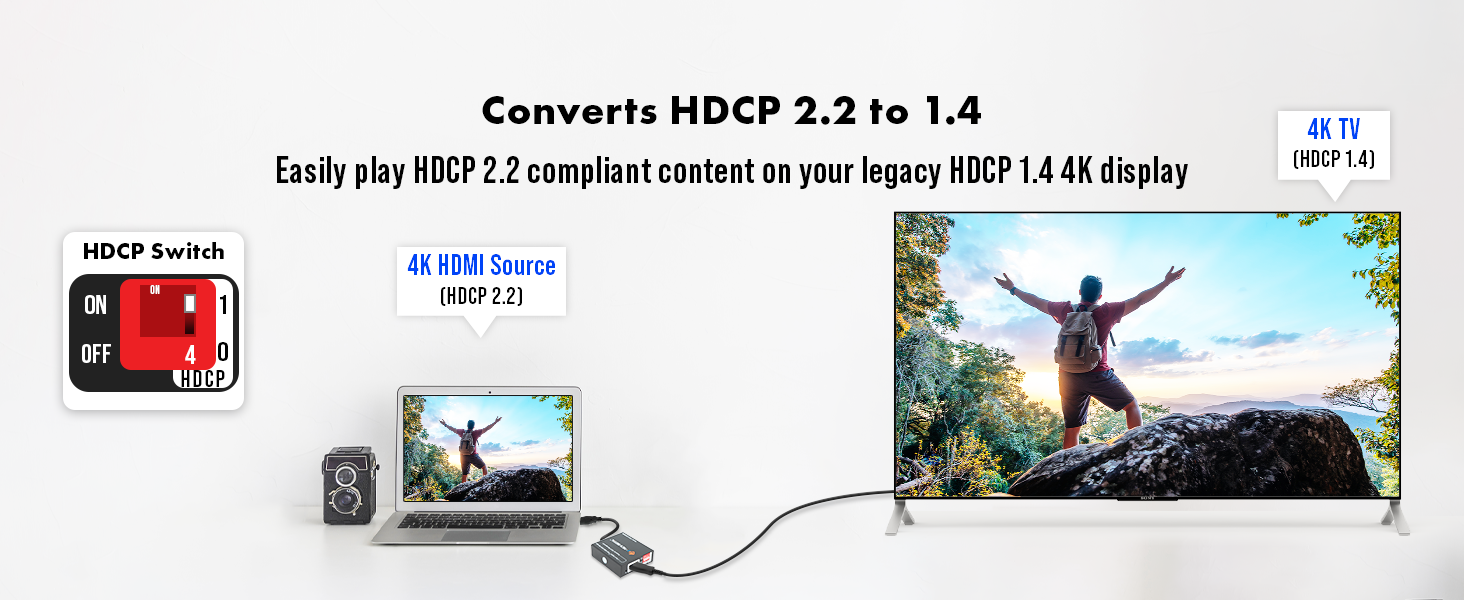
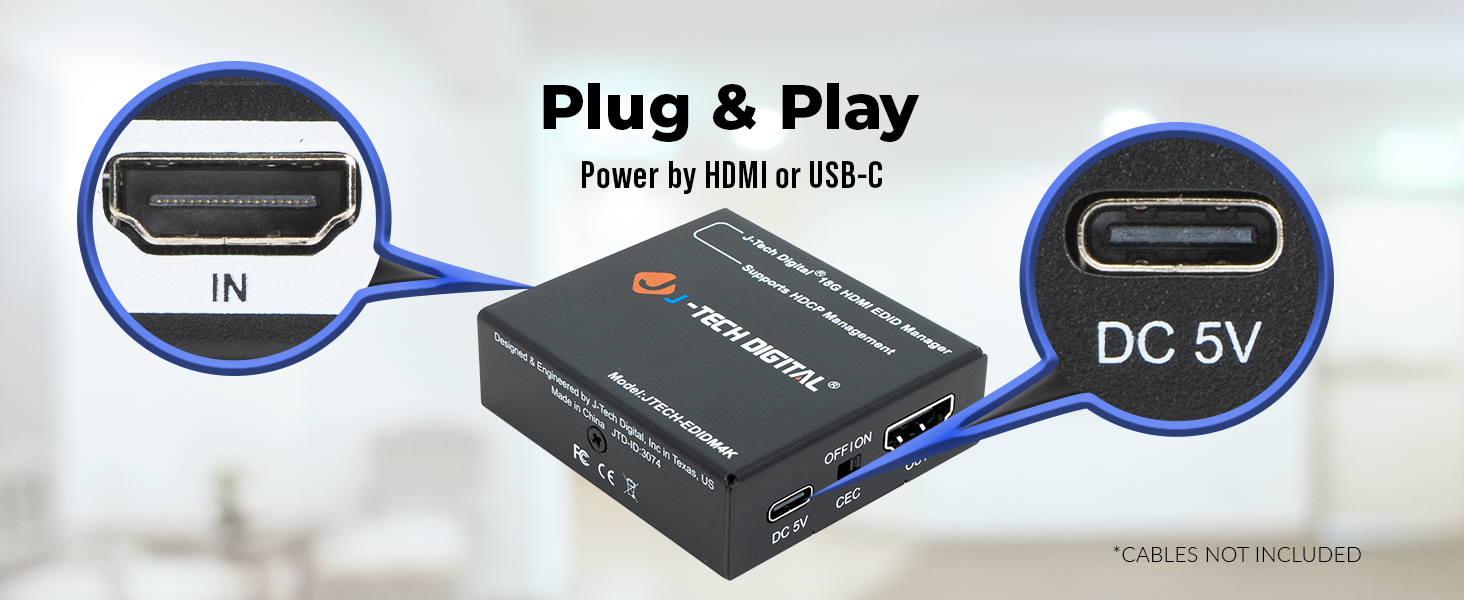
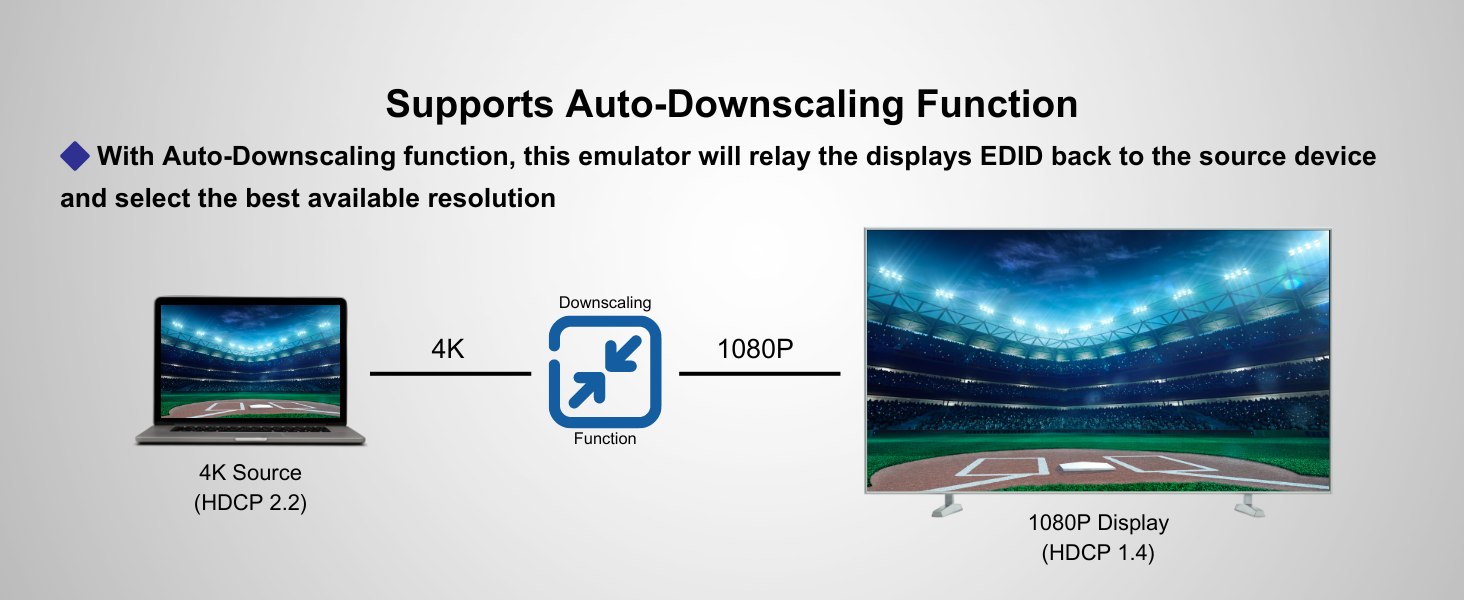
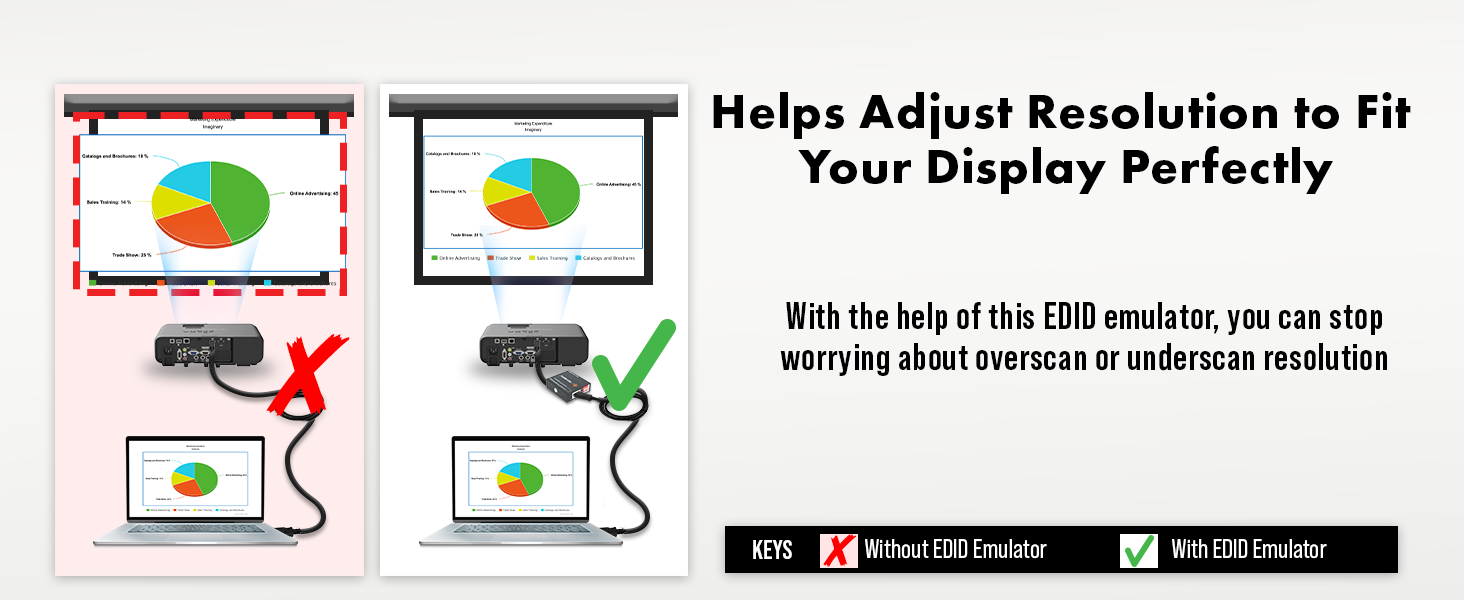
The J-Tech Digital HDMI EDID Emulator HDCP Manager is a compact, professional-grade device designed to resolve HDCP and EDID compatibility issues. Supporting up to 4K@60Hz with HDMI 2.0 and HDCP 2.2, it offers 8 preset EDID modes plus custom upload via USB-C. Powered flexibly by USB-C or HDMI, it includes a CEC toggle switch for enhanced control. Ideal for seamless AV integration in conference rooms or professional setups, backed by free lifetime support.



| ASIN | B0CYMST9XD |
| Best Sellers Rank | #49,868 in Industrial & Scientific ( See Top 100 in Industrial & Scientific ) #3 in Video Wall Controllers |
| Customer Reviews | 4.2 4.2 out of 5 stars (104) |
| Date First Available | March 20, 2024 |
| Item Weight | 3.2 ounces |
| Item model number | JTECH-EDIDM4K |
| Manufacturer | J-TECH DIGITAL |
| Product Dimensions | 2.37 x 2.12 x 0.7 inches |
M**R
Works great, recommended
What's great. Note: must be a direct connection: no network devices (hubs, switches, etc) can be in the connection path as signal will not pass through device. Wall jacks, patch panel and RJ-45 couplers do work, at least for me 🙂
R**S
Wroth the Price.
Added this device in a customer conference room. Share laptop video to display. Solid device and no calls backs.
M**.
Washed out screen in HDR
It does work, but causes a washed out screen unless set the output to SDR. I suggest a more capable unit if you can afford it.
J**Y
Saved me $4,000 and tons of headache.
There are not many EDID box that work with HDMI 2.0b and also allow custom EDID to be written back to this. I have two rooms with LG OLED and Nvidia Geforce and the Yamaha receviers were HDMI 2.0 while the Nvidia was HDMI 2.1 40GBPS. The reciver is $2K per and its not being replaced but the computer would freak out over years with the second HDMI>Yahama> OLED. Since it was the same TV Windows would work but everytime I would turn it on it would go south. Captured my Yamaha EDID with Toasty. Hooked up computer to yamaha but removed the yamaha from the TV. This allowed the Yamaha EDID to only be present. I captured that only. Wrote it to the box and saved $4K. Years of issues as not many EDID box allow HDMI 2.0 plus writting the custom EDID. This is a 10/10 product when used with the custom EDID. The customer EDID does even need properity software to write just drop the txtx file. You will need software for the EDID but not software to write to the EDID.
T**R
Works great…
I plugged in the transmitter and receiver, and they worked immediately with my computer setup. No notable latency.
F**T
Blurry Text with 4K60Hz, can't get it to work with a KVM.
First of all, it is very blurry text at 4K60Hz. Unusable. Also, I had hoped to use it with a KVM, which didn't work at all. I was trying to keep my laptop thinking it was connected, so I could switch between PC and Laptop. It seems to disconnect. With a KVM I need to switch inputs on the monitor and then back to the KVM connected input in order for it to recognize the laptop. So I thought an EDID emulator would work to keep the Laptop thinking it was connected even though the KVM was switched out to my PC. This above wouldn't work at all. All I get from Laptop to this Device to Monitor is a black screen, regardless what I have it set at. User support is trying to give instructions on creating a user defined EDID, but support keeps revising what to do, and what they are saying doesn't make sense. Regardless, even if I could get it to work with a KVM, it is useless because the screen is horribly blurry going through it without the KVM anyway. I will say support has been responsive, but useless.
M**S
Worked sort-of for 4-months then died.
This worked for 4-months but would frequently flicker. After 4-months it finally died completely. When it died, the transmitter power LED and the video LED were still lit. The receiver power LED is lit but the video LED is off and there is no video. Buyer be ware. I used it on occasion for a remote security system monitor so the flickering every few minutes did not bother me for my use case, but for most people the flicker would be completely unacceptable. This requires a direct/dedicated LAN connection between the . You cannot pass it through your existing switch or share it with other.
A**E
Smooth display
Excellent choice
Trustpilot
Hace 2 meses
Hace 3 semanas