We remain fully operational. Our teams are working around the clock to ensure your deliveries continue safely.

Descargar la aplicación


Servicios al cliente
Sobre nosotros
Copyright © 2025 Desertcart Holdings Limited
Descargar la aplicación

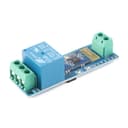
📲 Take command wirelessly — control your world with a tap!
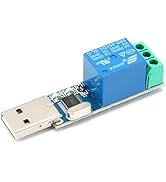
The 12V Bluetooth Relay Module offers a compact, high-performance solution for wireless device control via Bluetooth within a 10-meter range. Designed for professional-grade reliability, it supports up to 10A switching at 250V AC or 30V DC and endures over 100,000 relay cycles. Compatible with Android apps, it features an STM8S MCU, onboard indicators, and easy configuration, making it ideal for IoT and smart automation projects.



















| ASIN | B0BXDP3J5Q |
| Best Sellers Rank | #114,174 in Computers ( See Top 100 in Computers ) #276 in Bluetooth Network Adapters |
| Manufacturer | JESSINIE |
| Manufacturer reference | 73732 |
| Operating temperature | 20 Degrees Celsius |
| Package Dimensions | 17.6 x 11.71 x 2.11 cm; 18 g |
J**N
After finally finding an app that would work for it (Relay Widget Bluetooth &Wifi on playstore then use command profile 2 in the app) it works good, but anytime I want to use it I have to go to Bluetooth and forget it and reconnect. I'm not happy with this item due to Bluetooth connectivity. If it gets better I'll update, but I doubt it!
M**K
It’s great.
J**E
Even with instructions provided by another person who purchased this and figured out how to make this work, no luck for me. Why should we have to deal with all this anyway ? Just provide a working app that simplifies usage like everyone else.
B**N
Works as expected. This is not a consumer grade plug and play device, it takes some technical skill to program. Here is the yaml I used in homeAssistant: esphome: name: garage-relay-esp8266 esp8266: board: esp01_1m logger: baud_rate: 0 # disable UART logging api: ota: wifi: ssid: !secret wifi_ssid password: !secret wifi_password uart: tx_pin: GPIO1 rx_pin: GPIO3 # include RX just in case baud_rate: 115200 button: - platform: template name: "Relay 1 Pulse" on_press: - uart.write: [0xA0, 0x01, 0x01, 0xA2] - delay: 200ms - uart.write: [0xA0, 0x01, 0x00, 0xA1] - platform: template name: "Relay 2 Pulse" on_press: - uart.write: [0xA0, 0x02, 0x01, 0xA3] - delay: 200ms - uart.write: [0xA0, 0x02, 0x00, 0xA2]
V**C
no app available as described for android the horrible fix is use the 'serial bluetooth terminal' app connect to the decice using the phone and the app. hold down m1-4 at the bottom and put these as the hex codes r1 on:A0 01 01 A2 off:A0 01 00 A1 r2 on:A0 02 01 A3 off:A0 02 00 A2 then look for other devices with widgets and apps 😂 but at least nobody will figure your hidden relays out.
Trustpilot
Hace 1 mes
Hace 5 días