We remain fully operational. Our teams are working around the clock to ensure your deliveries continue safely.

Descargar la aplicación


Servicios al cliente
Sobre nosotros
Copyright © 2025 Desertcart Holdings Limited
Descargar la aplicación




Buy anything from 5,000+ international stores. One checkout price. No surprise fees. Join 2M+ shoppers on Desertcart.
Desertcart purchases this item on your behalf and handles shipping, customs, and support to Mexico.
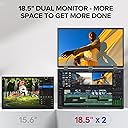
🔄 Double your view, double your edge — work smarter, play harder!
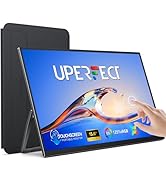
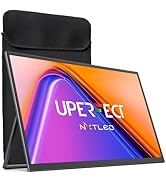
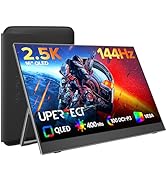
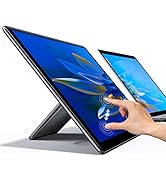
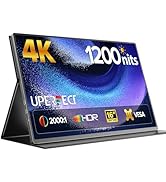
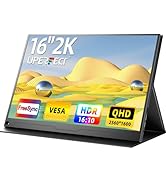
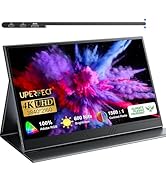
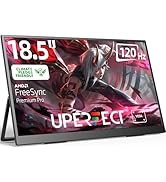
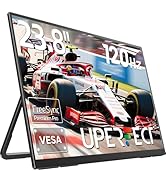
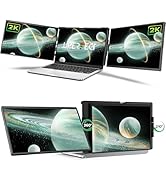
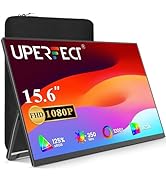
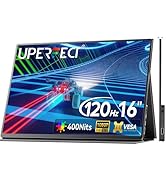
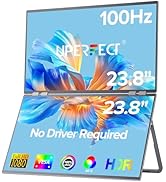
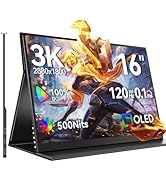
The UPERFECT Delta 18.5" dual portable monitor delivers a crisp 1080p HDR display with a blazing 100Hz refresh rate, designed for professionals who demand seamless multitasking and ergonomic comfort. Featuring driver-free plug & play setup, independent dual-device connectivity, and versatile 360° folding with VESA mount support, it transforms any workspace into a powerhouse of productivity and collaboration.












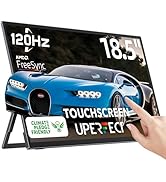
| ASIN | B0CXPD9952 |
| Adaptive Sync | FreeSync |
| Additional Features | 100Hz Refresh Rate, 18.5“ Dual Screen, 360° Folding Screen, Built-In 180° Adjustable Stand, Plug and Play |
| Aspect Ratio | 16:9 |
| Best Sellers Rank | #81,995 in Computers ( See Top 100 in Computers ) #2,143 in Computer Monitors |
| Brand | UPERFECT |
| Brightness | 350 |
| Color | Black |
| Compatible Devices | Computer |
| Connectivity Technology | HDMI, USB Type C |
| Contrast Ratio | 2000:1 |
| Customer Reviews | 4.4 4.4 out of 5 stars (43) |
| Display Resolution Maximum | 1920 x 1080 Pixels |
| Display Technology | LCD |
| Display Type | LCD |
| Global Trade Identification Number | 05906168438288 |
| Hardware Connectivity | USB |
| Has Color Screen | Yes |
| Item Dimensions D x W x H | 17.8D x 38.1W x 25.4H centimeters |
| Manufacturer | UPERFECT |
| Model Name | M185E11 |
| Model Number | M185E11 |
| Mounting Type | Wall Mount |
| Native Resolution | 1920x1080 |
| Number of Component Outputs | 2 |
| Picture Quality Enhancement Technology | IPS, Anti-glare, Flicker-free, Eye Care |
| Pixel Pitch | 0.26 |
| Processor Count | 1 |
| Refresh Rate | 100 Hz |
| Resolution | FHD 1080p |
| Screen Finish | Matte |
| Screen Size | 18.5 Inches |
| Shape | Rectangular prism |
| Specific Uses For Product | Business, Desktop, Gaming |
| Total Number of HDMI Ports | 2 |
| Total USB 3.0 Ports | 1 |
| Total Usb Ports | 1 |
| Viewing Angle | 178 Degrees |
S**Y
1 year life only
1 year and started to breakdown. Below screen doesn’t work fully - only half of it.
I**S
Vale mucho la pena el costo , la resolucion es excelemnte , me estoy adaptando a la configuracion y acomodo de pantallas , los materiales son de calidad y muy profecional.
K**P
The monitor was securely packaged and arrive in great shape. I was impressed at its build and quality. The hinges (3 for this size) are just the right tension for opening, closing and positioning the screens. I bought this because I work from home and when I travel I can't just use my laptop screen. I use it to extend my main screen so I haven't used it yet for anything other than that but since it does so well with that function, I'm sure it will do its job well. I use this with both Mac and Windows systems. The screen itself presents a clear and beautiful picture. I love the size! It would not be something that I would use for my photography editing but that's not the reason I bought it. It would be great for watching videos but, again, that is not why I bought it. I have it mounted via VESA on an arm when at home and I purchased the sleeve for travel. I think that I might use that sleeve for storage but buy one with a strap for traveling with it. It has some heft to it, not enough to discourage me using it but enough to make me comfortable that it is of great build quality. It is not cheap plastic by any means. I find the plug-n-play works as intended and once I configured it as instructed, it was quite easy to get up and going both at home and on the road. After having used it often and in a number of different situations; I would be comfortable saying that if you happen to have one that doesn't function as you expected, then it's a one-off and not the norm. This thing is fantastic and I would buy it again. Everyone who sees it makes a comment about how nice it looks.
S**L
I have a remote job. My home is 3 hours from my job - my cottage is another 3 hours from home, and I am traveling around the country. The UPERFECT dual 18.5" monitors are the greatest thing since sliced bread. Everything I need for work fits inside my computer backpack - I grab it and I'm ready to go. Right out of the box I knew I was going to love them. Having (3) screens including my laptop screen makes me so much more efficient - and for me time is money. I can put teams on one screen and have a word document on the second screen and an excel worksheet on the other. The monitors were so easy to set up a child could do it. Just plug the power cord (c type) into the wall and connect to the monitors where it is marked power only - connect (2) more C type cables to the monitor where it is labeled display and your good to go. No additional drivers are necessary as it is "plug and play". The large 18.5 dual screens have excellent resolution. The monitors come with a build in kickstand so setting up your computer and monitors are easy. Another awesome feature is you can rotate the monitors 360 degrees to show you can present documentation to another individual (so they see exactly what you see) and have your laptop screen with another document notes. This is the 2nd UPERFECT dual monitors that I have purchased. I started out with the dual 15.6” screens that did require a drier download. Customer service and support was amazing. They emailed me a link for the driver download. This was easy and very quick. This dual delta monitor from UPERFECT is without a doubt the highest quality dual monitor on Amazon!
2**H
When I travel on business, I find myself less productive on the small laptop screen, and the screen is too low, putting a strain on my neck and shoulders. In the office, I use a 42" curved ultrawide monitor. I've tried a half-dozen portable monitors for travel, and this one is the best yet. First, it travels well. A single external monitor is extremely fragile, with an unprotected screen. This dual monitor folds up, with sturdy aluminum on both sides, and the screen completely protected. Second, the extra size really helps. My Lenovo X1 Extreme has a 16" screen, but the extra size of this 18.5" screen is quite noticeable. I prefer to use it as my main screen. I put the ThinkPad on a Roost stand (something I do when travelling without an external monitor anyway to get the correct viewing height) and use it as my secondary monitor. I use the lower part of the Uperfect monitor for reference documents, messaging, and other things where I am not constantly looking at it, so my main gaze is directly forward. I use a Lenovo external keyboard with the same exact layout as the ThinkPad, placed directly in front of the dual monitors. This is the best setup I have ever had on the road, and it significantly improves my productivity and comfort on the road. My only negative is that I could not get the single cable working. I am using a USB to a power brick, and then HDMI for the first monitor, and USB-C for the second. The cables that came with the monitor were of good quality, but I decided to replace them with cables with a 90-degree connector, so I could place the monitor directly beside the computer. The second picture shows the new cables, which are from Amazon. If you are trying to get work on the road, I recommend the 18.5" Uperfect highly.
M**B
I recently got the UPERFECT Delta 18.5" 100Hz Dual Monitor. I have been testing it for a little more than two weeks on both a Windows 10 HP Laptop and a MacBook Pro with Intel i7 processor. Here are my observations: 1. Image quality: the image is as expected from an 18.5” screen. I haven’t noticed any backlight bleed or any dead or discolored pixels. I have used it only for coding purposes and the text was clear with good contrast. The displays have good brightness, but note that it does require a separate external power source (other than the USB-C connected laptop) for brighter settings. The brightness can be set individually for each screen. 2. Connectivity: The monitor has three USB-C ports and two micro HDMI ports. I have only tested the USB-ports. 3. Windows: the setup with is very simple with Windows, and the displays are recognized as two screens with a single cable. If the external power source is plugged in, the USB-C connected PC is being charged, which I think is great. 4. MacOS: the macOS setup is similar to the Windows setup. However, in order to have the MacBook use both screens, you will have to connect the MacBook with two USB cables to the display. Including the power source, the means that all three USB-C ports will be in use at higher brightness. This, however, is the fault of macOS and an issue that every dual screen will have. Be aware though that macOS does not support multi external displays with M1 or M2 processor. I haven’t tested it with this display, but I would not assume that it is possible to use both screens with those MacBooks versions. 5. Overall build quality: the display seems have a solid build. Since the dual display folds together, with the screens facing each other, they are protected. For traveling,I would still make sure to store it safely. I have a laptop backbag, and the large dual screen fits in.
Trustpilot
Hace 1 mes
Hace 1 semana