We remain fully operational. Our teams are working around the clock to ensure your deliveries continue safely.

Descargar la aplicación


Servicios al cliente
Sobre nosotros
Copyright © 2025 Desertcart Holdings Limited
Descargar la aplicación
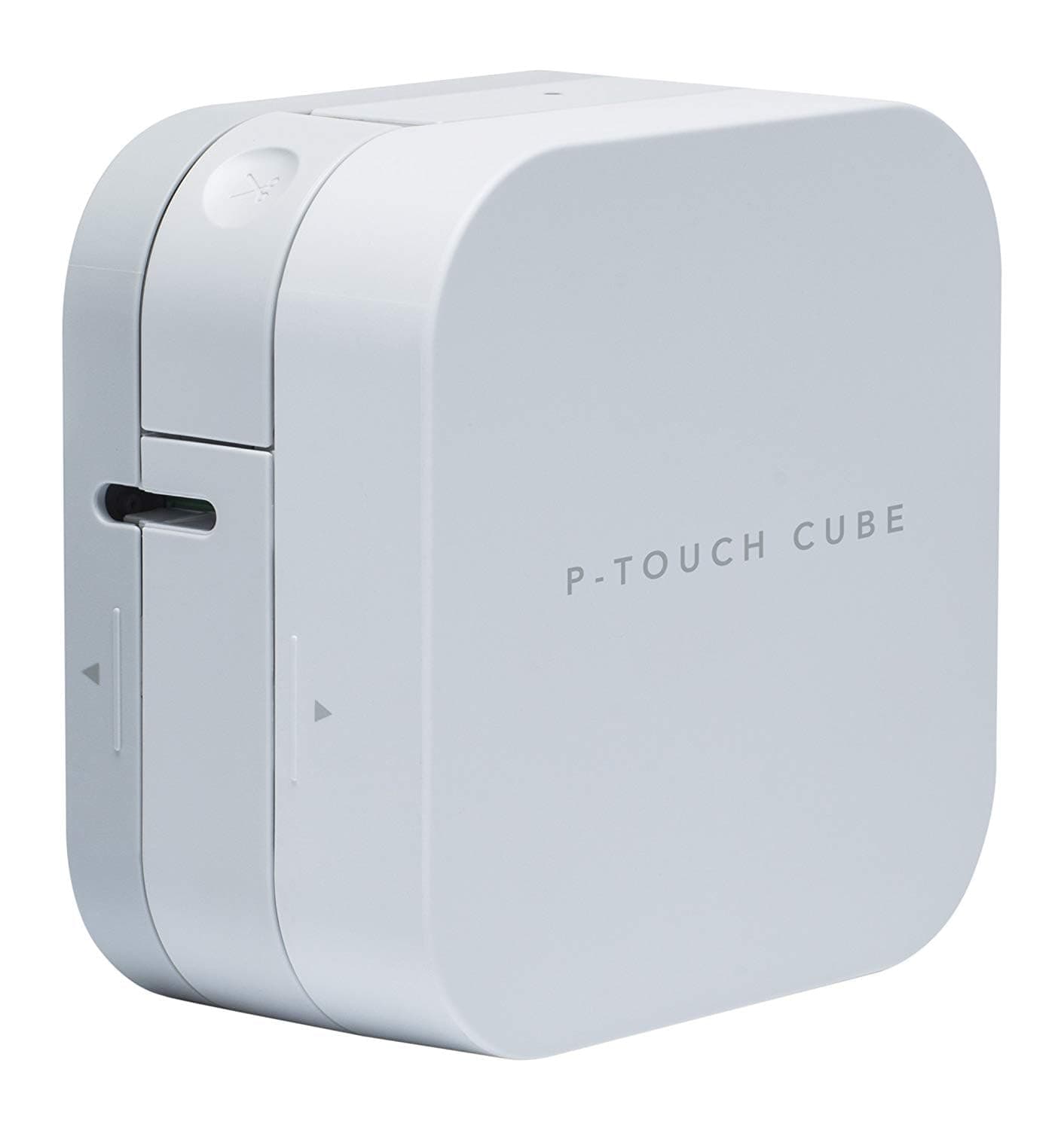
🏷️ Label like a pro, anywhere you go!
The Brother PT-P300BT is a compact, Bluetooth-enabled thermal label printer that produces durable, customizable labels up to 12mm wide. Controlled via a free smartphone app, it offers versatile label widths and styles, perfect for professional and personal organization on the move.


| ASIN | B01N7WAC19 |
| Additional Printer Functions | Print Only |
| Best Sellers Rank | 14,910 in Stationery & Office Supplies ( See Top 100 in Stationery & Office Supplies ) 56 in Label Makers 87 in Labels & Labelling Equipment |
| Box Contents | s |
| Brand Name | Brother |
| Color Depth | 1 bpp |
| Colour | White |
| Compatible Cartridge | TZe |
| Compatible Devices | PC |
| Control Method | App |
| Country of Origin | China |
| Customer Reviews | 4.3 4.3 out of 5 stars (1,203) |
| Dual-sided printing | No |
| Duplex | Simplex |
| Global Trade Identification Number | 04977766801102 |
| Hardware Interface | Bluetooth |
| Ink Colour | Grey |
| Item Dimensions D x W x H | 18D x 9.5W x 19.5H centimetres |
| Item Type Name | Label printer |
| Item Weight | 0.38 Kilograms |
| Manufacturer | Brother |
| Maximum Copies Per Run | 9999 |
| Maximum Copy Resolution Black and White | Mindestens 300 dpi |
| Maximum Copy Resolution Color | 300 dpi |
| Maximum Print Resolution Black and White | 300 dots_per_inch |
| Maximum Sheet Capacity | 1 |
| Maximum Supported Paper Size | 12 mm |
| Maximum print Resolution Color | 300 dpi |
| Model Name | PT-P300BT |
| Model Number | PT-P300BT Cube |
| Model Series | PT-P300BT |
| Network Connectivity Technology | Bluetooth |
| Number of Drivers | 1 |
| Number of Trays | 1 |
| Other Special Features of the Product | Portable,Compact |
| Output sheet capacity | 1 |
| Paper Size | 12 millimeters |
| Print media | Unknown |
| Printer Output Type | Monochrome |
| Printer Resolution Horizontal in Black and White | 0.09 Centimeters |
| Printer Type | Thermal |
| Processor Count | 1 |
| Resolution | 300 x 300 |
| Specific Uses For Product | Identification labels, storage labels, file and folder labels, school uniform name labels, food labels, freezer labels, plant labels, gift wrapping and wedding stationery |
| Total USB Ports | 1 |
| Warranty Type | limited warranty |
S**K
Great little compact labeller, easy to use and cheap
Great little labeller that is compact and easy to carry around. The app on your phone means the labeller needs no built in keyboard so makes it compact. Dead easy to set-up and use, app is a little bit clunky but does the job fine. Can be wasteful of ribbon/tape but you can easily work around this by printing multiple labels one after another and cutting manually rather than ejecting and cutting each label with the built-in cutter. To further reduce costs, buy the 3rd party label cassettes to use with it rather than the Brother originals.
A**.
Trusted piece of kit
Nice label printer from a reputable manufacturer. Very easy to use from the Brother ‘Design&Print 2’ App. Gives very good results on various media colours.
S**E
Solid printer
This is my first label printer and it's great, with only a few nit picks. First is that I don't like that it takes 6 AAA for power and it doesn't seemed to like rechargeables. They don't last long and it's a pain to source 6 of them every time. I do tend to prefer user removeable batteries but I do think a built in lithium ion would be better for this product, or maybe use AA instead of AAA, they aren't much bigger and have much better capacity. Second is again related to power because they provide a barrel connector instead of USB C. It would be so convenient to be able to power it with my phone charger, laptop charger or power bank. I could almost do without it having batteries in it at all if they provided this. Lastly, as many have pointed out, there is a lot of wastage when printing. There are ways to mitigate it, but if you just want one label in a hurry, there is not a lot you can do about it.
W**R
Breakthrough in stickering
Great product and the possibility to type your sticker on the phone change the whole paradigme making a chore - typing om the old device - a real pleasure .... easy, convenient and fun. Would highly recommend
S**Y
LABEL HEAVEN! Labels of different colours and sizes and so versatile.
I love this. I bought the Dymo one first but it really seemed like a step backwards as the print quality was poor. This is amazing, it comes with 12mm tape, but I like buying 9mm and 6mm more. Even with these sizes you can print multiple lines with a small font size. I was stunned at the number of fonts to pick from too, and on top of that you can make them bold, italic or underlined. The app is great so far. I love the fact that you can save your labels too, so you can make the same or similar ones again later. The only downside is that the cutter is obviously situated too far away from the edge of the machine as some extra tape is wasted with each label. The best way to avoid this is to print all the labels you want at the same time and not cut each one on the machine. It is an option on the app to add cut lines rather than cut the tape on the machine.
R**R
Very very slow to connect to App
It takes an age to connect the app, I mean it is reeeaaalllly sloooooow. To the point I don’t bother printing, sometimes it can be over 5 minutes, sometimes not at all. When it works it’s pretty good but often I just don’t bother as takes to long.
T**I
Great label printer
Bought this to replace my previous label printer and I can see this one lasting a lot longer.
I**M
Great !!
Brilliant product would recommend
L**O
Buen producto. Trae un cartucho de prueba. No trae pilas. Con la aplicación tienes muchos diseños de etiquetas.
P**A
Beschriftungsgeräte kannte ich bisher nur als unhandliche, große Geräte, die man schlimmstenfalls auch noch in einem dazugehörigem Koffer mit sich herumtragen musste. Umso neugieriger war ich auf den P-Touch Cube von Brother. Ein kleines, handliches Gerät, das auf dem Schreibtisch richtig stylisch aussieht, sich aber auch ruckzuck mal spontan in der Handtasche mitnehmen lässt. Dank Batteriebetrieb und Bluetooth-Schnittstelle kann man Etiketten ganz komfortabel über das Handy gestalten und sich über den Cube ausdrucken. Der Cube selbst ist denkbar einfach in der Inbetriebnahme. Einfach Batterien und Schriftband einlegen, anschalten, per Bluetooth mit der Android- oder iPhone-App verbinden und loslegen. Der Cube hat tatsächlich nur zwei Funktionstasten - den An/Aus-Schalter und die Taste für das Schneidemesser. Mehr braucht er nicht. Auch die kostenfreie App ist schnell installiert und einfach zu bedienen, es gibt jede Menge Mustervorlagen, da ist wirklich für jeden was dabei und speichern lassen sich die nach Wunsch konfigurierten Vorlagen auch. Schon beim Stöbern in den Mustern bekommt man jede Menge Ideen, ich bin überrascht, wie vielseitig der Cube mit den entsprechenden Schriftbändern ist, da werde ich auf jedenfall noch einige bestellen! Die intuitive Bedienung des Gerätes und der dazugehörigen App finde ich wirklich klasse, so wünscht man sich das!
R**K
I like most things about this. Plug in would be better than battery. Also, a lot of tape is wasted after each print sure to the print needing to roll out to them point it can be cut off. It wastes about 2-3 cm each time, almost as much as the label itself. If you can, print multiple labels at once, so you have only a little waste at the end of the tape after the labels come out (this only works for identical labels I think).
S**M
Jättelätt att skriva texten i mobiltelefonen och sedan skriva ut remsan i märkmaskinen. Det enda som tar lite tid är att man får manuellt ansluta märkmaskinen till mobilens Bluetooth varje gång den ska användas, men det är inga problem då att få den att ansluta, jag har en I-phone.
L**D
Ottimo prodotto, facile da usare, economico si può usare sia con batterie o con alimentatore che lo comprato da parte . L'app è facile da usare e ha tanta varietà di disegni e emuogi Con i nastri airone ( anche quelli compatibili) funziona bene. Molto soddisfatta.
Trustpilot
Hace 4 días
Hace 1 mes