We remain fully operational. Our teams are working around the clock to ensure your deliveries continue safely.

Descargar la aplicación


Servicios al cliente
Sobre nosotros
Copyright © 2025 Desertcart Holdings Limited
Descargar la aplicación


⚡ Unlock powerhouse performance with AMD Ryzen 5 2600X — the smart choice for savvy pros!
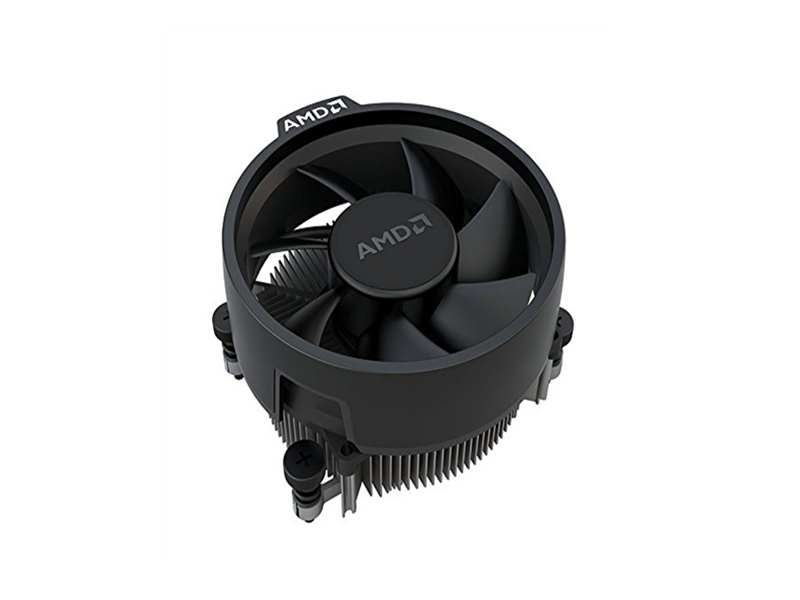
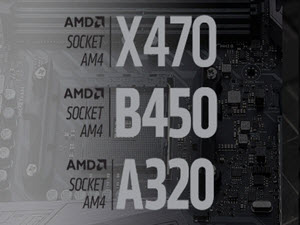
The AMD Ryzen 5 2600X is a 6-core, 12-thread unlocked processor with a base clock of 3.6 GHz and max boost up to 4.2 GHz. It includes the efficient Wraith Spire cooler, supports PCIe 3.0 x16, and features advanced AMD technologies like SenseMI and XFR2 for dynamic overclocking and thermal management. Designed for AM4 motherboards, it offers exceptional value and performance for gaming, multitasking, and professional workloads, backed by a 3-year warranty.



| ASIN | B07B428V2L |
| Best Sellers Rank | #192 in Computer CPU Processors |
| Brand | AMD |
| Built-In Media | AMD Ryzen 5 2600X with Wraith Spire cooler |
| CPU Manufacturer | AMD |
| CPU Model | Ryzen 5 2600X |
| CPU Socket | Socket AM4 |
| CPU Speed | 4.2 GHz |
| Cache Memory Installed Size | 6 |
| Customer Reviews | 4.8 out of 5 stars 9,370 Reviews |
| Global Trade Identification Number | 00730143309226 |
| Item Dimensions L x W | 1.6"L x 1.6"W |
| Item Type Name | AMD Ryzen™ 5 2600X Processor with Wraith Spire Cooler |
| Item Weight | 1 Pounds |
| Manufacturer | AMD |
| Model Number | YD260XBCAFBOX |
| Platform | Not Machine Specific |
| Processor Brand | AMD |
| Processor Core Count | 6 |
| Processor Count | 6 |
| Processor Number of Concurrent Threads | 12 |
| Processor Series | Ryzen 5 2600X |
| Processor Socket | Socket AM4 |
| Processor Speed | 4.2 GHz |
| Secondary Cache | 3 MB |
| UPC | 730143309226 689341096844 |
| Warranty Description | three-year processor limited warranty |
| Wattage | 95 watts |
O**L
The little engine that could, AMD does!
I changed my PC after ten years! I went with AMD as it was so much cheaper and better, looking at the data below. The i7-8700K, the Intel equivalent, is $380.00 verses $200.00 for the AMD 2600X. I used the same power supply, case, mouse, keyboard ETC as it all was newer. You can see the set-up I did this time. The GPU is in the middle slot to give the CPU cooler a tunnel of air straight through the system. The NVMe drive sits under the CPU cooler and gets air pulled across it. The GPU is AIO hybrid type so no hot air in the case. Yes, I oriented the cooler to shoot straight up as this seems best to send hot air UP out the top of the case and not into the GPU radiator. Temps so far support the set-up. Real neat and clean this time around. I have a pretty good CPU and NOCTUA DH-15S cooler, so it auto dynamic clocks (what AMD calls XFR2) to 4.9 GHz on all cores! I don't do a thing, as it is all stock. Even the fans are cool-and-quiet and ramp based on temps. This is a great PC! The ASRock X470 is great, too, with that 1 GB ADATA NVMe SSD drive blazing along with W10 pro. The memory XMP profiled to the right timings and speed straight away with the Taichi MB...dead stable. The Heaven 4.0 scores are 15 FPS faster than the i7-870 in the old system with the same 1070ti clocks (see attached). That AMD CPU kicks butt for the price. If you are thinking of a PC, the 2600X allows you to afford the a NVMe drive and/or a faster graphics card. I game at 1440P so the fastest CPU is a waste of money. Ran Wolfenstein - The New Order all day today and not a single hick-up. The system exceeded my expectations, that's for sure. AMD SYSTEM BRAND PRICE MB ASRock X470 Taichi AM4 AMD $199.99 CPU AMD Ryzen 7 2600X 3.6GHz $209.99 DDR4 MEMORY* G.Skill Flare-X 16GB 2 x 8GB DDR4-3200 - F4-3200C14D-16GFX $224.98 1GB ADATA SX8200 3D NAND NVMe Gen3x4 M.2 SSD $208.99 OS W10 Professsional OEM 64 bit $149.50 GPU EVGA 1070ti hybrid $550.00 I kept my case and PS; Phantek ENTHOO PRO Glass Corsair HX-750 Here is the data on XFR2 actual function. Look at the dynamic OC difference! ~4.3 GHz on one and ~4.9 GHz on the other! VCPU core adjust from less than a volt to 1.48 volts. Remember that the numbers are "max" at any time, not at one point in time. So ALL cores aren't likely ever at those frequencies at the same time, just the ones that are needing the boost. Unlike a manual over clock, you aren't stuck revving the CPU engine in neutral wasting power on cores that don't have work, and, generating HEAT that slows down the thread you DO want to be running hardest! This is why the AMD set-up is so compelling now, It allows every last bit of performance to be reached with minimal HEAT generation as ONLY the cores / clocks that NEED the boost get it. Eventually, they all seem to see a set peak GHz value (I don't think my 2600X can run 4.93 GHz on all cores simultaneously) running randomly at full tilt. If you look at the CPU and GPU utilization scores you'll see dramatic differences between games. One runs the CPU hard, the other the GPU. The CPU processor adjust to fit the requirements. And, it adjusts a LOT more than I ever though it would. With fixed over clock you really match ONE type of game and spin your wheels on the other. XFR2 senses the wheel spin on the CPU and backs it off if it can't drive performance forward on everything you do. And yes, it backs off the CPU voltage on that core, you can watch it dynamically change on each core. This lowers overall heats to the minimum at any point in time for the work being done. I sound like an add for AMD's XFR2, but I'm just the opposite, I was real nervous about the expense on a seemingly too good to be true dynamic OC program. But, it really does work and the data supports it 100% using real games and actual use situations. This CPU is 3.6 GHz base clock, but dynamically OC to near 5 GHz! And, this was gaming for 12 hours straight on Wolfenstein with ZERO crashes. Someone has to do this test, may as well be me. This PC is dead stable hitting those numbers. If you don't believe the AMD propaganda, it is true this time around. Let's add the second important variable, cooling. The AMD Cool and Quiet was panned in the beginning. Now, it supercharges the XFR2 capability as it cools ONLY when needed. The old way was top blow the house down 24/7. Now? I hear the fans spin up in game and then spin down again. The cooling is DYNAMIC as well, so less noise most of the time. The X470 Taichi MB chip set tested my fans min speeds at initialization so it knows their limits and away it went after that. Both systems work seamlessly on my PC. Seldom does this ever happen. I didn't mess with a thing, no CPU overclocks, no fan profiles, nothing. I see completely reasonable heats, too. The 2600X is definitely the little engine that could, and DOES! Or should I say, AMD DOES! HEAVEN WOLFENSTEIN CPU LOWER HIGHER GPU 100% 40% CPU TEMP 57 C 67 C GPU TEMP 56 C 40 C CPU CLOCK 4.3 GHz 4.9 GHz
M**R
Good value, fast
I have always bought AMD cpu's, they always delivered a good value and were the underdog. If nobody supported AMD or bought their chips, intel CPUS would be far more expensive. Ryzen is the first time in a while AMD has been competitive with Intel in terms of performance, not just price/value. Ryzen uses an all new architecture and requires an AM4 motherboard. It has things like artificial intelligence built into it and automatic overclocking in addition to boost. Reading about it versus using it, you would expect a far more advance CPU. When you go into further details, the AI is fairly rudimentary but nonetheless its a very cool feature. And it will probably get better overtime. I haven't tried it yet but amd also offers a software called StoreMI that automatically manage your hard drive and SSD, basically combining them together. The CPU was a little hard to install and the instructions were not clear as it had instructions for several types of CPUS. You literally have to screw the CPU fan onto the motherboard, it was pretty annoying. I was tempted to give it less stars because of this. Supposedly AMD coolers are much better now so you don't need an afterstock, based on this I didn't buy an afterstock. It works well and it's very quiet. I notice the cpu stays fairly cool also even after playing games. The heatsink/fan has sticky thermal paste on the bottom but if you have to re-attach which is not unlikely given how hard it is to install you should probably buy thermal paste. Thermal paste will also keep the cpu cooler by a few degrees. On the older version of windows 10, the CPU was blazing fast. But unfortunately I had to update windows for my graphics drivers so its a little slower. Although that's not the fault of AMD. Also probably because of Microsoft you can't use windows 7 with Ryzen out of the box. You have to pre-install special usb drivers in your windows 7 installation disk or usb. Windows 10 is the latest but all the other hardware I bought still supports windows 7 and you should be able to easily use both. So that's something to keep in mind. I've played a few newer games and everything works fine. The cpu is very smooth, its fast and I can run a bunch of things at the same time, even play intensive games and have stuff running in the background. I did tests with passmark and this CPU ranks in the 92 percentile of all Cpus. It also surpasses the I7 -6700k which is 150 dollars more. On math test and encryption test, 2600x ranks near the top 99 percentile. I included pictures. I would say for the price there is no better CPU and not only for the price, this thing is great and can run anything without a problem. I anticipate it will stay relevant for some time and be able to run the latest software and games for several years. This is the second gen or 'zen plus' line, there is slightly faster equivalent of zen 3, ryzen 3600x. But that's nearly 100 dollars more and only for 5-10 percent improve. Your better off going with this and now they've made some improvements and worked out the kinks over ryzen generation 1. So I give it a rare 5 out of 5 stars.
J**N
A Friggin Aircraft Carrier of a Processor for All The Things... with some helpful insights.
As a Content Creator, I need a processor that can allow me to stream, make videos and produce music, while still being good enough for gaming with a good GPU. Compared to my FX-8320E, this thing is a massive upgrade in overall performance: going from a eight core system thread-wise to well over 12 threads and a higher clock frequency overall, it's a great CPU, however there are some things to note if you are either going from a FX or older processor or have switched from team blue's side: 1. Ryzen Processors are intelligent and will attempt to OC themselves (at least in my experience with this X model), and thus will bounce all over the damn place for temperatures while under anykind of load like gaming, however it will settle at a certain level of power after a minute or two and maintain that power and temperature for whatever is happening. Case in point: at idle, my processor stays at about 40c-ish and sometimes spikes ten degrees over for a second or two, while under gaming loads it will go to around 50 to 60c-ish and sometimes spike to well over 75 degrees c for a second or two. As long as your not trying to OC this processor (I recommend not doing so because it's already boosted), it stays cool despite the random spikes. 2. The Wraith Spire Cooler is rather good for a stock cooler, ALOT better than the FX stock coolers and definitely better than the stock intel coolers, but be aware that it sucks air into the cooler to dissipate the heat, thus spreading hot air all over your motherboard, which means warmer VRM temps. And if your unlucky like me and have a confined enough case with high-pressure case fans, it's absolutely possible to create a "dead zone" of air right in front of the cooler and thus the processor doesn't get any cool air at all, hence a switch for me to a be quiet cooler that allows my rear fan to act as a second fan for the radiator in a push-pull configuration as I have my case setup for positive air-pressure, as in having enough air shoved into it that air wants to naturally leave, which also means less dust if you have good filters. 3. As said before, the X series processors are really meant for people who don't want to attempt overclocking their processors and just want performance right out of the box. I have used the processor under a overclock set by the motherboard's bios and under heavy loads while streaming, had not one, but three of the exact same hard freeze and reboots happen in the midst of the stream. Overall, this is definitely one of the best all-around processor you can get on the market right now for the money. It does everything well, and quite-frankly in this day and age, I think that's alot better than only being good at gaming performance.
W**Y
Speed and stability at an affordable price
I upgraded my PC this past week with the 2600X, and I am so glad I picked this chip. I didn't want to have to mess around with overclocking, didn't want to spend a fortune, and sure as heck didn't want anything Intel given their Spectre & Meltdown issues. Speed and stability were foremost of my concerns. The 2600X so far has been terrific. My computer's speed, by comparison to my previous rig (AMD FX 8350 Black Edition) is phenomenal. Would I have gotten more speed out of the 2700X? Of course, but I didn't want to pay more, and the most intense stuff I do with my rig is VR gaming so at most what I needed was a CPU that wasn't a bottleneck to my video card, although I do occasionally run a video encode and the 2600X has excelled at that too. A VR example: running Skyrim VR on my previous rig, heavily modded and with all settings maxed, gave me an average of about 35% reprojection. It was tolerable, but far from optimal. Now I barely hit 5% reprojection, and I highly suspect even that number is inflated based on reports I've read about how the number is calculated in Steam's Advanced Settings. I'm hitting a solid 90fps in-game at 200% Steam supersampling rate thanks to my CPU no longer bottlenecking my ASUS 1080Ti ROG Strix. I love that this chip provides dynamic "boost" overclocking when I need it, and that I don't have to do anything special to enable or control it. Sure, like others have, I could get a high-end water cooler and start manually testing settings to hit the 5GHz mark for the best speed possible, but I'm really not interested in playing around with overclocking. It's overkill for what I want to do at this point, though it's nice having the option for later if I change my mind. For now my Corsair H60 liquid cooler is handling the 2600X's stock and boosted speeds just fine (at 71F room temp, I average between about 36-43C idle, 56C under moderate load, and 72C with all cores firing at near-maximal capacity). I had the Corsair from my previous setup, and from reading around decided it might be better than the bundled Wraith. I used a little Shin-Etsu thermal paste for the connection and cooling has so far been excellent with this chip. I'm really impressed with this chip and can't recommend it highly enough.
J**R
Great CPU - Quiet and easy install Cooler - Edit: great customer service
The CPU is a plug and play. The AMD Cooler was easily mounted to my Gigabyte B450 Aorus Pro. The cooler had thermal paste already on it, otherwise it did not come with a separate tube. Heat has been steady between minimal load at 32-40 C up to 60-65C at 90% load which is when the cooler is set to crank up (i've yet to see heat past 70), even with the cooler set at 100% RPM there is no noise. Moving and grooving perfectly. Sorry there aren't any close pictures, though I thought I would give some idea as to size of the cooler... then maybe a humble brag at finished build (1st). Over clock was easy in CMOS using (+ or -) keys you can manually boost speed. I set it at 3.8 for life span and voltage purposes. I haven't stressed it on any games yet but have used the Benchmark program and it's in the 98th percentile for overall. I did play Apex predators recently to test out the rig and ran into 0 issues. Set graphics to mid for performance and was clearing 200-220FPS during high and low times. Only 1 complaint and this is with Amazon, not the AMD. This AMD was sold during the Division 2 promotion - which they were supposed to give me a code for Division 2 once I completed my purchase. The code never came and I have been unable to reach a reliable form of customer support on behalf of Amazon - phone calls were crazy wait times and I couldn't get past the Chat robot to a real person to try and solve the issue... hoping this gets some attention. (Will go up to 5 stars depending on Promo code situation.) Edit: 29 Apr; I received feedback from Amazon after speaking with several reps over the phone. They created a trouble ticket and forwarded it off to Promotion support (another rabbit hole is all I thought). The Promotions customer service team reached out to me within a few hours of my trouble ticket and apologized for the trouble. They said they would route it up the chain and be in touch in 2-3 business days. I waited 4 days and sent another email asking for a status update. They replied with my codes and upgraded the game I was supposed to get. Great service. Now its a full 5 stars for product and customer service.
T**Z
Great processor for a great price... But my cooler was broken?
I was very skeptical about buying AMD. But after I saw the Linus tech tips made a video on the 2600 I figured the extra twenty bucks was worth the X. I was right. This processor is fast, easily overclockable, and his seriously gain my respect with its reliability. This would be a 5-star review but I did have one negative experience. When the cooler shipped it must have got knocked around in the warehouse or something because the plastic that covered my thermal paste was shattered and smeared as well as dried out my thermal paste. My PC would just come to a complete halt and shut itself off from overheating. I had to buy an all-in-one cooler (which is awesome btw) to maximize this chip to its full potential. I don't think the AMD wraith cooler suffices. This isn't my first build but it was very easy to install to the motherboard apart from those am4 clips. Absolutely recommend.
S**7
Best performance and value 6 core CPU!
This is my first CPU on the AM4 platform, it offers great performance in apps running Win 10. I can run multiple browser tabs (Firefox) and still play most games, even triple A titles with out much of a performance hit. The 2600x is a snappy 6 core / 12 thread processor and I can definitely tell the difference compared to an older generation 4 core / 4 thread AMD x4 880k CPU running at similar clock speeds. I also like the fact I can get pretty good temps on an air cooler (the older style Wraith with copper heat pipes) around 60C under load and 70C in 1 min stress test. I suspect I would get similar temps using the included Wraith Sprire. I'll have to try this on my next upgrade or future build. What's also great is that I can upgrade to the Ryzen 3000 series coming soon and potentially the 3000+ series in 2020.
J**M
AMD raises the bar and shows us how badly Intel has been ripping off the consumer
no overclocking needed, 2nd gen ryzen5 2600x will keep raising the bar across all cores until thermal threshold. just pointing out that you can achieve performance that rivals any 6-core processor. From the attached CPUID-HWmonitor, you see the chip can peak at 6GHz on 3 cores and 5.2GHz on the other 3. The other image shows 4 cores peaking at 5.5Ghz. That's in an air cooled case without disabling any cores and no overclocking on CPU, GPU or Ram. To get the most out of your Ryzen5 chip, don't forget to 'boost' your ram in bios; most mb will default to 'half' the marketed speed and Ryzen chips like low latency, fast ram. Update (7/19/18): After a couple months, I had to pull a bad stick of ram but note while playing overwatch, all cores still reach 5 to 5.4GHz at 68-75'C. CPUID-HW monitor only records peak on each core...the cores probably didn't do this at once, but it's still a testament to the quality and robustness of the latest AMD consumer chips. I'll continue to provide updates and let you know if I can drive this chip to failure...but I'm hoping to upgrade to the latest (and probably last) AM4 chip in 2020. Update (Aug 2018): all cores peak @ 6.8GHz...then I blue screened. Update (Feb 2019): all cores peak @ 5.4GHz. CPU TempMax 54'C on Destiny 2 Air cooled: Coolermaster HAF 912 (stock 120mm rear fan) Coolermaster Hyper 212 led (single 120mm fan) Coolermaster MegaFlow 200 front & top (200mmx2)
Trustpilot
Hace 3 semanas
Hace 2 semanas