We remain fully operational. Our teams are working around the clock to ensure your deliveries continue safely.

Descargar la aplicación


Servicios al cliente
Sobre nosotros
Copyright © 2025 Desertcart Holdings Limited
Descargar la aplicación




Buy anything from 5,000+ international stores. One checkout price. No surprise fees. Join 2M+ shoppers on Desertcart.
Desertcart purchases this item on your behalf and handles shipping, customs, and support to Mexico.
🎯 Elevate your PC gaming with authentic Wii control—no compromises, just pure play!
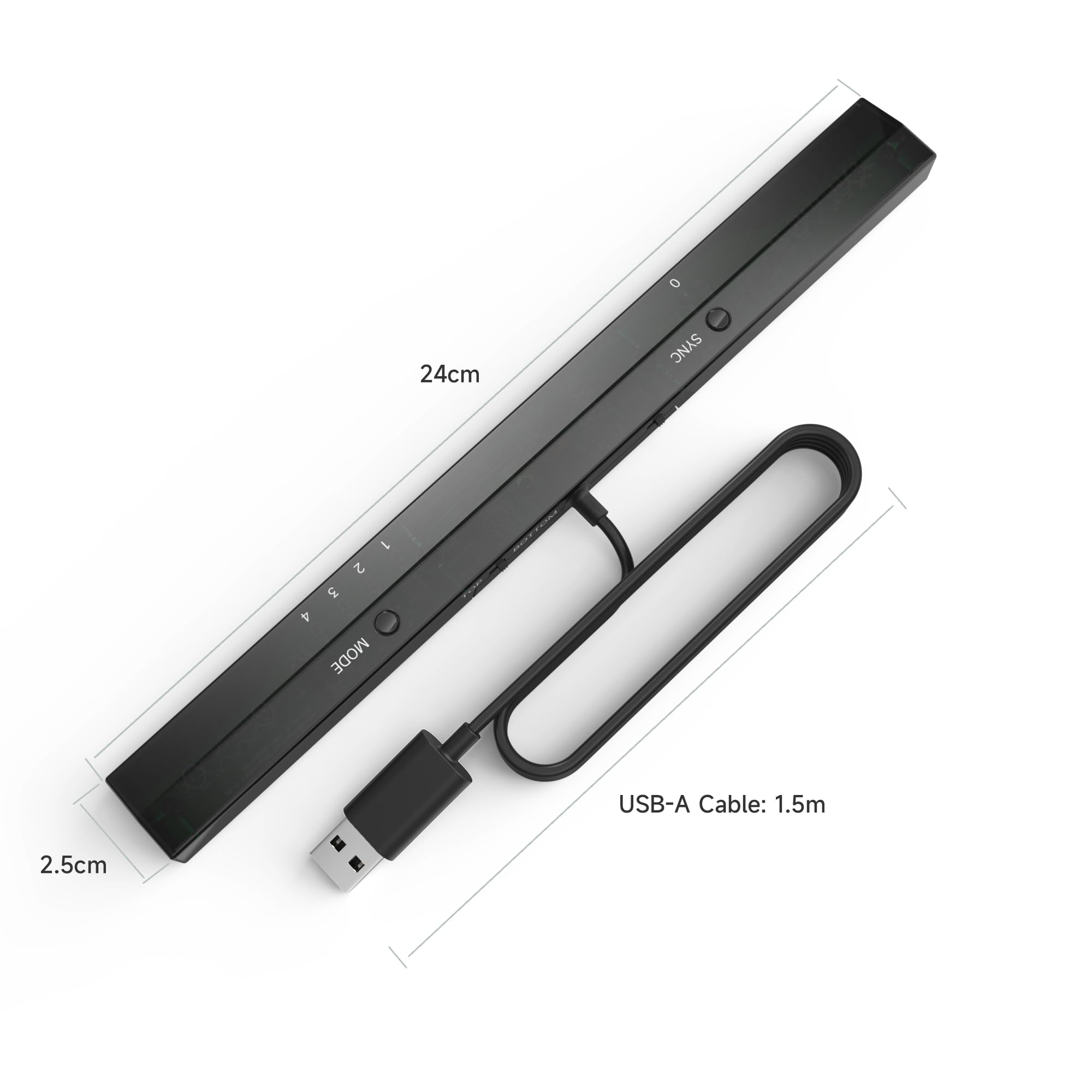
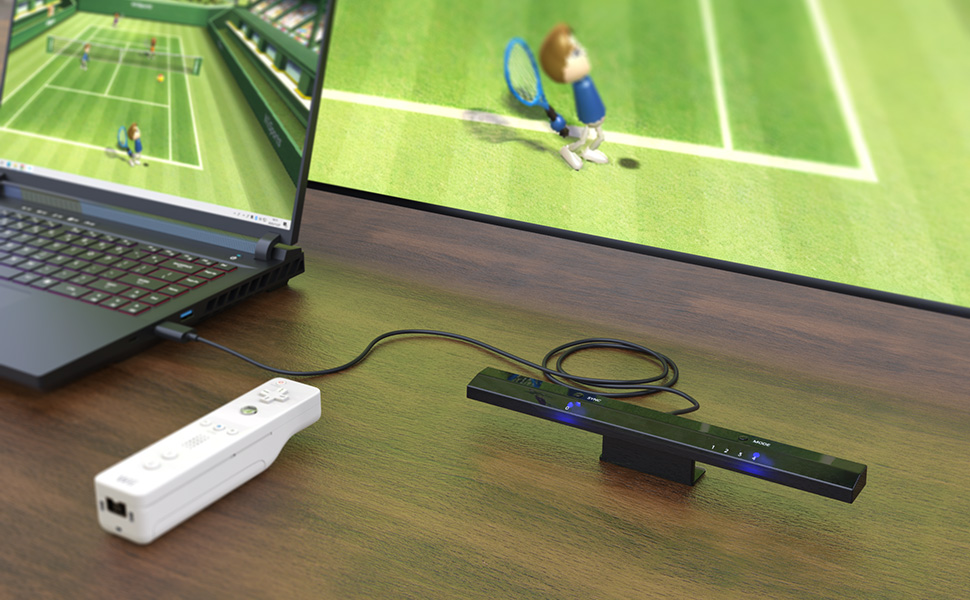
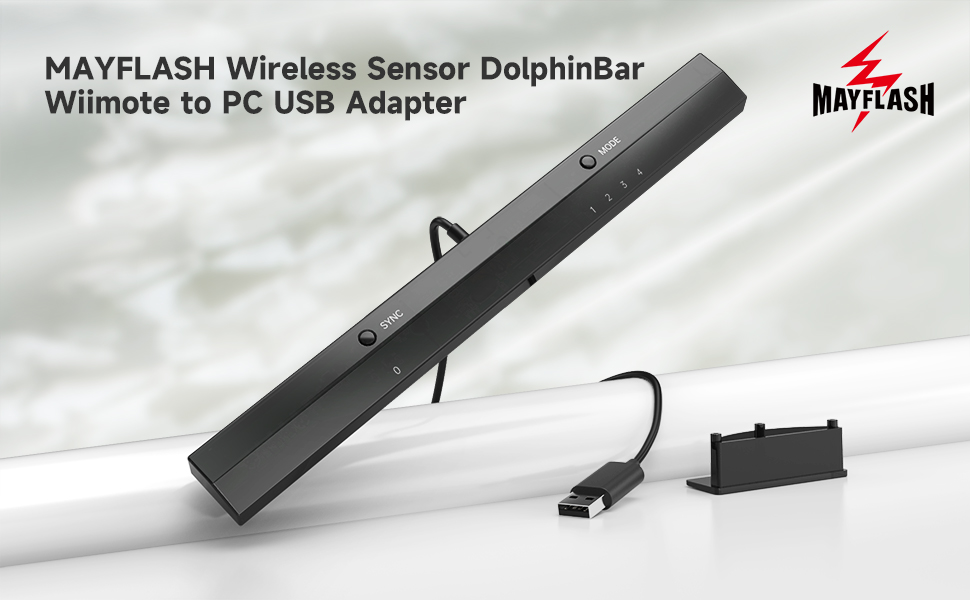
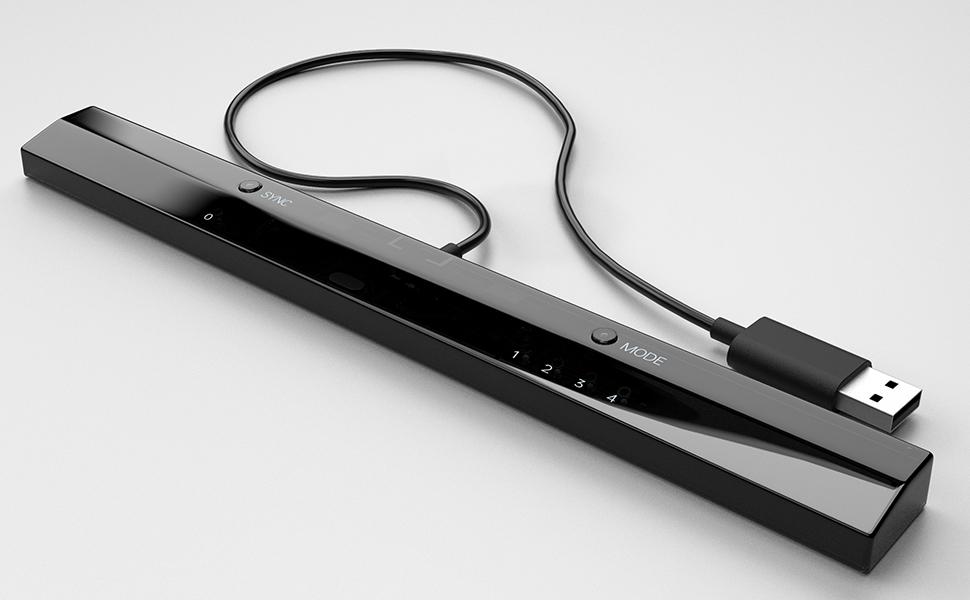
The MAYFLASH W010 Wireless Sensor DolphinBar is a compact USB Bluetooth adapter that connects Wii Remote Plus controllers to your PC, enabling seamless gameplay with up to four remotes. It supports multiple modes including keyboard/mouse emulation and game controller functions, features anti-shake cursor control, and is fully compatible with the Dolphin emulator for Windows. Firmware updates are easy via a sync button, making it the go-to solution for millennial gamers seeking authentic Wii and GameCube experiences on modern PCs.





| ASIN | B00HZWEB74 |
| Best Sellers Rank | #398 in Video Games ( See Top 100 in Video Games ) #1 in Wii Sensor Bars #111 in PC Accessories |
| Brand | MAYFLASH |
| Color | black |
| Compatible Devices | PC |
| Connector Type | Bluetooth |
| Customer Reviews | 4.6 4.6 out of 5 stars (5,467) |
| Global Trade Identification Number | 06902201312255 |
| Item Dimensions | 10 x 1 x 0.7 inches |
| Item Weight | 0.11 Kilograms |
| Manufacturer | MAYFLASH |
| Model Number | W010 |
| Number of Items | 1 |
| Number of Ports | 1 |
| Package Quantity | 1 |
| Power Plug Type | No Plug |
| Specific Uses For Product | gaming |
| Unit Count | 1.0 Count |
| Warranty Description | 30 DAYS |
H**!
IF YOU PLAY WII AND GAMECUBE GAMES WITH THE DOLPHIN EMULATOR THEN YOU NEED THIS!!
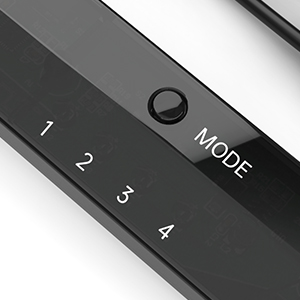
I just bought one of these and I found that it is exactly what is needed when you use Dolphin emulator to play your Wii or Gamecube games on the PC. It makes using the Wii remote easy which is a big change from before when you spent hours getting the Wii remote to detect with Bluetooth. And once the Wii remote is detected it stays detected, even when you turn off your PC and then start it up again, Dolphin will see your Wii remote immediately, no need to go through reconnecting it. The Wireless Sensor DolphinBar had some earlier compatibility problems when Dolphin released dolphin 3.5 but they are fixed now so if you are still having any troubles then just go to their site and get the latest drivers and make sure you are using the latest Dolphin Emulator version. In fact, As of 4.0-2241 and that DolphinBar firmware update, all of the DolphinBar's compatibility issues have been resolved! You can get the latest updated drivers from Mayflashs site http://www.mayflash.com/products/nintendowiigc/w010.html And you can get the latest Dolphin Emulator version for Windows, MAC and Linux here: https://dolphin-emu.org/download/ I found that this sensor bar is much more sensitive to my Wiimote than the Nintendo sensor bar and that is a plus for sure. Also this Sensor bar acts as a Bluetooth detector!!! So you don't need a bluetooth adapter to use it. In fact, I think it works better than the Azio I was using. It detects and properly recognizes the Wiimote within seconds and you will see it correctly identified and working in Windows which, I am sure you already know, is a problem if you are not using this Dolphinbar. This Dolphinbar has a small blue LED light that glows steadily when the Wiimote is connected and it will blink if the Wiimote gets disconnected for any reason. Here is some information from the Mayflash site: W010 Upgrade Firmware Ver04 Updates on February 10, 2015 1. The SYNC LED (LED 0) will be off if NO Connecting with the Wiimotes. The SYNC LED (LED 0) will stay lit if connecting with the Wiimotes. 2. The DolphinBar will not enter into the sleep mode while in the Mode 4 (Dolphin Mode) with Windows 8.1 (Some customers feedback this problem before) Description: Wireless Sensor DolphinBar can connect your Wii Remote Plus Controller to your PC by Bluetooth. Support Nunchuk Controller and Wii Classic Controller. Support four working modes: Keyboard and Mouse Mode (LED1), Keyboard and Mouse Game Mode (LED2), Game Controller Mode (LED3) and Wii Remote Controller Emulator Mode (LED4). Features: - Wireless Sensor DolphinBar can connect your Wii Remote Plus Controller to your PC by Bluetooth. - Easy and simple operation, no need extra Bluetooth dongle. - Supports Cursor Anti-Shake function. - Allows you to play more quicky and precisely with your Game Controller, Light Gun or Racing Wheel. - Works as a normal keyboard and mouse. - Works as a PC Remote Controller. You can return or skip to the beginning of the current, previous or next chapter, and supports Fast reverse, Fast forward, Pause playing, etc. - Works as a Game Light Gun. You can play all kinds of PC Shooting Games, and PC or Wii Light Gun is well supported. - Works as a wireless Game Controller. Connects your Wii Remote Controller, or Wii Remote Controller + Wii Nunchuk, or Wii Remote Controller + Wii Classic Controller to your PC. Supports the G-sensor function that is the best choice for the Racing Games. Supports the Vibration Feedback. - Compatible with the Wii Emulator Dolphin. Supports up to 4 of the Wii Remote Controllers. - Compatible with Windows XP, Vista and Windows 7, Windows 8 ,32 bit and 64 bit. Supports TR WiiMotes and the newest Dolphin 4.0-2241(Please download the newest Dolphin version from the official website https://dolphin-emu.org) by installing the updated firmware on MAYFLASH website download page 1.Download and run the firmware (MAYFLASH DolphinBar Upgrade Firmware Ver03) on WINDOWS (XP, WIN7 or WIN8). 2.Press and hold the “SYNC” button on the DolphinBar, and plug the DolphinBar into the PC USB ((Your Windows will find the new firmware, wait until the recognization is completed). 3.Release the SYNC button, and you'll find the Update Firmware button becomes available. Click this button to update. 4.Please don’t unplug the DolphinBar when it’s upgrading.
R**F
This is what you want--just be sure to download the right version of Dolphin and set to mode 4
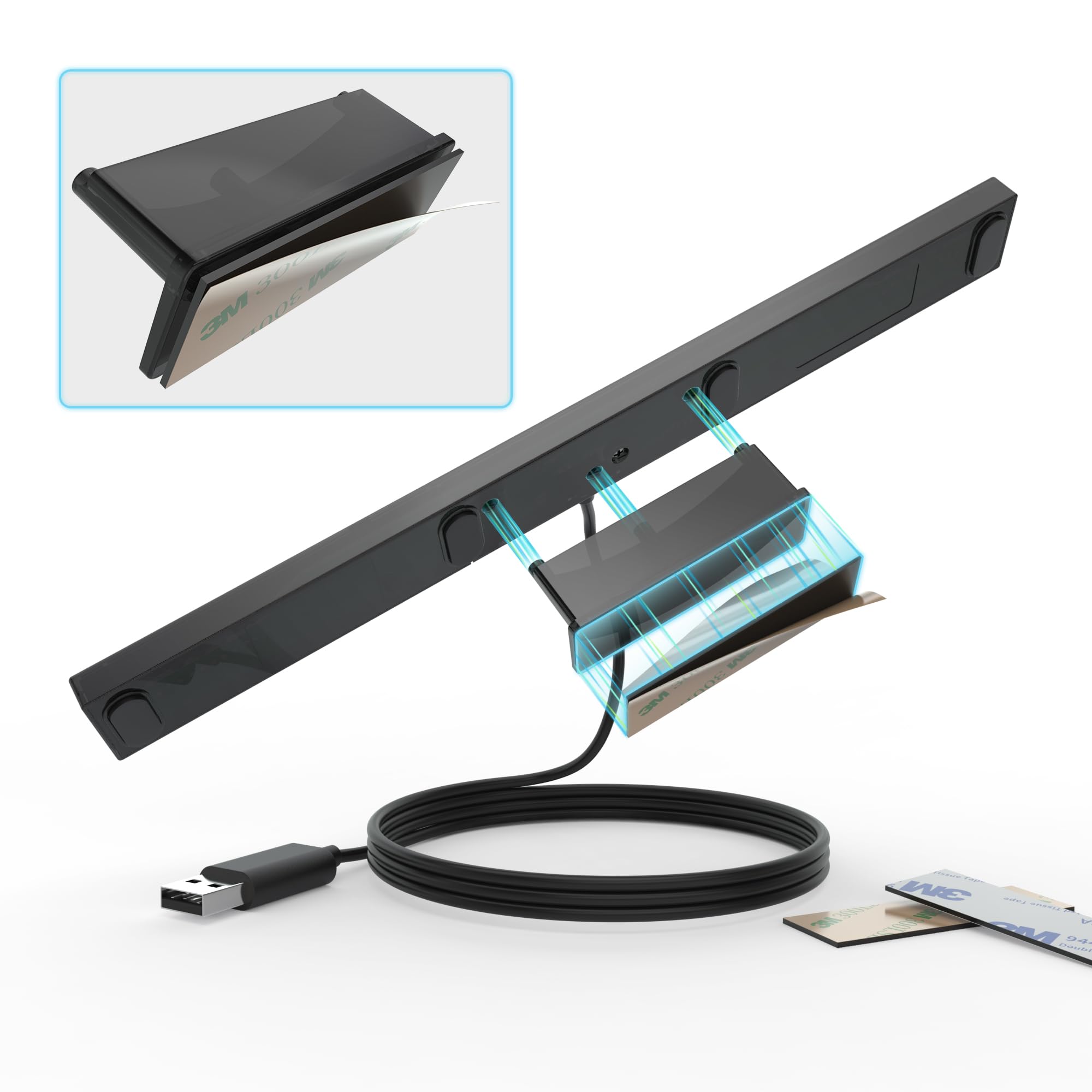
I lost my Wii in a divorce back in 2011, though at times I missed it. I didn't miss having another power brick; I didn't miss finding a home for another gizmo; and I didn't miss component cables. I've been HDMI only since then, and while there are some adapters that let you use a Wii via HDMI, this allows me to use my HTPC to run the Dolphin emulator. Dolphin is free (as in speech), works very well, and though it works with any controllers (can emulate Wiimotes or GameCube controllers using anything that works on your PC), it allows you to use authentic (or knock off) Wii controllers. Wii sensor bars are a misnomer, as the bar does no sensing (the Wii remote does that), but they need power for their USB emitters. Wireless sensor bars work, as do any number of other solutions, but this is among the best. That's not the magic bit, the reliable Bluetooth connection for Wii remotes is what's special. There are other solutions, but not cheaper nor easier. This is what you want. Setting it up is kinda easy once you know what to do. It took a bit long to figure out what to do, so let me help you. Note I didn't bother with the included CD for a variety of reasons (notably I don't have a built in drive on my machine). * there is no driver required nor available. Try as I might to find one, it doesn't exist. * there is a firmware update, and as it's tiny and easy to install, we'll start there. 1) Download the firmware update at http://www.mayflash.com/support/download/ (look for W010 Wireless Sensor DolphinBar MAYFLASH DolphinBar) 2) Unrar it (need to do this twice) and run updater (note sensor bar not plugged in) 3) while holding synch, plug sensor bar into usb port (a good quality extender should work, but unpowered hubs not recommended) 4) after plugging in and releasing synch, option to install firmware will pop up; Update firmware (take a second, as it's tiny) 5) there's a hardware switch for above and below TV placement on the back of the bar (never seen one of those), so fill that out. Also change to mode 4 6) Make sure your copy of Dolphin is a recent one from dolphin-emu.org (not dolphin-emulator.com--that caused hours of issues!) 7) Pair Wiimote(s) and everything should work with default settings. You may want to verify "continuous scanning" is enabled on the controller settings (I believe it was defaulted to on). * note that the Wii Remotes will automatically turn off in time, but using the power button will turn it off sooner. * all accessories (classic controller, nunchuck, etc...) should work * four controllers should work * I got 90-95% OEM Wii sensor bar performance (it has a harsher cut off than I recall, but when pointed at the screen, it works great). * remember that Dolphin like a Wii has a software setting for above/below TV placement * the cable is disgracefully short, though it does kind help in cable routing, as you basically run the extender cable to the TV and plug this in there. I had no issues with a quality (though only $6-8) USB 2.0 extension cable. There are reported issues with unpowered hubs. My biggest hardware issue came from not knowing what mode to use (If everything else wasn't so good I'd deduct a star). 1&2 aren't really for gaming. 3 kinda works, but it's not what you want. Choose mode 4. Note you can change modes with the Wiimote (press home and the D pad--each direction corresponds to a different mode). The biggest issue overall is downloading from the wrong site. It's latest version wasn't recent and simply wouldn't work. Use mode 4 and a recent version from dolphin-emu.org, and you should be fine!
J**A
Llego en buen estado, tardo un poco pero funcionan correctamente tal cual como un Wii, probé solo con wiimotes originales además que con este accesorio ya no ocupas un módulo bluetooth adicional, desconozco si también funcionan con terceros, solo he probado en SteamOS y todo correcto. Recomiendo leer el manual antes de usar, tiene varias configuraciones
B**D
It’s working fine except the IR it’s working with lots of issues that’s why it’s 4 stars
K**I
Product received in good condition . Thks
B**7
Excellent
B**N
Got today. Played wii games with kids. Plug and play. Also very nice with techno parrot!
Trustpilot
Hace 3 semanas
Hace 4 días