We remain fully operational. Our teams are working around the clock to ensure your deliveries continue safely.

Descargar la aplicación


Servicios al cliente
Sobre nosotros
Copyright © 2025 Desertcart Holdings Limited
Descargar la aplicación
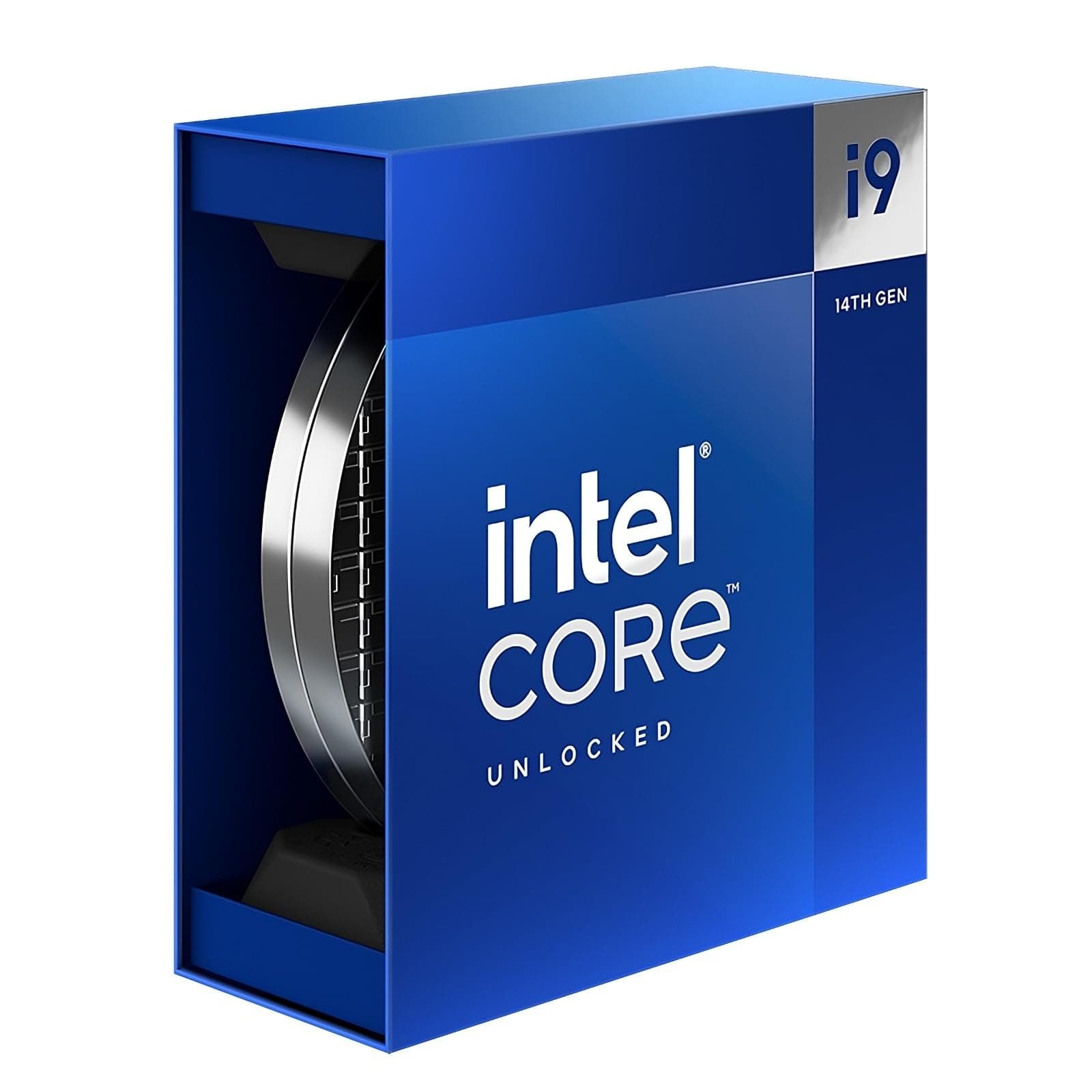

🔥 Power your productivity and play with the unstoppable Intel Core i9-14900K!
The Intel Core i9-14900K is a 14th generation desktop processor featuring 24 cores (8 performance and 16 efficiency cores) and 48 threads, capable of turbo boosting up to 6.0 GHz. It supports the latest DDR5 and DDR4 memory standards and PCIe 5.0 connectivity, making it ideal for professional content creators and gamers seeking top-tier performance. With a base power consumption of 125W and advanced thermal velocity boost technology, it delivers reliable, high-speed computing on compatible Intel 600 and 700 series chipset motherboards.
| ASIN | B0CHBJGFBC |
| Best Sellers Rank | #53 in Computer CPU Processors |
| Brand | Intel |
| Cache Memory Installed Size | 36 GB |
| Customer Reviews | 4.2 4.2 out of 5 stars (913) |
| Global Trade Identification Number | 05032037278522 |
| Item Dimensions L x W | 3.94"L x 5.91"W |
| Manufacturer | Intel |
| Model Number | BX8071514900K |
| Platform | Not Machine Specific |
| Processor Brand | Intel |
| Processor Core Count | 24 |
| Processor Count | 1 |
| Processor Number of Concurrent Threads | 48 |
| Processor Series | Intel Core i9 |
| Processor Socket | LGA 1700 |
| Processor Speed | 3.2 GHz |
| Secondary Cache | 36 MB |
| Warranty Description | 3 Year Manufacturer Guarantee |
| Wattage | 125 watts |
Y**L
They will ALL die. (Edit, faulty Asus board).
Edit: It is my Asus board. I was getting latency spikes and freezes when acceleration needed to happen in windows. I was also getting severe latency when more than 3 USB devices were plugged into the board. I changed from my Asus z790 D4 Strix to my old trusty z690I Aorus Ultra Plus ddr4 and ALL the issues (other than degradation that already took place) are solved. This is not my first asus board that kills components with terrible vrm regulation. This will be my last Asus board. Shoutout to Intel support. They are amazing to deal with. Literally one phone call, & 20mins later my rma was approved and a crosship approval also issued. Amazing. Seriously. It doesn't make sense that both CPUs (new 13700k and 14900k) would die in literally like 2-3 months and have the same symothoms. It is not just ring that collapsed on the two new 13700k and 14900k. Its the memory controller from my observed behavior. The first 13700k was oxidized which is why the entire chip died. I'll need to get my hands on a ddr5 board to test my theory. I'll make another edit when I do. Original Review: All of them will eventually die, Ring collapse is something ive seen on three 13th-14th chips. First a 13700k, then another, and now a 14900k. The first 13700k ran auto voltages and was delidded. It Ring collapsed due to voltage spikes on the old microcodes (I presume). My second 13700k (also delidded) collapsed for seemingly zero reason. It was ran at below 1.35v on adaptive voltages at all times on a static clock speed. My 14900k (which i left 100% stock with paste on my aio) collapsed on 1.25v set static (vid and vrm), with a voltage protection cap of 1320 in the uefi. 1.25v is core voltage. 1.35vddqtx 1.25v-1.35V (MAX) Vccsa ^ These voltages were ran on all of them. They all died. No matter what you do, they will die. There is something SERIOUSLY wrong with this architecture. My 12900KS had ZERO issues with ring clock stability. I will likely ask for a refund and buy it once more. Ironic how things worked out. Edit: When these CPUs work and are in a board that works properly. It is by FAR, the best experience I've ever had on a desktop. Monolithic architecture is something that you cannot beat. The instant feeling of everything you do. It just works, and it works amazingly. Thats why ive had 3 of them and keep gong back. Nothing else comes close. Specially when you go to windows 10 LTSC Iot with e cores off. Its a different world. Trust me.
T**.
Workhorse
I was very concerned about buying any intel CPUs from 13/14 gen due to instability issues, but I seem to have lucked out. Using these in 4 different proxmox nodes supporting a large home lab with streaming and AI workloads, game development, gaming, tons of services. Always on, and they really only get a break between 3am and 6am weekdays due to user behaviors and automated maintenance processes. Very stable, excellent performance, no issues with temps.
A**N
Great chip, slaps hard
Fast but hot. I was able to tame the heat demon by getting a good case - Fractal north xl, and an MSI a13 AIO. I know there is negative feedback out there about this chips integrity but I haven’t had any issues and the warranty period of 5 years should keep me in the clear.
S**E
Intel support is top tier awful
My Intel CPU failed in under a year. I never overclocked it. The system was running perfectly one day and completely dead the next. I tried to troubleshoot myself for 5-6 hours, checking connections, removing and testing components, flashing BIOS, everything. No luck. On day 3 I took it to Geek Squad at Best Buy. Cost: $100. The PC was there for 2 days. They called and confirmed the CPU was dead after testing with a known working CPU. At least now I knew the issue. Day 5 - Best Buy Geek Squad calls and confirms the CPU was dead after testing the system with a known working CPU. At least now I knew the issue. I called Intel Support. The number is a +44 UK line even though I live in the U.S. The call quality was awful, and the rep struggled to understand English. She seemed kind, oddly she ends up being the better part of this nightmare experience, but it took over 20 minutes just to get my name, email, and phone number entered correctly. Please, AI wizards, start replacing call centers with something functional. Begin with Intel’s. While on the phone with support, I emailed the Intel support agent i was speaking with photos of the CPU, confirmed serial numbers, proof of purchase, and the full Geek Squad report from Best Buy verifying the CPU was defective and undamaged. You’d think that would be enough for a quick replacement, right? Nope. Here’s how Intel handles support: First, I was told they would send me a special return box that I’m required to pay $25 for, non-refundable, I think she said there was an option to upgrade to a faster delivery service that I could pay more for. just so I can ship their faulty CPU back to them. This has to be done before they even start sending out a replacement. I’m well within the 1-year warranty period, and it’s not exactly a secret that 14th-gen i9 chips have issues. Second, before Intel ships me the new CPU, I have to pay the full price of a replacement CPU upfront “for Intel’s safety (support agent's actual words).” They said it would be refunded sometime after they verify things on their end. Apparently, a Geek Squad diagnosis, serial numbers, and proof of purchase aren’t enough verification for Intel. So realistically, it’s going to take 2–3 days to get the return box, another 1–3 weeks (if I’m lucky) before getting a working CPU back, and a few hundred dollars out of pocket during the process. My money and time, customers money and time for Intel's product failure. Wrapping it up Intel CPU fails within warranty → customer spends hours troubleshooting → pays for a repair shop to confirm defect → pays Intel $25 (or more for faster time frame) to ship the bad unit back → pays again upfront for Intel’s “safety” → waits weeks for a replacement and refund. Is there support from Intel hidden somewhere in this process I can't see? I'm actually involuntarily supporting Intel essentially. So when your latest-gen Intel CPU dies, expect it to cost you around $800 total and a couple weeks of downtime. If I were a company with a high failure rate on a product and wanted to avoid replacing tons of them.. I wonder if i'd try making the process a nightmare and way more costly to the consumer to discourage that to save myself money.
D**N
great for gaming
W cpu when paired with the right AIO cooler
M**.
Intel is the best CPU made
There incompatibility with BIOS from different boards trying to catch up when this was a new release even though the motherboard manufacturers claims they were ready for the new 14th generation and backwards compatible to 12th and 13th generation CPUs Why did you pick this product vs others?: This was the newest generation CPU from Intel and there is no better CPU than an Intel
V**I
Upgraded to this...
Swapping my 12600K for the Intel 14900K has been a game-changer. I’m definitely seeing more frames now, and the gameplay feels way smoother. The extra cores and higher clock speeds really make a difference, especially in games that push the CPU hard. It’s a bit hotter and drinks more power, but with good cooling, it’s no big deal. If you want better performance and higher FPS without fuss, the 14900K is solid. Totally happy with the upgrade! Cons- price and heat Ofc its easy to install
S**Z
CPU (14900K) is packaged differently than visible in the unpacking video (not a sleek silver imitation of a silicon wafer) but in a simple box. Amazon CS wasn’t helpful and wouldn’t replace product or even explain the discrepancy. I have ordered 2 CPUs, both came in simple boxes. Simple boxes (CPUs made in Vietnam) are supposed to be inferior in comparison to „premium” variant made in US, which is quite important considering Intel loose interpretation of stability and longevity of their hardware.
E**E
Package kinda damaged, by I still recieved the item in working order
M**U
Intelin 14. neslini alıp sorun yaşayan kullanıcıların aksine problem yaşamadım. Forumlardan fazla ısındığına dair bilgiler okumuştum. Müzik prodüksiyonu yaptığım bilgisayar için aldım. Scythe FUMA 3 SCFM-3000 fan ile kullanıyorum. İşlemci ısısı beklerken 30-35, Pro Tools ile yüklü bir projede çalışırken 50-60 derece arasında... Zaten genel eleştiriler enerji verimliliği üzerine. 125 W enerji harcadığı için ısınması gayet normal. İyi bir fan veya soğutucu ile yüksek performans alınabilir. Performansı Apple'ın M3 Ultra işlemcisi ayarında.
N**L
Der Intel® Core™ i9-14900K ist das aktuelle Flaggschiff der 14. Generation und richtet sich ganz klar an Enthusiasten, Gamer, Content Creator und Power-User, die auf maximale Leistung setzen. Nach intensiver Nutzung über mehrere Wochen kann ich sagen: Diese CPU ist ein echtes Kraftpaket – aber sie verlangt auch nach einem entsprechend hochwertigen System. ⸻ 🔧 Technische Highlights & Leistung Mit 24 Kernen (8 Performance-Cores + 16 Efficient-Cores) und 32 Threads sowie einer Taktfrequenz von bis zu 6.0 GHz bietet der i9-14900K unglaubliche Rechenleistung – sowohl für Single-Threaded-Anwendungen wie Games als auch für Multi-Threaded-Aufgaben wie Rendering, 3D-Modellierung, Video-Encoding oder Virtualisierung. Benchmarks zeigen: • Gaming-Leistung ist aktuell auf dem absoluten Top-Level, besonders in Kombination mit einer RTX 4080/4090 oder vergleichbaren GPUs. • Produktivitätsanwendungen profitieren enorm von den zusätzlichen E-Cores, besonders bei parallelen Workloads. ⸻ 🧊 Wärmeentwicklung & Energiebedarf – ein bekanntes Thema Die größte Schwäche des 14900K liegt – wie auch schon beim Vorgänger – in der hohen Leistungsaufnahme und Hitzeentwicklung. Unter Volllast sind Spitzen von über 300 Watt möglich, und ohne leistungsstarke Kühlung wird die CPU sehr schnell thermisch gedrosselt. Empfehlung: • Verwende mindestens eine hochwertige 360mm-AIO-Wasserkühlung oder eine Custom-Wasserkühlung • Sorge für gute Gehäusebelüftung • Optional kann ein Power Limit (PL1/PL2) gesetzt werden, um das Verhalten besser zu kontrollieren ⸻ 🧠 Kompatibilität & Plattform • Läuft auf dem LGA1700-Sockel, kompatibel mit Z690, Z790 und teilweise B660 Boards • Unterstützt DDR5 (bis 5600+ MHz) und DDR4 – je nach Mainboard • PCIe 5.0-Unterstützung für GPU und NVMe, zukunftssicher aufgestellt ⸻ 🎮 Gaming-Performance – Spitzenklasse In aktuellen Spielen zeigt der i9-14900K seine Stärke vor allem bei hoher Framerate und niedrigen Latenzen, insbesondere in Kombination mit schnellen GPUs. Für Nutzer, die mit hohen FPS in 1440p oder 4K zocken wollen, ist der Prozessor eine zukunftssichere Investition, auch im Hinblick auf kommende Titel. ⸻ 💬 Fazit: Leistungsmonster mit Anspruch Der Intel Core i9-14900K ist zweifellos eine der leistungsstärksten Desktop-CPUs auf dem Markt – sowohl im Gaming als auch in der Produktivität. Ja, er ist leistungs- und kühltechnisch anspruchsvoll, und ja, es gibt effizientere Alternativen, insbesondere im Alltag oder bei weniger parallelisierten Workloads. Aber wer weiß, worauf er sich einlässt – und bereit ist, in eine gute Kühlung und stabile Plattform zu investieren – bekommt mit dem 14900K eine brutal schnelle und vielseitige CPU, die mit Sicherheit auch die kommenden Jahre problemlos meistert. ⸻ 💬 Kurzfazit: ✅ Enorme Leistung in allen Bereichen ✅ Sehr stark in Gaming und Multitasking ✅ Zukunftssicher durch DDR5 & PCIe 5.0 ❌ Sehr hohe Leistungsaufnahme ❌ Starke Kühlung zwingend erforderlich
M**L
great processor with great speed
Trustpilot
Hace 3 semanas
Hace 2 meses