We remain fully operational. Our teams are working around the clock to ensure your deliveries continue safely.

Descargar la aplicación


Servicios al cliente
Sobre nosotros
Copyright © 2025 Desertcart Holdings Limited
Descargar la aplicación
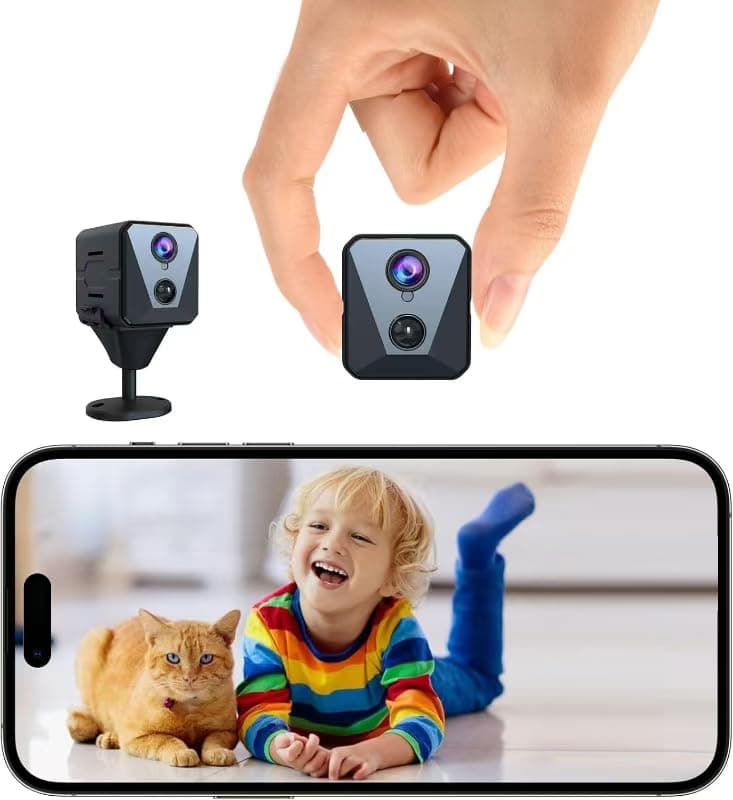
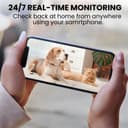
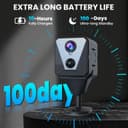
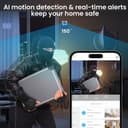


🔍 Stay ahead of the unexpected with stealthy 4K clarity and marathon battery life!
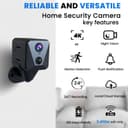
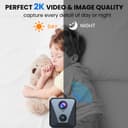
The Funstorm X1 Hidden Camera is a compact, wireless indoor security device featuring ultra-clear 4K video capture, advanced AI motion detection, and a remarkable 100-day rechargeable battery. Designed for seamless remote monitoring via app, it offers flexible cloud and SD card storage options, clear night vision up to 6 meters, and easy installation—perfect for professional-grade home or office surveillance without the hassle of frequent charging.


| ASIN | B0CTY9CG8N |
| Alert Type | Motion Only |
| Antenna Location | Indoor Security |
| Are Batteries Required | Yes |
| Best Sellers Rank | #155 in Hidden Cameras |
| Brand | Funstorm |
| Built-In Media | Comes as a Combo Set |
| Color | black |
| Compatible Devices | 1 |
| Connectivity Protocol | Wi-Fi |
| Connectivity Technology | Wireless |
| Control Method | App |
| Controller Type | Android |
| Customer Reviews | 4.2 4.2 out of 5 stars (493) |
| Enclosure Material | Acrylonitrile Butadiene Styrene (ABS) |
| Form Factor | Cube |
| Frame Rate | 30 frames per second |
| Indoor Outdoor Usage | Indoor |
| Installation Type | Screw In |
| Item Dimensions | 2 x 2.7 x 0.7 inches |
| Item Type Name | Security Camera |
| Item Weight | 0.2 Kilograms |
| Manufacturer | Funstorm |
| Manufacturer Warranty Description | 1 |
| Model Name | X1 |
| Model Number | X1 |
| Mount Type | Wall Mount |
| Night Vision | YES |
| Night Vision Range | 6 Meters |
| Number of Items | 1 |
| Other Special Features of the Product | Easy to Install |
| Photo Sensor Resolution | 2160 Pixels |
| Power Source | Battery Powered |
| Room Type | Nursery |
| Shape | Square |
| Specific Uses For Product | Surveillance |
| UPC | 636144870430 |
| Unit Count | 1.0 Count |
| Video Capture Format | / |
| Video Capture Resolution | 1080p |
| Voltage | 5 Volts |
| Water Resistance Level | Not Water Resistant |
| Wattage | 2600 milliamp_hours |
| Wireless Technology | Wi-Fi |
S**S
Best mini camera I’ve came across
This is my second camera experience and this is by far theeeeee best! The battery life is amazing the picture quality, color and night vision is amazing and it detects every motion in my basement. It’s small and easy to set up. You can zoom in and out and the best part is you can also use a sd card, however with how amazing it works I plan on getting a subscription! Will absolutely recommend to any and everyone looking for a touch of home security!
H**Y
Good quality for a good price
Clear picture and easy to install. I love that is has the option for either screw in or sticky tabs. Very convenient. I'm still learning how to use the cloud function, but I have the SD card installed as backup. 100% worth the buy.
B**L
Awesome little wireless, cordless security cam.
I bought two of these cameras for areas that were difficult to run power to. I love that they are battery operated, wireless, and have mounts that allow them to be easily adjustable. They are easy to set up and the settings in the app are easy to change. They work well with the app to let you know the battery level so you can recharge and not lose function due to a discharged battery. Would definitely buy another if I had a similar area that needed coverage. With the option of cloud or SD card storage, you will have any evidence you might need, cheap insurance.
J**S
Great camera, easy to setup, one minor security concern
This camera was easy to setup using the recommended app (UBox) and the quality was much better than I expected. The battery life has been very good - I've had it in a relatively high traffic area for over a week and it still has about 80% battery. If "silent" mode is disabled in the app for this camera, anytime motion is detected, on my Android phone, I get a message in my notification area with a snapshot from the camera. I also get an alert on my phone when the camera goes offline (internet, battery, or just powered off). Also, while viewing the live stream, listening in on the audio, sounds are nicely amplified and easy to hear - I have not tried the microphone feature yet to try and speak to someone near the camera. **Security Concern**: Most people won't care about this, and some will think it is a benefit, but I am a software engineer and this is slightly concerning to me. Normally, you are only able to access a WiFi camera when your phone/computer is on the same network as the WiFi camera you're viewing, unless you open up ports on your router (port forward) specifically for the camera (you shouldn't do this unless you know what you're doing), or if you have a VPN connection to your router. However, with this camera, after pairing and adding it to my WiFi network using the UBox app, I was able to turn off WiFi on my cell phone and still connect with the camera and live stream video and sound via the cellular connection. This means that the camera is connecting to a server somewhere that relays the audio and video to the UBox app on my phone, bypassing the firewall on your router. Unless the pairing process also performs some SSL/TSL security setup (it may, but I could find nothing to confirm this), then this means that technically whoever owns that server could view the camera stream and audio without your permission. I hope/doubt they are, but considering the number of companies that are hacked these days, I'd be cautious using this camera as a baby monitor or within range of private conversations just in case. Like I said, for some people, being able to access the camera's feed while out of the house may be desired. If you're not very tech-savvy, but need to keep an eye on the baby sitter, pets, someone working on your house, etc, while you're out, this is a great option to allow that. A few tips for users: 1. The default resolution when you first connect is standard definition (SD). If you tap on "SD" in the UBox app, it will switch over to high definition (HD). It appears you have to do this every time you connect with the app, likely to conserve battery. 2. If you turn off your phone screen while connected with the camera to live-stream, when you turn on your phone again, it never seems to be able to connect with the camera again (just spins and never connects). You need to go back to the previous screen (viewing available cameras), then connect with the camera again to begin streaming. Wish List: - It would be nice if there was an option to always connect with HD mode **EDIT** I did find this in the app settings. - It would be nice if the device password was accessible so that I could connect with it using other camera viewing apps. - Without the cloud subscription, it doesn't appear there is a way to view the recorded video that is stored on the local SD card from the app. I was hoping I could use the app to access the recorded video that is stored on the local/physical SD card and that the cloud subscription would only be needed if I wanted to store the video in the cloud. - It would be nice if the local hotspot viewing feature could be set permanently as the operation mode so that this could be used as truly portable camera for use when WiFi is not available. Given the great battery life of this camera, I was hoping to take it with me when traveling and just be able to connect to it directly from my phone when I needed to view the video stream (I doubt I can connect it to a hotel WiFi since most have a confirmation page to accept on a browser).
B**H
Works well!
I am giving this 5 stars as it does exactly what I bought it for, but for some it may not be a 5 star product based on their needs. I am in an odd set up at my home and I can't see deliveries, etc from living room windows, only from my bedroom. So I set up this camera in my bedrooom window just to see when delivery trucks arrive. I am on 2nd floor so my camera only faces parking and there is no violation of privacy. I can say it works very well. I can see what I need to see. I don't need to keep a record of anything, so I don't use the cloud that you can purchase. It syncs quickly and the app for it works well. The video quality isn't too bad, but not great. Only con is that if you wanted this to be on all the time and unplugged then it might only last a few days before you'd have to recharge it. Mine lasts several months, but I only look at it when I need to. Otherwise I'm very happy with my purchase!
K**L
Great little camera!
This camera is small and easily hidden. I am not technologically savvy and it was easy to set up. If I can set up, anyone can. The battery lasted over 3 weeks on motion detection. You can change the settings to use less battery. The live streaming is good. I also snapped a screenshot and video. Both of good quality. I did not purchase a subscription. The picture and video saved to my phone. The night vision is good. There is a light to turn on the add color to night vision. I had a problem with the light but customer service was helpful and the problem was fixed. Simple, easy to use, good quality streaming, clear video. Very pleased and impressed!
K**N
Does what it says
Good, videos are sharp and crisp
U**K
Great camera, great price
I recently purchased this hidden camera and I must say, it's been a great addition to my security setup. The camera is impressively compact, making it easy to discreetly monitor any area. Pros: Compact Design: The small size makes it ideal for discreet placement. Easy Setup: Setting up the camera was a breeze, thanks to the user-friendly instructions. Excellent Picture Quality: The image quality is outstanding, both during the day and at night. The night vision feature works exceptionally well, providing clear and detailed footage even in low light conditions. Motion Sensor: The motion sensor works great, accurately detecting movement and sending instant alerts. (Minor) Cons: USB-C Port: The only change I would suggest is upgrading the charging port to USB-C for faster and more convenient charging. Overall, I highly recommend this hidden camera for anyone looking for a reliable and easy-to-use surveillance solution.
Trustpilot
Hace 1 mes
Hace 1 mes