We remain fully operational. Our teams are working around the clock to ensure your deliveries continue safely.

Descargar la aplicación


Servicios al cliente
Sobre nosotros
Copyright © 2025 Desertcart Holdings Limited
Descargar la aplicación


Buy anything from 5,000+ international stores. One checkout price. No surprise fees. Join 2M+ shoppers on Desertcart.
Desertcart purchases this item on your behalf and handles shipping, customs, and support to Mexico.
🖱️ Power your productivity with style and sustainability!
The Logitech M196 Bluetooth Wireless Mouse offers a sleek, portable design with reliable Bluetooth connectivity—no dongle needed. Featuring a 12-month battery life, ambidextrous comfort, and precise 1000 DPI optical tracking, it’s crafted with 67% recycled plastic for eco-friendly durability. Compatible across Windows, macOS, and Linux, this mouse is the perfect blend of convenience, performance, and sustainability for professionals on the move.
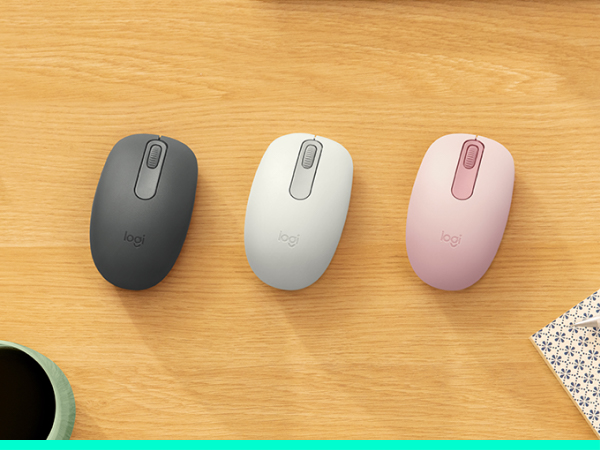
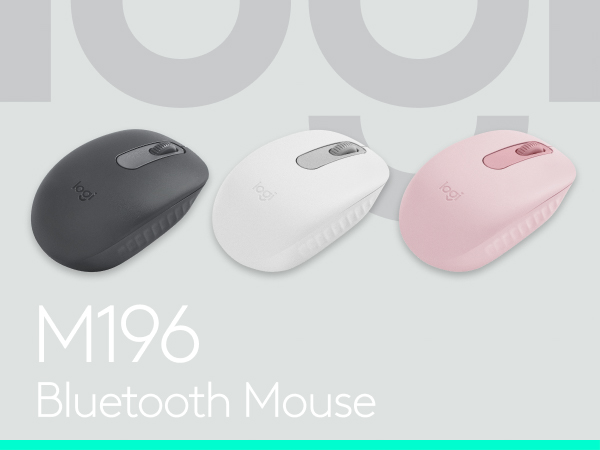

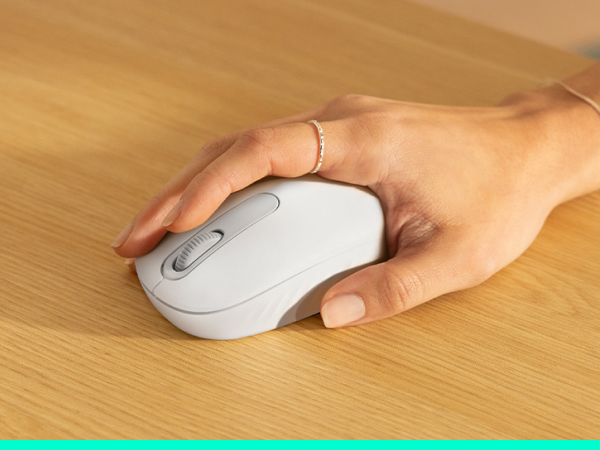



| ASIN | B0D9N7RY1D |
| Additional Features | Lightweight, Portable, Wireless |
| Antenna Location | Gaming, Office |
| Are Batteries Included | Yes |
| Are Batteries Required | Yes |
| Battery Average Life | 12 months |
| Best Sellers Rank | #3 in Computer Mice |
| Brand | Logitech |
| Built-In Media | 1 AA battery (pre-installed), M196 Mouse, User documentation |
| Button Quantity | 2 |
| Color | Graphite |
| Compatible Devices | Gaming Console, Personal Computer, Smartphone, Tablet |
| Connectivity Technology | Bluetooth |
| Customer Reviews | 4.5 out of 5 stars 4,965 Reviews |
| Enclosure Material | Plastic |
| Hand Orientation | Ambidextrous |
| Hardware Platform | Linux, Mac, PC |
| Item Dimensions L x W | 3.9"L x 2.36"W |
| Item Weight | 2.65 Ounces |
| Manufacturer | Logitech |
| Model Name | M196 |
| Model Number | 910-007437 |
| Mouse Maximum Sensitivity | 1000 Dots per Inch |
| Movement Detection | Optical |
| Movement Detection Technology | Optical |
| Number of Batteries | 1 AA batteries required. (included) |
| Number of Buttons | 2 |
| Operating System | Windows, macOS, Linux |
| Power Source | Battery Powered |
| Range | 10 |
| Special Feature | Lightweight, Portable, Wireless |
| Style Name | Modern |
| UPC | 097855200686 |
| Warranty Description | 1 Year Limited Hardware Warranty |
A**.
Cute, compact, and very convenient
Very cute mouse and surprisingly comfortable despite its compact size. I’ve been using it for a few weeks now and really like it. It’s easy to carry around with a laptop and works smoothly. I also really appreciate the Bluetooth connection because it saves a USB port, which is super convenient. Great little mouse overall! 🖱️✨
T**N
⚠️PLEASE READ⚠️
This mouse is great but, if you were planning on hooking it up to an iPad or tablet or some kind it will work but, if you’re trying to play a game or something it’s not the best like if you’re trying to play Roblox I doesn’t work because Roblox doesn’t support keyboard and mouse on iOS. BENEFITS this mouse is lightweight, it’s very easy to hook up to devices, it’s very comfortable and smooth but, it’s a little small for me but besides that it’s GREAT. The mouse also looks clean and professional if you’re ever trying to brag😂. It’s also very compatible with all the devices I’ve tried I hope this review was helpful.
T**X
A reliable mouse from a reliable vendor
Over many decades I've worked in the IT industry. During that time I've used many mice. Wired, wireless, some simple, some complex programmable mice. But I'd never used a Bluetooth mouse. So after getting my new Dell Inspiron 16 and getting familiar with its touchpad, I decided to try a Bluetooth mouse and save a USB port. Logitech has often been my go-to device brand, so I got the M186. It is a simple, medium size device. It connected quickly and without issues. It moves, scrolls, and clicks smoothly. Just for giggles I tried connecting it to my Samsung tablet and it worked (sort of). Some apps worked fine while others didn't, but the tablet connected, a cursor appeared, moved with the mouse, and reacted to clicks. Just not every app. I probably won't be using it with the tablet, but I am pleased with how it works with the laptop and will continue to use them together.
R**.
Great bluetooth mouse, easy connectivity and long battery life
I really do like this mouse, the price is great, the bluetooth connection is a great newer technology that I love, so nice not to have to worry about a dongle that can get lost, or can occupy a USB port you need for something else! This connects quickly and easily, does NOT take hardly any time to wake up (like some wireless mouse!), and is reliable. It's also fantastic this does not require charging and apparently the battery lasts like a year? So great. Only down side, the reason for 4 stars is the click is pretty loud. My old mouse had a lot of problems that were solved by this one but the click was very quiet so the sound of this one can be annoying.
M**G
Easy to move and it doesn't lag when it is used.
This mouse is ergonomic and easy on the hands. It doesn't put too much strain on them. The fit is a good one and it glides easily over a mouse pad. It is a good design, and the accuracy is top notch. It is a battery-operated mouse with a 1-year battery life, depending on use. It is Bluetooth and connects easily to a computer and is compatible with all operating systems. It is a great value for the price, and it is easy on the budget as you don't need to buy batteries as often. I have found it to be a good mouse and recommend it.
E**H
Quick setup, solid mouse
It was easy to set up, has taken a beating and works flawlessly. It's comfortable to use and looks great!
M**A
like!
This wireless mouse works great. It connects quickly and has a stable signal with no lag. The design is comfortable to use, and the battery life is impressive. Perfect for daily work and travel.
W**T
Best Logitech mouse ever !!!
This is an excellent mouse. The price is perfect. The size is perfect. The responsiveness is perfect for everyday use (not sure about gamers). Using bluetooth is perfect. It saves one USB-A port on my laptop. I also never have to worry about missing or broken dongle. The bluetooth connection is surprisingly good. The only downside is the middle wheel. Because it is made of plastic (no rubber coating), it is a bit slippery. I put a thin coat of rubber cement or E600 on the wheel surface; it is perfect now; no more slipping...... Overall, I am very happy with this mouse.
Trustpilot
Hace 4 días
Hace 5 días