We remain fully operational. Our teams are working around the clock to ensure your deliveries continue safely.

Descargar la aplicación


Servicios al cliente
Sobre nosotros
Copyright © 2025 Desertcart Holdings Limited
Descargar la aplicación





Buy anything from 5,000+ international stores. One checkout price. No surprise fees. Join 2M+ shoppers on Desertcart.
Desertcart purchases this item on your behalf and handles shipping, customs, and support to Mexico.
🎞️ Capture nostalgia, create legacy — digitize your past with Elgato!
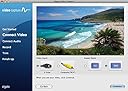
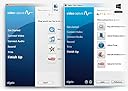
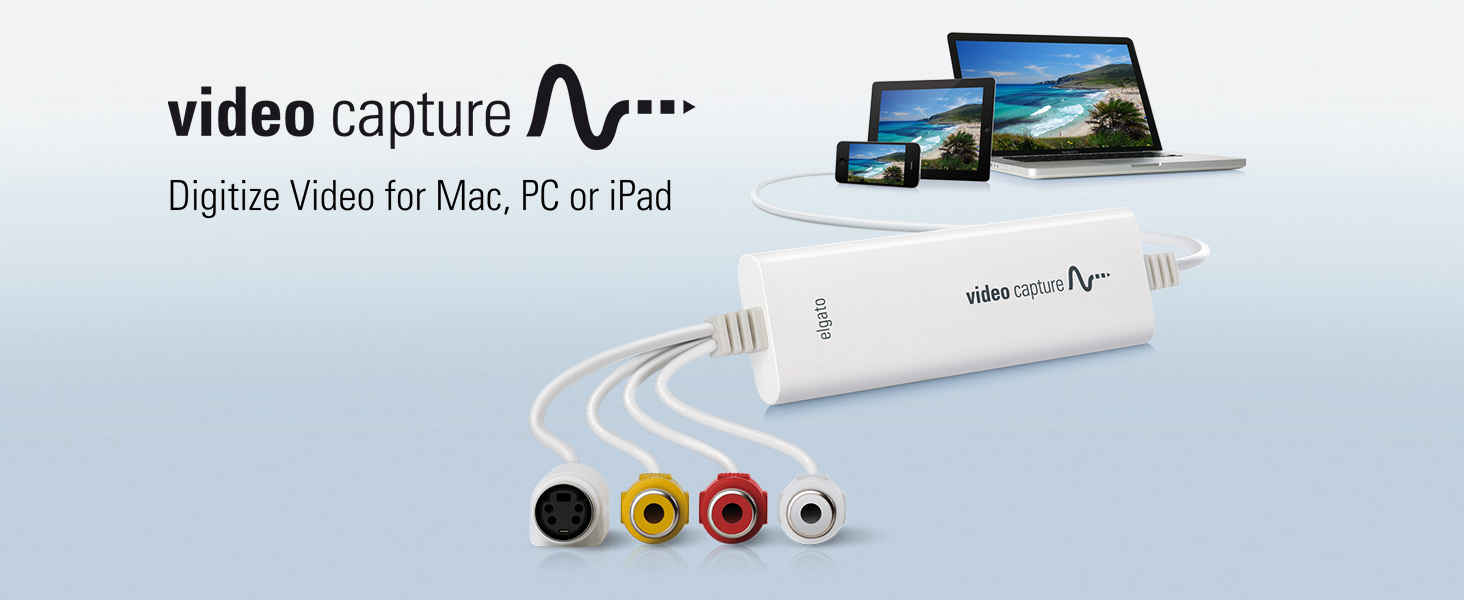
Elgato Video Capture is a compact USB 2.0 device that converts analog video from VCRs, camcorders, and other sources into high-quality H.264 digital files. Compatible with Mac, Windows, and iPad, it supports global video standards (NTSC, SECAM, PAL) and includes easy-to-use software that guides users through capturing, editing, and sharing vintage footage seamlessly. Perfect for professionals and enthusiasts eager to preserve and relive their analog memories in crisp digital format.




| ASIN | B0029U2YSA |
| AV Output | MPEG-4 |
| Antenna Location | Video Recording |
| Best Sellers Rank | #9 in Internal TV Tuner & Video Capture Cards |
| Brand | Elgato |
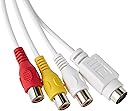
| Built-In Media | Composite video/RCA stereo cable, Composite-to-SCART adapter, Elgato Video Capture hardware |
| Compatible Devices | Personal Computer |
| Customer Reviews | 4.4 4.4 out of 5 stars (10,729) |
| Global Trade Identification Number | 00852095000225 |
| Hardware Interface | USB 2.0 |
| Item Dimensions | 4.09 x 1.38 x 0.47 inches |
| Item Type Name | Corsair Elgato 1VC104001001 Video Capture for your Mac or PC, iPad and iPhone, white |
| Item Weight | 80 Grams |
| Manufacturer | Elgato |
| Mfr Part Number | 1VC108601001-2 |
| Minimum System Requirements | Minimum system requirements: Mac OS X 10.6.8 or later, Windows 7 or later, 2 GHz Intel Core 2 Duo (or comparable) processor, sound card |
| Model Name | Video Capture - US |
| Model Number | 10020840 |
| Operating System | Mac, Windows |
| Other Special Features of the Product | Easy-to-use software |
| Platform | No Operating System |
| Tuner Type | NTSC, SECAM, PAL, PAL/60 |
| UPC | 806293530725 809186274317 852095000225 523161116460 012303707319 031112451343 887594557222 782941786686 163120866984 793426824281 168141640070 803982721570 012301012538 100177338347 872182673071 059072806942 012304319146 012300176811 172302821901 132018346228 809385669198 |
| Video Capture Resolution | 480p |
| Warranty Description | 1 Year Limited Warranty |
S**E
Look no further...this is the conversion device that you want to buy!
LOVE this product! It works perfectly and it is amazing! I've had it a little over a month and have converted about 10 tapes so far. Transferring my old family tapes to MP4 files has been on my to do list for years. It would have cost a fortune to pay for a conversion service because we have accumulated over 35 tapes in the past 25 years. Plus, I do not trust my tapes in the hands of strangers. The majority of my tapes are the 8mm cassettes from an old Sony camcorder. Downloading and installing the software online was super easy. I just connect the camcorder to the device with a cord that originally came with my camcorder. Then I connect the device to a USB port on my computer. The software is very self explanatory and easy to use. The video plays in the software as you are recording. You can watch it playing on you computer screen as well as in the play back screen on you camcorder. You do have to play the whole tape in real time to capture everything (there is no high speed dubbing like with old cassette tapes and some VHS recorders), but the software has an option to automatically stop recording after a time period you set, so you don't have to sit and watch it while it records. You can leave and have it work and stop on it's own. I have a Windows 10 Dell computer that is about 2 years old. Its not super powerful or anything (I bought it at Walmart for $400). I would recommend not running other applications while you are doing a conversion so the software has full access to all your computer's memory. That may be why others had issues. The converted MP4 file plays fine and is great quality. Sound matches exactly to the video. There are no skips or jumps in the video. (Again, I recommend you do not surf the internet or run any other applications on your computer while these conversions are in process.) In my 10 conversions I only had one fail early on where the software bombed out when it was creating the file after the tape finished playing. I think it was because I had some other applications running on my computer at the same time. Since I stopped using my computer during the conversion, I have not had any issues. In addition to my Sonny 8mm tapes, I was able to convert VHS tapes and DVD's which were played on my old Magnivox VCR/DVD Player/Recorder combo unit. I disconnected the Video Out cords which connected the unit to play on the TV. I used the cord that came with the Elgato device and connected it to the same Video Out connections in the unit and the other ends of the cords to the Elgato device, then connected the Elgato to my computer. You will then see the VHS tape or DVD play on your computer in the software while it is recording since the VHS/DVD player is no longer outputting to your TV. Recording results were the same as my 8mm camcorder tapes. I highly recommend this Elgato device! You will not regret it and you will get your money's worth if you have as many old tapes to convert as I do. Plus, you will have peace of mind knowing your recordings will be saved forever in a media that won't decay like old tapes eventually will.
P**H
Great Product - Excellent Deal
I received my Elgato Video Capture Device the very next day after ordering. My computer is an iMac running OSX 10.7.5 (Lion). Installing the software was simple and straightforward. After starting up the software for the first time, a message came up recommending that I update to the latest software (version 1.1.2) which I did. To test it out, I connected it to a DVD player. At first the signal was being received and I was able to do a test capture. Turned out perfect, just as it should. But, after attempting a second capture, the signal went missing. I checked and re-checked all connections, tried a second DVD player, and still no signal. I even quit the program and restarted it without any luck. Next I tried the device on my MacBook Pro laptop (OSX 10.7.5 Lion). The same thing happened - Signal received on first try, but on subsequent attempts, no signal being received. So I tried the device on another iMac, this one running OSX 10.6.8 (snow Leopard). The device worked flawlessly, time after time. Ok, so next I decided to go back to using the original software that came with the device (version 1.1.1), and give that a try. Back on my computer, device connected, and running the original Elgato software version 1.1.1, everything worked perfectly! So it appears the their latest software does not work well with OSX 10.7.5. Only version 1.1.1 is working properly. I've been capturing video with excellent results for a week now and I am happy with the performance of device and software, and of the quality of the video captured. One thing I did notice, on very old VHS tapes where signal was less than perfect, the device actually lost signal from time to time. This occurrence was rare and most of my older tapes were captured without any problem. Overall I would recommend this product with high acclaim. It has been performing as good or better than I expected. It is easy to set up, easy to use. The software allows you to adjust video characteristics such as brightness, saturation, contrast, and hue. Audio input signal level is also adjustable. It allows you to save in both H.264 and MPEG-4 formats.
R**S
Facile à installer, efficace. Les numérisations sont parfaites. Basique mais on ne demande rien de plus. Le post traitement si nécessaire devra toujours se faire avec un autre outils que celui de la numérisation.....Mac a Imovie qui est largement suffisant. Rien à voir avec ROXIO EASY VHS to DVD.......qui ne mets pas ses programme à jour et qui fonctionne tres mal.
A**ー
VHSテープのデジタル化を考え購入。 Macで問題なく使えます。 アプリも簡単。映像を取り込んだ時点で切り取りもできます。
X**R
El dispositivo es robusto y con una buena longitud de los cables. diferentes elementos para adaptarlo a los distintos posibles aparatos, cámaras, vídeo cámaras o dispositivos con cables RCA. El que sea USB 2.0 no tiene importancia, ya que la conversión se realiza en tiempo real, Incluye software de Cyberlink (Este software se ha de bajar de su página web con el dispositivo conectado al ordenador) que nos servirá para realizar el traspaso y optando por diferentes formatos de salida. Buen producto, totalmente recomendable.
A**9
L'ho acquistato reduce da esperienza negativa con un prodotto analogo più economico. Ero quindi discretamente prevenuto, ma presto mi sono dovuto ricredere. Il software è essenziale, non aspettatevi di poter intervenire a livello avanzato sui vari settaggi. Badate bene, non lo reputo un difetto. Volevo un prodotto in grado di assicurare una buona qualità di acquisizione con pochi fronzoli, e utilizzabile da chi, come me ha poche conoscenza tecniche in materia di audio video. E così, filmati formato 8mm sono tornati a nuova vita, acquisiti e convertiti in formato mp4. La qualità è buona, per le mie esigenze e considerata l'età avanzata dei video (>20 anni) direi quasi ottima. Il prezzo non è dei più economici, ma ne vale la pena. Per abitudine leggo sempre le opinioni negative, ho deciso di provare, ed ho avuto ragione, non riscontrando nel mio caso i pochi difetti lamentati da altri. Ripeterei l'acquisto al 100%
A**R
With its easy steps to convert to better quality provided by outcome video and audio settings this is the best product I have found.
Trustpilot
Hace 1 semana
Hace 4 días