We remain fully operational. Our teams are working around the clock to ensure your deliveries continue safely.

Descargar la aplicación


Servicios al cliente
Sobre nosotros
Copyright © 2025 Desertcart Holdings Limited
Descargar la aplicación
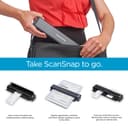
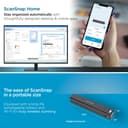
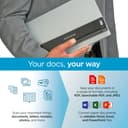

📲 Scan smarter, move faster — your mobile office just got an upgrade!
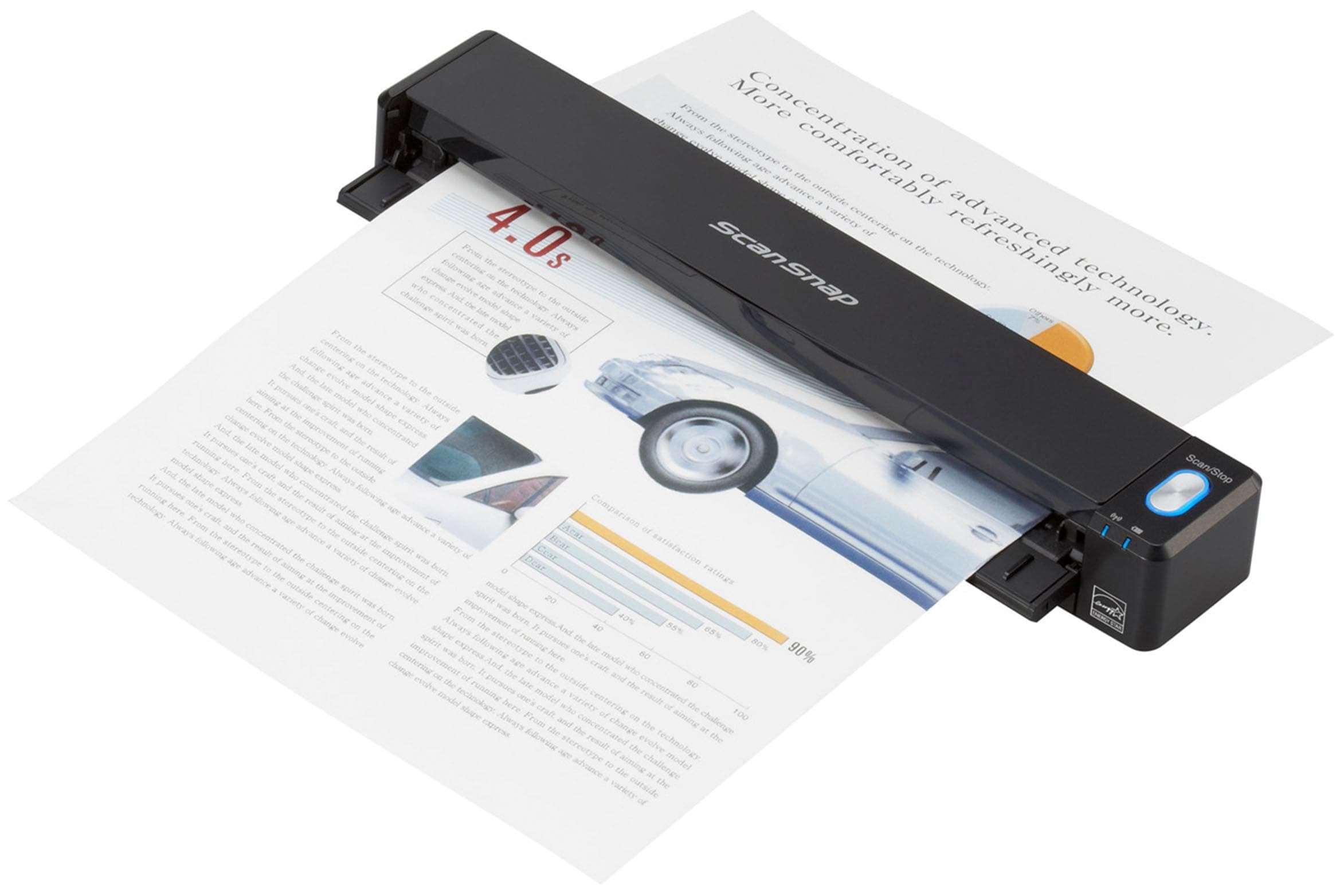
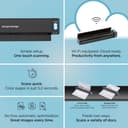
The ScanSnap iX100 is a compact, battery-powered wireless scanner delivering up to 260 scans per charge with 600 dpi clarity. Featuring Wi-Fi Direct Connect and cloud integration, it automatically organizes scanned documents by type across multiple cloud platforms. Its dual-scan capability and one-touch operation streamline digitizing receipts, photos, and business cards on the go, compatible with Mac, PC, and mobile devices. Designed for professionals who demand mobility and efficiency, the iX100 transforms any workspace into a seamless digital hub.


| ASIN | B00NWGGUAS |
| Best Sellers Rank | #57,972 in Office Products ( See Top 100 in Office Products ) #63 in Document Scanners |
| Brand | ScanSnap |
| Built-In Media | Computer Scanner |
| Color Depth | 24 bpp |
| Connection Type | USB, Wi-Fi |
| Connectivity Technology | USB, Wi-Fi |
| Customer Reviews | 4.3 out of 5 stars 614 Reviews |
| Global Trade Identification Number | 00097564308444 |
| Item Dimensions D x W x H | 1.87"D x 10.74"W x 1.42"H |
| Item Weight | 0.88 Pounds |
| Manufacturer | PFU Limited |
| Media Type | Business Card, Paper, Photo, Post Card, Receipt |
| Minimum System Requirements | Windows11 / Windows10 (32bit/64bit), Intel, or Intel-compatible processors, macOS Monterey 12 or later, iOS 16.0 or later, iPadOS 16.0 or later, Android 10.0 or later, ChromeOS 138.0.7204.178 or later |
| Model Name | IX100 |
| Optical Sensor Technology | CIS |
| Paper Size | 1 x 1, 5 x 7, 8.5 x 11, 8.5 x 14.17, 11 x 17 |
| Product Dimensions | 1.87"D x 10.74"W x 1.42"H |
| Resolution | 600 |
| Scanner Type | Document, Receipt |
| Standard Sheet Capacity | 100 |
| UPC | 701480494951 744784767734 097564308444 012305045570 |
| Unit Count | 1.0 Count |
| Warranty Description | 1-Year Depot warranty |
| Wattage | 600 watts |
L**K
Damn near perfect for organizing receipts
Scanner This is a great little scanner - in over 300 receipts, not one misfire - narrow, slippery cash register receipts, 8-1/2X11 sheets, odd sized, adhesive backed labels, the feed mechanism worked nearly flawlessly - on the rare occasion of a skewed feed, the software straightened the scan nicely - One tip, keep a pair of scissors handy to clip any tear off tips - they will prevent the receipt from feeding squarely - the clip can be at an angle - as long as most of the leading edge is 'square', the receipt will feed accurately - __________________/| << Tear off tip |xxxxxxxxxxxxxxxxxx| |xxxxxxxxxxxxxxxxxx| |xxxxxxxxxxxxxxxxxx| |xxxxxxxxxxxxxxxxxx| I bought this particular scanner primarily because it included ScanSnap Receipt - managing my receipts as I travel around the country is a major PITA - it looks like all the Fujitsu scanners include ScanSnap Organizer, but only certain ones have this receipt processing application - if you're looking to manage receipts, check the included software carefully - Installing the software took a while (a couple hours including updating) - it appears to be a well featured suite, but so far I have only used the ScanSnap Receipt application - After scanning a batch of documents (make certain they are all of the same type, eg receipts, business cards, etc), the application to process the batch is selected - Another tip, if you scan a batch of receipts and checked the processed results, close that application - if not when you scan the next batch (say business cards), they will 'automatically' be processed into the open application - if no apps are open, the option to choose will again open - The supplied USB cable is short - it was awkward to hold the scanner in my hand to do a 'USB' linked scan, which was possible right out of the box (after the software installation) - Connecting a computer to the scanner WiFi as an Access Point was simple enough, but a PITA to change computer network connections around every time I wanted to do a scan - To connect the scanner to my home network took a bit more finagling, but well worth the effort - to do a scan, just open the scanner wait a few seconds for the connection and scan away - I don't know how long the scanner battery will last, but with the scanner's WiFi connection to a home network, you are free to do scans anywhere with no cables connected - The Scansnap Recipt software is decent - the software attempts to collect the Merchant, date, total amount, tax amount, cash/charge card and last 4 of charge card - of course, it makes a fair amount of errors which are relatively easy to correct - there is an option to assign a category and sub category (Auto:Fuel, Groceries, Utilities:Electric, etc) - and lastly, there is a free form notes field - any search/sorting is only on those fields - Issues: I haven't figured out what the software does when it 'combines' two entries - I think it just merges the formatted fields and retains one image - frankly, that doesn't seem useful, but I am not certain - A feature that that would allow multiple images for one receipt would be useful - my work around is to include a note with the some identifying number (order number) followed by Page X of Y pages - I leave the amounts $0.00 for the addtional pages, but do fill the Merchant, Category & date fields - Another feature that would be very useful is a formatted field for Cash Back amounts - the total amount usually does not include any cash back amount - that seems reasonable, but it would be nice to have a specific field designated to contain cash back amounts - again, I add a note "$X.XX Cash Back" - As best I can tell, any export does not include the image - Export to an Excel file is simple, but without the image is of little value - After doing a scan, a processing application MUST be specified, otherwise the scans will be lost - that is not really a problem - including a scan into an application is called 'registering' - trying to use the application while it is registering new scans is pretty 'stodgy' and it can take a while (maybe a minute or two per scan, a bit more?) to register scans - trying to edit a registered scan while the application is registering new scans can be frustrating - corrections get ignored or interrupted - Even after all new scans are registered, the ScanSnap application isn't smooth - it can take several seconds after clicking on a different entry for that entry to display - at this point I only have 300 entries in the data base - with no method to export images for archiving, the data base is going to continue to grow without bounds - there is a backup and restore function, it might be possible to backup data to a years worth of receipts and then delete those receipts from the active database - One last tip, scan receipts as soon as they are collected is simple and quick - I had a lot of 'catching up' to do - a lot of the recipts I scanned were older, faded, hard to read and so on - in spite of those obstacles, I scanned several hundred receipts in a relatively easy couple/three hours - - In summary, I am impressed with this small scanner - it works well, feeds all sorts of different items without hassle - the receipt software is decent, OCR grabs the most important information and provides an organizing system for receipts - So far, I have no experience with Cardminder, Folder, Mobile, Dropbox, ABBYY Scan to Word, Excel, etc -
C**C
LOVE this mobile scanner! Perfect for my mobile business!
I was very hesitant about getting this product after I read some of the reviews but got it anyway because I had a Fujitsu desktop scanner which I really liked. I was trusting that this would be as good despite some of the reviews. I am so glad I did. I LOVE THIS SCANNER. I have become more efficient in my mobile business and it's quick and easy to set up. I can't rave enough about the speed and ease of use. I'm a mobile notary and I have to scan and fax documents back to lenders. The copies are clear, it scans into one file, I can use either letter or legal, I can rename the file and fax or email right from the software program using my IPad. Love...love...love it! I have decreased the amount of time it takes to complete a signing and have increased my income because I can now do more signings. Fit's perfect in my notary bag as it slides easily in one of my side pockets. This is worth the money I spent on it as it will pay for itself in ONE DAY!
L**Y
Fujitsu is the Gold Standard for Business Scanners
I've had this unit for about a year now and it's still going strong. First off, I have several of the Fujitsu ScanSnap iX500 desktop scanners (and I had some of the model before that) and I consider those to be the "Gold Standard" of desktop medium-heavy duty scanners. They are affordable and just work. The little brother of the line, the iX100 continues the tradition. The important killer feature is that via WiFi you can scan and automagically upload to your cloud storage from wherever you are. You will need to wire it up to a computer initially to set it up. By the way, it is not immediately obvious, but it will automatically jump on multiple Wifi signals, so you can set it up to automatically link up with your office, your home, your cell phone hotspot, etc as you change locations. I'm not sure what the limit is, but its at least four different WiFi signals. Also remember it is portable so it is not a speed demon, although it is reasonably fast; you have to feed the sheets individually, and it is simplex (single-sided) scanning only. It can be set up to await the next sheet so you can do a multipage or two-sided document. It has a built-in battery which recharges relatively quickly via a standard "cell phone style" USB cable so you can recharge it in the same way as an Android cell phone. In use you can either hard wire it to your computer, or else you just flip open the cover, and after a few moments it will find the available WiFi signal, you can start scanning direct to your preferred cloud storage provider, and thereby have the document available for further processing in near real time by whomever has access to your cloud storage wherever they may be. While the unit is not fragile, it is a bit delicate so I would definitely recommend you get the little carrying case, At the time I bought it, they didn't have any third-party cases available, but apparently now they do. The OEM case works just fine, and the unit fits like a glove, but I wish there was a little storage pouch to keep the little 6-inch cable I use with it when I hook the unit up to my laptop directly. I definitely recommend this small scanner for its intended use case, and I will likely purchase additional units for staff members as the need arises.
T**S
wireless portable scanner
nice and convenient for scanning document
T**!
Not worth it, unless you have to; and don't bother with the WiFi, just use the USB.
The scanner's WiFi functions are broken. The scanner works fine connected with a USB, but through the WiFi, it can only handle one page to scan. Any more pages, and the application on the computer times out and says it lost communication with the scanner. It does not matter how slow you space the pages or whatever. Additionally, when using WiFi, the button on the scanner does not work, you have to initiate the scan arduously using a menu item from the menu of the snap scan manager (this is a pain). Lastly, the application you have to load onto your computer is OVER 250 GB, that is with a G, as in Giga Bytes. The applications and the drivers and all the software take up an enormous amount of space, clearly coded by a bunch of consultants who have no idea how to make an application. They have multiple (as in dozens) of applications in several folders, and no cohesive management tool. I would avoid this product, it is not worth your time for a product that has not undergone thorough testing and scrutiny by Fujitsu. Update - I have contacted Fujisu and tried to get this thing to work wireless, and it is impossible. I can not get it to set up correctly with my MacBook wirelessly, not with my local home internet, and not what I really wanted it to work with, my android phone while traveling. This product makes you download bloatware which is 375 MB (on your Mac) and it reeks of poor coding and poor design, with multiple large apps for different tasks, and none of them work (such as the Network Connect Tool, just plain doesn't work). Another problem, it is sharing a WiFi connection with the Android and/or the MacBook, while needing the MacBook and or Android to also be connected to the internet. Do not waste your money on this thing, it is not wireless by any fashion. Update 12-2-2017 - I have now been on the phone with Fujitsu twice this week, for four hours. They insist this works wireless, but they can not seem to fix it or get it working anywhere. They had me try getting it working wirelessly on my MacBook Pro and my Android Samsung Tablet, nothing works. Worse yet, I have to restore my Android back to factory settings, as their application has skrewed up my brand new Android Tablet (the network has gone awry, and the Google Play store apps are not appearing, other crazy things, and the only thing on the tablet was ScanSnap application (other than what came out of the box). Fujitsu likes to blame every other application or your network or whatever, they take no accountability for poorly designed software. The Scan Snap software is not good (not on MacBook and not on Android).
B**K
Works extremely well consistently
I’ve had and used this since purchased in 2023. I use both wirelessly connect to our iPhones (8,11,16 pro max) and my pc’s and laptops. It’s good for a few pages at a time, would I scan 500 pages with it? No. It’s portable, works flawlessly. The back opens up if you need to scan straight through. This has come in very handy, and was actually looking to buy a second for my friend (though need to wait for a sale - the friend isn’t family ). Would 100% buy again. Get the carry bag too, this is small, portable, and not something you want rolling around unprotected in a laptop or gym bag.
M**N
Easy to use - Perfect for home use and light office
Got it today and it works great with my Mac (wired or wirelessly) and even iPad Air wirelessly. In fact, I love the iPad app for this thing. Oddly enough, for my work laptop (a nice Lenovo), I could only get it to work connected it with the included usb connector. The scans come out great right into pdfs and with the iPad app, easy to get email or even message documents. There are reviews from people saying it doesn’t work with Macs. Don’t believe them. It does. It’s pretty quick, but you do have to feed page by page, that’s why I said home use. You’re not going scan a document over 25 pages with this thing without it being a pain. 1-10 pages or even 15 is fine.
S**G
ScanSnap iX100 WiFI enabled portable scanner
A few years ago I received a desktop ScanSnap S1500 at work and was blown away by its speed and versatility. No more trekking to a large workgroup Copier/Scanner/Printer to capture documents. No more being constrained by the "black & white only" limitation on our workgroup devices which made it difficult to capture color images. I was so impressed with software and the device itself that I bought its smaller cousin, the ScanSnap S1100, for home use. After three years of heavy use, I discovered that it had a failed pixel. While that would have been just a minor annoyance scanning text documents, it was a major problem scanning pictures. Since the cost of repairing the now out of warranty unit would likely have exceeded $100, I decided to replace it with the newest version of the s1100, the iX100. This unit is a functional twin to its older cousin but with added WiFI capability. Using a smartphone app, you can scan directly to your phone. If you are at home with a WiFI network running, the smartphone and scanner can communicate through the router. If you're not at home, the scanner can flip roles and function as a WiFI source to which your smartphone can connect directly. Also, your home-based desktop or laptop computers can connect via USB to the scanner or you can set up a WiFI connection through your home router to your home computers although only one of your home computers can be paired to use the WiFI connection at a time. You need to use the ScanSnap Wireless setup tool to select a different home computer to connect wirelessly to the scanner. You can use the USB interface on any of your computers without having to reconfigure any settings. The fact that you can only use WiFI between the scanner and one of your home computers at a time has been noted as a deficiency. I, too, thought that was a problem however upon thinking it through, I realized that it's a necessary constraint. Consider that if you had more than one PC wirelessly connecting to the scanner how would the multiple instances of the ScanSnap manager software know to which PC you actually wanted to scan a document? Unlike its big brother, the iX100 doesn't feed thru an automatic feeder, but the device makes handling multi-page documents quite easy. Just insert the first page and touch the blue button. The page will scan and the device will wait for you to insert the next page (or flip side of the first page). As soon as it detects the paper in the feeder, it will be scanned. When you've scanned the last page, just touch the blue button again to tell the system you've completed the scanning. The scanned document will be processed according to the settings you chose. While it doesn't do full duplexing like its big brother, it's quite easy (a Snap??) to just flip a page over to scan the second side. The device will scan at your choice of four different resolutions: Normal (Color/Gray: 150 DPI, B&W: 300 DPI) Better (Color/Gray: 200 DPI, B&W: 400 DPI) Best (Color/Gray: 300 DPI, B&W: 600 DPI) And at a slower speed (ideal for high quality capture of color pictures, etc) Excellent: (Color/Gray: 600 DPI, B&W: 1200 DPI) When you use it, the ScanSnap manager gives you several choices of what to do with a scan. You can Scan to a PDF in a folder, email, print, JPG, OCRd PDF, Power Point, Excel, Word, Sharepoint, Card or Receipt minder and several cloud-based destinations. You can customize each option to specify a location to store files, resolution, etc. You can even create custom items to scan documents into a specific application of your choosing. If you're scanning multiple JPG files, each scan will become a seperate file. Saved files are named with a long time stamp (YYYYMMDDHHMMSS) or you can specify your own default file name prefix (letting the software add a serial number after your file name). If you scan to any of the Office suite editors (Word, PowerPoint, etc.) the document will retain the original fonts and formatting! The Card Minder application will automatically capture metadata from a business card which can then be exported to your contact list. While it's not included, both soft or hard cases are available for the scanner. If you'll be travelling with the it, I'd suggest getting this case, too. The iX100 is powered by an internal lithium-ion battery which is recharged through the single USB connection. No worrying about a seperate power brick to lug around. It's small enough that I can leave it plugged in all the time and just drop it behind my computer when I'm not using it or put it in front of my keyboard to scan. All in all, a very impressive device!!
Trustpilot
Hace 3 semanas
Hace 2 semanas