We remain fully operational. Our teams are working around the clock to ensure your deliveries continue safely.

Descargar la aplicación


Servicios al cliente
Sobre nosotros
Copyright © 2025 Desertcart Holdings Limited
Descargar la aplicación
![OMOTON Screen Protector Compatible with Surface Pro 7 Plus/Surface Pro 7/Surface Pro 6/ Surface Pro 5/Surface Pro 4 - [Tempered Glass] [High Responsivity] [Scratch Resistant] [High Definition]](https://m.media-amazon.com/images/I/714978KIsIL._AC_SL3840_.jpg)
Buy anything from 5,000+ international stores. One checkout price. No surprise fees. Join 2M+ shoppers on Desertcart.
Desertcart purchases this item on your behalf and handles shipping, customs, and support to Mexico.
🛡️ Protect your Surface Pro like a pro — clarity, durability, and style in one sleek shield!
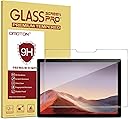
The OMOTON Screen Protector is a premium tempered glass shield designed specifically for Surface Pro models 4 through 7 Plus (12.3-inch). Featuring 9H hardness, it offers robust scratch resistance against everyday hazards like keys and knives. Its high-definition clarity and oleophobic coating maintain vibrant visuals and reduce fingerprint smudges, while the smooth surface ensures flawless Surface Pen compatibility. The included installation kit with a guide frame and video tutorial guarantees a bubble-free, precise fit, making it the ultimate upgrade for professionals who demand both protection and performance.


| ASIN | B013SZIM6W |
| Best Sellers Rank | #269 in Tablet Screen Protectors |
| Brand Name | OMOTON |
| Clarity | 10 |
| Color | Clear |
| Compatible Devices | microsoft-surface-pro |
| Compatible Phone Models | ['Microsoft Surface Pro 4', 'Microsoft 5', 6', 7'] |
| Compatible Tablet Computer Models | Microsoft Surface Pro 4, Microsoft Surface Pro 5, Microsoft Surface Pro 6, Microsoft Surface Pro 7, Microsoft Surface Pro 7+ |
| Customer Reviews | 4.4 4.4 out of 5 stars (9,693) |
| Finish Type | Matte |
| Item Dimensions L x W | 11.42"L x 7.83"W |
| Item Hardness | 9H |
| Item Weight | 0.22 Pounds |
| Manufacturer | OMOTON |
| Material | Tempered Glass |
| Model Name | OMOTON |
| Model Number | c5eb8e69-f17e-41d5-b99b-df93cbe89fc6 |
| Number of Items | 1 |
| Part Number | Surface Pro 4 Screen Protector |
| Screen Size | 12.3 Inches |
| Screen Surface Description | Glossy |
| Special Features | 9 H Surface Hardness, Anti-Fingerprint, Oil Resistant, Rounded Edge, Scratch Resistant |
| UPC | 601209547169 |
| Unit Count | 1 Count |
| Water Resistance Level | Waterproof |
S**Y
For the price and quality, this screen protector is absolutely worth it.
The OMOTON Screen Protector for the Surface Pro 7 Plus has been a great addition to my setup. I’m always using my tablet for work, planning, and the occasional movie night with my kids, so keeping the screen protected was a must. This protector went on smoothly with no bubbles at all, which is impressive since I usually struggle with that kind of thing. The clarity is excellent, and it doesn’t affect the touch sensitivity at all. I can still use my stylus with perfect accuracy, and it feels just as smooth as the original screen. The coating also helps prevent fingerprints, which is a huge bonus when my kids inevitably get their hands on it. It gives me peace of mind knowing my screen is protected from scratches or accidental bumps. For the price and quality, this screen protector is absolutely worth it. It’s clear, durable, and does exactly what it should without any hassle.
S**M
Perfect Fit, High Quality, Would Buy Again....but read what can happen in my review
I'll start off saying that this is an extremely nice screen protector and it fits the SP4 perfectly. It is nicely packaged and comes with all the necessary tools required for installation. Heck, the box alone is impressive!! And as an added plus it works perfectly with the UAG protective case (see review). But.... ....this was the first glass protector I've ever attempted to install...let me say that putting on an 12.3 inch protector as a "first time" had me somewhat anxious. As such, I watched videos, read hints and tips and thought I was ready to go. Hands washed, work area clean, lots of light, etc, etc. I followed the supplied instructions as if someone's life depended on my success or failure. 1. I connected the Screen protector to the SP4 with the supplied adhesive gate hinges, taking extreme care that they and the screen protector were in perfect positions for the final act of adhering the screen protector perfectly to screen of the SP4 2. I cleaned the screen, cleaned it again, and to make sure it was really clean I cleaned it again (all using the supplied tools for cleaning) 3. With my confidence high I carefully grabbed the screen protector and started removing its protective cover so that I could then lift and apply it to the SP4.........this is where I made my mistake..... While removing the protective cover from the screen protector I inadvertently lifted the screen protector and it pulled away from one of the adhesive hinges, which has now made step one above defunct!!! Slight panic set-in, but without skipping a beat I continued removing the protective cover and then pulled the screen protector off the remaining hinges. I then proceeded to free-hand apply the screen protector to the SP4....It was "almost" perfect, but almost wasn't going to work. Slight panic again, but I then pulled the screen protector off the SP4 (I read somewhere that this was possible). Since I had tried it once I was now a professional at free-hand application.....not!! However, I was extremely careful with my second attempt and not afraid to lift/adjust/reapply the corners of the screen protector somewhat to get them correctly placed on the SP4's screen. Once I was confident with my starting corners I carefully laid the screen protector across the screen and watched it do its magic adhesion thing. I then checked that it was squarely applied to the screen (it was almost perfect again, but so close to perfect this time that I wasn't going to chance another removal and reapplication). I removed the few remaining bubbles using the supplied "bubble removal tool" and then closely inspected my work. There were only three small specks of dust between the screen protector and screen, and fortunately they were barely visible. As a matter of fact, I can't even find them now while writing this review. I attribute this to my pre-application routine of thoroughly washing my hands, cleaning my work area and cleaning...cleaning....and cleaning the screen again. That plus some good luck made this "almost" disaster a success. After about an hour I put my UAG protective case on the SP4....this was the final test of the screen protector application....it did not lift up on any corner....SUCCESS!!! Anyway, if you've never installed a glass screen protector before I highly recommend that you... 1. Watch a couple of videos, even the ones of other brands of glass protectors 2. Read other peoples tips and tricks (this is where I learned that you could remove and reapply a glass screen protector) 3. Make sure everything is set-up and clean, clean, clean. (I actually used dish soap to wash my hands because I knew it would remove the skin oils and other things that could smudge a screen) 4. And make sure your adhesive hinges are securely attached to your SP4 and the screen. I didn't and this is what started my adventure... It's been about two weeks now and I've had no problems with the screen lifting or anything. It's a quality product and I would buy another OMOTON screen protector. Ciao for now....
A**E
Very Nice Screen Protector For Commercial Surface Pro Advanced With LTE. Easy Installation and Well Made Product
I purchased this screen protector for my new Commercial Microsoft Surface Pro with LTE Advanced. I based my purchase on the reviews. The packaging was very nice andthe installation was easy. The screen protector is slightly smaller than the actual glass of the Surface Pro, but only by about 1/32" It does not affect the viewing screen at all since there is a 1/2" black bezel around the screen. Installation was easy, but I have installed many screen protectors over the years. I clean the screen meticulously before applying the screen protector, to be sure there is not any dust or microdebris on it before application. A can of compressed air (Like for keyboard cleaning) is my preferred method of being sure the screen is clear of any dust before installation. When applying screen protector, lay it on leaving a slight 1/32" gap from the edge of the screen. After it is applied, there may be bubbles under the screen. My preferred method of removing these bubbles is to slowly lift up on a corner of the screen protector, do not force it as this is glass!!. Do this until about the middle of the screen. Then slowly lay down the glass protector using a credit card to push out the bubbles. Again, this is a delicate procedure because if too much pressure is applied the screen protector can crack. You are going very slow, lowering the screen protector toward the screen while pushing the bubbles toward the outside of the screen. Repeat this procedure for each corner if necessary, lifting up corner of screen protectorvery slowly with a fingernail until about center of the screen and pushing air out while lowering screen protector to screen. Do not bend screen protector as it is glass!. This particular screen protector adheres very well, and appears to have a wet type glue on the underside of it that adheres easily, quickly, and eliminates bubbles as long as you push them out. Do not touch the underside of the screen protector where the glue is, as this can leave a fingerprint which can be visible after installation. Always handle the edges of the screen protector only. Having a a very clean screen from the start of installation is one of the most inportant steps. Clean you hands with soap and water before installation, as well as install the screen protector on your device in a clean, dust free environment. I have the Microsoft pen, and I did not notice any loss of sensitivity with the screen protector installed, howver, I installed my screen protector immediately after purchasing Surface Pro, so I did not have much use with it before screen protector installation to notice any major difference.
N**.
The product arrived late & STS shop was unable to explain the late delivery The price of Rs3925 is also too high. Upon application with a struggle to remove the Air bubbles ( watch Omoton YouTube video for Surface Pro ) & use , I found the touch screen which was earlier sensitive has lost it & I have to press too much to enable function/s with touch be it closing Apps or shutting down or any touch functions for that matter. Not happy as I have always used touch screens before & they always maintained the sensitivity of the screens. Since this is a USA product - No Cust service in India to find out. Might return it
س**.
ممتاز
ロ**テ
アウトドアで使うことが多いので傷付かず助かっています
J**H
fits surface pro 4 perfect
D**O
Despues de instalarlo, el touch responde bastante bien, los dedos no se marcan y la instalacion es muy sencilla. Recomendable.
Trustpilot
Hace 1 mes
Hace 1 mes