


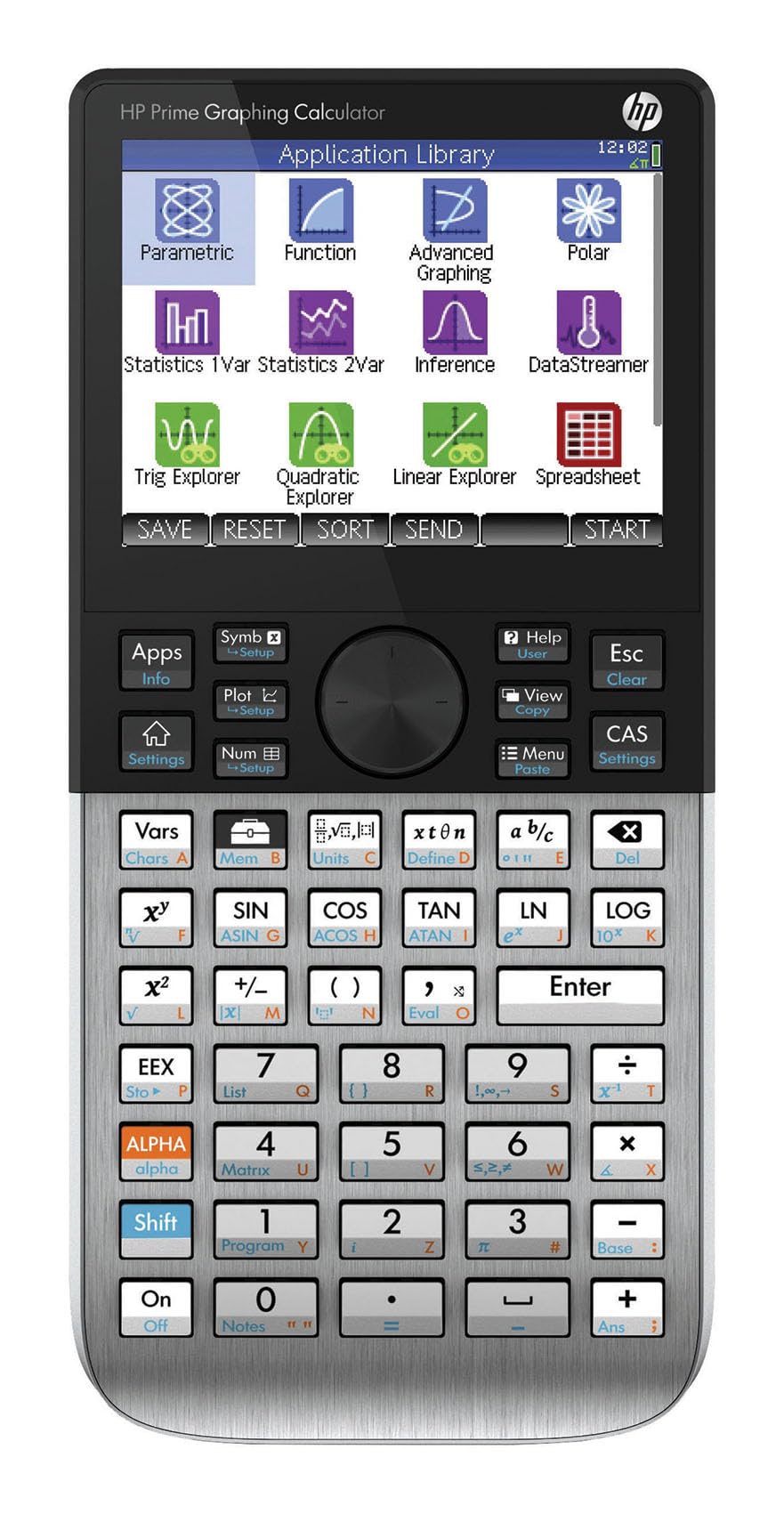
📊 Elevate your calculations—where sleek meets smart, and every graph tells your success story.
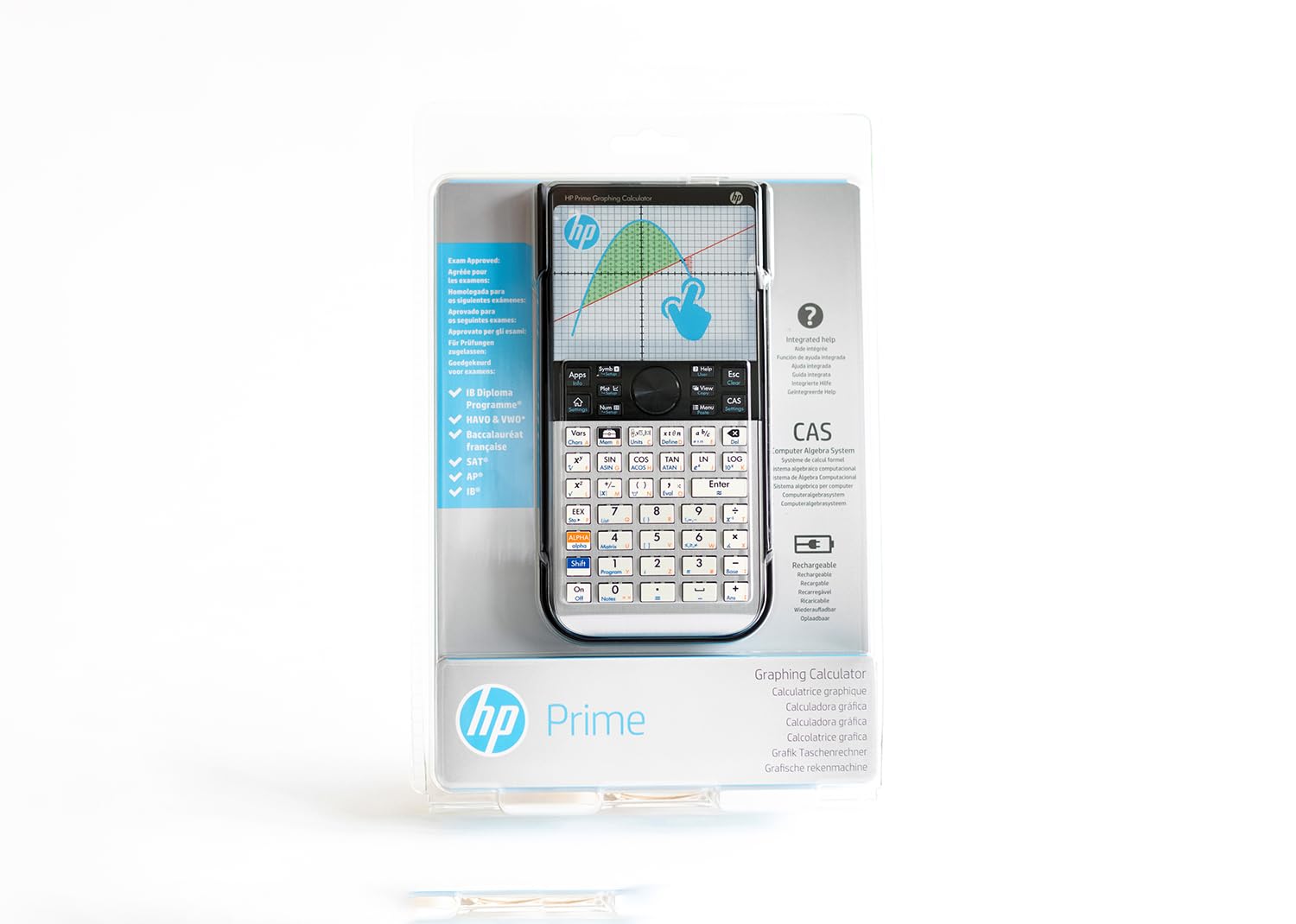
The HP Prime G2 Graphing Calculator combines a sleek brushed metal design with a vibrant 3.5-inch multi-touch display and a rechargeable Lithium-Ion battery. Equipped with 256 MB flash memory and a robust STEM ecosystem, it supports advanced 3D graphing, dynamic geometry, and comprehensive statistics. Approved for IB Diploma exams, it offers professional-grade performance and connectivity tools, making it an essential device for secondary and university-level STEM students and professionals.
| ASIN | B07HF6RXGG |
| Best Sellers Rank | 42,242 in Stationery & Office Supplies ( See Top 100 in Stationery & Office Supplies ) 4 in Graphing Calculators |
| Brand | HP |
| Brand Name | HP |
| Calculator Type | Engineering/Scientific, Graphing |
| Colour | Black |
| Country of Origin | Philippines |
| Customer Reviews | 4.4 out of 5 stars 1,737 Reviews |
| Display Type | LCD |
| Enclosure Material | Metal, Plastic |
| Global Trade Identification Number | 00191628030088, 00191628030118, 00191628030149 |
| Item Dimensions L x W | 8.9L x 8.9W centimetres |
| Item Type Name | HP Prime G2 Graphing Calculator |
| Item Weight | 8 Ounces |
| Item height | 18.48 centimetres |
| Manufacturer | HP |
| Model Name | Prime Graphic Calculator |
| Number of Batteries | 1 CR2032 batteries required. (included) |
| Number of batteries | 1 CR2032 batteries required. (included) |
| Power Source | Battery Powered |
| Power source | Battery Powered |
| Product Warranty | 12 |
| Screen Size | 3.5 Inches |
| Screen size | 3.5 Inches |
| UPC | 191628030156 191628030125 191628030101 191628030163 191628030088 191628030132 193424872961 191628030095 191628030149 191628030118 |
K**.
HP's Prime G2 is an awesome calculator.
The good. The HP Prime G2 is an exceptionally good calculator with more capability than I will even need. It supports both infix and postfix (RPN), however the postfix is limited as to where it is available, infix is available everywhere, there's also the algebraic CAS mode. The calculator performance is excellent and so is the touch screen. The rechargeable battery is replacable so when it finally wears out replacement will be possible. Two cables are supplied, one for USB pc to calculator connection and a second for calculator to calculator connection. In PC mode you can screen capture the calculator's with the free HP software. You can also download the PC calculator emulator and the 600 plus page manual as a PDF. Overall battery life is acceptable but you'll definitely want to carry a standard USB charger with you. The keys are excellent and those familiar with previous older HP calculators will not be disappointed. The not so good. The packaging, it's a heavy duty seam-welded blisterpack made from thick industrial strength plastic. It's an absolute nightmare to open. Even once you open it, the calculator is almost impossible to remove from the packaging. Be sure to take your time to avoid damaging the calculator. One minor niggle is the sliding cover is difficult to remove. The viewing angle of the screen is not as good as it could be but it's OK. Be aware. The battery life is OK but the screen does tend to eat power. Updating the calculators operating system should only be done with a fully charged battery and I found the update to be unintuitive. No official HP charger is supplied so use a decent quality USB charging adaptor, avoid the cheap ones to minimise any risk of damaging the device. I would suggest one from a decent brand mobile phone, not a £5 bargain basement one from a no-name company. Over all it's not cheap but it's worth the money.
T**S
Most capable graphing calculator.
This is the best graphing calculator out there. Especially when considering the price. I manged to get it for £115 which is around £30 cheaper than the overrated TI Nspires. It's speed is unparalleled. It's hardware specifications are second to none. The build quality, oh my goodness, is absolutely solid unlike the Nspires whose buttons individually rattle for example. In response to Alexander's recent post questioning the Prime G2's graphing capability. Bottom line she is wrong. The calculator will plot the function she used as an example correctly, but you just need to present the equation in a slightly different way. Instead of plotting y=x^(2/3), plot y= 3rd root (x^2) and the graph is presented exactly as expected. Just don't have fractional exponents. The programming is very intuitive and when used with the HP connectivity kit (free download from HP) it is very easy to use. I frequently also use the free virtual version of this calculator to test things out before I transfer it to the calculator itself. The touchscreen I thought was a bit gimmicky at first but since using it, it has become second nature. I would hate going back to a non touchscreen calculator now. So happy with this purchase which replaced my trusty TI-85 from 1996. The leap forward in capability from that to this is astonishing. The ONLY reason not to get this is because exams do not allow it. But having said that, double check if the exam mode on this is sufficient to be allowed to use it as it can disable the CAS functionality.
B**N
High performance calculator
Great calculator for calculus, with full Computer Algebra System (so it can so symbolic manipulation without approximating). You can also get the PC / Mac emulator for free from HP, and a phone app too. Rival companies charge for this. Excellent value, but as others have said the display could be higher resolution for prettier graphs. Latest September 2024 firmware adds Python support for programming. Recommended.
R**S
Initial Impressions
I am a long time user of the RPN and RPL calculators and mainly use the 42s 48gx and 50g. My initial impressions of the HP Prime are good. It was very easy to pick up the programming language and if I'm honest, it's probably just as easy to learn as RPL. I was able to write a couple of programs on my first day using it. RPN mode is tacked on to this calculator and feels kind of pointless, if you are going to use the Prime you may as well take a deep breath and embrace the infix notation. A real shame because postfix was always a big draw for me with HP calculators and why I stuck with them over the competition. There are shortcuts everywhere on this calculator, what initially felt very foreign quickly became easy as I figured out how to drive it. The equation templates and operator shortcuts are really good, they make for a nice user interface and provide access to so much functionality quickly. You can't create user soft menus which is a shame, I really liked having folders and programs in the soft menus but you can create user defined functions and variables easily and access them quickly enough. Connectivity kit is very useful, you can create programs on your computer while debugging and testing them on the fly on the calculator. The latest firmware installed without a hitch on my MacBook Pro too. I miss a lot of functionality of the 50g but I feel like this is probably just temporary while I become more fluent in the Prime way of doing things. The hardware is a huge leap forward, not just for HP, but for calculators in general. It blows the 50g away with better buttons, fantastic display and a nice slim build. The plastic case is dreadful though, the calculator rattles around in when it's attached, both on the front and back. I saw a lot of complaints about the screen viewing angles which was a major concern. Either this has been fixed or they were greatly exaggerated. One thing though, the orange text on a white background is super difficult to see, even on the latest revision. The Prime is so far removed from the previous HP calculators, it is closer to a Casio or TI calculator than it's own ancestors. This is a shame really and I hope the next HP calculator is Prime like hardware and build quality with full RPL functionality and programming. It will be really sad to see the software, knowledge and experience gained using the 48 and 50g series become obsolete with the hardware. With all that said, I think this is probably the best currently produced graphing calculator on the market and a testiment to the hard work put in by the HP caluclator team. It also reminded me to pick up another new 50g while I still can.
M**A
Best calculator on the market
The best one on the market at the moment for advanced calculus. Better than the TI nspire cxii cas or any Casio. As student, I used TI92 plus for many years at university (more than a decade ago). After several reviews, I decided to buy this model as I like doing math during my free time. No regret at all. Math functions, CPU speed, touch screen, easy access to functions... a lot of features that makes it better to the TI nspire cx ii. Don't underestimate the importance of cpu speed. Those who are familiar with TI, know that we can wait a long time to get some results or to plots functions on TI calculator.
E**B
The best programmable graphing calculator currently on the market.
I think this is the best graphing calculator available - in my view better than the TI Nspire, Casio or Numworks competitor products and better value for money given that the competitors cost around the same as the HP Prime. Although it is a HP calculator, it's not one of their traditional RPN calculators - it does have a RPN mode, but that's quite limited. On the other hand, the HP Prime feels very well built and retains the classic keyboard layout and feel of older HP calculators - and has the added benefits that it's slimmer than most of its competitors and also has a lithium-ion rechargeable battery rather than using disposable batteries. There are, however, a couple of negatives regarding packaging and contents. The calculator comes in a near impenetrable plastic "bubble pack" that is almost guaranteed to injure the customer as they try to cut it open in order to extract the contents (check out the Youtube unboxing videos :) - I wish calculator manufacturers would go back to using sturdy cardboard boxes, particularly for top end calulators like the HP Prime (there's enough plastic polluting the world without HP and others adding to it unneccessarily). Once you do get the packaging open, you will find the calculator, a couple of cables (one data/charging cable and one for connecting your HP Prime to another HP Prime) and a few scraps of paperwork - but that's it, there's no decent case (just the hard plastic slide-on cover), no charger and no printed manual (both my previous HP calculators came with a strong vinyl case, charger and detailed printed manuals, and I at least would have been prepared to pay an extra £15-£20 to have a case and proper printed manual included). As far as the charger is concerned, this appears to yet again be a case of a US company subsidising their home market at the cost of overseas markets, because the HP Prime costs much the same on US stores as it does on UK stores, yet the US models come complete with a travel charger with a set of interchangeable international plug heads in the pack. As a quick summary, the HP Prime is an advanced graphing calculator with a colour touch screen (the only one out there currently) and a number of built-in apps offering such things as 3D graphing and spreadsheets. The graphing capabilities are fantastic, 2D graphs are drawn pretty much instantaneously and even 3D graphs are rapidly drawn - and uniquely, touch gestures can be used to move around a graph or zoom in/out. As mentioned previously, the HP Prime only has limited RPN capabilities and is primarily an algebraic calculator (although that doesn't really do it justice). In the Home view it works pretty much like a standard algebraic scientific calculator, but in the CAS (Computer Algebraic System) view, it performs symbolic calculations - and this works with anything from simple arithmetic like fractions all the way up to trigonometric and calculus functions etc. Most importantly, for me, the HP Prime is programmable and it's capabilities are made all the more useful because it has a very fast ARM CPU (for a hand-held calculator anyway). It is programmed using HP PPL (which is based on Pascal I believe) and although I have seen quite a few criticisms of HP PPL compared to HP RPL or Python, I've found HP PPL to be easy to learn and functionally rich. I would like to be able to write programs using more efficient low-level code, or have access to a true compiler, but compared to older calculators programs on the HP Prime still run lightning fast. It will take a long time for me to become familiar with all of its features (if I ever do), but so far I'm very happy with the HP Prime. Although, on that topic, I'd advise you to download both the original and the latest PDF user guides, because there are some commands (e.g. the IFTE command) that are missing from the latest user guide but are described in the older guide. This was a very brief review, and I'd encourage people to look at the in-depth reviews of the HP Prime available on the Web to see if it will meet their needs - but make sure you look at the most recent reviews as the older ones are based on the G1 version of the HP Prime with older firmware and therefore often mention limitations that are no longer present with the G2 version and the latest firmware.
O**N
amazing calc, ruined by Amazon package handler.
best calculator. already own one from 2019. bought 2nd one and the #9 key has a gap between the resting position and when it contacts the switch. i suspect Amazon.uk packaging staff grabbed the wrapped calculator too hard and way over-pressed this key during the package. such a shame to go through process of replacing. i hope it will not happen again.
M**R
Very powerful, loaded with features.
What a beast of a calculator. After fixing the common battery issue these calculators have when new. It now charges and holds its juice for 8 hours plus with heavy use. (Running hypothetical what ifs the whole time) I am using lower screen brightness then factory default though. (Optionally get a 2100mah Galaxy S3 battery for even longer life.) Unlike some programmable calculators this machines language is a doddle relying heavily on a simplified version of Pascal. It even comes with a emulator for the PC, and connectivity kit. It is possible to edit your programs with the PC and save to the calculator. Sadly the calculator doesn't have qwerty layout. So this is a handy feature. Does it do all I want sure. It works out all the possible gear ratios with given shaft distance in a blink of an eye. It can even draw gear geometry. Oil pressure at a certain RPM and so on and on.... Obviously I'm only using the engineering part of it. But it mostly boils down to can you think it more then Likely it can calculate it for you. Only downer what on earth is up with the packaging needed some proper industrial scissors to get into it. Defo not frustration free. And possibly battery life it needs a charge at least once a week. Versus some.calculaters you can't remember when you put a battery in. Flip side though the speed and flexibility makes more then up for it.
Trustpilot
Hace 1 mes
Hace 2 semanas



