We remain fully operational. Our teams are working around the clock to ensure your deliveries continue safely.

Descargar la aplicación


Servicios al cliente
Sobre nosotros
Copyright © 2025 Desertcart Holdings Limited
Descargar la aplicación
Buy anything from 5,000+ international stores. One checkout price. No surprise fees. Join 2M+ shoppers on Desertcart.
Desertcart purchases this item on your behalf and handles shipping, customs, and support to Mexico.
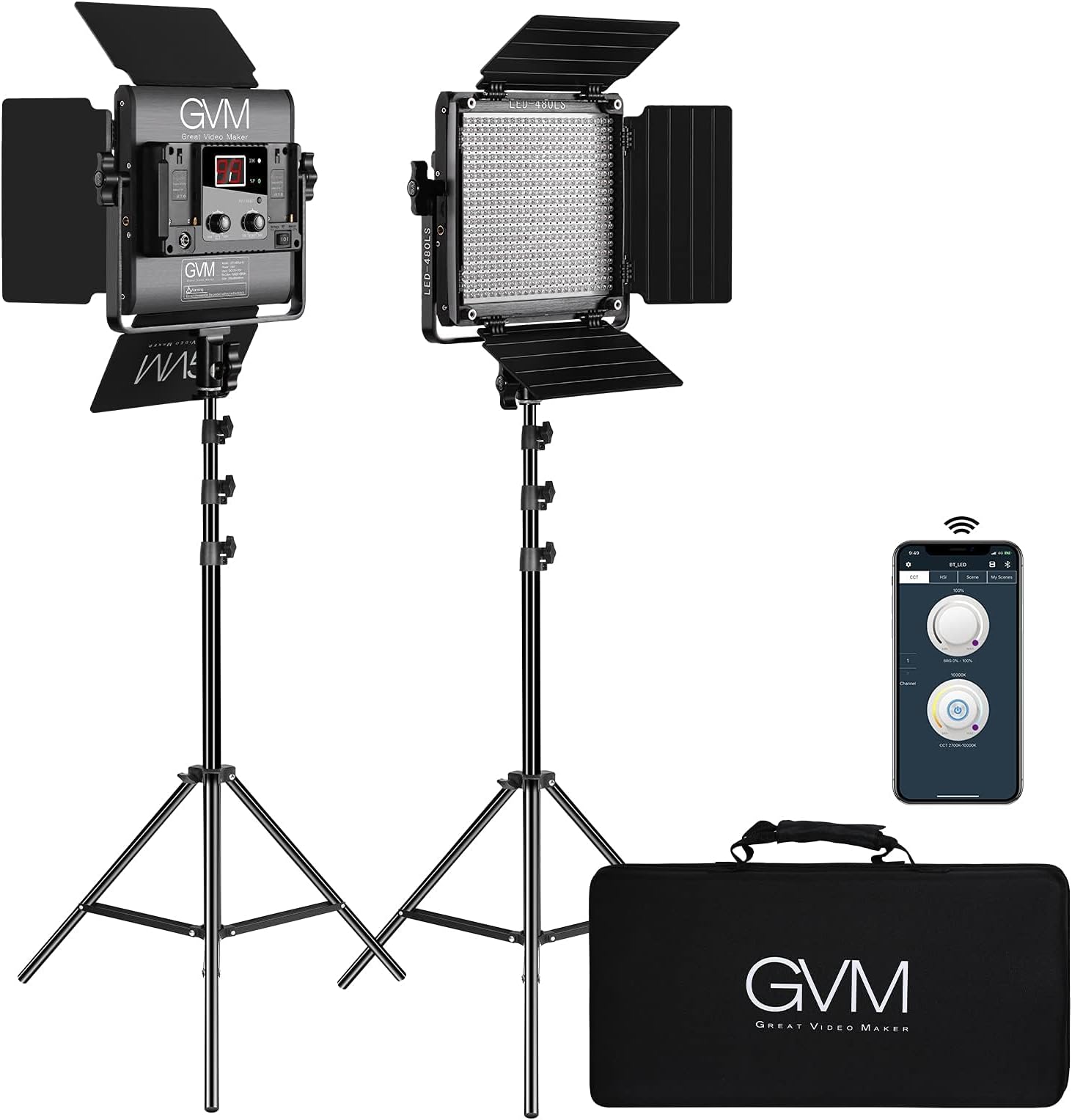
🎥 Light up your content game with pro-level control and color mastery!
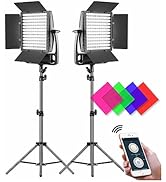
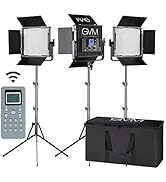
The GVM 2 Pack LED Video Lighting Kit delivers professional-grade, app-controlled bi-color lighting with 480 high-quality LEDs, adjustable brightness (10%-100%), and a wide color temperature range (2300K-6800K). Featuring CRI and TLCI ratings above 97 for true color fidelity, aerospace aluminum housing for heat management, and versatile power options including AC and Sony F-series batteries, this kit is designed for content creators seeking flawless, portable lighting solutions. Included accessories like barndoors, soft diffusers, stands, and a protective carry bag make it a complete, travel-ready setup.









| ASIN | B07KT4LS6Z |
| Audio Recording | No |
| Best Sellers Rank | #34 in Continuous Output Lighting |
| Brand | GVM Great Video Maker |
| Built-In Media | 1 x carry bag, 2 x LED video light, 2 x Light stand, 2 x Power adapter, 2 x Soft filter, 2 x barn door |
| Color | Black |
| Compatible Devices | Sony F550/F750/F970 Li-Ion Battery |
| Compatible Shoe Mount Type | Cold Shoe |
| Connectivity Technology | Wireless |
| Customer Reviews | 4.6 4.6 out of 5 stars (1,194) |
| Exposure Control Type | Manual (M) |
| File Format | app |
| Flash Modes Description | Adjustable brightness, adjustable color temperature |
| Global Trade Identification Number | 00681413709515, 00720643000310 |
| Hardware Interface | Multimedia Card Plus |
| Has Self-Timer | No |
| Item Weight | 1 Kilograms |
| Manufacturer | GVM Great Video Maker |
| Manufacturer Part Number | 480 app 2 led video lights |
| Media Type | Video, Image |
| Model Name | Led video lights 480app-2 |
| Model Number | Led video lights 480app-2 |
| UPC | 720643000310 681413709515 |
| Viewfinder Type | LCD screen |
| Warranty Description | one year |
| Water Resistance Level | Waterproof |
K**N
⭐️⭐️⭐️⭐️⭐️ Excellent Lighting – Huge Difference in Quality!
This camera lighting setup completely leveled up my video quality. The light is bright, adjustable, and gives a nice soft glow without being harsh or creating weird shadows. It’s perfect for Zoom calls, filming content, or even just taking better photos. I love the adjustable brightness and color temperature—it’s super easy to get the perfect look, whether I need a warm tone or a cooler, daylight feel. Setup was quick, and the included stand is stable and easy to adjust. If you’re creating content, streaming, or just want to look more professional on camera, this is totally worth it. Big difference, small investment!
N**A
An absolute STEAL! 🤩
I CANNOT believe the quality of these lights! Perfect for videos and film, these lights are bright with full control of intensity and temperature that responds immediately; solid construction both of the light heads and the tripods; an easy to carry bag that protects your lights for transport; and the option to power them with batteries. An absolute STEAL at this price point, glad I bought them!
Y**T
Prefect lights
These are the perfect lights of you want professional lighting that don't cost an arm and a leg. The quality of these lights exceeded my expectations. They are not cheap material. They also come with a nice padded carrying bag to protect the lights. The stands are good quality as well. I lights can be controlled by your phone or tablet so you don't have to get up and down to adjust the lighting. They're bright enough for small or medium space like a room or office. I'm super happy with my lights.
C**Y
I now have 7 of these
I bought 3 of these lights two years ago, but recently bought two more packages of two of these same LED light panels. One pair arrived with a problem controlling the orange LEDs of one of the panels, but a hone call to the GVM help number got a replacement in the mail quickly with only a request for a cell phone video so they could see the problem. All of these panels can be separately controlled via a WIFI App, downloadable from the Play Store Free. They will all work together well right out of the box, but only manually. You need to use the App if you want to control them remotely. Most of the time, my light panels are mounted to a ceiling support frame in my studio, so out of reach unless by step ladder. The latest version of the App works much better than the 2 year old version, but it still has a few small quirks that could use refining, and instructions for using the App are sadly lacking detail. So from my experience, here is some added info on how to control these lights remotely via the App. The App is readily available via the Play Store FREE. Download it into your cell phone and then using the instructions below you should be able to set up each of your light panels to work remotely via the cell phone App. When using the App, the cell phone must be switched from it's Internet WIFI connection to the desired LED panel to gain control. With multiple lights, each light must be re-named so that each can be addressed separately. Out of the box, each has the same GVM-LED name. You do this renaming via the App maintenance screen on the cell phone (upper left button). They will not all work remotely with just one WIFI name. The renaming is done with the App and is easy, but only the light being renamed can be powered on during this renaming.. "GVM-ADMIN" is the password. It's in the paper instructions as well. I used GVM-LED1, GVM-LED2, etc for my renaming scheme. When you have finished renaming each light, each time that you hit the "connect" button on the main App screen (upper right) you will be taken to a list of WIFI addresses. The first on the list is likely your internet connection, so you need to remember this to switch back to when finished using the GVM light control App. The App screen (upper right button) then lets you connect to the WIFI screen and you select the desired LED panel (GVM-LED) and then rename it (GVM-LED1, Etc.) to be able to select and control from this WIFI list. After renaming select the one that you want to control and then close this screen to be taken back to the App screen. Look at the top of the screen and wait for the "Connected" indication. You should then be able to turn the selected LED panel on and off, and change both the color and brightness. (sometimes requires several on, off cycles to get working). Repeat the renaming process for each LED panel. Also, remember to change the WIFI connection back to your Internet WIFI address before exiting the App, or your cell phone won't receive the internet until you do. The "Channel" selection on the left of the App screen does nothing, at least nothing that I can find. When connected, the App lets you quickly adjust brightness or light frequency of each panel and turn the panel on and off. When first connecting power, if the LED power switch is on, the panel will turn on as the power is connected (it defaults to manual control). When it receives the WIFI signal for it's name it then follows the WIFI signal . These are not very bright for video needs unless many of them are used, but they only draw about 30 watts each. Their light is quite soft, so modifiers (soft boxes) aren't really needed. The included barn doors are at times handy. There is a thin plastic diffuser panel that can be slid out and a colored panel added as a replacement. I wish the diffuser panel gap was wide enough for both diffuser and colored plastic, but it is not. I have considered adding washers to space the frame out to make the slot wider, but haven't done so, yet. Using all 7 GVM-LED 480 LS panels gets me enough light to light a banquet table area with 2 subjects sitting at it, within my studio. The lights are all attached to a ceiling mounted lighting grid, so no stands are on the floor. Power comes from above as well. At a video recording speed of 60 fps and 400 ISO I have enough even and relatively shadow free light to make good videos in this table area at F4.5-5 level , but all of the LED Panels need to be at 100% and close to 5600 K output for this. My attempts to use these LED panels outdoors has proven them not near bright enough, unless used in very shady areas. Still photography of children and pets that don't handle flash photography well can also be done with these lights, but again, these lights are not near bright enough in many desired shooting setups, unless using many LED panels or very close positioning. The Inverse Square Law applies to these lights too.
V**G
Not super bright beam, but a good add-on to any set up!
I own a crystal shop and most of my content is filmed from my home studio, so I needed extra lighting to complement my set up. The quality of the packaging is impressive and well executed. Easy to carry around if needed. Set up was pretty easy. I like that it comes with two lights, because you will need it. One light on its own won’t do much if you need it for film or photography. Maybe for some selfies it will work but not for high quality content. I do like that it’s versatile and you can play with the warmth of the light/ adjust accordingly. But again, it’s not like a super bright beam either. It’s a good COMPLEMENT to any other light. Because it comes with a cable to plug in, battery life won’t matter. Over all the price was not bad, I would recommend.
A**W
Awesome light at an awesome value, and Terrific customer service!
These lights are an awesome deal for the price! They work great for the videos and pictures we shoot, and we use them several times a week. They light up what we need and the added diffusers are a great benefit. They are very lightweight and easy to move, at the same time the bases are sturdy with no wobble to them. I like the digital screen it makes it so easy to align them. These would make a wonderful addition to any home studio set up. They don't take up much space, are easy to use, and work well! On the last set up we had an issue occur with the plug in adapter for the power supply. When we reached out to customer service we were put in contact with Dan. He was professional, timely, and a pleasure to work with. He addressed the concern and rectified it quickly. I would highly recommend this product and seller!
A**Z
GVM
My videos look great now, I have excellent lighting, and the best part is the quality. I love them, I use them all the time.
Trustpilot
Hace 2 meses
Hace 1 semana