Some deliveries may take a little longer than usual due to regional shipping conditions.

DOWNLOAD THE APP


Customer Services
Copyright © 2025 Desertcart Holdings Limited
DOWNLOAD THE APP
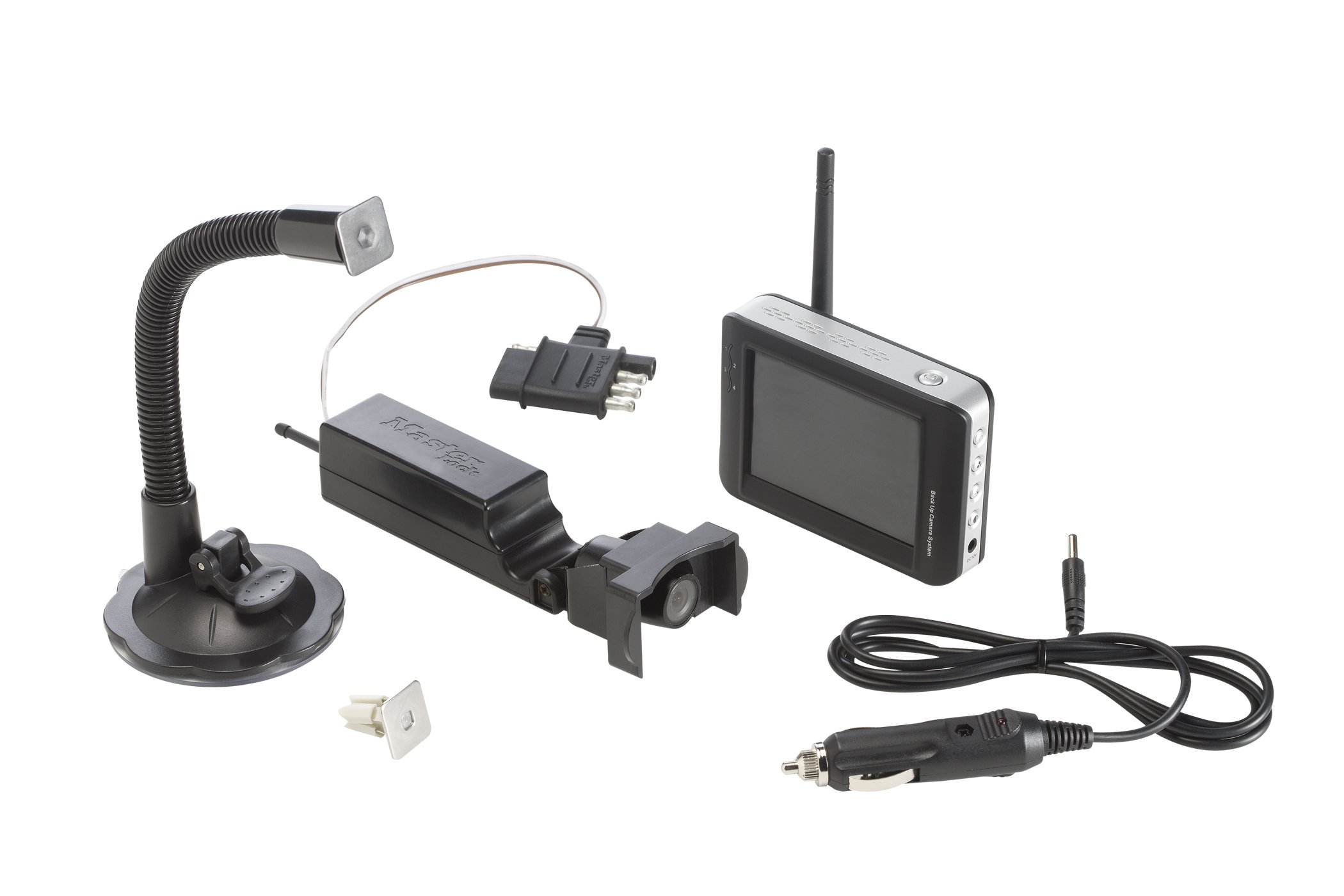
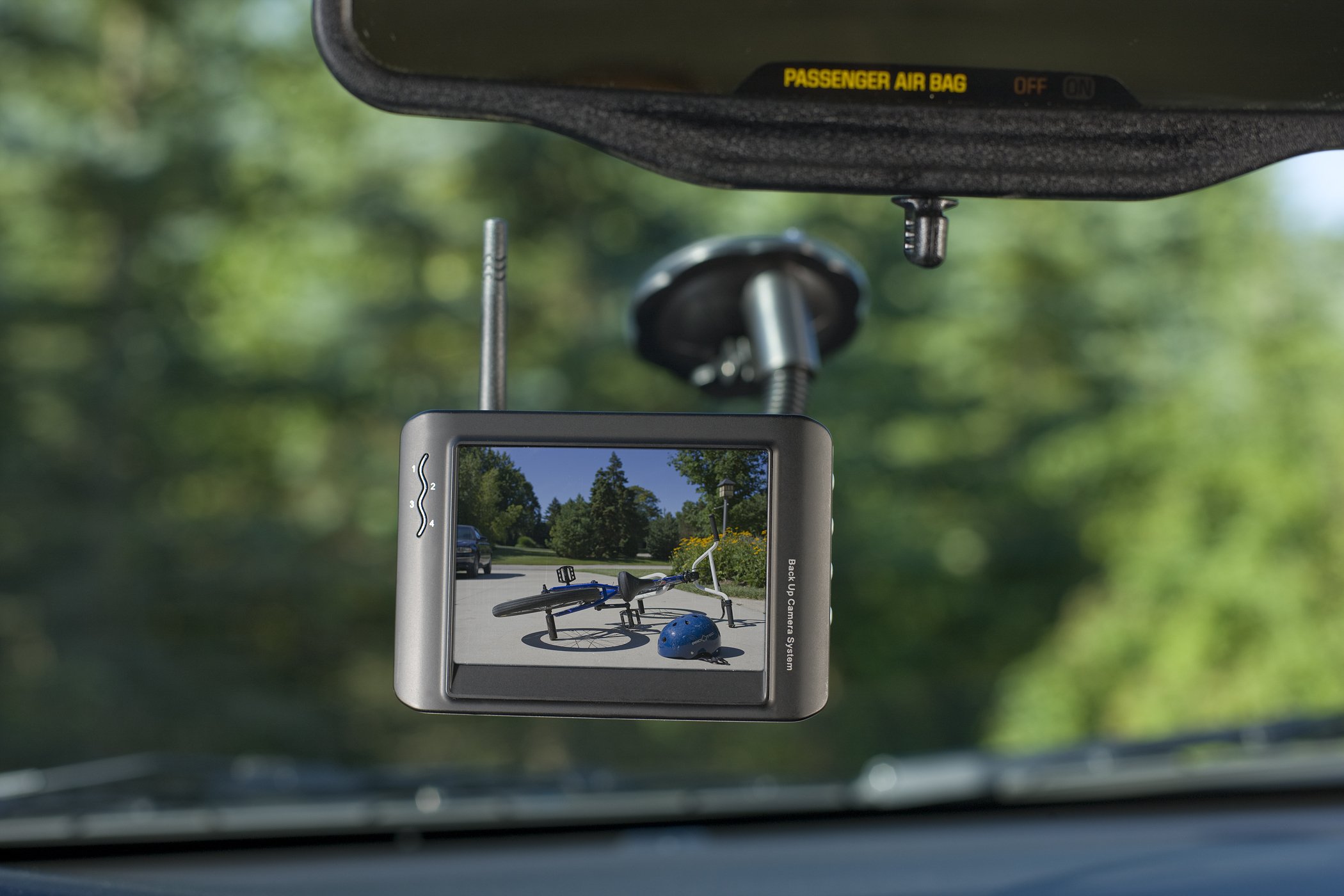
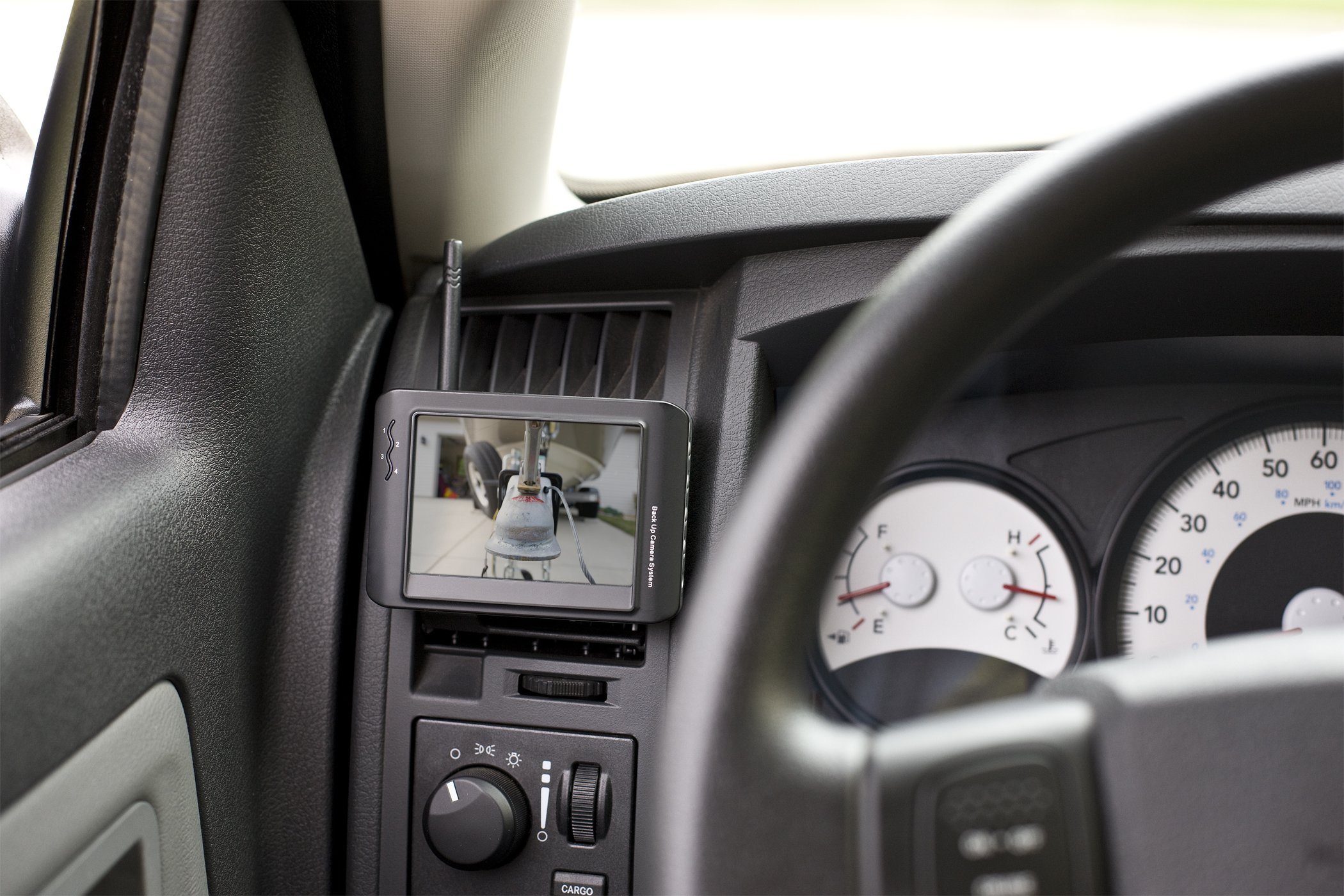
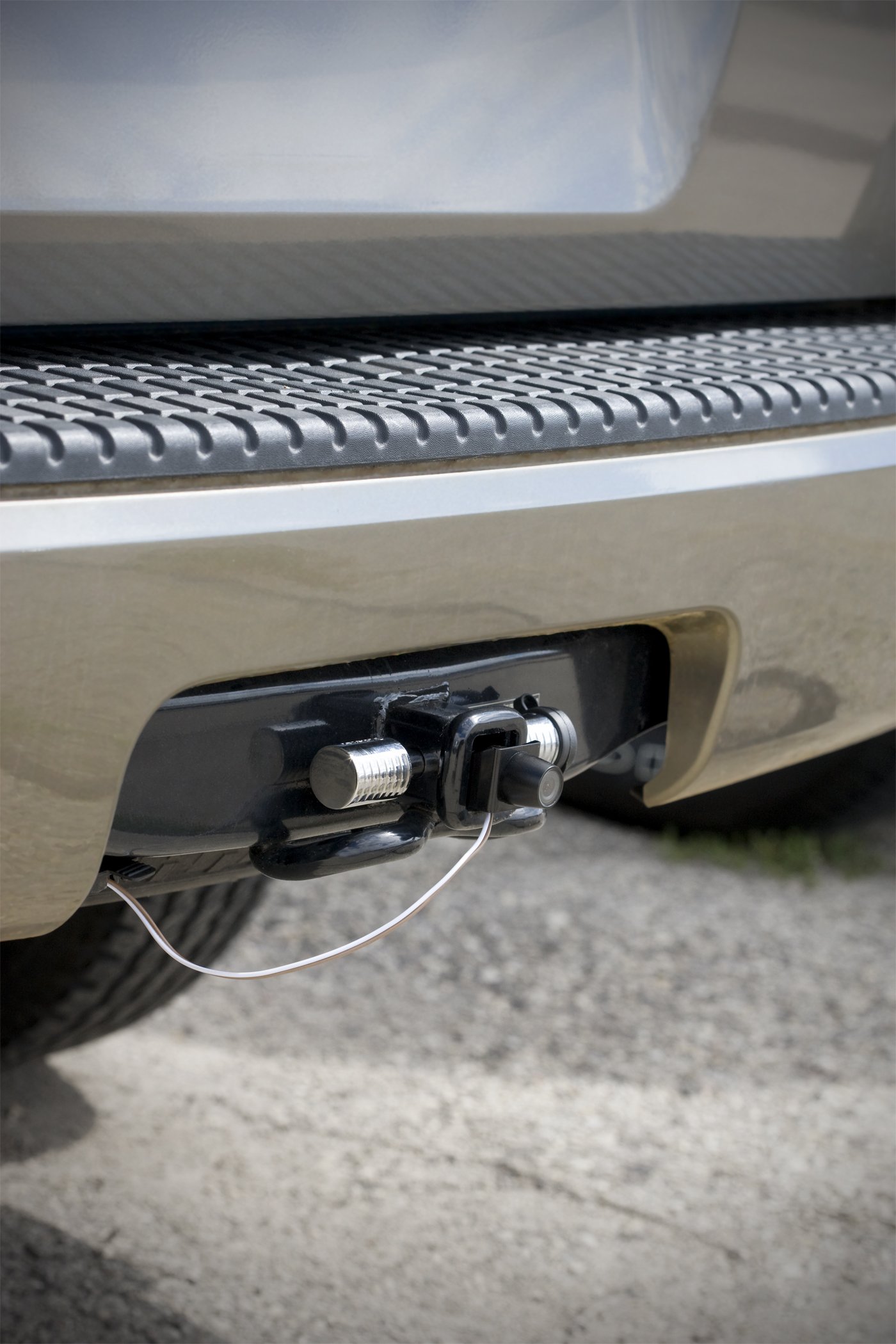
🚗 Back up like a pro with ease!
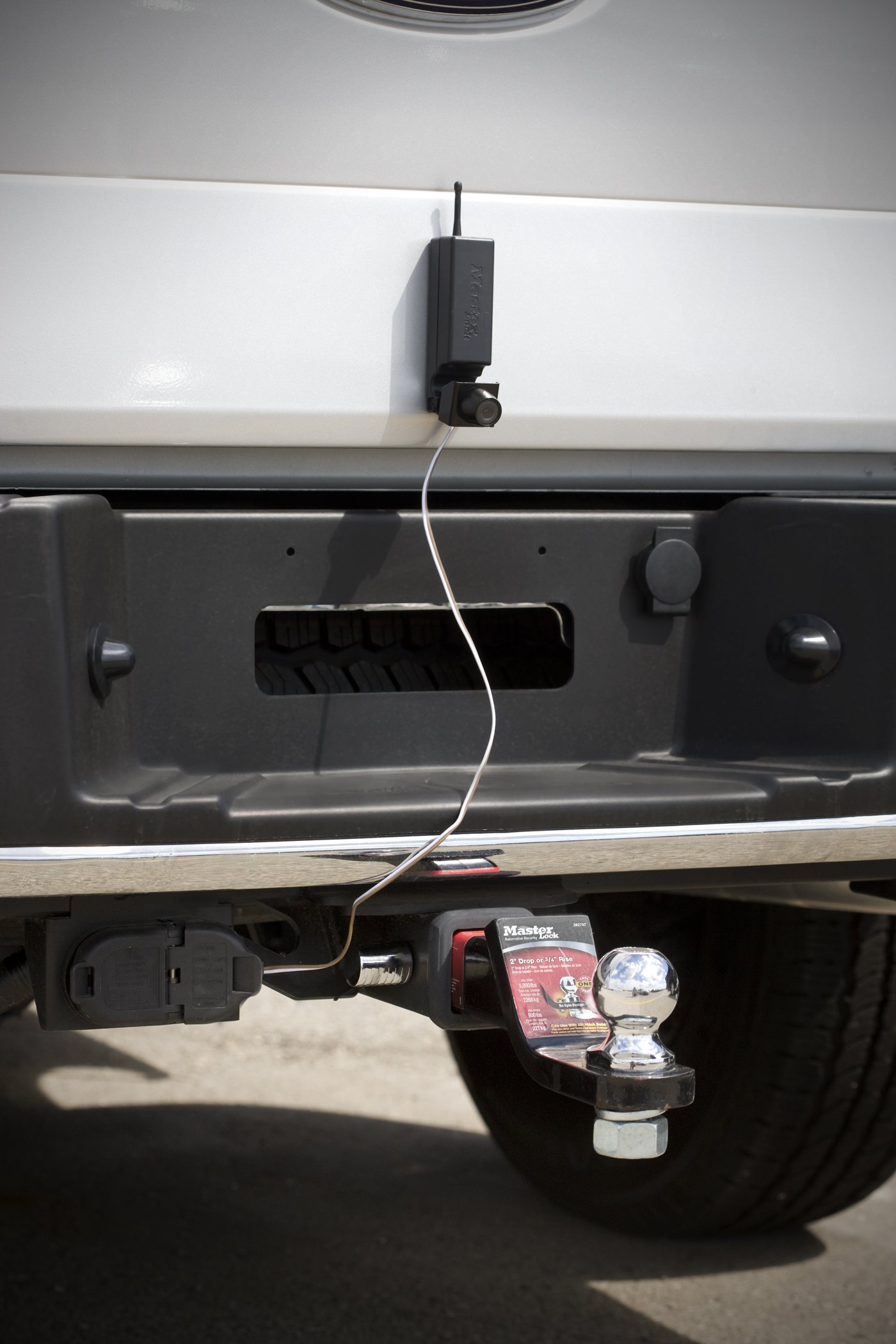
The Master Lock 4843DATSEN Vehicle Back Up and Hitch Alignment Camera features a 3.5-inch color monitor, easy installation into hitch tubes, and a magnetic base for versatile mounting. It connects seamlessly to your vehicle's existing tow wiring, ensuring a hassle-free towing experience.
O**E
Great idea, some design flaws... DIY fix at end of review...
I purchased this camera due to the ease of installation as well as the positioning of the camera inside the tow receiver. Note to anybody looking to do this... Make sure your tow receiver is open in the back or that it is deep enough to accommodate the camera and the antenna sticking out the back... The camera was slightly too long to fit my aftermarket Reese class III/IV tow receiver... The antenna had to be bent slightly so that I could fit the camera inside the receiver to allow my hitch lock to be used.As to the use of the camera, in my driveway during the install, the camera worked great... However, as soon as I drove off, the camera lost signal and I either got a very fuzzy picture or complete static... This is caused by the camera antenna being housed inside the hitch receiver (completely metal enclosure). If you use the camera on the tail gate, the picture is fine.I think that if you have to pay $170 for this camera, there should be a clear picture all the time or at the very least a majority of the time and a way to adjust and troubleshoot it to improve performance.I contacted Master Lock, and their customer support did not have any suggestions or solutions to my problem. I talked to my father, who is an electrical engineer, and he made a suggestion that has worked in my case and may help anyone else who has reception issues:What you will need: 50 ohm coaxial cable(connector should fit the antenna connector on the monitor) long enough to route the antenna to the back of the truck (mine was approximately 25'), female/female coaxial adapter (will be used to attach the coaxial cable and "monitor" antenna)Note: This took me approximately 3 hours to completely finish, although I was figuring it out as I went in terms of where to route cable... also, I did this at night in the dark using a flashlight to see what I was doing :)1. Attach antenna to end of coaxial cable using the female/female coaxial adapter2. Attach coaxial cable to the monitor3. Route cable outside the truck (outside window, along ground for testing purposes) to a spot where your antenna gets clear reception and make note of final location for your antenna (Mine ended up right behind the hitch receiver with the antenna inside one of the holes in the back of the receiver... essentially placing both the camera and antenna right next to each other.)4 Figure out how you wish to route the coaxial cable from your cab to the back of the truck. My monitor was mounted in the center of my dashboard using the suction cup mount. I routed the cable along the bottom of the windshield and along the drivers side door jamb (I cut a small slit in the weather stripping in the crease and routed the cable through to keep the weather seal integrity) into the engine compartment, where I dropped it down and under the truck. I stayed away from the exhaust pipe and used existing electrical routing to loosely route the cable to the final location. NOTE: Keep the coaxial cable away from any5. Starting from the monitor, I began to secure the cable, leaving a little slack at the end to allow for monitor reposition in the future. I tucked the cable into the edge of the dashboard to hide the cable. I used electrical tape at the door jamb to secure the cable to the vehicle body to ensure the cable doesn't get pinched by the door or the truck hood, as well as keeping it from moving around. In the engine compartment and under the truck, I zip tied the cable to other electrical wiring, making sure it was pulled tight enough to prevent dragging or unwanted movement.6. Coil the extra cable (I had about 3-5' extra), leaving enough to reach the final antenna location. I secured the extra cable up inside the bumper where there was an opening with a screw hole using a zip tie.7. I secured the antenna at the final spot behind the hitch receiver by using a zip tie anchor(stick back)and electrical tape to protect the connection between the antenna and the coaxial cable to help weather proof the connector.This final setup has yielded a completely clear picture that has no static.I realize that some people will probably say: "If you plan to route the cable all the way back to the back of the truck, then why not just buy a wired camera? I still have flexibility with the location of the camera if I need to by simply removing the camera and placing it somewhere else, and the camera is still secured best using the hitch lock to prevent theft.Since Master Lock recommends that you take your camera off when washing your vehicle, I have also weatherproofed the camera setup so that I would not have to remove the camera all the time... NOTE: If you plan to use your hitch receiver often, this method is not for you :). I do not tow anything, so I plan to keep the camera in the hitch receiver for a long time.What you'll need:1. A 4 inch by 4 inch piece of clear plastic (I used a clear box that my Ed Hardy Cologne came in)2. Electrical tape3. ScissorsInstructions:1. Using a pen, mark off a 2x2inch square in the center of the piece of plastic (size of your hitch receiver opening)2. Using scissors, cut out a slightly larger than 1" square from each of the four corners. Your piece of plastic should look like a plus sign at this point. You may want to snip a little extra off the bottom left corner of the square center to allow for your power cable to come out, no more than a millimeter or two.3. Fold plastic tabs down so that you are looking at a square.4. Insert the tabs into the hitch receiver so that your camera is now behind a solid piece of clear plastic.5. Seal the edges of your receiver and plastic lens by using black electrical tape.VOILA!**********Update:**********I have since replaced my weatherproofing rig with a new, removable system:What you will need:1. Rubber removable hitch cover (bought mine here on amazon)2. A roughly 2 inch by 2 inch piece of clear plastic3. TapeInstructions: You will be cutting a window in the rubber tail hitch cover for your camera to look through1. Using a knife (I used a folding knife, but for more precision, maybe an exacto knife would be better), cut along the inside of the hitch cover, first along the bottom edge of the rubber where the flat surface of the hitch cover meets the walls.2. Cut along the right and left sides of the hitch cover vertically from the inside where the flat surface of the hitch cover meets the walls approximately 1 - 1.5" in length.3. Cut from the top of the vertical cut across the hitch cover. This should form a perfect rectangle which should be removed to form the opening for the camera.4. Take the plastic, and using the same technique listed in the previous instructions for weatherproofing, create a clear window for your hitch cover opening.5. Either tape or glue the plastic to the hitch cover from the inside of the hitch cover, sealing the rig from the elements.
A**A
Great Camera, but it does have some issues.
Overall this product works wells. The only major problem is that the camera is set to channel 4, while the monitor is set to channel 1. It takes about 6 seconds to change the monitor to channel 4. I have to wait about one second between channels before it will allow me to change to the next channel. So it takes three clicks, and a one second wait between clicks. On my unit, the buttons were mis-labeled. I can see why some people may find it difficult to change the channel. For the channel button use the top button on the left side of the monitor. Some times the monitor will remember the channel that you set it to, especially if you driven the car recently.Pros:1. Reception quality is adequate. I agree that the picture quality is not that good, but it is good enough to see if there is something behind the car.2. It is very easy to install.3. I purchase a disk (same as the ones used to mount GSP units to the dash) to mount the monitor to the area of my center console by the cup holder. The suction mounts works extremely well for mounting on a disk.Cons:1. The channel mismatch, described above is the biggest inconvenience.2. The monitor doesn't turn off when the camera is off. It just shows the white and black snowy display. This is not a problem for me since I cover the monitor with a black shirt when it is not being used.3. On my car the headlight has to be on for the camera to operate.4. The cables on the camera are poor quality. I can see why it doesn't last. I tape it down to the hitch to prevent it from moving back and forth. This should help it last longer.5. Camera cable runs to the front of the camera. I don't use my hitch much, so I purchased this unit to mount inside my 2" hitch receiver. I removed the two screws holding the camera to the transmitter so that I can re-route the cable behind the camera. This way the cable is route through the back opening of the hitch receiver and is not visible. This helps make the camera less visible. Once I removed the screws it was difficult to put them back in so I used a wire to secure things together instead.I recommend this product if you are okay with the inconvenience of having to set the channel to 4 on the monitor almost every time.I purchased the PEAK wireless system for a different car, and that unit was great in not having a problem with the different channels. You can read my review on that system, which after installation works great. The hitch-mounted system is more convenient to install for cars with a hitch. Overall, I'm taking away a star for the channel issue.
A**R
does what I want it for. sometimes the picture ...
does what I want it for. sometimes the picture stays steady on the highway and sometimes it jumps around a bit, but it lets me know the boat is still there. the support bracket for attaching to the window broke while unpackaging, I will just set it on the astray. delivery was fast
S**N
Very poor signal strength
I drive a 2005 Chevy Tahoe and you can see by the 1st picture it fits great into the hitch receiver. Unfortunately the picture is broken up and flickers every 1.5 seconds. The second picture shows a 1.5 foot long antenna extension to try my very best to get an image to be clear and steady. I tried all 4 channels and 3 of them are all black but the 4th which is very poor. Perhaps Masterlock will send a replacement with a better signal strength. Also to be clear my Tahoe is regular length and not the police or suburban package and the Camera should come with enough strength for a full size popular SUV.
P**E
Great camera, make sure to turn on your lights
Great camera, make sure to turn on your lights, as well if sun is shining into the camera it is a little moredifficult to use, but I am happy with it.
D**D
Excellent
Excellent. Stops all arguments and frustrations with your spouse. Works like a charm. You see exactly where you are when hooking up your trailer.
M**N
Mauvais rendement
Beau d'interférence, écran passè son temps à perdre l'image à cause de l'interférence sur cette fréquence.
Trustpilot
3 weeks ago
2 months ago