Some deliveries may take a little longer than usual due to regional shipping conditions.

DOWNLOAD THE APP


Customer Services
Copyright © 2025 Desertcart Holdings Limited
DOWNLOAD THE APP
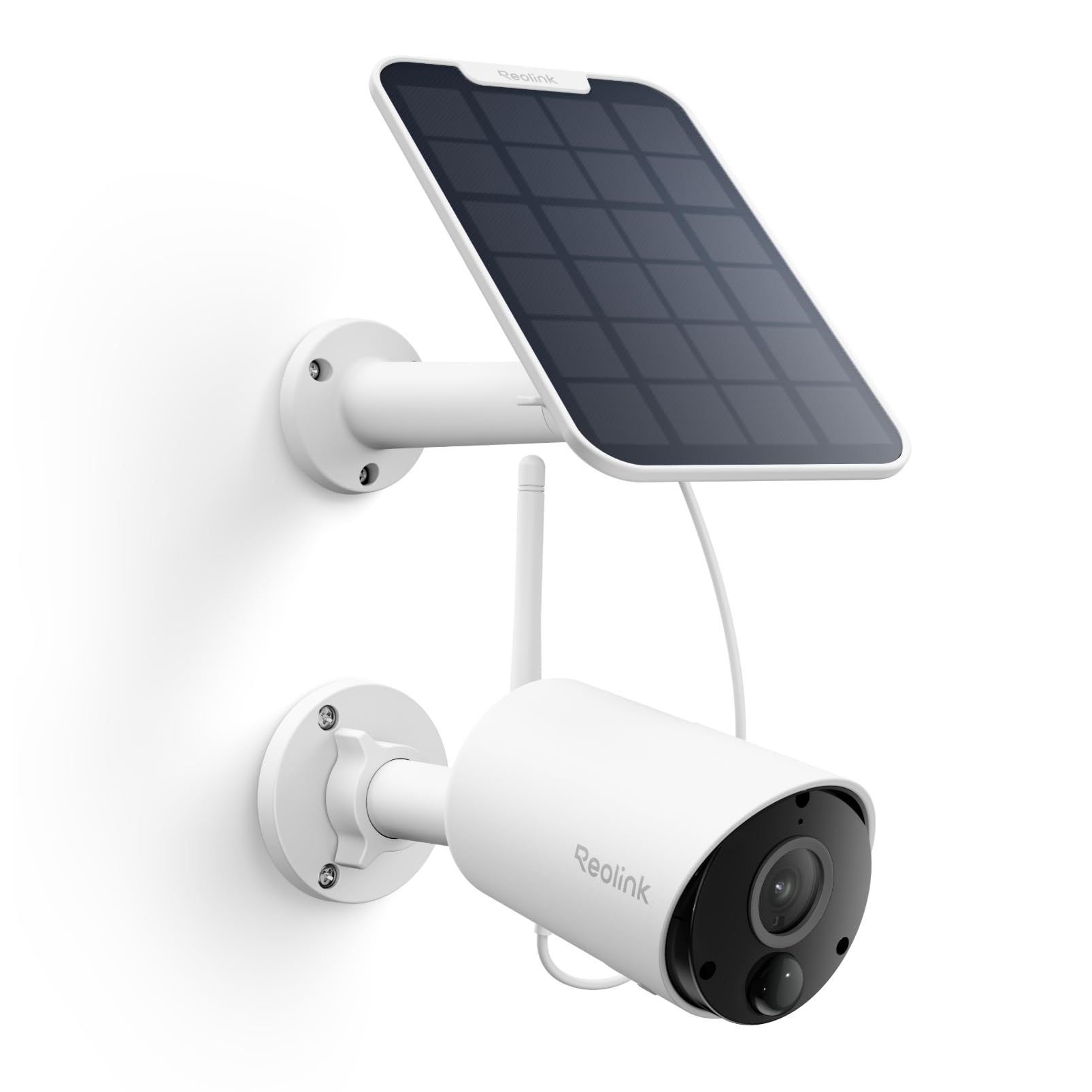


🔒 Stay powered, stay sharp, stay secure — the future of home surveillance is solar and smart!
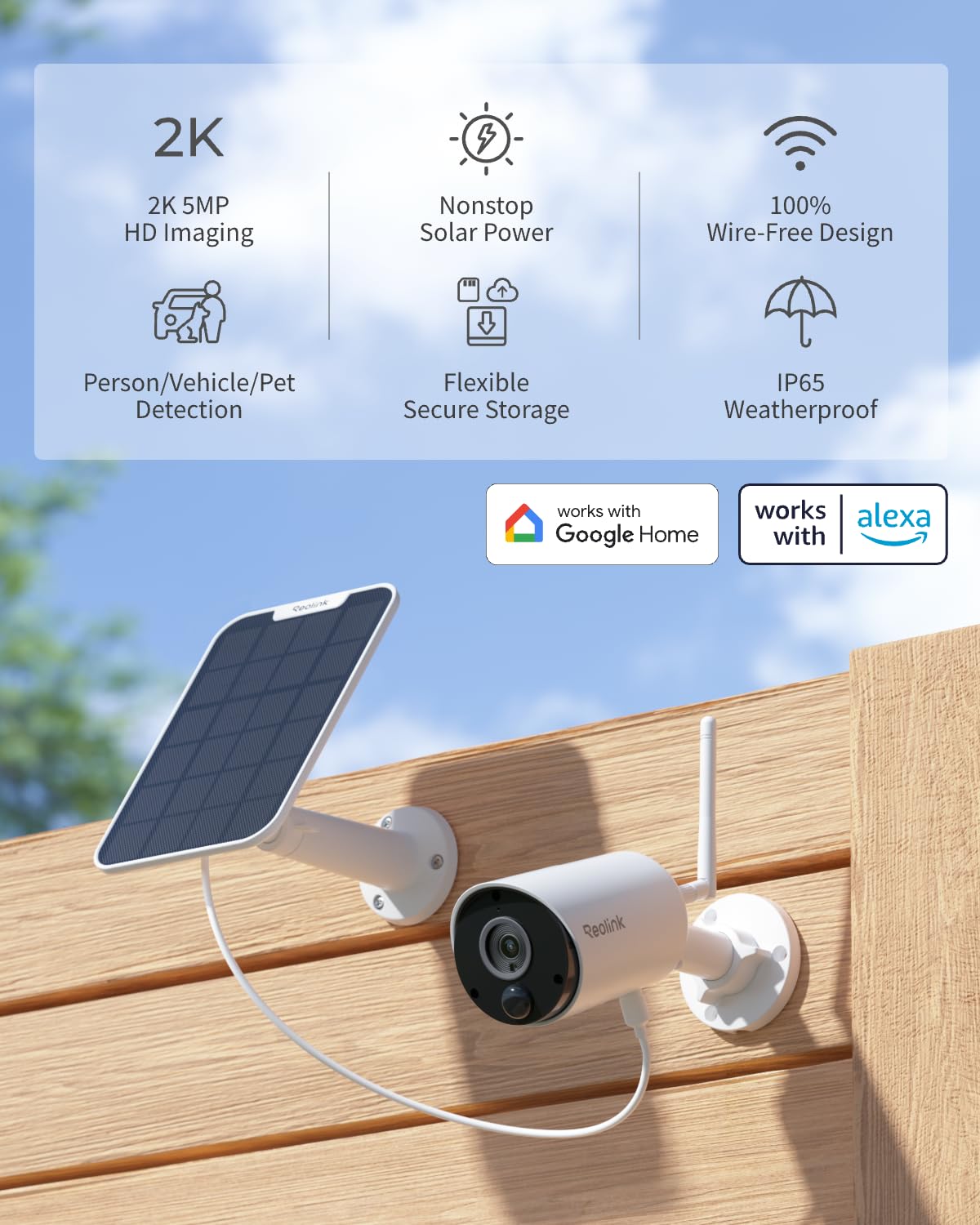
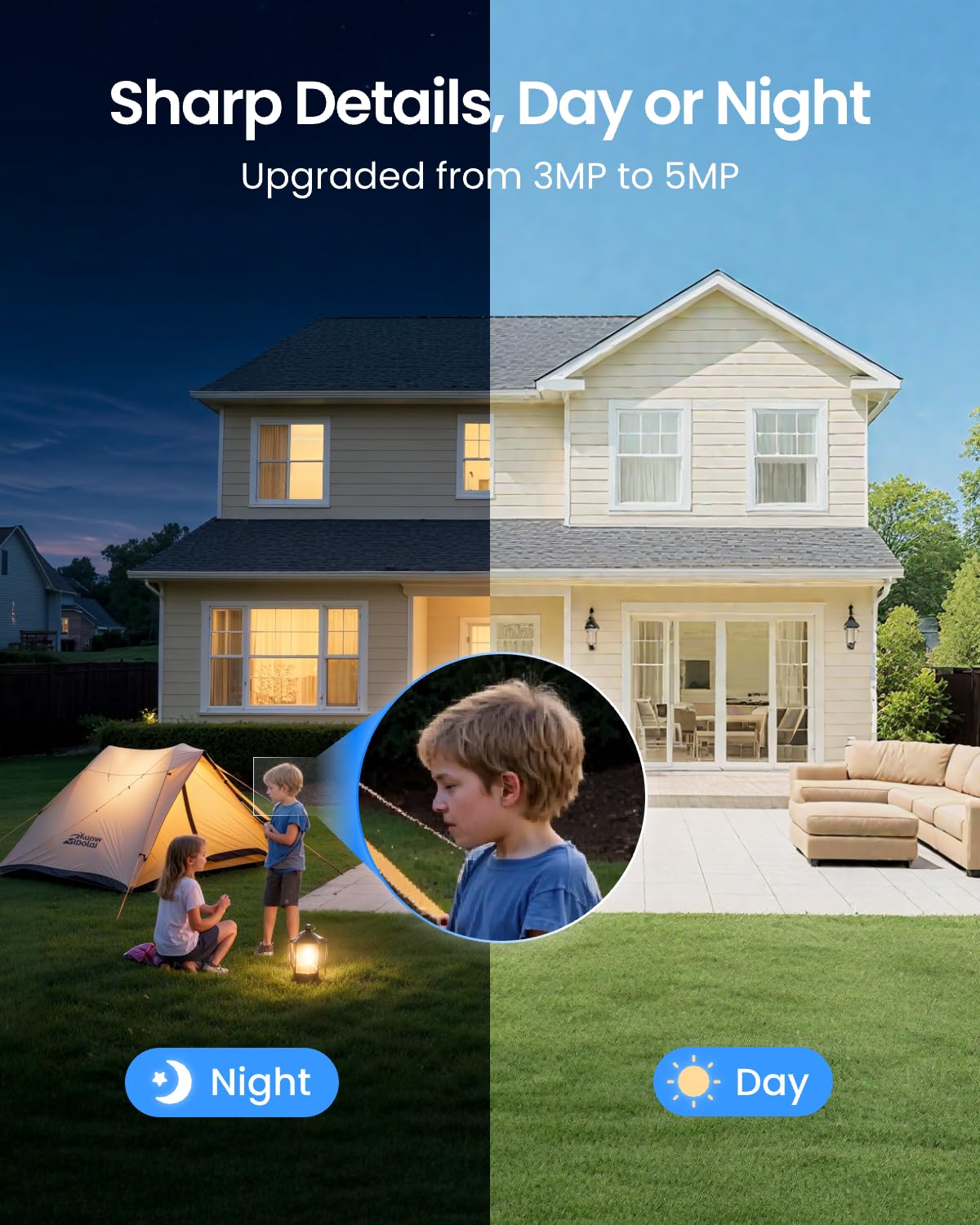
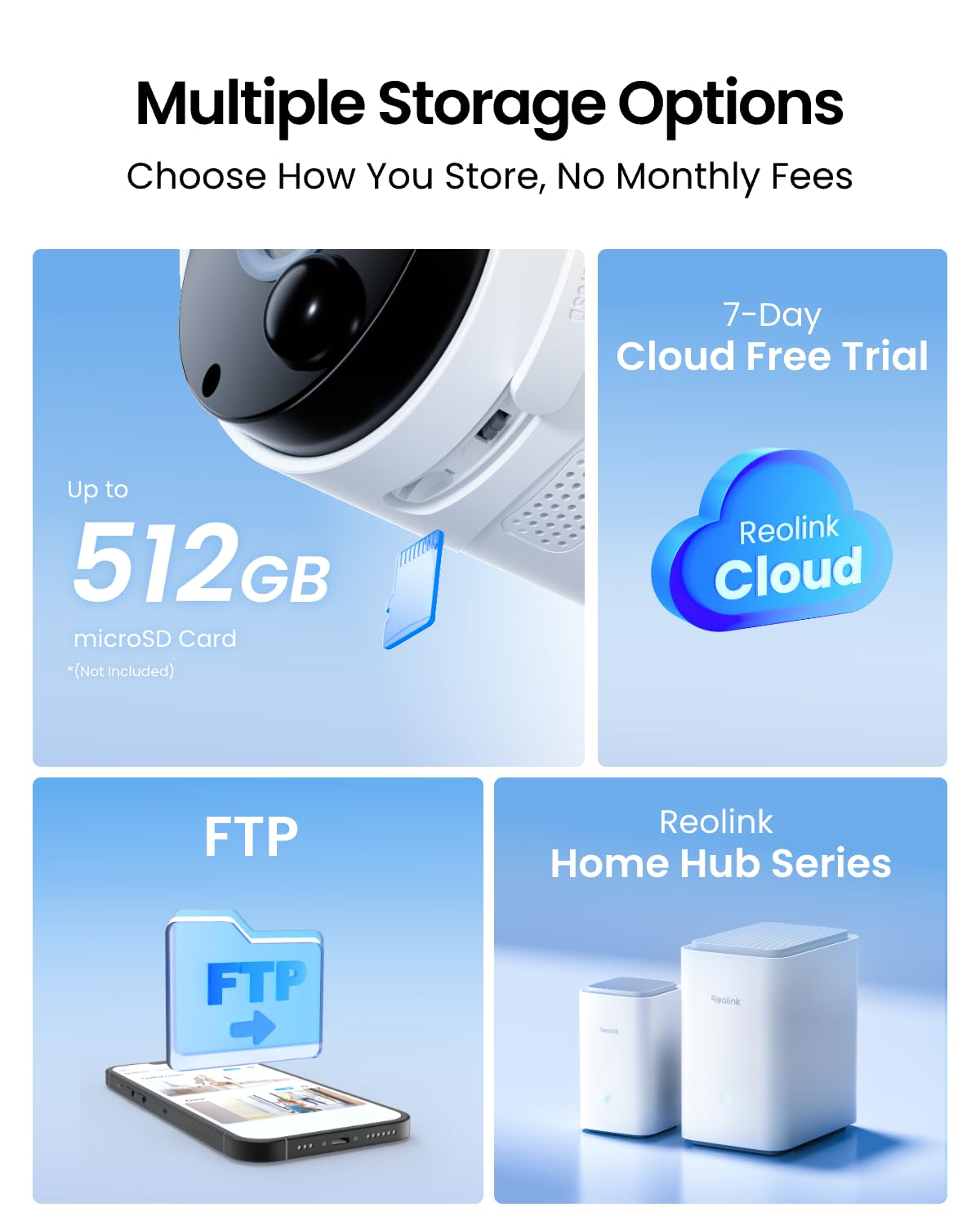
The REOLINK Argus Eco+Solar Panel is a cutting-edge outdoor security camera featuring a 3W solar panel for continuous power, 2K 5MP HD video with night vision, and smart human/car detection. Its wireless 2.4GHz WiFi connectivity and IP65 waterproof rating enable flexible, weather-resistant installation without wiring. With local microSD storage and no subscription fees, it offers privacy-focused, reliable home surveillance that keeps you connected and protected around the clock.

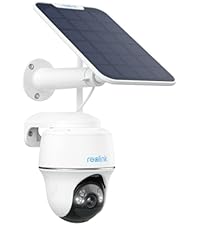


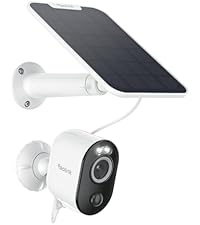


| ASIN | B07R5YH7YN |
| Alert Type | Motion Only |
| Antenna Location | Indoor Security & Outdoor Security |
| Are Batteries Required | Yes |
| Battery Power | 16.69 Watt Hours |
| Best Sellers Rank | #86 in Bullet Surveillance Cameras |
| Brand | REOLINK |
| Built-In Media | 1 Pack*Mounting Screw, 1*3W Solar Panel, 1*Argus Eco Camera, 1*Instruction Manual, 1*USB Cable |
| Color | White |
| Compatible Devices | Smartphone |
| Connectivity Protocol | Wi-Fi |
| Connectivity Technology | Wireless |
| Control Method | App, Voice |
| Controller Type | Amazon Alexa, Google Assistant, Reolink APP, Reolink Home Hub |
| Customer Reviews | 4.1 out of 5 stars 9,322 Reviews |
| Effective Still Resolution | 5 MP |
| Field Of View | 100 Degrees |
| Flash Memory Installed Size | 512 GB |
| Flash Memory Supported Size Maximum | 512 GB |
| Flash Memory Type | microSD (Support up to 512 GB microSD card, NOT INCLUDED) |
| Focus Type | Auto Focus |
| Form Factor | Bullet |
| Frame Rate | 15 frames per second |
| Indoor Outdoor Usage | Indoor, Outdoor |
| Indoor/Outdoor Usage | Indoor, Outdoor |
| Installation Type | Screw In |
| Item Dimensions | 8.53 x 6.25 x 6.21 inches |
| Item Type Name | Wireless Security Camera |
| Item Weight | 1.3 Pounds |
| Light Source | LED |
| Manufacturer | REOLINK |
| Model Name | Reolink Argus Eco+Solar Panel |
| Model Number | Reolink Argus Eco+Solar Panel |
| Mount Type | Ceiling Mount & Wall Mount |
| Night Vision | Night Color |
| Night Vision Range | 33 Feet |
| Number of Channels | 1 |
| Number of IR LEDs | 4 |
| Number of Items | 1 |
| Optical Zoom | 10 x |
| Other Special Features of the Product | 2K HD, IP65 Waterproof, Motion Recording, Operating Temperature 14° to 131° F, Smart Detection |
| Photo Sensor Resolution | 5 MP |
| Photo Sensor Technology | CMOS |
| Power Source | Solar Powered/Battery Powered |
| Recommended Uses For Product | Indoor Security & Outdoor Security |
| Room Type | Backyard & Side Yards, Front Door & Back Door, Garage, Hallway |
| Shape | Bullet |
| Special Feature | 2K HD, IP65 Waterproof, Motion Recording, Operating Temperature 14° to 131° F, Smart Detection |
| Specific Uses For Product | Home Security Surveillance |
| UPC | 633696952379 725423889550 |
| Unit Count | 1 Count |
| Video Capture Format | MPEG-4 |
| Video Capture Resolution | 2K 5MP |
| Viewing Angle | 110 Degrees |
| Voltage | 5 Volts |
| Water Resistance Level | Waterproof |
| Waterproof Rating | IP65 |
| Wattage | 2.88 watts |
| Wireless Technology | Wi-Fi |
| Zoom Ratio | 10 |
| Zoom Type | Digital Zoom |
J**E
Really a very good (not great) security camera.
Update July 29, 2020: Well. the new 5 dBi antenna has been on for sometime now and has improved the situation to a large extent. I now use the HD (1080P) setting full time and only rarely get the "Poor Network" message, but I do still get it. Update July 2, 2020: 1. Make certain battery is charged to 100% before you use it, I can't stress this enough. 2. Unless you don't care if you can use the 1080P video you paid for, have this camera as close to your very powerful router as you can get or it will force you to use :Fluent: which is kind of blurry. I have tried everything I can think of and even though my camera is only about 15 feet from my very expensive Range Extender )Linksys RE7000 *) I can't get it to run 1080P successfully. It keeps telling me that my network is flaky. Anyway, I really like all the other aspects of this camera. It seems very stabile and provides a very wide image and, at 1080P it has a very clear image. Even though ReoLink recommends against it I am going to try a different antenna. The one the ship is only 2dBi gain which is ok in normal circumstances but I guess my circumstances aren't normal.. I found one on Amazon (where else?) that was designed to work with Security Cameras and is 5dBi gain and maybe longer. I know it can't damage the camera and I feel it could help me in this situation. I will come back here to update this review either way. * This is a different one from the one I talk about below =================================================================================== Update June 26, 2020: I finally have one gripe, sorry.. I actually went out and bought a good Wi-Fi extender, to see if it would solve the apparent bandwidth problem even though my iPhone was seeing max bars a the install location the camera would present the "Due to poor Wi-Fi reception it is suggested that you use "Fluid" resolution (whatever that is) instead of 1080P". Sorry to say it didn't help. I am presently working with Reolink support to resolve this hopefully. Having said all that I still feel this is a great product Update June 15, liking it more all the time. Reolink customer service has indicated a willingness to listen to some of our suggestions, perhaps even implementing some of them, of course I won't hold my breath. On a more positive note: 1. The battery hasn't dropped lower than 82% that I know of, maybe at night, however. Of course we have had a load of the big yellow light in the sky known as the sun. Can hardly wait until next week when we get a week or so of rain. 2. False triggering of alarms remains low, except for the one very windy day we had, when I got a bunch Update June 14, 2020: 1. Finally got email alerts to work. During the setup process you need to input the port used by your email server, in my case Outlook. The number suggested by the setup process is wrong you need to use port 587. However, if you get a lot of false detections you are going to get a lot of emails. I turned this feature off. 2. As for the windows client problem, my advice is to read the user guide provided. You need to use the camera's UID not the IP address. I finally did heard from Reolink service and they seem to want to be very helpful. They told me that the phone number I contacted is a scam. They don't charge for in warranty and sometimes, out of warranty service. The say they are looking into some of the problems: 1. Having to renew the "free" cloud subscription every month 2. The inability to delete images/videos from the SD card I consistently have been getting 4 bars of 2.4g WiFi yet sometimes I have trouble connecting in the app. Yesterday I was in my car in the driveway the app told me I was using cellular when I clearly had a strong WiFi connection on my iPhone 6s =========================================================== Original post: Installed yesterday, first what I like, it is easier: 1. Image is acceptable. 2. Alerts aren't too bad, yet 3. Same with night vision 4, Hardware and camera are first rate. I totally disagree with negative comments about the Solar Panel mounting arm. I couldn't get the locking screw hole in the camera mount to line up with the screw so I left it out. Unless we have an earthquake or tornado I don't see the camera coming loose 5. The Solar Panel seems to do a great job keeping the battery topped off. Now on to what I don't like: 1. Setup is NOT easy, for some reason you need to be within a couple of feet for it to connect to the router. I must have gone thru setup a dozen times. 2. Installation was NOT a breeze, see also number 4 above 3. Support from the company is basically non-existent. i contacted their Support number only to be told that I would have to pay $50 for the support I needed 4 Setting up email alerts is difficult I never did get it to work 5. Support documentation is almost non-existent. I guess this is to be expected when you consider number 3 above 6. The "free" cloud must be renewed each month, once a year or lifetime of camera, would be more appropriate 7. I don't like the fact that you can't erase individual videos from he Micro SD Card. In order to get rid of they you need to format the card which forces a reboot. Yet they let you erase individual or all videos in the cloud, an oversight perhaps 8. I never got the Windows client to hook to my camera How do I know who the user is and what password is needed? When all is said and done, however, I feel this camera is one of the best on the market at this price point. Maybe that doesn't say much about the competition, however. I am hoping the company sees this review
J**.
Good, Easy to install Camera!
The camera works well, good size of the picture/video. Like using the solar panel instead of wiring. Makes it easy to install wherever you want/need. I have another REOLINK camera and solar panel above my back door that shows my back yard. Both work very well and you can see the video on your phone/iPad or computer. Happy with both the REOLINK cameras! (and App).
S**N
Quality product, good audio/video quality. Excellent app & customer service
I am an owner of the ring camera products for my house and I got these for my dad's house overseas. He is in his 70's and he was able to go through the installation process with my guidance over the phone. The app is done in such a wonderful way that it really makes it easy to install and operate these cameras. The quality of the audio and video feed, the notification features and overall functioning of the app is excellent. It is a pity that the USA leading brands are charging $ per month for functionalities that come for free on these devices. The value for money is great. Upon installation of the 3 cameras, we found after 3 weeks that 1 is not functioning properly. There was a low battery issue even though it was south facing. I asked my dad to recharge it by plugging it to the wall. Since he is not that great with tech, he tried plugging in an old usb cable into the USB-C port and in the process broke the port. I contacted customer support and gave them an honest account of the issue, of the initial problems with the battery and our subsequent user misconduct with the port. For every email/answer I sent, I got a response in less than 6 hours. They walked me through the return/warranty policy and I sent the broken product back using UPS and they provided me a replacement one within 3 days. Excellent, excellent customer service. Overall, I would highly recommend this product for its feature set, well done app, ease of installation and the brand's customer service even outside Amazon's return policies.
A**R
Great Camera...Can't Monitor Live Though
OVERALL: A very reliable camera and many features for the price. Great Android and Windows apps. Free cloud storage (with a one month renewal) or pay for cloud and get more space. I just use the 128GB Samsung Select EVO card in all my cameras that use them. PICTURE: Clear in day and night (when positioned correctly..ie not pointing at the Sun) MOTION DETECTION: Excellent, and can be adjusted with the app for "hot zones". At night a cat came to the camera and was very curious about the it. He was sniffing it and it was really cool to see a cat when he doesn't have a human watching (that they know of). The motion detection can be set to pre-record and post-record when movement stops (with the settings in the app). PICTURE QUALITY: Excellent! Day and night recordings were very clear. I have never even cleaned a lens on my 4 year old cameras. I do have to rag off cob webs often here. NOTE: IR is great but you have to be in the know about how any IR works...once it hits an object, everything beyond that may be a little blurry. DURABILITY: It's a plastic housing but it is durable enough to protect the innards. I even use an indoor E1 outside with no issues (it's under a patio cover) as both cameras are rated for up to 131F (degrees)...In Phoenix it only approaches 120F. VALUE: Reolink IS the best bang for the buck in residential surveillance products. I know they're better quality than Swann (twice the price for half the features) or any off brand I've tried. Their QC is excellent as is the engineering of their products. For residential use, these are great and could be fine in a small business setting. CONNECTIVITY: Excellent. It worked without connection failure on both 2.4MHz and 5MHz networks at around 100 feet from the router. Also worked through many walls, including block walls at that distance. SUMMARY: Another EXCELLENT product from Reolink. I does exactly what it claims and very well. I purchased this for my parents as they got rid of the cable company's $30/month monitoring. I returned it only because Reolink's battery (solar to battery) powered cameras can not be monitored live constantly as it would drain the battery too much (possibly). We wanted that feature. The return is easy as with all Amazon sold products. I ended up going with a Reolink wi-fi 5MP AC or POE bullet camera and two E1 Pro 4MP wifi for them. I use an old PC to monitor 24/7. I only recommend Reolink. I have dealt with customer service and they were quick to answer and helpful without the runaround or resistance. I have a four year old DVR with 6 POE 5MP cameras and 3 E1 cameras and will only buy Reolink products based on my experience.
C**E
dessert with no real meat and potatoes
I have two of these cameras, one at the front and one at the back since early august 2019 and I can testify that buying these were definitely a mixed bag! On cloudy days when the sun's not at peak brightness, forget it, camera's run out of juice very quickly, and if you need to playback videos to see who was out front or back, from yesterday or last night, no luck. Also at night also there are problems....I mean i truly didn't expect much for the price, but thing is, sometimes they won't even kick into infrared mode, you have to go and flip a light on the thing to try and trigger it into submission. And also if you leave a light on, or it is close to an outdoor light, all is shows is fog, infrared or no! From day one the app never worked on my computer, I have to operate it from my tablet or phone only to get it to work. And if somethings happening out front, and you have to set it to record manually really fast, well the buttons are so small and fragile unless you tap it just right anything can happen. I AM impressed that the solar panels lasted almost two years as frail and cheap as they look. And the concept is good alright. But with the things i just mentioned, it isn't worth it. I actually had to get motion detectors all around the home, because several visitors were never recorded coming and going, I'd check the camera log, and it just doesn't record all movement day or night, and I am not sure I believe the specs given about this... Most important, if i don't grab a real camera and take a pic of something amuck security wise, well I'm afraid it would never be good enough to identify anyone anyway. We have trouble with dogs, vicious ones sometimes that get these cameras and come sometimes upon our porch. You know what? would've even paid twice the price if both the camera stills and videos were plain and focusable. One feature i do like is the ability to quickly process and send said videos or captures to anywhere via net. But alas, when i get them on the computer, hoping to see them clearly, no luck. Not high definition enough to identify anything but the large primary shapes. Impressive, but not practical or effective performance-wise is what I say. PS: Also, the mechanism also needs to swivel better from the wall fastener, It is limited in movement, and either too loose or too tight for good adjustment. It needs to move like Mr. Beams spotlight, I have several of those both for inside and out, And they have the right joint needed for positioning. SO EASY TO ADJUST THOSE! I think these are somewhat fickle and you have to take care that you mount them right, so you can adjust it. But even then it is somewhat stiff and fragile. Good luck Oh Mighty Seekers of Security!
T**M
Support Had Been Great then It Failed-UPDATE ORIGINAL SUPPORT RETURNED, Excellent Support Again
The picture is beautiful but as you can see I had a problem. I recently went to an Orbi which was simpler than I anticipated. Then a major power outage occurred. I just could’t get it to connect. I contacted support to complain about how hard it was going to be for me to fix. I have it on a low point of my roof. I started out mad at the world. Support has been patient, calming, helpful, and offered to talk/walk me thru the reconnection. I went out of town so haven’t tried it yet but they told me to call them at start. I don’t believe it will be difficult-support has truly been supportive. Basically I reattach to my Orbi-delete, scan, add. I have to gush once more about support-customer service at its finest. I wish more companies would realize “I’m sorry” doesn’t fix problems, action and answers is the key. Thank You Support. UPDATE THE PERSON PROVIDING SUPPORT WAS OFF TODAY. THE NEW ONE DIDN’T RED THE PREVIOUS BACK/FORTH EMAILS. IT TURNED FROM WONDERFUL TO TERRIBLE. I HAVE TWO OF THESE CAMERAS AT DIFFERENT LOCATIONS. THE ONE IS AT THE LAKE ON A EAVE OF THE ROOF TO GET THE SOLAR POWERED. I LEARNED YOU CAN DELETE THE CABIN FROM THE APP BUT NOT ADD BACK IN. YOU HAVE TO GET YOUR LADDER OUT TO RESCAN THE BAR CODE, RESET YOUR ROUTER, AND PUT IT BACK UP. I TRIED 3 TIMES BUT IT STILL WON’T CONNECT. I BOUGHT IT IN JULY 2019 KNOWING I WAS CHANGING RESIDENCES. WE ENDED UP CLOSING MID-OCTOBER. I AM TIRED OF UP/DOWN LADDERS. I AM THROWING AWAY THE CAMERA. I DIDN’T ASK FOR ANYTHING BUT WANTED THEM TO KNOW THAT OTHER BRANDS ARE EASIER TO INSTALL, CHANGE ROUTERS, CHANGE INTERNET COMPANIES. I HAVE 3 BLINK AND NEVER USED A LADDER. I DID IT ALL FROM MY EASY CHAIR. THE SECOND CAMERA WAS ABOUT 3 YES OLD AT MY MAIN HOME. IT WAS PLUGGED IN AND HAD WIRED INTERNET. IT JUST DIED ONE DAY. I DIDN’T ASK FOR A RETURN. I KNEW THAT SOME CAMERAS ONLY LAST TWO YEARS. I TRIED A COUPLE THINGS SUPPORT SUGGESTED. IT IS DEAD. TRASH COMES MONDAY. THIS BRAND OF CAMERA IS NOT INTUITIVE, NOT USER FRIENDLY, AND SUPPORT IS ONLY GOOD IF YOU GET THE RIGHT PERSON. COULD HAVE SAVED MYSELF A LOT OF TIME BY JUST THROWING THEM OUT AND GOING TO A BRAND THAT I HAVE HAD NO PROBLEM WITH. I WANTED TO HELP THEM MAKE A BETTER PRODUCT BUT EVIDENTLY THEY DON’T NEED FEEDBACK. UPDATE 2 The original support person contacted me. We are returning to where we left off. I am deleting the camera, adding back in, taking a photo of upc code to paste on card for next time if needed, and add back in. She gave me her telephone contact so I can call for help at any time during process. I will update after that and show an after picure. Stay tuned for Update 3. I will also let you know how my photo of camera code works. UPDATE 3 My original support person returned. We tried several things but in the end the company replaced it. I have one more idea that may have caused the problem. I have this at a lake house with solar panel on roof and camera under eave. There was a storm right before the connection went bad. For some reason I believe (just conjecture) that it interrupted a firmware update. When it couldn’t reconnect the camera would be unreachable. This is one in a million but someone has to be the one. When I send it back maybe they will be able to tell. Another thing I wish all cameras came with is a mall card with the scan card that matches camera scan. It would make it easier to delete and add. The camera has a beautiful clear picture. The solar panel keeps it charged. I am back to endorsing it fully. My son is a communications Engineer and I am retired telecommunications network architect so I am sure that we can be difficult customers for support. Thank you Hilary.
M**N
Unreliable and Slow Network Connection
I purchased two of these cameras - one for each entry door to my house - because they were easy to install and featured cloud storage. The cloud storage aspect works ok. For a small fee, each still or video the camera captures will be stored in the cloud for you to view later. The cameras were fairly easy to install, although the adding them to the network was a small struggle. The cameras seem to be well-constructed, and they work very well - when they work at all. The video that is captured is good quality, and they pick up a reasonable amount of sound nearby. The problem is that, since these cameras are battery-powered and solar charging is not reliable, you cannot leave them active continuously or they will run out of charge. This means that the cameras sit on standby waiting for you to activate them manually or they are activated by motion. If something happens in view of the camera very briefly, it might be over by the time the camera activates and starts recording. While the camera sits idle, it evidently has lots of time to forget your network and decide to not respond to your requests to view it. I had a frightening visit at 3 am from a random person at my front door, and I could not get the camera live view to activate so I could see who it was. This was the primary reason I wanted cameras in the first place. The camera will usually still alert you (if you have alerts active) that motion was detected, but it is very hit-and-miss whether you will be able to access the live view to see what the motion is. Even when the camera responds to your requests to view it, it can require multiple attempts to connect to the camera or take an unreasonably long time for the stream to start. For now, I will keep using these cameras, because I believe the mere sight of them is enough to deter most ne'er-do-wells who might want to look in my windows or steal my deliveries. But as an on-demand security system, it is not recommended. In retrospect, I probably should have made the effort to set up a wired system.
T**K
A solid "standalone" wire-free camera
This is a very solid "standalone" wire-free camera. It is particularly well-suited for a user who wants one or several cameras to watch locations reasonably close to a house but without utilities (tool shed, barn, back-gate, etc.) I purchased two in February 2024 and I'm testing them now as a replacements for end-of-life wirefree NVR cameras. I will likely update this review after the cameras have been in service for a while. Summary of positives: (1) This camera runs off local WiFi (e.g. your house WiFi from your router) and can be powered by a solar panel. As such, you do NOT need a cellphone account, an NVR, or a signal wire to the camera. Moreover, if the location is reasonably sunny, the solar panel will supply sufficient power. As such, it is among the easiest security cameras to install. (2) The camera has a very respectable range (of course this also depends on your house WiFi!). However, in my case, I was able to access the camera over essentially the identical range as a conventional NVR wirefree system. (3) It worked on every WiFi I have tried it on. This includes the router for my point-to-point service, the router for my ViaSat satellite service, and a Verizon Jetpack. Summary of the limitations. (1) This camera has a smaller battery pack than is typical for a wirefree camera. If installed in a location without power, it MUST be sunny enough for the solar panel to be effective. This is NOT a camera that can be successfully operated by retrieving the camera every two months and charging it. It must either be installed in a location with a decent amount of sun and with the solar panel or powered with a USB connection. (2) The camera has a protective weatherproof sheath for the electrical connection to the supplied solar panel. However, it does NOT have one for the regular USB power line supplied in the box. Overall, outdoor installation on USB power is likely not recommended and (if you do it anyway :-)) should probably be done with some aftermarket USB power line with a protective sheath for the connection point to the camera. Some oddball things to be aware of: (1) Initial installation involves the camera "talking" to you. Loudly, and for quite a length of time. (You need to have the camera linked to the Client/App before you can shut down the audio - which means the camera is chattering away in a number of languages for several minutes.) However, switching from one network to another (as long as both are active, and once the camera is installed on one of them) takes about 15 seconds in the Client/App and is quiet. If you are planning to install the camera somewhere that noise is an issue (like your elderly mother's house) I suggest doing the initial installation on a portable WiFi source (like a Jetpack) and then take the portable WiFi with you and simply switch to the new WiFi network on location. (2) As with the above, the camera is delivered with audio enabled. If you want the camera to operate discretely, the audio needs to be shut down in the Client/App before installation. (3) Note that the camera appears to be able to view "live" with a longer range than it appears able to retrieve stored videos. Thus, if you are getting a decent "live" signal, but having trouble recovering videos, the WiFi signal strength may be the issue. Note I had some success with improving the WiFi reception with longer/more sensitive aftermarket antennas on the camera. This is a 2.4GHz camera, by the way, so old 2.4GHz antennas acquired for other purposes are well worth trying. (4) The camera has the very odd feature of activating over-exposed rather than under-exposed. What this means is the videos will begin as white and over-exposed and then come into the correct exposure and focus (rather than activating as black and under-exposed and then coming into the right exposure and focus). I don't think it is a problem, but I've not seen this before, and it weirded me out. I also don't know (yet) if that is just this camera, or all the Reolink WiFi line. (5) The camera needs a micro SD to store videos. Amazon sells a package with the micro SD included, which is how I bought mine. Note the camera will run fine "live" without the micro SD. Note also that not including the micro SD is also a way to further protect the privacy of your videos, as the camera thus only has a "live" video mode. (6) The battery cannot be removed, which is odd for a lithium battery. I presume (but don't know) that the whole camera is recycled at end-of-life. I own six Reolink Go Plus 4G wire-free cameras, and over 40 Lorex wire-free NVR cameras of a variety of ages and vintages installed in multiple locations. The Reolink WiFi cameras were purchased as possible replacements for older Lorex systems reaching end-of-life.
Trustpilot
2 months ago
3 weeks ago