
DOWNLOAD THE APP


Customer Services
Copyright © 2025 Desertcart Holdings Limited
DOWNLOAD THE APP

✂️ Cut Above the Rest: Elevate your creative business with precision and style!
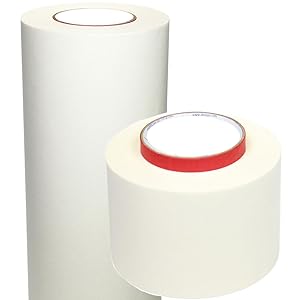
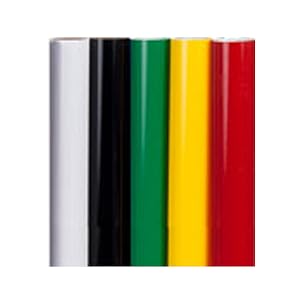
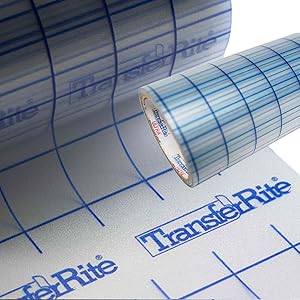
The USCutter 34 inch MH 871 Vinyl Cutter Kit is a professional-grade cutting system featuring a wide 34-inch cutting area, dual ball-bearing media rollers for smooth material handling, and a Roland-compatible blade holder for versatile blade options. It comes complete with Design and Cut software, a starter signmaking kit including vinyl rolls and application tools, plus free video training—perfect for entrepreneurs and creatives looking to produce high-quality custom signage, decals, and graphics with ease and precision.



| ASIN | B00CDQGCTW |
| Best Sellers Rank | #155,308 in Office Products ( See Top 100 in Office Products ) #21 in Computer Printer Cutters |
| Customer Reviews | 4.4 4.4 out of 5 stars (1,661) |
| Date First Available | April 16, 2013 |
| Is Discontinued By Manufacturer | No |
| Item Weight | 48 pounds |
| Item model number | FBA-MHVALUEKIT-VMC |
| Manufacturer | USCutter |
| Product Dimensions | 34 x 13 x 16 inches |
A**O
Great for home business
I recently invested in the USCutter 34 inch MH 871 Vinyl Cutter Kit, and let me tell you, it has completely revolutionized my business! This vinyl cutter is an absolute game-changer for creating custom lettering and graphics for my work trucks, and I couldn’t be more impressed with its performance. First and foremost, the quality of this vinyl cutter is top-notch. The 34-inch cutting width provides ample space for handling large-scale projects, while the precision blade ensures crisp and accurate cuts every time. Whether I’m creating intricate designs or simple lettering, this cutter delivers flawless results with ease. The included software and video training course have been invaluable resources for learning how to use the cutter effectively. The software is intuitive and user-friendly, making it easy to design and customize my graphics before sending them to the cutter for production. Plus, the video training course provides step-by-step instructions and tips for getting the most out of the cutter, ensuring that even beginners can achieve professional-quality results. The starter signmaking kit that comes with the cutter is also a fantastic bonus. It includes everything I need to get started right away, from vinyl rolls and transfer tape to application tools and practice materials. This kit has saved me time and money by providing all the essentials in one convenient package. One of the things I love most about this vinyl cutter is its versatility. Not only can it be used for vehicle graphics and signage, but it’s also great for creating decals, banners, window displays, and more. The possibilities are truly endless, and I’m constantly finding new ways to use this cutter to grow my business. Overall, I couldn’t be happier with the USCutter 34 inch MH 871 Vinyl Cutter Kit. It’s a high-quality, reliable, and versatile tool that has taken my business to the next level. If you’re in the market for a vinyl cutter, look no further – this one is truly the best of the best!
R**L
Phenomenal Cutter!!!
***It’s been 3 months since I wrote this review. I still love the cutter. It’s worked perfectly for my needs. My latest project was cutting Siser Easy Weed HTV to make some Tshirts. I bought the rolls off Amazon in 12” widths. They worked flawlessly. The cutter does have some quirks like needing to make sure it’s connected and talking before sending the file but that’s easy to do and the cutter walks you through it each time. I also didn’t know the difference between servo and stepper cutters at the time as I’ve only had stepper motor cutters. If you need absolute precision because the material you are cutting is very expensive and cannot afford mistakes then a servo cutter is what you want. This would be for cutting window tint or Ppf for example. Only a servo motor cutter would know at all times what it’s cutting versus a stepper knows just how many times it needs to move left to right to do the job. They cost a lot more of course. If you are just cutting vinyl it’s not needed especially if you are a hobbyist. This isn’t my first cutter although it is my first one in 17 years with my first one being a Roland Stika SX-8 that has been nearly bulletproof. Compared to that old technology, this cutter is incredible in every way. It’s fast, it’s accurate, it’s easy to use. I did need to make a call to tech support which was pleasant. I called because the pinch roller on the far right was stuck and I wasn’t sure if it was supposed to move. I was pressing and pulling so hard I was afraid of breaking it so I called Support to make sure it was supposed to move. The reason being it wasn’t over the feed roller causing misfeeds. Eventually I got it free which was stuck on that screw head. Setting up the blade was straightforward and I made sure the Test Cuts worked first. I used the pen instead of the knife for early testing to make sure everything worked to avoid damaging the blade. I imported some Illustrator files into the Vinyl Master app and it cut the files flawlessly and so fast I thought it didn’t do anything. It’s amazing this cutter is half the cost of my tiny 17 year old cutter and so much more sophisticated! If you have never set up a cutter before, get some help from someone knowledgeable because the cutter worked out of the box for me.
V**A
Good for a small business
Works amazing! The program is user friendly. The cut time is extremely quick and perfect for large projects
R**.
Very good cutter once you learn to set it up right.
I bought this so I could do large decals and signs for my business. The software you must download . The software that comes with it is very basic version. I upgraded mine to the next version. Setting up takes some time. Not easy for a beginner. My cutter was not working like it should. The blade was not going up like it should I was getting extra cut lines in my work as it should between cuts. Tech Support was great they sent the new part I needed right away. I installed the new part which took some time as you have to take the cutter apart. (Beginners beware) It takes time to get the cutting blade set just right to cut just the vinyl and not the backing also. There are some nice videos out there to watch on setting the cutter up. Do the test cut on the machine once you can cut the star out in the vinyl and not the backing also then you are good to try your first design on the machine. I have the my cut speed set to 10 mm/s And my cutpress set to 350g I find this is good for the oracal 651 vinyl. As my decals have a lot of small detail to them. You can convert any PNG file to a cut file in the software. Software you will need to learn how it works by taking time to learn every thing you can do in it. As for doing large decals or signs this is my go to cutter now. Once you learn how to set it up right and learn the software you will like the cutter also. I hope this helps someone who is looking for a nice cutter.
Trustpilot
2 months ago
2 weeks ago