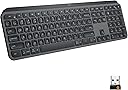
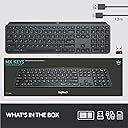
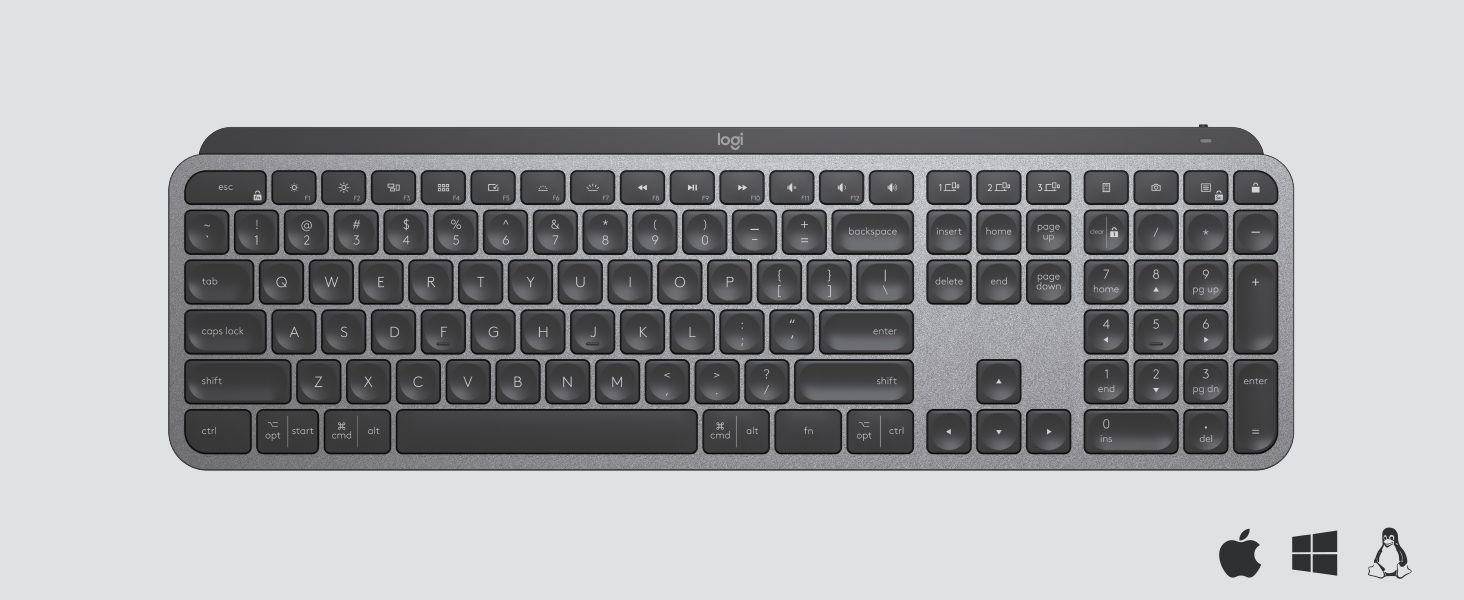
โจ๏ธ Elevate your workspace โ type smarter, switch faster, and stay illuminated.
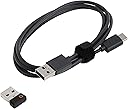
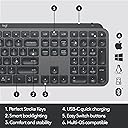
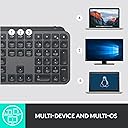
The Logitech MX Keys is a premium wireless illuminated keyboard designed for professionals who demand precision, comfort, and seamless multi-device control. Featuring perfectly contoured keys, smart backlighting that responds to hand proximity, and compatibility across Windows, macOS, Linux, iOS, and Android, it supports effortless switching between three devices. Its USB-C rechargeable battery offers up to 10 days of use with backlighting, while its sturdy, weighted design ensures stability during intense workflows.

| Additional Features | Backlit |
| Antenna Location | Office |
| Asin | B07S92QBCJ |
| Best Sellers Rank | #4,889 in Computer Keyboards |
| Brand | Logitech |
| Built In Media | Cable |
| Button Quantity | 78 |
| Color | Graphite |
| Compatible Devices | PC |
| Compatible Operating System Family | Linux, MacOS, Windows |
| Compatible Tablet Computer Models | AAUB P30 |
| Connectivity Technology | Bluetooth, USB |
| Customer Reviews | 4.7 4.7 out of 5 stars (15,273) 4.7 out of 5 stars |
| Enclosure Material | Metal |
| Global Trade Identification Number | 00097855152893 |
| Hand Orientation | Ambidextrous |
| Item Dimensions L X W X H | 16.9"L x 0.8"W x 5.1"H |
| Item Weight | 1.9 pounds |
| Keyboard Backlighting Color Support | Single Color |
| Keyboard Description | Wireless |
| Keyboard Layout | QWERTY |
| Manufacturer | Logitech |
| Mfr Part Number | 920-009294 |
| Minimum Required Operating System Version | Android 9.0 Pie |
| Model Name | MX Keys |
| Model Number | 920-009294 |
| Number Of Items | 1 |
| Number Of Keys | 104 |
| Number Of Packs | 1 |
| Number Of Sections | 1 |
| Power Source | Rechargeable Battery |
| Series Number | 920 |
| Style Name | MX Keys |
| Switch Type | Tactile |
| Theme | Elegant |
| Unit Count | 1 Count |
| Upc | 097855152893 |
| Warranty Description | Manufacturerโs warranty can be requested from customer service. |
User
Worth Every Dollar
The MX keys is the best keyboard I've ever had. The keys are soft to the touch and quiet when they are pressed. As far as the feel, this keyboard is in between a regular desktop keyboard and a laptop keyboard. The buttons are sturdy and not wobbly. The backlight is perfect. A lot of reviewers complain about the back light not staying on, but It's best that it doesn't, because it conserves the battery life during each use, you don't even have to press any keys or buttons on the keyboard, the backlight comes on when your fingers hover over the surface of the keyboard. when your done typing the backlight stays on from 5 to 7 seconds, then shuts off. All you have to do is brush your fingers across the keyboard and the backlight is back on so you don't have to worry about pressing the wrong keys in the dark. PERFECT. If the backlight stayed on then everybody would be complaining that the battery doesn't last long enough. Logitech had this in mind when building this keyboard. Everybody is also complaining about the weight of the keyboard saying its too heavy, it is in fact heavier than the standard desktop keyboard, but that's good, because if its bumped it won't move or if it is placed on a slanted surface then the weight of the keyboard and the rubber feet will prevent the keyboard from sliding off of it's surface. My keyboard was sitting half way on the edge of my bed and half way off I sat down on my bed before I realized this. I was terrified and my hart sunk to the bottom of my stomach, because I thought it was going to fall on my hard wood floor and possibly get damaged, but because of the weight of the keyboard it didn't fall and I had a chance to move it so it wouldn't fall. The weight comes from the built in battery. I rather have a little extra weight, which isn't really a lot of weight. once you have the keyboard for a week or so you don't even really notice the weight. The weight of the keyboard is actually a BIG PLUS in my option. If your looking for a good keyboard with no latency as far as the response to the keys being pressed, then this is the keyboard. My keyboard is connected via Bluetooth and I've never had any connectivity issues. No need to worry about buying batteries I can just plug my phone charger into the Type-C connection on the keyboard and it charges right up, you can also use this keyboard while it's charging. Thank you Logitech.
User
Takes time to get used to if used to K800. Has some advantages and some not so much.
I have been using the Logitech K800 keyboard for over 12 years and preferred it over any other I tried. When I found out the K800 was discontinued, I was really bummed out but decided to try this keyboard as a replacement. One thing that I don't like about this keyboard is that on the older K800's, the rechargeable batteries could be replaced. For the keyboard, it is not usable once the rechargeable batteries wear out. I am still getting used to the smaller chiclet keys, but there are a few things I like about this keyboard in comparison to the K800.So, what to I like about this keyboard as compared to the K800 keyboard?1) This keyboard is much narrower as it does not include the imbedded palm rest which I don't need. So, it requires less space on my desk.2) The illumination of this keyboard is adjustable as was the K800 but uses different keys for the adjustment. The K800 used the FN key with either the F5 or F6 keys to adjust the brightness of the keyboard. This keyboard uses an OPT key with either the F6 or F7 key for brightness adjustment. Not bad, just different.3) The K800 has tabs to pull out to raise the back of the keyboard. This keyboard has a built in riser which I find preferable to the tabs as, on the K800, they often flattened when the keyboard was bumped.4) This keyboard can be connected to 3 devices and the K800 could be connected to only one.5) This keyboard easily connected to the internal Logitech Unifying software in my computer, but a USB dongle is supplied that can be used for Bluetooth connection.6) One full charge of the battery on this keyboard last so much longer than a full charge on the K800. I have had to charge the battery on my K800 every other day, and this keyboard battery has lasted over 2 weeks without having to recharge it.In response to some comments in reviews:1) Blinded by the light - the keyboard lighting is adjustable.2) Lighting of the keyboard goes off when you are not using it. When your hand goes near the keyboard, the light goes on and does not go off while you are using it. The light turns off when the keyboard is not in use to conserve the battery power - so less charging is necessary.3) The fixed keyboard angle is the same as the K800 provided with tabs, but it doesn't go down if you bump the keyboard. This is a plus for me.4) The power switch is on the back rather than on top of the keyboard, but this is just a matter of getting used to where it is. Not a problem for me.5) There is light leak around the keys, but this is also not a problem for me. It just provides more definition of the keys.Really, the only problem I have had with this keyboard is getting used to the smaller chiclet keys. Other than that, I think it has a lot of improvements over the K800 keyboard I am used to.UPDATE 5/29/23:I have been using this keyboard 2-3 hours every evening for over a month, and I am loving it. I fully charged it when I first got it, and have not had to charge it since. According to the Logi Options software, the battery is still full. Since I have to charge the K800 I use on my other computer every other day, I think this is very impressive. Having used this keyboard for over a month, I am now used to the chiclet keys, and actually like them. Even though the K800 on my other computer still works, I am seriously considering getting another of these keyboards to replace it.I hope this review was helpful for you.
User
Best Keyboard to date
It seems like I keep ordering keyboards because I'm never happy with them. Either the keys are positioned well, or the keyboard is missing caps lock light, or the keyboard is too loud, or some other features I don't like.This keyboard is the best one I've ever owned. The keys are laid out perfectly, for me, there's the cap lock light which is always important, especially when entering passwords so you know that when the password isn't accepted, you KNOW it's not because the caps lock was on and you weren't aware. Pressing the keyboard has a great feel and it's also quieter than many other keyboards I've owned. I also like that I can charge this via USB and not worry about constantly replacing batteries. Bluetooth works great.My only wish is that the key to control the "Start" menu on Windows would have the Windows logo like many other keyboards rather than the word "Start", but that is such a minor complaint and probably only applicable to my tastes that I wouldn't lower any rating for it.I read some reviews where some functionality stopped working after a while. For me, it's way too early to know the reliability of this item yet, so potentially possible that in the future I may have to update the review, but right now, this was definitely worth my investment!
User
Logitech Stood Behind The Product!
I purchased 8 MX Keys keyboards since November 2019. The keyboard itself is great - the feel of the keys, the ability to charge it and the "flow" feature to connect it to 3 systems.There are no replacement keycaps available for this keyboard, so my advice is to register this product.=====================================================================================October 16, 2020 updateThere is a Logitech Support team that monitors MX reviews on Amazon. My review was escalated and a Logitech Operations Manager contacted me with an offer to send a replacement MX Keys keyboard:"I was able to locate your ticket and want to apologize personally for the experience you had. While we do not typically replace products due to accidental damage, I am more than happy to send you a replacement keyboard as this should have been communicated to you much sooner in the process instead of asking you for so many details only to shut you down."I had already repaired the original keyboard, but the Manager followed up again:"I am still happy to send you a replacement keyboard that you can either keep as a backup or deploy somewhere else you may have a need for it. Just let me know if you would like that and I'll be happy to take care of it for you."This is very impressive - I can't remember when I've received a similar offer. I changed the number of stars for the review because of the Manager's follow-up and sincere attempt to make things right.=====================================================================================Update: October 7, 2020I was able to get replacement keycaps & hinge clips (switches) from laptopkeys. com by searching for the Logitech Craft keyboard. The replacement fit perfectly.The MX Keys & Craft keyboards have the same keycaps & hinge clips (switches), but a slightly different layout function keys & hot keys. Reviews stated that the keyboard "feel" was similar.=====================================================================================Update: October 6, 2020What I really needed was the hinged switch for the keycaps - a corner snapped on each one. I tried laptop switches from several old bluetooth keyboards for iPads. The fit was close.I ended up taking the parts from other keys that I don't use. It's such an easy thing to fix.1. Keycap: The plastic piece with letter, number or symbol on it.2. Hinge Clip: The keycap snaps on to the hinge.Wider keys can use 2 or more hinge clips. There is a thin metal retainer bar to "join" all of thehinge clips into a group that act as a single key when the wide key is pushed. An example is thespace bar.3. Cup: The cup provides the "up & down" motion when the key is pushed.Repaired the A key: The hinge broke on the lower right corner. Used the hinge from the * key on the numeric keypad.Repaired the Left opt | start key: The metal retainer was missing but the hinge was OK. Replaced it with the retainer from the Right opt | ctrl key. I didnโt notice the metal retainer when I picked up the pieces and it was probably vacuumed up when I cleaned.Until I can find replacement parts, I used tape for the original keycaps (* key and the right opt | ctrl key).=====================================================================================CASE HISTORY from September 13 - October 5, 2020Via the 1 year warranty, Logitech said they will replace the keyboard. Support will request the following:1. A photo of the broken part together with the case number handwritten on a piece of paper included in the same photo.2. Serial Number from the device itself and not from the box The serial number is on the back of the keyboard. Look for a small sticker underneath the ledge.What Happened?1. I had to submit the photo multiple times. I had typed the serial number on the paper in the photo, then was told to handwrite the serial number. which was not what the original instructions stated. After I sent the handwritten info, I heard from Logitech Support about the replacement. Now I have to wait another week for info about whether the warranty replacement has been approved.2. Received a response that the replacement request "will go through a final approval process which can take up to 15 business days for review."3. A few days later, received another response: "Our higher support is asking how the keys of the device broke off, thank you." The next day, the replacement was not approved on October 5.
User
WORTH!!
I've had this keyboard for about a month now. I LOVE it. When I stumbled on this keyboard I was actually looking for a quiet mechanical keyboard.*I love that the keycap has a circle indention in them so when your finger hits the key the keycap kind of cradles your fingertip. I find myself making much fewer typing mistakes. The keys are actually pretty quiet. They are not silicone keycaps so there is noise and key feedback but this is the quietest keyboard I've ever owned.*I also love that this keyboard is actually pretty heavy. The frame is not wobbly at all! This thing is built to last! If you plan on buying this to travel with or be mobile... I would think about it. It's sturdy enough to handle bumps, but if you're going to be carrying it in your bag, it will be adding some weight to it. Something to consider.However, there are no feet on the back of the keyboard to adjust the height. This is kind of disappointing since that feature has been a universal feature on the keyboards since..... forever! That being said, I do find that I don't NEED it as much as I do on a normal keyboard, which is interesting. I have a separate work keyboard and I can't use it without the height feet... but for $100 it should have been included.*One requirement I had for my new keyboard is that he HAD to be backlit. This keyboard has a nice white backlight on it. I'm not quite sure if you can change the adjustments on it because I've never needed to.The one thing I would have liked to see at the price point of $100 is the option to change the backlight color, but that's more of aesthetics than anything.*Another requirement I had for my new keyboard was that it be wireless and have Bluetooth connectivity. I plan on using this keyboard on both my laptop and tablet for school. I didn't want to buy a new desk keyboard AND a separate tablet keyboard and then have two keyboards on my desk. Connecting the MX to both my tablet and laptop was incredibly simple! I LOVE LOVE LOVE that with the touch of the connection 1 & 2 buttons I can literally switch back and forth between tablet and laptop with little to no lag! It is incredible!* Battery life is pretty damn amazing. I've had this for a month and I think I've charged it twice! One of the really nice features of the MX keyboard is the backlight will timeout if you're not using it for an amount of time. I, personally, thought this was going to be an annoying feature. Turns out I love it. When you put your hand near the keys it detects your hand(s) and turns back on. My inner 12-year-old gets tickled because it's like I have superpowers XDProWireless/BluetoothSturdy AF frameKeycap indentionBacklightLong battery lifeConNo height feetCan't change color of backlight
User
WARNING for Mechanical keyboard users: MX Keys is annoyingly LOW, otherwise a great keyboard.
First off, let me just clarify something: This is overall a great keyboard. If you are used to laptop keyboards or Apple magic keyboards, anything low profile like that, this is 5/5 hands down and you'll love the MX Keys. But if you are accustomed to "fuller" keyboard experiences... i.e. anything with keys that sit higher than 1 nanometer above your desk, please read on... Also I have a detailed pros/cons breakdown at the bottom.So lets start. Logitech has been marketing the MX Keys to a couple specific audiences, one of the primary ones being software engineers... But maybe they forgot that you are not considered a real software engineer until you have spent $1000+ on boutique mechanical keyboards and ancillaries. Otherwise you are just the intern who has only ever known the feel of butterfly Macbook keyboards. Turns out it can be pretty hard to make the jump back to super-low-profile keyboards like this.I've been using the MX Keys for 1 full month now, every single day. I'll be honest, I struggled a lot with how low this thing is. My fingers constantly float above the keys because they are just a few millimeters above the desk surface, and it takes a lot of energy to raise my elbows to the point where I can have my fingers resting normally on the keys.I have actually MODIFIED the board to make it usable to me, with an ESC adhesive keyboard feet attachment and a couple rubber bumper domes (in total about $20-25)- I'll attach some pics of that. Basically my setup raises the board a few millimeters higher into the air, which I've found to be perfectly comfortable. I am hitting 100+ WPM on this keyboard regularly after modifications, which is my fastest consistent performance out of all the keyboards I've ever used.The keys themselves feel great (once I was able to reach them lol). I thought it would take a long time to reacclimate to low-travel keys but it happened fairly quickly. I like the look of the keys and the feel of them. They have these gentle indentations that you can feel and use to find the center of each key.OVERALL PROS:- Price!!! $99. To a layman this is a lot of money for a keyboard, but to any enthusiast this is peanuts. It's basically free.- Packaging minimal yet very classy, well done.- Board looks and feels great, has a sort of subdued yet elite appearance, looks great in office or home setting. If you aren't one of those RGB nerds you will love it.- Has a hefty, solid feeling when you pick it up.- Backlighting is useful and still relatively unique in the wireless world.- Rechargeable via USB-C, no disposable batteries- Media keys useful and you can toggle that row between FN and Media functionality indefinitely rather than try to hit 3-key combos every time.- Software allows for some customization of keys.. For some reason it limits you to a certain set of options for different keys rather than just allowing the full set of actions for each, but still useful. You can also build macros and stuff.- Can connect and switch between 3 devices very rapidly, of course as a Logitech peripheral it supports bluetooth and USB Unifying receiver endpoints interchangeably.OVERALL CONS:- Has no adjustable feet and is so low-profile that it may be initially unusable by folks who are used to higher profile keys- When on battery only, the backlighting fades away really fast if you don't have your hands on the keyboard. Hence why I just leave mine plugged in all the time.. the wire doesn't bother me. I know this is to save power and create that ultra-long Logitech battery life, but it would be nice to have that as a customizable option. People would certainly understand the trade-offs, no need to hide it from them.- It is hefty and solid and full size so this is not good as a portable keyboard. I do NOT consider this a con, but if you think you're just going to throw this in your backpack and haul this daily to your hot-desking, open-office, Facebook HQ developer sweatshop, I am here to crush your dreams.CONCLUSION:This is basically Logitech's take on Apple's Magic Keyboard. You get a lot more features and functionality and a backlight, for $50 less. That's insane. But as I pointed out numerous times, if you're used to traditionally formatted desktop keyboards or mechanical keyboards, anything where the keys sit relatively high above the desk, you may have some trouble with this board. Given time or given some creativity I'm sure you could make it work for you (like I have), but with so many other options on the market right now, just be conscious of what you like and what you want from a keyboard.I do recommend the MX Keys in general. It offers a lot of value.
User
The Cat's Paws
Edit #1: 2023/04/28; One of the keys is no longer working normally: very hard to press, only registers occasionally, and if it does register it often gets stuck in the 'pressed' state. I have not yet, but am about to contact Logitech, and plan to track how all that mess goes with further updates. My other "Business Model" version of this keyboard has been working perfectly, and I have been using it daily too many hours per day over 2 different computers, so perhaps I was unlucky on this one. But honestly, after months of use, I slightly prefer the older $60 K740 to either of these newer keyboards.TL;DR: I love it, and just ordered (elsewhere) another "Business Model" (FIPS-2 encryption, same price) of this keyboard, that Amazon doesn't seem to carry.I'm writing this after only 2 days with this keyboard. Input devices are extremely important to me. My most-recent previous-favorite keyboard was the wired Logitech K740, of which I have bought six (for 3 different computers) over the years, and of the six, four are dead for various reasons. I, despite it being very ergonomically incorrect, use keyboards on my lap, so I am particularly harsh on keyboards (and likely, a "good customer" for keyboards that I like).I started off in the mid 1980's on the IBM "buckle spring" keyboards. Much later. moved to various Cherry MX-[Blue, Brown, Red, Clear] keyboards, of which I most prefer the Browns. When it came to laptop computers, only IBM ThinkPads would do.What I have discovered (personally, YMMV) over the years with regard to keyboards is that fairly-light touch, short throw, soft-bottoming, keys cause my wrists, forearms, and fingers the least 'annoyance' after long days at the computer. (MX-Browns modified with felt (not rubber) o-rings was my favorite for several years, but clicky-typing while taking notes on business phone calls put an end to that.)Specifically to the MX Keys, I'm using it on Debian 11.3 Linux as I type this. Pairing via the included Unifying Receiver "just worked". Pairing via BlueTooth was a problem, and required that I use command-line '/usr/bin/bluetoothctl", instead of the BlueMan GUI silliness. I have the receiver plugged into my DellU3414W monitor's USB port, and so can switch the keyboard between the Debian box and an Ubuntu box using the *monitor's* built-in USB KVM function. This is *exactly* how I used my wired K740 before, but is now wireless. On a switch, it takes longer for the monitor screen to refresh than for the keyboard to notice any change. Just works, including that all the keyboard's funky function keys do *something" interesting/useful, most are obvious, others (like launching the calculator not so much). The *only* issue is that the keyboard's battery is reported as 100%, 50% or 0% (though haven't personally seen 0% yet). I use the back-light a lot, so I'll probably charge it up weekly regardless, and that should be plenty.Using the Linux (and Windows, OS/X, etc.) "Solaar" application (older version in the official Debian and Ubuntu repositories works, but newest version can be found on github), I confirmed that both showed the keyboard connection was encrypted. The Unifying Receiver does (AFAICT) AES encryption. That's plenty for most uses. But, there's another model of this keyboard, called a Business Edition, that Logitech claims is FIPS-2 secure. I've ordered one of those for my other computer where I do my "important" stuff....and finally, you 'cat' people know what I mean when I say it's the "Cat's Paws". Expensive. We'll see how long it lasts (especially compared to the K740s), and if it does die, or start missing key-strokes, I'll edit this to let you know.
User
Great feeling keyboard - slightly tricky Bluetooth to Mac
This is probably the best feeling/tactile keyboard I've ever used. Writing a lot, I use the keyboard more than mouse, touchscreen or anything else, so the feel of the keyboard is important to me. Most PC keyboards are eh quality; Macs are good but not perfect. This Logitech keyboard has the best, most satisfying and solid feel of any keyboard I've ever owned. Heavy keys, a rubberized surface that grips well, nicely shaped keys, solid and well-weighted body, all come together to make this one of the best and most solid feeling keyboards ever. The lighting is slightly annoying but I'll get used to it. The keys light up when they sense your hands approaching, and stay lighted while typing; after a moment the lights dim until approached again. Not conducive to sitting and thinking at the keyboard, but I guess as wireless/rechargeable, it has to save battery life. Bluetooth to Mac was tricky. Didn't work on first several tries. Kept asking to type a code into the device to connect. Initially failed so I used the USB dongle. A few days later tried again, and this time it connected. So it does work well with Mac on Bluetooth but takes a few tries. Aside from that, having purchased one of the $30-40 range keyboards then this one, I love this one so much, it's worth the price point. Also Logitech stuff lasts forever, I have a wireless mouse that's about 100 years old and still perfect, so you can't go wrong with the brand.
Trustpilot
1 month ago
3 weeks ago